-

Written By Rohan Wiese
-
Updated on April 7th, 2026
Bulk PST Migration for Enterprises (100+ Users) – Complete Guide
The process to handle email data for a large number of users is a major responsibility for any enterprise. As the number of users increases, these files are commonly stored across multiple systems, which creates challenges in control, security, and compliance. Without a proper migration plan, businesses can get data inconsistency & storage inefficiencies. A structured bulk PST migration process helps you to bring all user data into a single environment, which makes the management simpler. In this guide, we will cover the right way to perform enterprise-level migration. Along with that, we will discuss how the Aryson PST Migration Tool is helpful in a smooth migration.
User Query
Ryan_T on Microsoft Community Ask: I am handling PST migration for more than 100 users, but processing each file separately is taking a lot of time. It becomes even more challenging when the files are large.
What approach can help complete bulk PST migration faster and with less effort?
Emily_W on Reddit Ask: Our company has PST files saved on multiple systems, and we need to move all data to Microsoft 365. We are finding it difficult to organise the files and assign them to the right user accounts.
How can bulk PST migration be done in a more structured way without mapping issues?
Jason_P on Microsoft Community Ask: When I have used the native PST import feature, the migration process becomes slow and sometimes stops before completion. This is delaying our overall migration work.
Is there a more reliable and quicker solution for migrating PST files for a large number of users?
Why Do Enterprises Need Bulk PST Migration?
Enterprises require bulk PST migration to bring bulk email data under a single system. When PST files are saved on multiple devices, managing and securing them becomes difficult. A bulk migration approach helps you to move your data to a centralised platform, which makes the process of control easier. Moreover, it helps to reduce dependency on local storage and limits the risk of data loss. Likewise, it supports smoother communication & provides better data handling across the organisation.
Major Challenges in Enterprise-Level PST Migration (100+ Users)
The procedure to execute bulk PST migration for more than 100 users brings several technical & management challenges that require careful planning to avoid disruptions.
- Handling a high volume of PST files from multiple user systems.
- Network limitations that can slow down the migration process.
- Possibility of data loss or file damage during transfer.
- Difficulty in mapping PST data to the correct user accounts.
- Keeping operations running without major interruptions.
- Maintaining data security and proper user permissions.
- Monitoring the migration process & tracking progress effectively.
Proven Methods for Bulk Migration of your PST files
To handle your bulk PST migration efficiently for large enterprises, it is important to understand the available approaches & choose the one that best fits organisational needs.
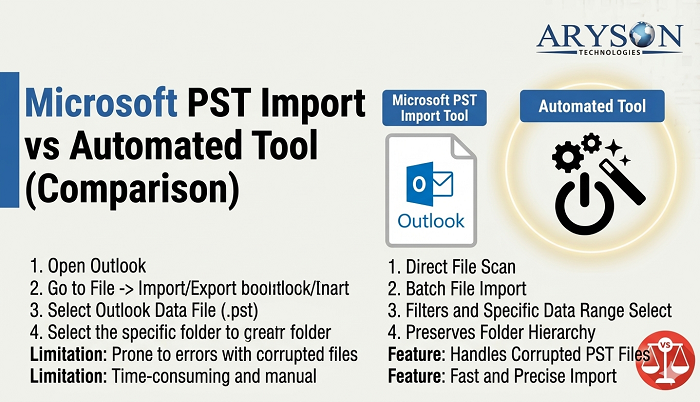
- Native Approach
- Automated Solution
Method 01: Native Approach to Convert Large PST files
The native method relies on Microsoft’s built-in import feature to transfer your PST files into user mailboxes. Moreover, it is a dependable option, but it needs correct setup and administrative access.
Easy steps for bulk PST migration:
- To begin, you need to gather all your PST files in one location.
- After that, you have to create a CSV file for mailbox mapping.
- Now, you need to generate a secure upload link (SAS).
- Thereafter, you have to upload PST files using AzCopy.
- Next, you need to create and start the import process.
- At the end, you can track the process and verify results.
Limitations of the Native PST Migration Method:
- Users require technical knowledge to set up & execute the process.
- This seems time-consuming when you handle large volumes of PST files.
- Moreover, it provides limited control over selective data migration.
- This approach depends heavily on network speed and stability.
- Also, there is a high chance of errors due to manual configuration.
Method 02: Automated Solution for Bulk PST Migration
The Aryson PST Migration Tool is a secure & quick approach to simplify bulk PST migration for organisations that handle a large number of user accounts. It allows multiple PST files to be processed in a single workflow, which helps to reduce manual effort & saves time. Moreover, it helps you to keep the original data format intact and minimises the risk of errors. Likewise, this method is suitable for enterprises that need a smooth, reliable, and time-efficient way to complete their large-scale PST migration.
Quick Steps to Import Bulk PST Files:
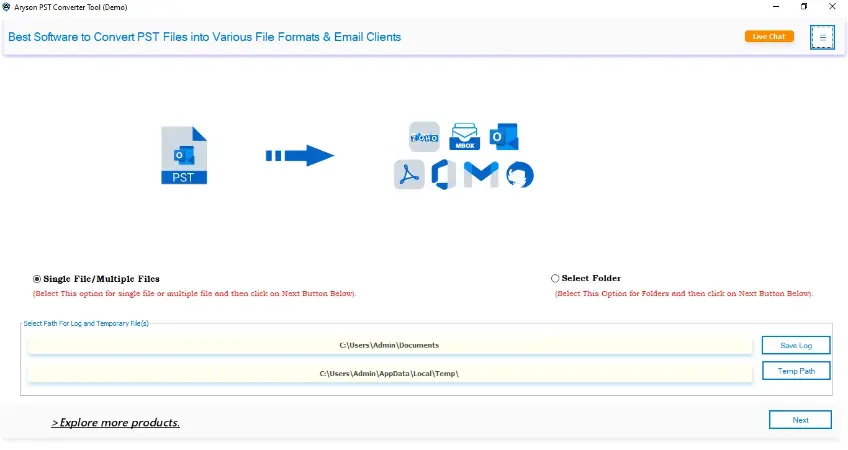
- To initiate, you need to install & run the Aryson PST Migration Tool.
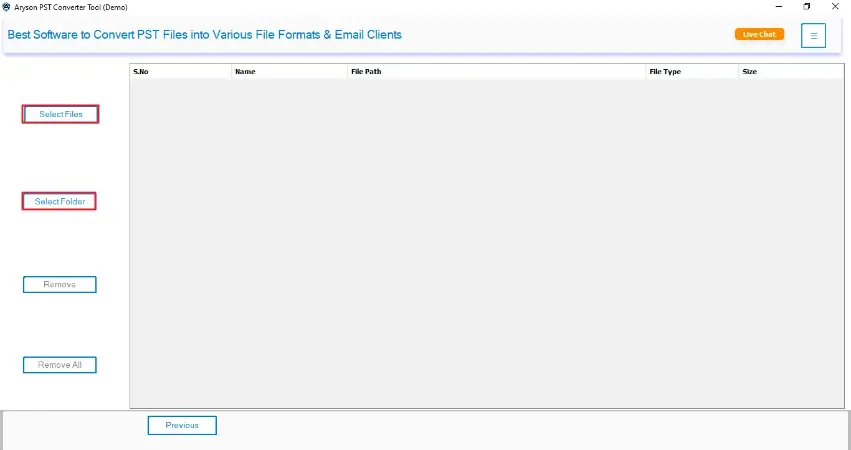
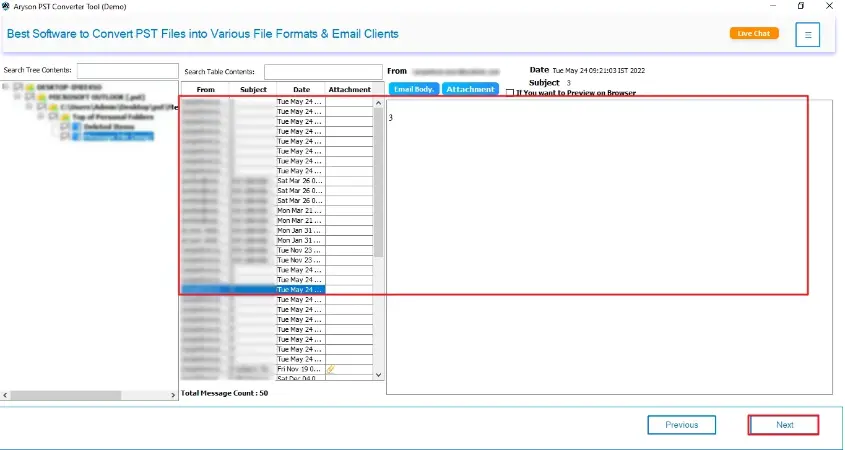
- After that, you have to upload single or multiple PST files.
- Now, in this panel, you can preview the data before migration.
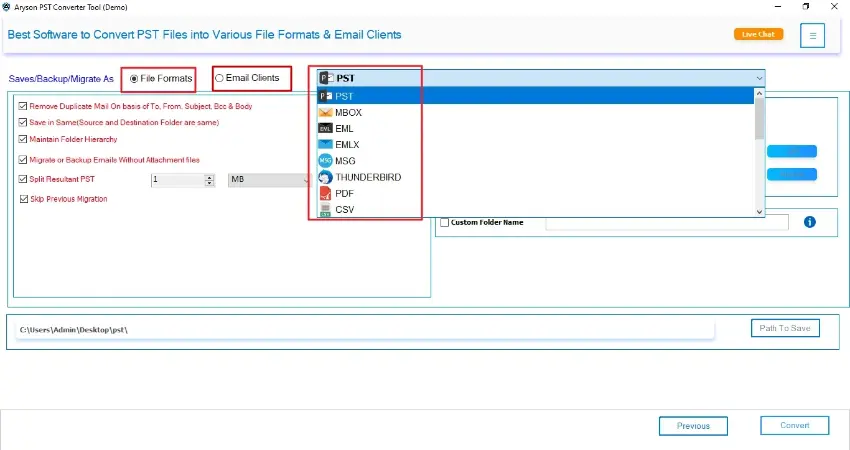
- Then, simply, you need to choose the output format as required.
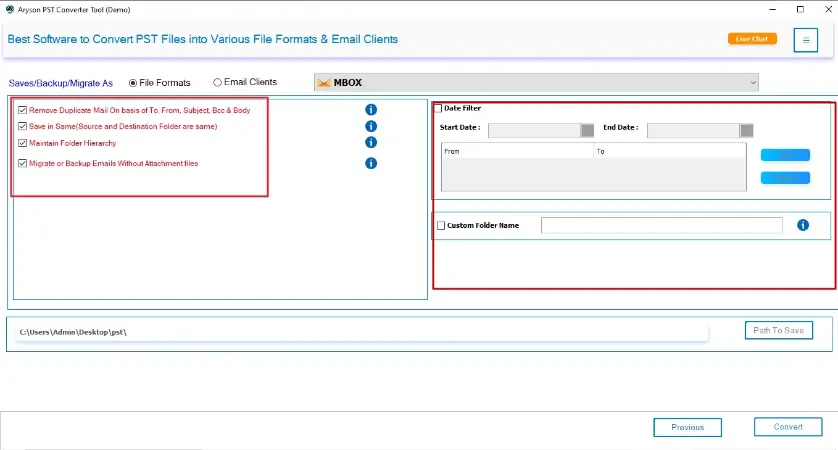
- Afterwards, you can apply the additional filter as per your needs.
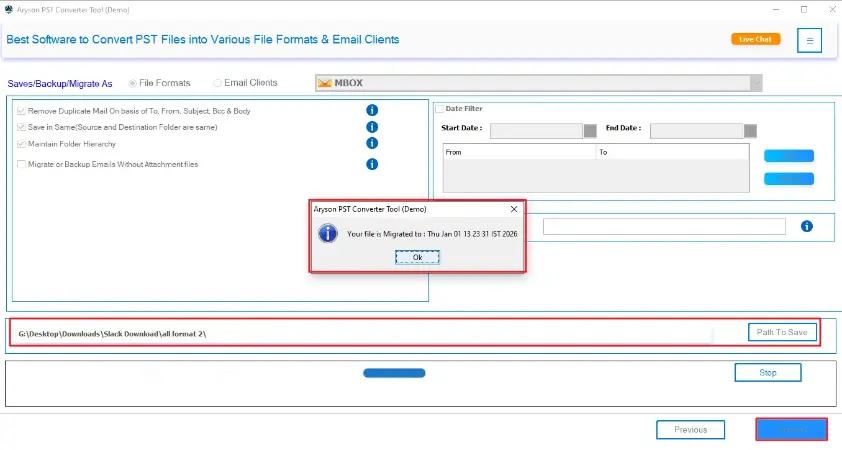
- At the end, press Convert for conversion & verify the output afterwards.
Note: When your PST file is corrupted, you need to use a professional Outlook PST Recovery tool that can easily repair and restore emails from the corrupted file. After that, you can migrate the PST file to O365 without any difficulty.
End Note
To conclude, the process to manage bulk PST migration for more than 100 users requires the right approach to avoid data issues. While native methods can work but become difficult when there is an increase in data size & user count. In comparison, the above-discussed automated solution can make the process simpler, faster, and easier to manage. As a result, you need to select a suitable method so that organisations can complete migration with better accuracy. A well-organised migration process helps maintain data consistency and provides smooth operations across the enterprise.
FAQs
Q1. How long does bulk PST migration take for 100+ users?
Ans – The time required depends on PST file size, network speed, and the method used. Using a solution like the Aryson PST Migration Tool can help complete the process faster by handling multiple files at once.
Q2. Is it safe to migrate PST files in bulk?
Ans – Yes, bulk migration is safe when proper planning is followed and a reliable method is used. It is important to ensure data backup and correct configuration before starting.
Q3. Can I migrate multiple PST files to different user accounts?
Ans – Yes, tools such as the Aryson PST Migration Tool allow you to map multiple PST files to their respective user accounts and perform migration in a single process.
Q4. What is the best method for enterprise PST migration?
Ans – For large-scale environments, automated solutions are considered more effective, as they simplify the process and reduce manual effort.
About The Author:

Rohan Wiese is a Technical Content Writer at Aryson Technologies, specializing in databases, e-mail recovery, and e-mail migration solutions. He enjoys conducting research and generating information that assists database administrators, businesses, and novices in resolving issues with MS SQL Server, MySQL databases, Cloud Computing, and Microsoft Exchange.
Realted Post