












Screenshots

Video

Guide

Eula

500+

MSPs Onboarded for Migration

5+

Output Formats

100%

Secure Local Processing

Zero

Downtime

GDPR

Compliant Processing

24×7

Technical Support

Migrate MBOX Files from any MBOX-Based Email Clients with Ease.

Easily transfer your MBOX emails from any MBOX-supported email client securely.

Thunderbird

Thunderbird

Apple Mail

Apple Mail

Apple Mail

SeaMonkey

Apple Mail

Eudora

TheBat!

TheBat!

Sylpheed

Sylpheed

Pegasus Mail

Pegasus Mail

Entourage

Entourage

Opera Mail

Opera Mail

Evolution

Evolution

Google Takeout

Google Takeout

Horde Mail

Horde Mail

Aryson MBOX Migrator Tool – Email Clients & Cloud Migration Options

Users can migrate MBOX mailbox data directly into popular cloud-based and web email services using Aryson MBOX Migration Software. This software connects securely with each email platform through verified login methods to ensure safe and accurate data transfer.

Aryson MBOX Migrator – Supports Migration of All MBOX Data Types

  • Comprehensive Format Support: MBOX Migrator handles a variety of MBOX versions – mbox, .mbx, .mbs, and extensionless files.
  • Universal Compatibility: Whether the MBOX file originates from an everyday client or some specialized email client, Aryson MBOX Migrator provides very smooth conversion indeed.
  • Subfolder Handling: All subfolders are preserved, guaranteeing that even emails stored in nested directories remain intact and organized.
  • .sbd Folder Support: The software fully supports .sbd directories, ensuring that all sub-mailboxes stored within these folders are detected and migrated while keeping the original folder hierarchy intact.
  • Accurate Email Structure Retention: The original folder hierarchy and mailbox structure remain unchanged after migration.
  • Shows the full content of each email, including associated images and formatting.
  • Detailed Email Preview: Double-click on any email entry in the list – this will open a new window allowing you to view its body, attachments, and also those very detailed technical headers.
  • Selected/Total Message Count: Located at the bottom, it clearly shows the total number of messages in your chosen folder – and also how many you have actually selected for processing right now.
  • Full Email Content Migration: The tool will migrate all content from each email – including text, formatting, and any embedded multimedia such as pictures, sound or video files.
  • Metadata Preservation: The crucial metadata, such as sender, recipient, subject lines, and timestamps, remain intact.
  • Integrity Assurance: Users can rely on the software to maintain the exact structure and content of emails during migration.
  • Multiple Profile Compatibility: Aryson MBOX Migrator can handle one as well as several Thunderbird profiles – thus making it simpler for users to move their information out of very complicated or even multi-account configurations.
  • Automatic Profile Detection: Software scans your system automatically, detecting all configured Thunderbird profiles so that you don't have to manually select a path yourself.
  • Direct Thunderbird File Access: Users may import their emails straight from Thunderbird's data files – no need to export an MBOX file first.
  • Smooth Migration: Emails from a number of accounts can be transformed into many different formats – all without losing any information.
  • Compatible With All Thunderbird Versions: Works very well for both the oldest and most current Thunderbird versions.
  • Complete Folder Migration: All your Thunderbird folders – like Inbox, Sent, Drafts, Trash, and even custom ones – will be kept intact through the migration process itself.
  • .mbox File Support: The tool efficiently detects and processes standard .mbox files, ensuring complete migration of emails along with headers, attachments, and folder structure.
  • Deep Scanning: Even nested folders and hidden files like "From" and "Received" are recognized.
  • .mbx File Support: Legacy .mbx files created by older email clients are accurately identified and migrated without compatibility issues or data loss.
  • .mbs File Support: The software fully supports .mbs mailbox files, capturing all stored messages while preserving original formatting and metadata.
  • Automatic File Recognition: Every file type gets scanned and recognised all by itself – so users don't have to manually pick out or set up file extensions.
  • Safe and Complete Processing: Every supported MBOX-related format is treated very carefully so that not a single email, folder, or attribute gets lost during migration.
  • Handles oversized MBOX files spanning multiple GBs.
  • Supports high-volume accounts and batch backups containing thousands of emails and attachments.
  • Complete metadata of each email is preserved during migration.
  • Google Takeout: Auto-detects folder structure and imports all mailboxes.
  • Universal MBOX: Supports exporting emails to MBOX format from Thunderbird, Apple Mail, Eudora, and others.
  • Apple Mail MBOX: Imports messages straight from Apple Mail installations themselves, retains the original folder structure, and is also compatible with UTF-encoding for email contents.
  • Export MBOX to PST: Allows smooth access to emails in Microsoft Outlook and other PST-supported environments.
  • Convert MBOX to EML: Saves messages in a widely accepted format compatible with many email clients.
  • Save MBOX as MSG Format: Preserves Outlook-specific email properties with full metadata support.
  • MBOX to MBOX Conversion: Ensures compatibility with popular clients like Thunderbird and Apple Mail.
  • Convert MBOX to PDF Format: Converts emails into secure, readable documents suitable for archiving and sharing.
  • Export MBOX to CSV: Exports email data into spreadsheet-friendly format for easy analysis and reporting.
  • Import MBOX to Thunderbird: Directly imports emails into Thunderbird while keeping folder structure intact.
  • Supports all major attachment types such as PDF, JPG, ZIP, and more.
  • HTML Body: Shows the email as it appears in a web browser (visual fidelity).
  • Attachment: Lists all attached files for verification.
  • Plain Text: Displays only the unformatted message text.
  • Headers: Shows the complete Internet mail headers (for forensic/route verification).
  • MIME: Displays the technical structural data (encoding and boundaries).
  • Raw HTML: Shows the unprocessed source code of the email.
  • Shows an organised hierarchical mailbox structure – with Inbox, Sent, Drafts, Archive, and many more folders.
  • Displays how many emails have been selected compared to your total mailbox count.
  • Folder Tree (Left): Navigate the nested folder hierarchy. Use Search Tree Contents to locate specific folders, and Collapse All to quickly minimize the view.
  • Email Table (Right): Displays the messages contained within the selected folder.
    • Attachment Indicator: Emails containing attachments are visibly colored yellowish for quick identification.
    • Filtering: Use Search Table Contents and the Dropdown Filter (To/From/Subject) to narrow down the message list.
  • Preview Failure Option: If the in-app preview fails, select the View in browser if preview fails option to open the message in your default web browser.

Aryson MBOX Migration Software - Rating & Reviews

See what our users have to say about the MBOX Mailbox Migration Tool:

Expert Review

Rating & Reviews

Aryson MBOX Migrator Tool: Enterprise-Level & Corporate Use Cases

Here’s how enterprises manage large-scale MBOX migrations from Google Takeout and Apple Mail securely.

Migration

Centralized Migration of Google Takeout Data:

This software helps enterprises migrate Google Takeout MBOX files when employees leave an organisation or during Google Workspace restructuring. As a result, IT teams can securely retain business emails without manual configuration.

Apple Mail

Apple Mail Enterprise Data Consolidation:

Enables organizations using Apple Mail on macOS systems to migrate MBOX files into Office 365 or Google Workspace. Therefore, enterprises can standardize email platforms across departments.

Information tech administrative

IT Administrative Efficiency:

Allows IT teams to perform bulk migrations from multiple users, devices, and exported MBOX sources. Consequently, manual effort is reduced, and project timelines are shortened.

Mailbox

Bulk & Large Mailbox Processing:

Supports migration of large Google Takeout and Apple Mail MBOX files in one go. Hence, enterprises can handle thousands of emails without performance or data loss issues.

Data

Compliance & Data Retention:

Preserves email headers, attachments, and metadata from Google Takeout and Apple Mail exports. As a result, enterprises meet legal, audit, and compliance requirements.

Secure

Secure Cloud Migration:

Uses OAuth-based Modern Authentication for Office 365 and Google Workspace. It ensures enterprise-grade security while migrating emails from exported MBOX sources.

Selective

Selective & Controlled Migration:

Offers date range and folder-level filters. Thus, enterprises can migrate only business-critical emails instead of entire Takeout or Apple Mail archives.

Export mail

Scalable for Enterprise Growth:

Designed for large and growing organizations dealing with frequent Takeout exports or Apple Mail backups. The tool scales smoothly without disrupting business operations.

Comprehensive Features of the Aryson MBOX Migrator Tool

Discover the advanced capabilities of this software that make email conversion hassle-free.

Migrate MBOX into Multiple Email Platforms

Migrate MBOX into Multiple Email Platforms

The Aryson MBOX Migrator allows flawless migration of MBOX files to Office 365, Google Workspace, IMAP servers, Hotmail, Gmail, and GoDaddy. So, users can move their emails across platforms without any compatibility issues. No matter which email client you pick, this feature provides smooth migration with complete email integrity.

Convert MBOX Files

Convert MBOX Files into Multiple Formats

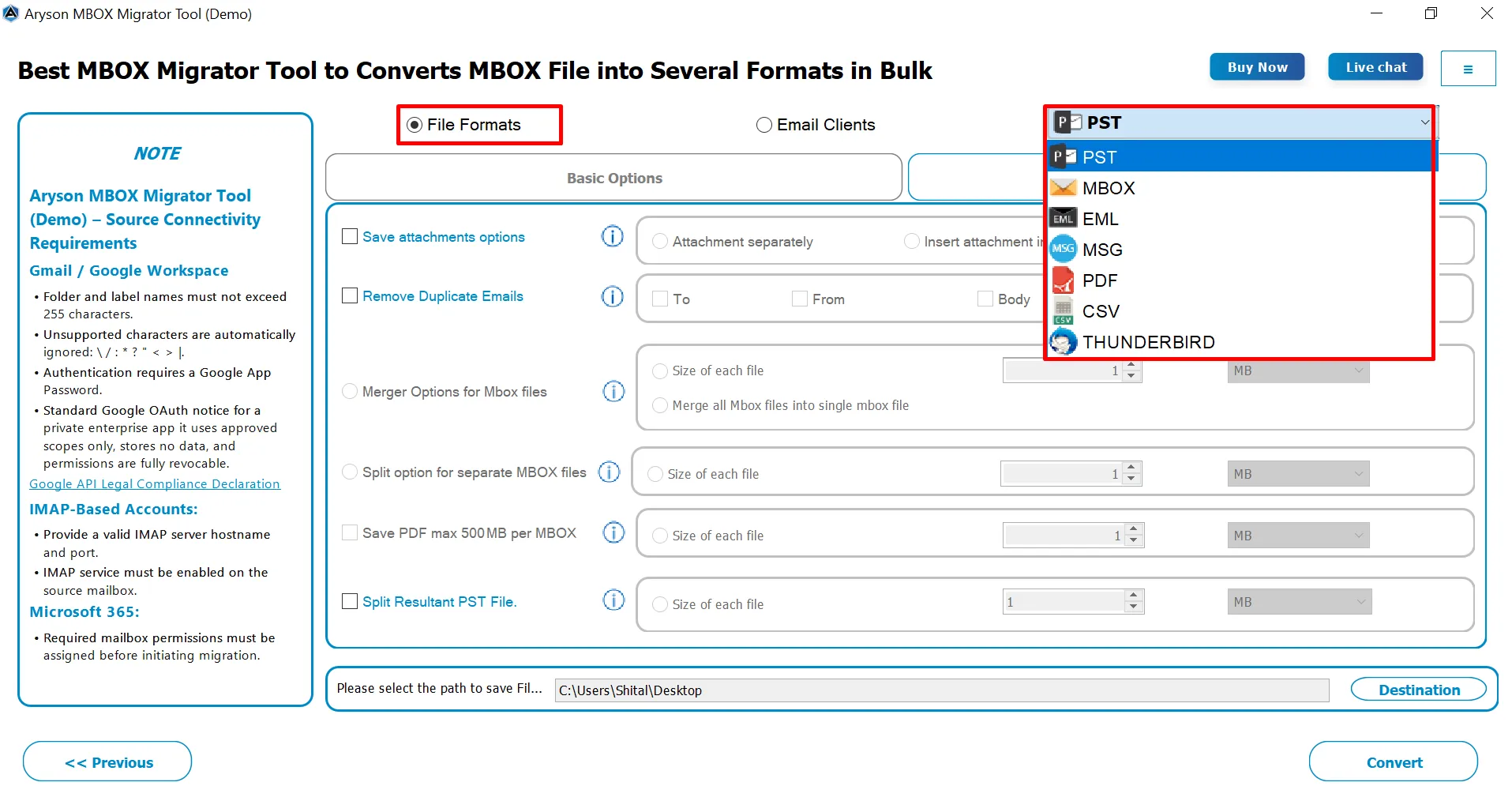
With this advanced MBOX Email Migration Software, users can convert MBOX files into PST, MBOX, EML, MSG, PDF, CSV, and Thunderbird formats. This versatility allows users to meet diverse email management and backup needs. For example, converting to PST helps in Outlook migration, while PDF export is useful for archiving important emails.

Bulk MBOX File Conversion

Bulk MBOX File Conversion

This software supports bulk conversion to migrate large mailboxes in a single operation. It saves time and avoids the need to process each MBOX file individually. It’s especially useful for businesses handling multiple user mailboxes or users with extensive email archives. Also, it can migrate individual MBOX files, complete folders, or entire Thunderbird profiles.

Maintains Email Attachments

Maintains Email Attachments & Formatting

During migration, the Aryson MBOX mailbox Migration Tool preserves the original email structure, including formatting, inline images, and attachments. As a result, it guarantees that no data is lost or corrupted. Along with that, it makes sure that all emails appear exactly as they did in the source client.

Split Large MBOX files

Split Large MBOX and PST Files

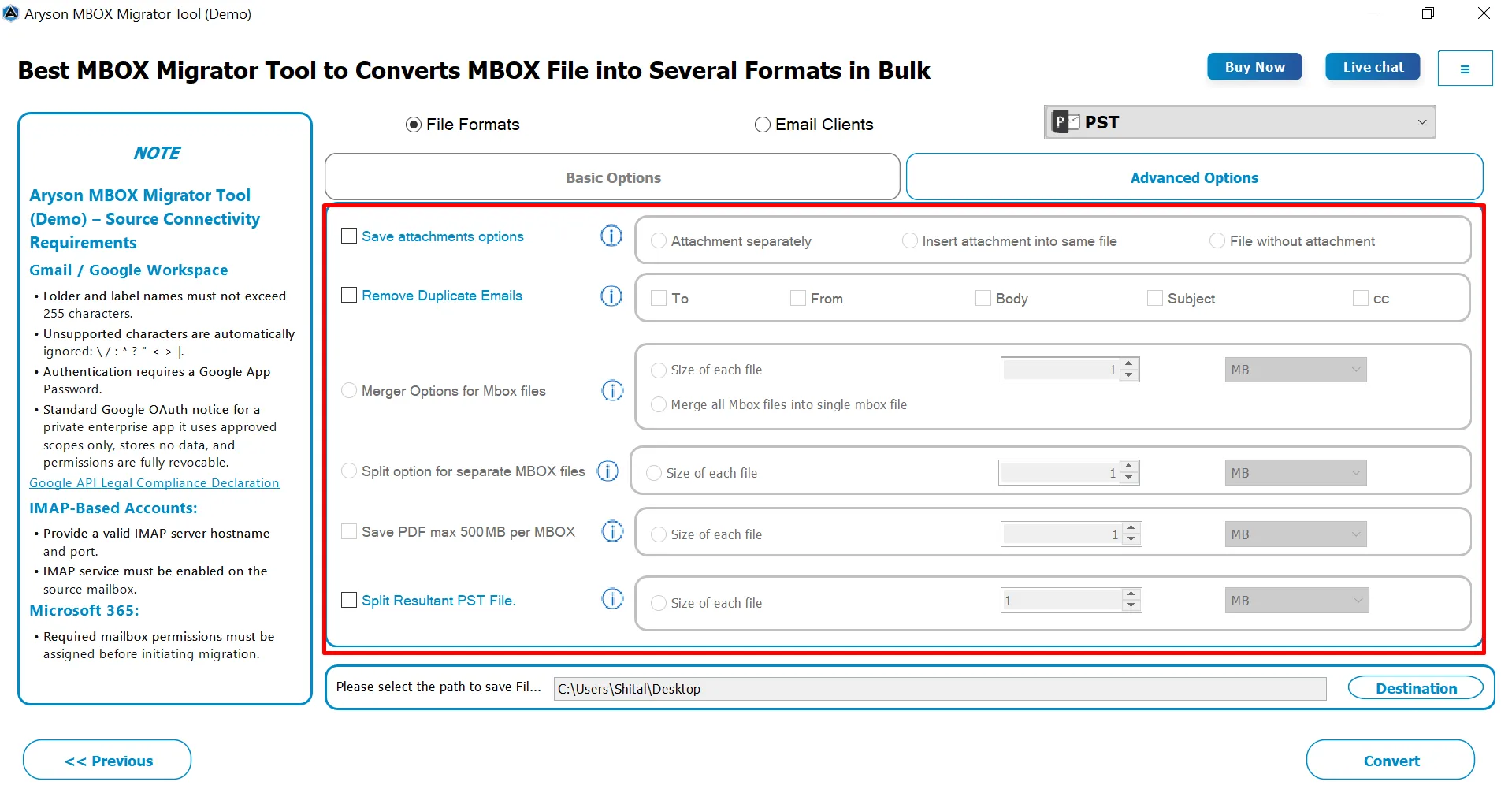
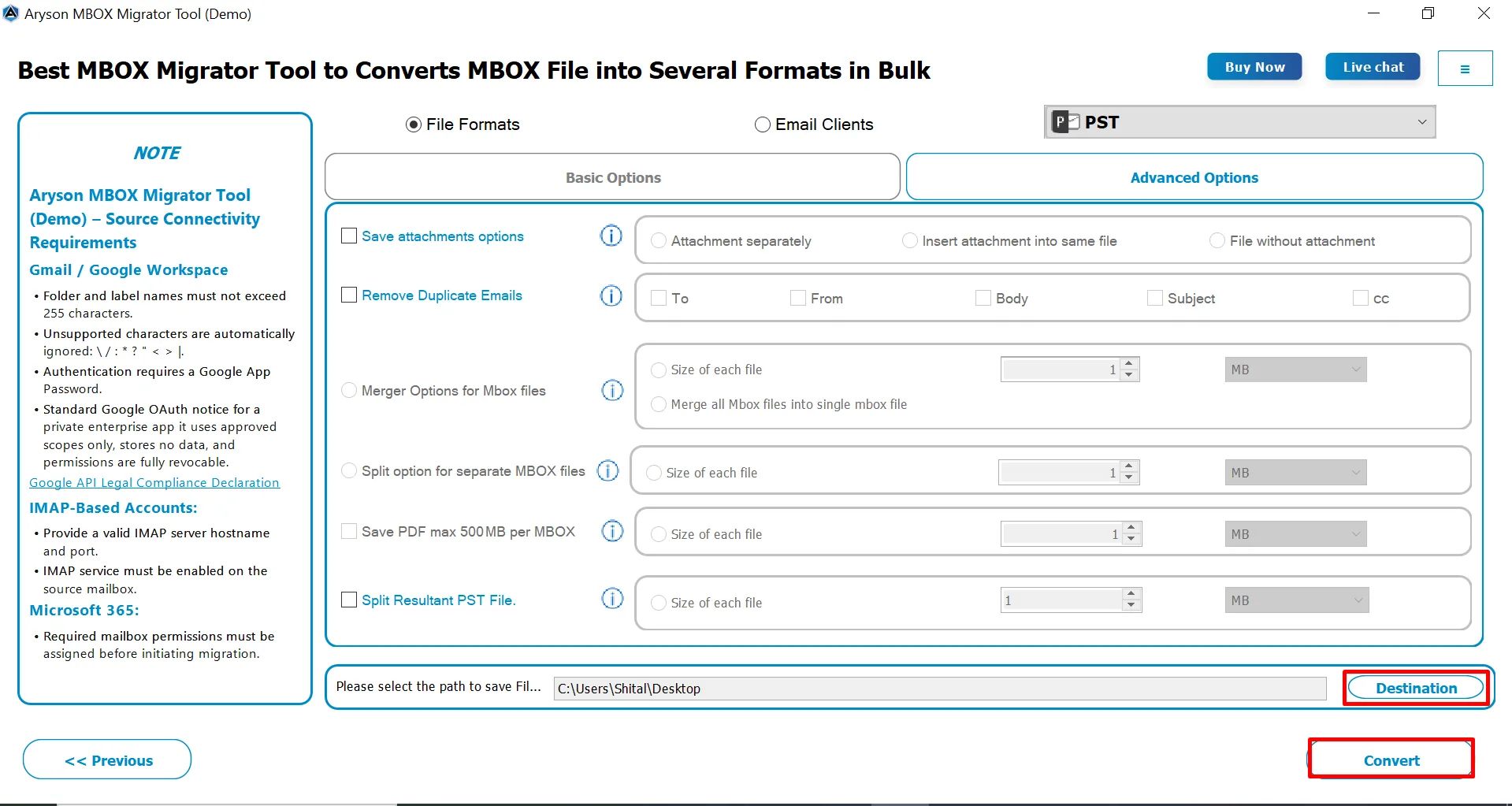
To manage storage efficiently, the Aryson MBOX Migrator Tool supports splitting large MBOX or PST files based on user-defined size limits. If you selected PST or MBOX as the output formats, you will get the split option for both resultant formats. It prevents oversized files from causing errors in the destination client.

Merge Multiple MBOX Files

Merge Multiple MBOX Files

The Merge Multiple MBOX Files feature enables users to combine many resulting MBOX files right into one highly consolidated file. This software can merge all MBOX files into a single MBOX file or split output by file size. Users are able to combine several MBOX files all into one file, which makes managing your emails much simpler. It is helpful when consolidating multiple mailboxes or folders into one organised file before migration.

PDF Output Size Control

PDF Output Size Control

When you are exporting emails to PDF, users can control the output size. As a result, you can limit merged PDF files to up to 500 MB. Users can set a maximum size limit (up to 500 MB) for merged PDFs, ensuring that the files remain easy to store, share, and open without performance issues.

Naming Conventions

Naming Conventions Feature

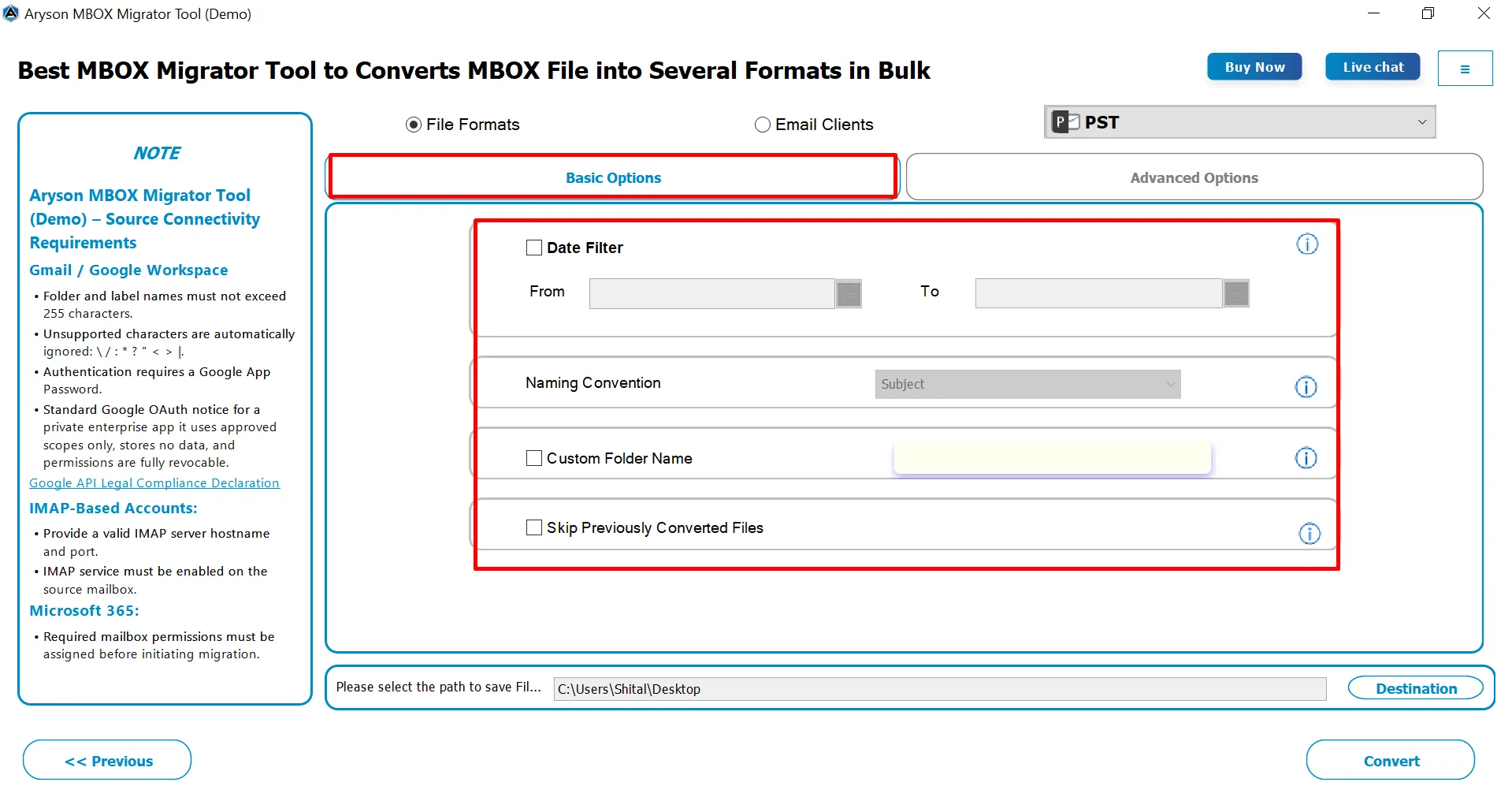
The Aryson MBOX Migrator Software supports custom naming conventions based on subject, date, or other parameters. With the help of this feature, users can organize migrated emails systematically. As a result, it becomes easy for individuals to search and access PDF, MSG, and EML post-migration.

Assign Custom Folder Name

Assign Custom Folder Name

The Custom Folder Name feature allows users to define their own folder names for exported or migrated emails. It helps in organizing emails more effectively after migration. Users can create meaningful folder names based on project, department, date, or source mailbox. Hence, it makes email access and management easier.

Date Range & Duplicate Removal Filter

Date Range & Duplicate Removal Filter

Users can export emails within a specific date range, allowing selective migration. It is useful for moving only relevant or recent emails in the source client. Also, it includes a feature to detect and remove duplicate emails based on To, From, and Body. This ensures that unique emails are migrated and save space.

Skip Perviously converted files

Skip Previously Converted Files

With the use of the Aryson MBOX Migrator Tool, you can skip emails or MBOX files that were already converted. So that you can prevent duplicate migrations and save time for the further migration process. This option is quite helpful during incremental or repeated migration sessions. So you can get the resultant MBOX output without any duplicates.

Mapped with Default Mailbox

Mapped with Default Mailbox

When individuals migrate the MBOX data into any email platform, they will get the Mapped with Default Mailbox feature. It ensures that emails from Google Takeout MBOX files are automatically aligned with the default mailbox folder structure during migration. Also, note that this option applies to all destination platforms except IMAP. It is exclusively available for Google Takeout files.

GUI

Simple GUI & Windows Compatibility

Aryson MBOX Migration Solution works with Windows 11, 10, 8.1, and earlier, ensuring wide compatibility for both modern and legacy systems. Apart from Windows compatibility, it has an easy-to-follow GUI. Its intuitive interface allows quick selection of MBOX files and migration options without technical expertise.

Email Client

Supports All Major MBOX-Based Email Clients

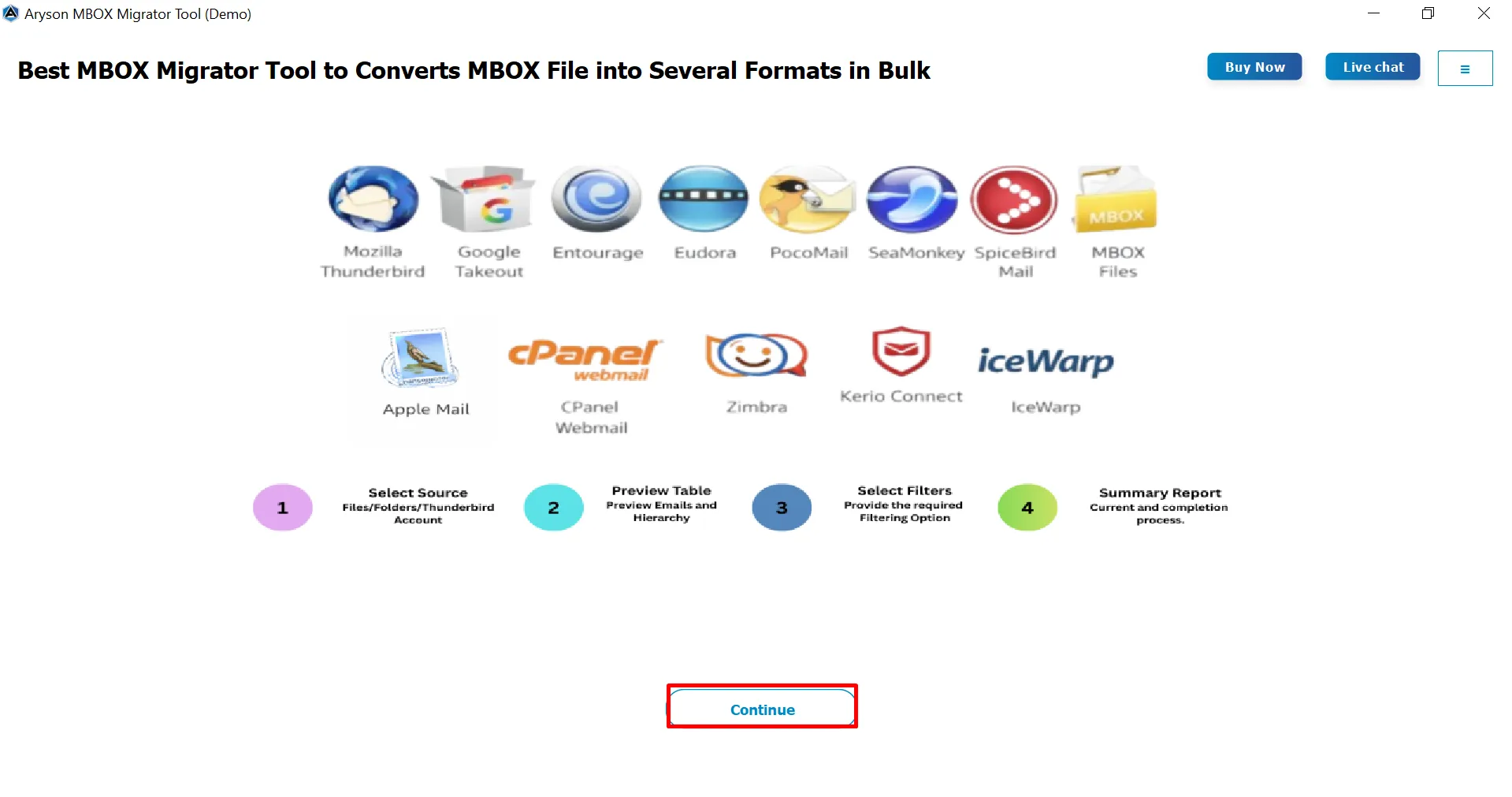
The Aryson MBOX Migrator is compatible with nearly all popular MBOX-based email clients, such as Thunderbird, Apple Mail, Eudora, Entourage, PocoMail, SeaMonkey, Spicebird, and cPanel Webmail. Users can move emails from multiple clients into a single destination. Whether moving from desktop clients or web-based MBOX exports, it handles all efficiently.

Map MBOX Files to the Right Office 365 or Google Workspace Mailboxes

Mailbox Mapping for Office 365 and Google Workspace

When migrating multiple MBOX files, you can assign each file to the specific Office 365 or Google Workspace mailbox where its data needs to go. Select destination users from the available mailbox list, search for a particular user, or import multiple users at once using a CSV file. This makes it easier to handle different mailbox mappings in bulk, including 1:1, 1, M:1, and M migration scenarios.

Map MBOX Folders to Default Mailbox Folders

The Mapped with Default Mailboxes option automatically matches common MBOX folders with their corresponding folders in the destination mailbox. For Google Takeout MBOX files, folders such as Inbox, Sent, Drafts, Spam, and Important can be mapped to their respective destination folders. The tool also supports Follow Tree Hierarchy, which keeps the original folder and subfolder structure intact during migration.

How Aryson MBOX Converter Works

A simple four-step workflow to load, preview, convert, and export MBOX mailbox data with complete visibility.

01
STEP 01

Install & Load MBOX Files

Install the Aryson MBOX Converter Tool and load the required MBOX files into the software.

02
STEP 02

Preview & Select Emails

Preview emails before conversion, including the HTML body, plain text, attachments, etc. Select the desired emails to migrate.

03
STEP 03

Choose Destination

Select an output format such as PST, MSG, EML, MBOX, PDF, or CSV, or choose a supported email client such as Microsoft 365, IMAP, Gmail, Google Workspace, Outlook.com, or GoDaddy.

04
STEP 04

Configure & Convert

Apply date filters, skip existing exports, manage attachments, detect duplicates, and configure MBOX merge or split options. Start the conversion & monitor processed messages, file count, status, and execution time in the progress panel.

Aryson MBOX Migrator Tool: System Specifications

Software Download

(Windows)

Download Now

Size: 243MBVersion: 26.08

Trial Limitations

Users can test this software using the free demo version, which exports only 50 emails per MBOX file. If you want to migrate the entire mailbox, simply purchase and activate the full version of the Aryson MBOX Migrator Tool.

Requirements & Supported Versions

Processor: Intel® Core™ 2 Duo CPU E4600 @ 2.40GHz 2.39GHz

Hard Disk Space: 500 MB of free hard disk space required

RAM: 4 GB of RAM (4 GB is recommended)

Supported Platforms

Window OS: Windows 11, 10, 8.1, 8, 7, Vista, XP, 2000, 98, NT, and 95.

MBOX-based email clients: Mozilla Thunderbird, Google Takeout, Apple Mail, Eudora, Entourage, Opera Mail, SeaMonkey, Claws Mail, KMail, Postbox, Mulberry, PocoMail, Sylpheed, Evolution Mail, Zimbra Desktop, Horde Webmail, Roundcube, & Others.

Software Prerequisites

  • If you are operating Windows OS 11, 10, 8, or 7 (32-bit or 64-bit) then you must launch the tool as an Administrator.
  • Turn off the Windows Firewall for proper installation.
  • Disable the Antivirus programs.

FAQ

Request For Software Customization

If you need to customize Aryson Software or need some additional specific features, then provide the software customization Request Quote.

Aryson MBOX Migration Software: Free & Premium Version

Overview of the Free/ Premium versions of the MBOX Migrator Tool to migrate MBOX files:

Product Features Free Version Full Version
Migrate MBOX Files in Office 365, Gmail & Others. Migrate 50 Email Items Complete Mailbox
Convert MBOX to PST, EML, CSV, PDF & more. Migrate 50 Email Items Complete Mailbox
Bulk MBOX Migration
Maintains Folder Hierarchy
Preview Emails with Attachments
Advanced Filters (Date, Folder, etc.)
Remove Duplicate Emails
Supports All Major Email Clients
MBOX to Office 365 Mapping
MBOX to Google Workspace Mapping
Custom Folder Name Feature
Skip Previously Migrated Emails
Compatible with All Windows Versions
Technical Support
Price Free $49
Money Back Policy

Frequently Asked Questions

Ans. Aryson MBOX Migrator can automatically detect MBOX files with extensions such as .mbox, .mbx, and .mbs when using the file selector. It can also internally detect MBOX files that do not have a file extension, allowing users to load them without manually renaming the files.

Ans. The software provides multiple mapping options. You can either migrate all selected MBOX files to selected Microsoft 365 mailboxes or map individual MBOX files to specific destination mailboxes. For multiple users, mailbox information can also be imported through a CSV file.

Ans. Yes. When mapping individual MBOX files to Microsoft 365, the tool supports 1:1, 1:M, M:1, and M: M mapping scenarios. This allows administrators to map a single MBOX file to one mailbox, distribute data across multiple mailboxes, or consolidate multiple MBOX files into selected destination mailboxes.

Ans. The mapping behaviour differs for Thunderbird loading. According to the software workflow, mapping does not take place for the Thunderbird loading method. Mapping is applicable when a Google Takeout file is present in the selected MBOX folder.

Ans. Yes, the advanced options include attachment handling, where you can choose to export attachments or exclude them from the conversion. The software also provides a merged attachment option specifically for PDF output.

Ans. Yes. The MBOX migration workflow provides a PDF size restriction that allows the output PDF size to be controlled. The documented maximum size for each generated PDF file is 500 MB. This is useful when converting large MBOX archives where a single oversized PDF would be difficult to store or share.

Ans. The MBOX workflow supports mailbox/user mapping for supported cloud destinations. For Google Workspace, the backend specifically provides a mapping table where users can select destination users individually or import multiple users through CSV.

Ans. Yes. The MBOX workflow specifically provides mapping behavior for Google Takeout MBOX files. When a Google Takeout file is present in the selected MBOX folder, the applicable mapping process can be used. Standard folders such as Inbox, Sent, Drafts, Spam, and Important can be mapped according to the supported destination-folder rules.

Ans. Admin consent is required if the application requests permissions beyond an individual user’s data, such as organization-wide or multi-user access. In these cases, only a Microsoft 365 administrator can approve the login for security reasons.

Ans. Yes, it is compulsory to enable user sign-in for Modern Authentication. Modern authentication requires that the user account have sign-in access enabled to generate the authentication token. If user sign-in is disabled, the tool or application will not be able to connect to the account or access its data.

To ensure successful login and data access, please verify that user sign-in is enabled for all accounts before using Modern Authentication

Trusted by IT Professionals & Enterprises Worldwide

See what our IT professionals & businesses say about their experience with the Aryson MBOX Migrator Tool

review-rating