Screens

Video

Guide

Eula

Supported Office 365 & Microsoft 365 Plans

Aryson Microsoft 365 Backup Tool supports a broad spectrum of Office 365 and Microsoft 365 subscription plans. It enables users to safely back up mailboxes from enterprise, business, and education plans with complete ease:

Office 365 & Microsoft 365 Subscription Plan
Enterprise Plans
  • Office 365 E1
  • Office 365 E3
  • Office 365 E5
  • Microsoft 365 E3
  • Microsoft 365 E5
Exchange Online
  • Exchange Online Plan 1
  • Exchange Online Plan 2
Business Plans
  • Microsoft 365 Business Basic
  • Microsoft 365 Business Standard
  • Microsoft 365 Business Premium
  • Microsoft 365 Apps for Business
Education Plans
  • Office 365 A1
  • Office 365 A3
  • Office 365 A5
  • Microsoft 365 A3
  • Microsoft 365 A5
Firstline / F-series
  • Office 365 F3
  • Microsoft 365 F1
  • Microsoft 365 F3
Firstline / F-series
  • Office 365 F3
  • Microsoft 365 F1
  • Microsoft 365 F3
Firstline / F-series
  • Office 365 F3
  • Microsoft 365 F1
  • Microsoft 365 F3

End-to-End Office 365 Data Protection for Enterprise Organizations

Office 365

Enterprise-Grade Office 365 Backup with Aryson

Modern enterprises rely on Office 365 for seamless communication and collaboration, but cloud storage alone cannot ensure full data protection. Aryson Microsoft 365 Backup Tool delivers enterprise-grade security and continuity, keeping critical business data always accessible, safe, and recoverable.


Centralized Backup

Centralized Backup Management for Enterprises

Large organizations require centralized control over their data. Aryson Office 365 Backup Tool allows enterprises to manage and backup multiple user mailboxes from a single platform. It simplifies administration and reduces operational complexity for IT teams.

Data Security

Advanced Data Security & Compliance

Enterprises must follow strict data retention and compliance policies. Aryson Microsoft 365 Backup Tool enables organizations to store Office 365 data locally or on secure servers, helping meet regulatory requirements, audit needs, and internal governance standards without dependency on cloud limitations.

Recovery

Business Continuity & Disaster Recovery

Unexpected outages, cyber incidents, or human errors can disrupt enterprise operations. With the Aryson Office 365 Backup Tool, enterprises can quickly restore critical data, minimize downtime, and maintain uninterrupted business workflows through reliable backup and recovery processes.

Scalable Solution

Scalable Solution for Growing Organizations

As enterprises expand, data volume increases rapidly. Aryson Office 365 Backup Tool is built to scale alongside business growth, efficiently handling large mailboxes and multiple accounts without compromising performance or data integrity.

Secure

Secure Employee Lifecycle Data Management

Enterprise environments experience frequent employee onboarding and offboarding. Aryson Microsoft 365 Backup Tool enables organizations to securely archive and retain former employee data, ensuring intellectual property protection, legal compliance, and easy data retrieval when required.

Aryson Microsoft 365 Backup Tool: Complete Backup Solution

Office 365 Data Type Detailed Description
Emails & Folders This software migrates Inbox, Sent Items, Drafts, Deleted Items, Junk, Custom folders, Attachments, and Body content, while also removing duplicate emails based on To, From, Subject, and Body.
Contacts It transfers all contacts, including Name, Email Address, Phone Number, Address, Company, Job Title, Notes, and Contact Groups, and allows exporting them as a .vcf file.
Calendars Users can move all calendar events, including Meetings, Appointments, Reminders, and Recurring events, and can export them as a .ics file.
Tasks It migrates all tasks and to-do items, including Subject, Start/End Date, Priority, Status, and Notes
Public/ Shared/ Archives Mailboxes This software can migrate emails, data, and other items from public, archive, or shared folders to the target email client.
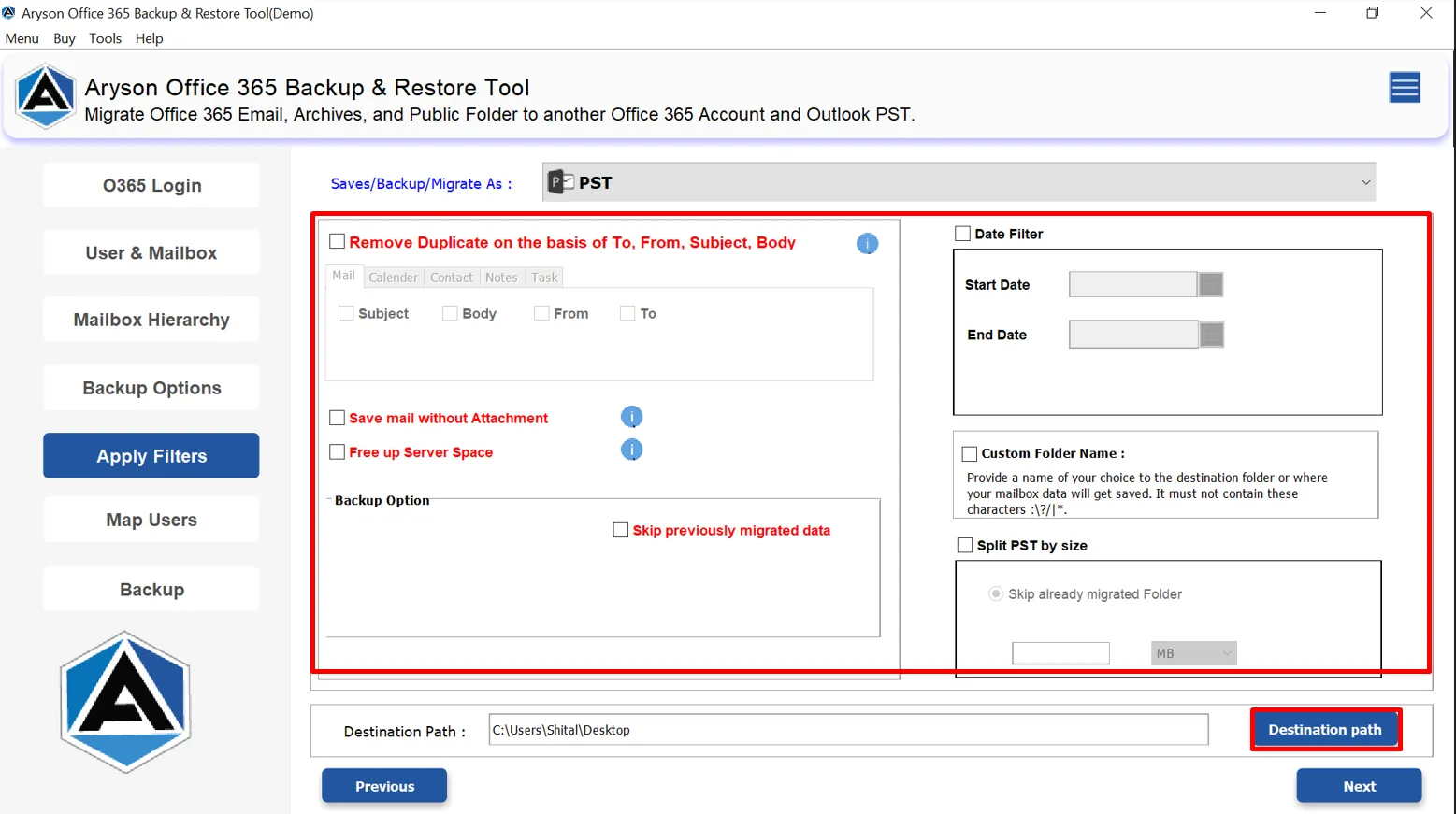
Filters & Customization Use Date filter (Start Date / End Date), Save mail without attachments, Skip previously migrated data, Free up server space, and Custom folder name.
Firstline / F-series
  • Office 365 F3
  • Microsoft 365 F1
  • Microsoft 365 F3
Firstline / F-series
  • Office 365 F3
  • Microsoft 365 F1
  • Microsoft 365 F3

Advanced Capabilities for Organizational-Level Office 365 Backup

How to Use the Aryson MBOX Migrator Utility

Centralized User & Mailbox Configuration

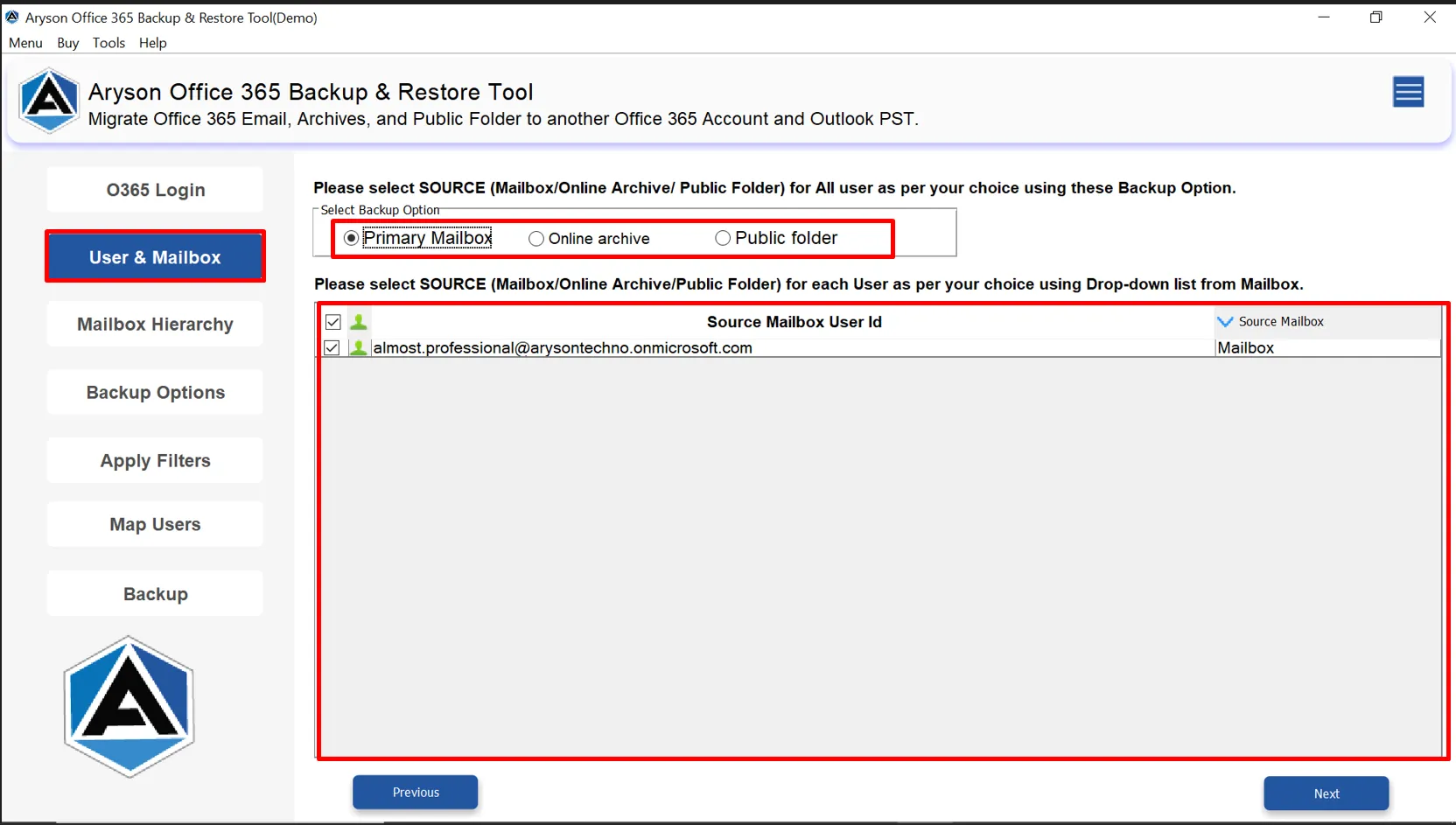
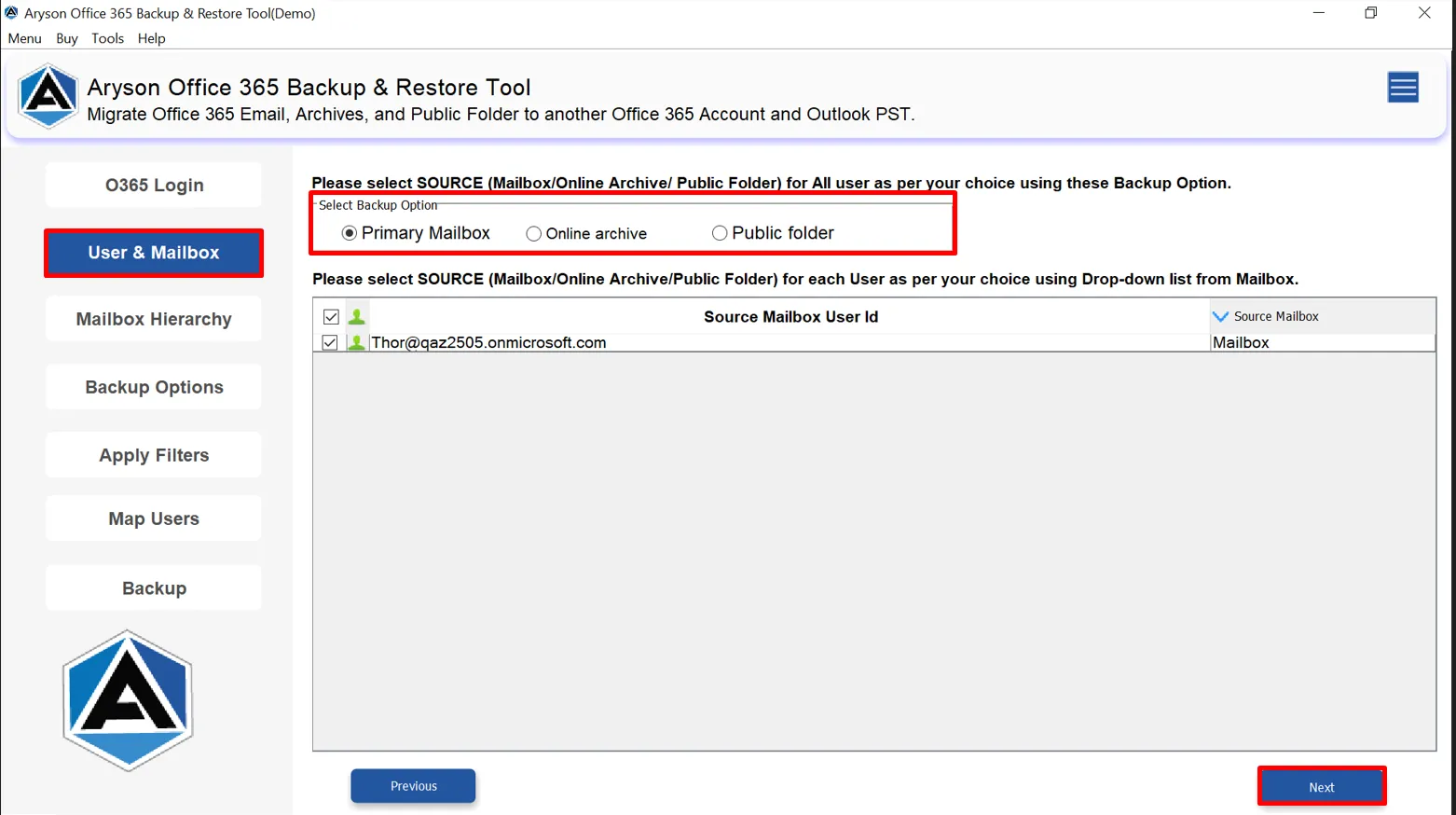
With the use of the Aryson Microsoft Backup Tool, administrators can define and control Office 365 data sources before initiating backup or restore operations. It provides a structured approach to selecting user mailboxes, online archives, and public folders. As a result, it ensures accurate data handling and efficient backup execution across enterprise environments.

  • Select Primary Mailbox, Online Archive, Shared mailbox, or Public Folder.
  • Granular user-level inclusion and exclusion control.
  • Centralized view of all Office 365 user accounts.
  • Optimized for large-scale enterprise environments.

Advanced Backup Configuration & Mailbox Hierarchy

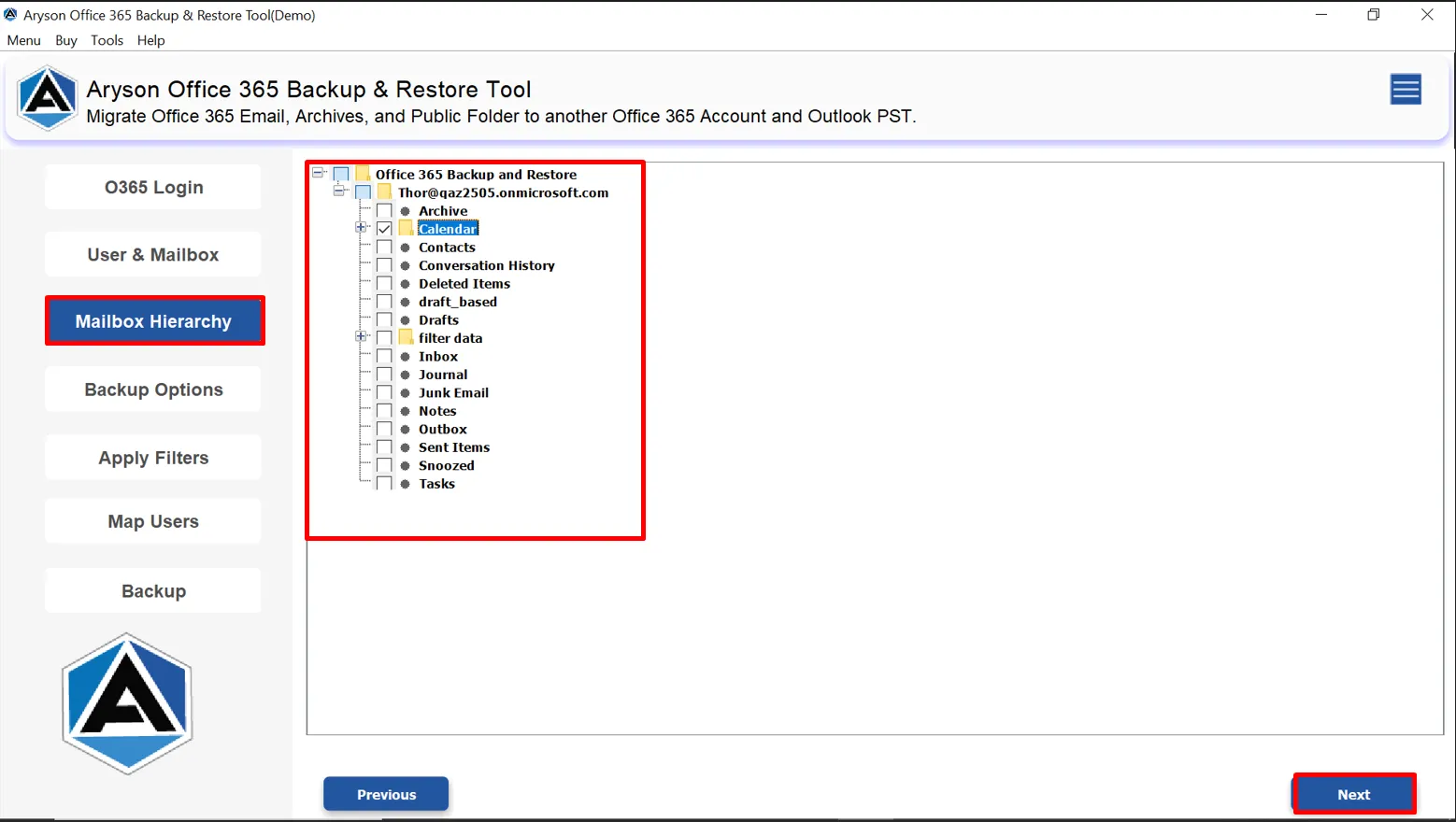
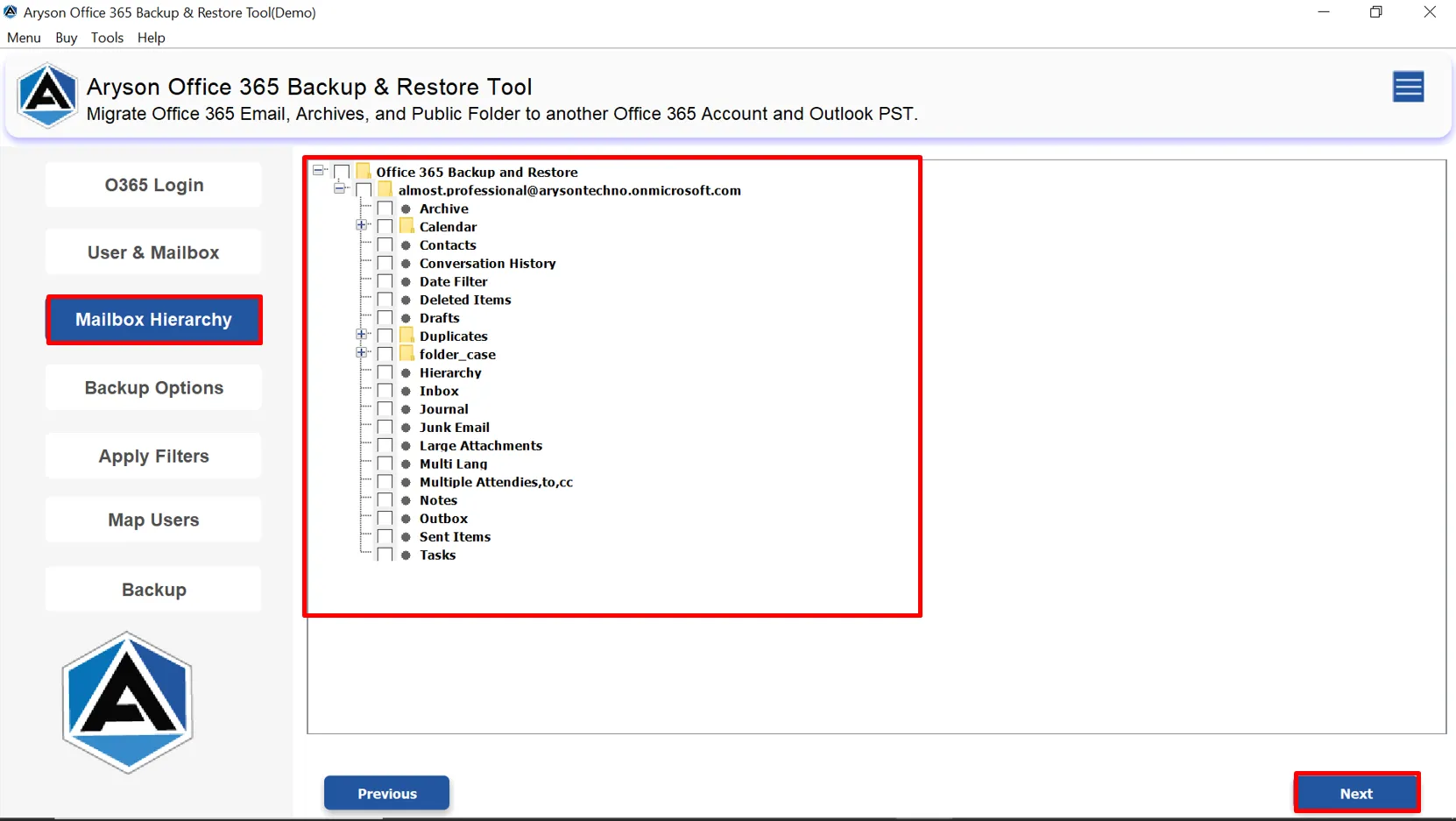
Mailbox Hierarchy of Aryson Office 365 Backup Tool defines precise backup configurations by selecting specific mailbox folders and data components. It provides a hierarchical view of Office 365 mailbox items, enabling selective backup of critical data while excluding unnecessary content to optimize storage and performance.

  • Select specific mailbox folders such as Inbox, Sent Items, Contacts, Calendar, and Tasks.
  • Hierarchical view for granular folder-level backup control.
  • Option to include or exclude archive and special folders.
  • Supports selective backup to reduce data volume and time.
How to Use the Aryson MBOX Migrator Utility

Duplicate Data Management Across Office 365

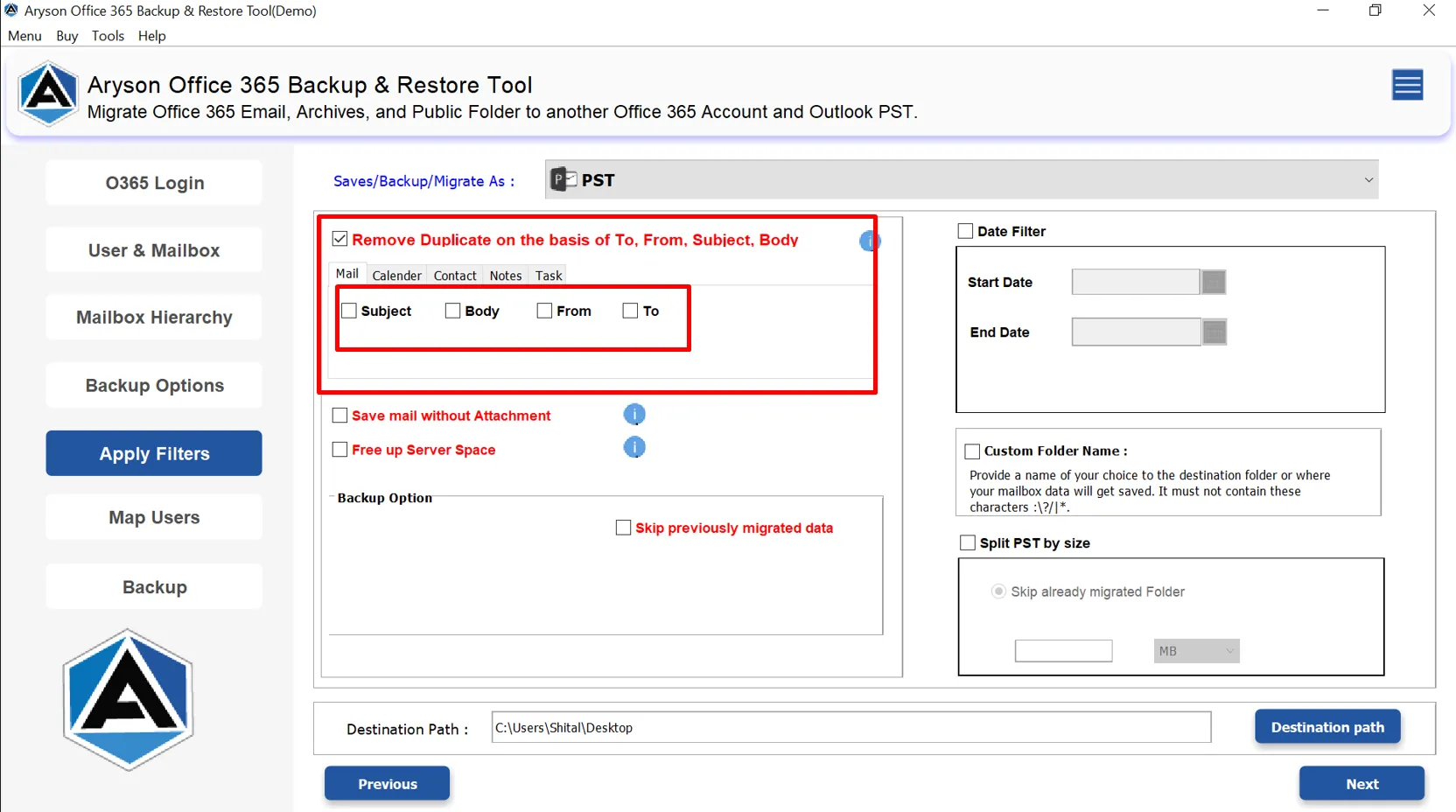
The Remove Duplicate Emails feature helps organizations maintain clean and optimized backups by automatically detecting and removing duplicate data across emails, contacts, calendars, tasks, and notes. It uses item-specific parameters to ensure only unique and relevant data is retained during the backup process, improving accuracy and reducing storage usage.

  • Removes duplicate emails based on Subject, Body, From, and To.
  • Eliminates duplicate contacts using contact-specific attributes.
  • Filters duplicate calendar events by Subject, Start Date, and End Date.
  • Detects duplicate tasks based on Subject, Start Date, and Due Date.
  • Removes duplicate notes using Body content only.

Aryson Microsoft 365 365 Backup Tool- Rating & Reviews

See what our users have to say about the Aryson Office 365 Data Backup Tool

Expert Reviews

Rating & Reviews

Best Office 365 Backup and Restore Tool: Core Functionalities

Complete Backup of Office 365 Mailboxes

Complete Backup of Office 365 Mailboxes

Aryson Office 365 Backup Tool enables users to back up entire Office 365 mailboxes with full precision. It includes not only emails but also contacts, calendars, tasks, notes, and all other mailbox items. As it captures every element of the mailbox, users can select data from the Primary Mailbox, Online Archive, or Public Folders for backup.

Restore Mailboxes from OST and PST Files

Restore Mailboxes from OST and PST Files

This software allows flawless restoration of mailbox data from existing OST and PST files directly into an Office 365 account. Users who migrate their data from local Outlook profiles they can find this feature quite helpful. Along with that, it makes sure the restored data maintains its original structure and integrity.

Migrate Office 365 to Another Email Client

Migrate Office 365 to Another Email Client

Aryson Office 365 Backup Tool directly migrates Office 365 data into Office 365, Google Workspace, and IMAP accounts. Hence, it is reliable solution for cross-platform email migration needs. As a result, it enables administrators to move mailboxes, emails, contacts, and calendars from Microsoft 365 to other email clients with complete data accuracy.

Export Office 365 Data into Multiple File Formats

Export Office 365 Data into Multiple File Formats

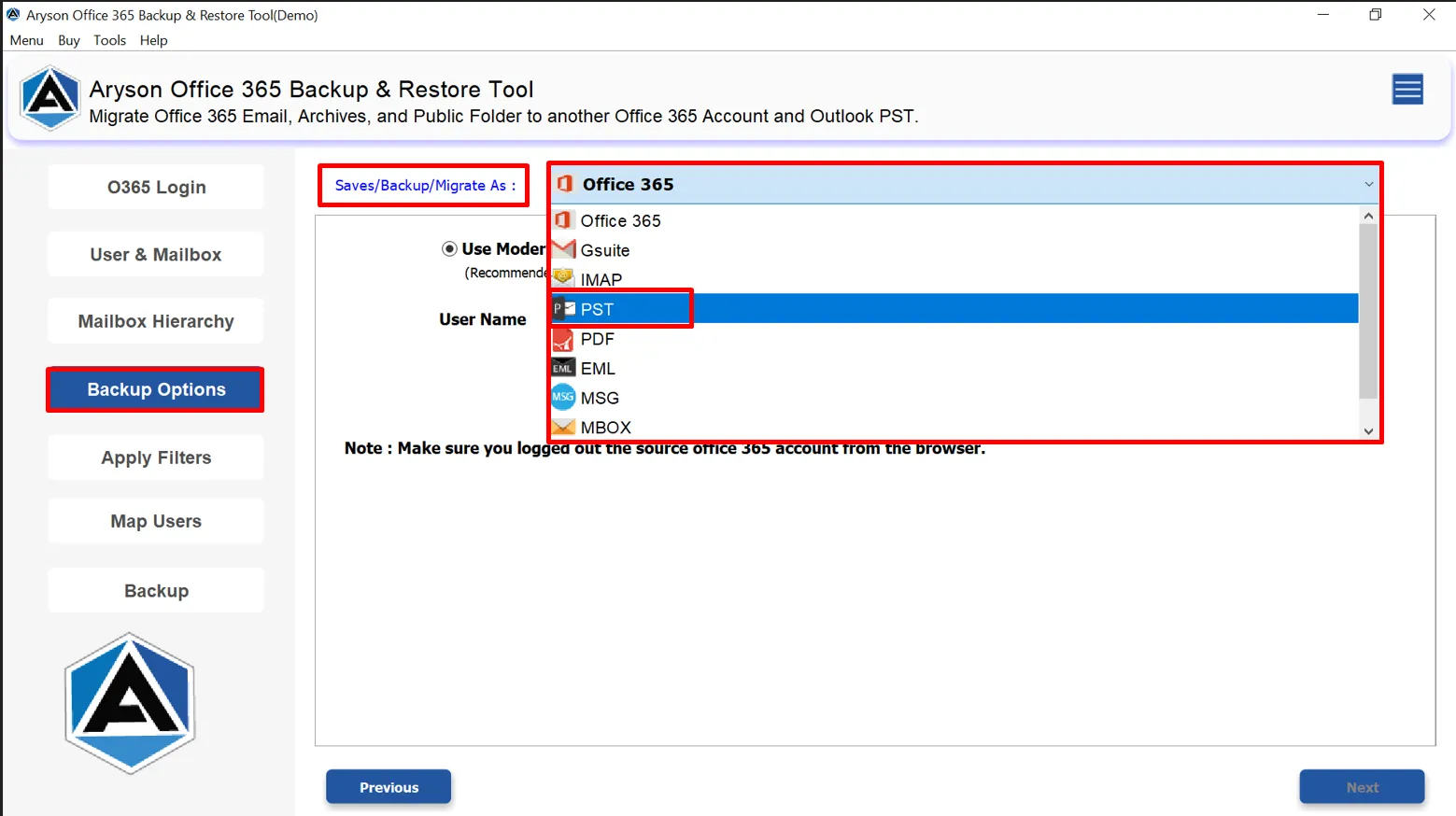
With support for a wide range of output formats—including PST, MBOX, EML, MSG, CSV, PDF, and more—Aryson Microsoft 365 Backup Tool offers flexibility to store and share mailbox data . So that users can easily export their Office 365 data for local storage, reporting, compliance, or migration to other email platforms.

Secure Microsoft-Based Authentication

Secure Microsoft-Based Authentication

Office 365 Data Backup Tool authenticates users through Microsoft’s official login process, ensuring that credentials are never stored. This secure authentication method guarantees compliance with Microsoft’s security standards and keeps user accounts protected during backup or restoration operations. Hence, it is a reliable and comprehensive backup solution for businesses and individuals alike.

Assign Impersonation Rights Option

Assign Impersonation Rights Option

Administrators can perform bulk backups for multiple Office 365 accounts in a single operation with the Impersonation Rights Option. It can save significant time and reduce manual effort. As a result, it is beneficial for organizations who manages large user bases. Also, it ensures that all accounts are efficiently protected without repetitive steps.

Modern Authentication with Accurate User Mapping

Modern Authentication with Accurate User Mapping

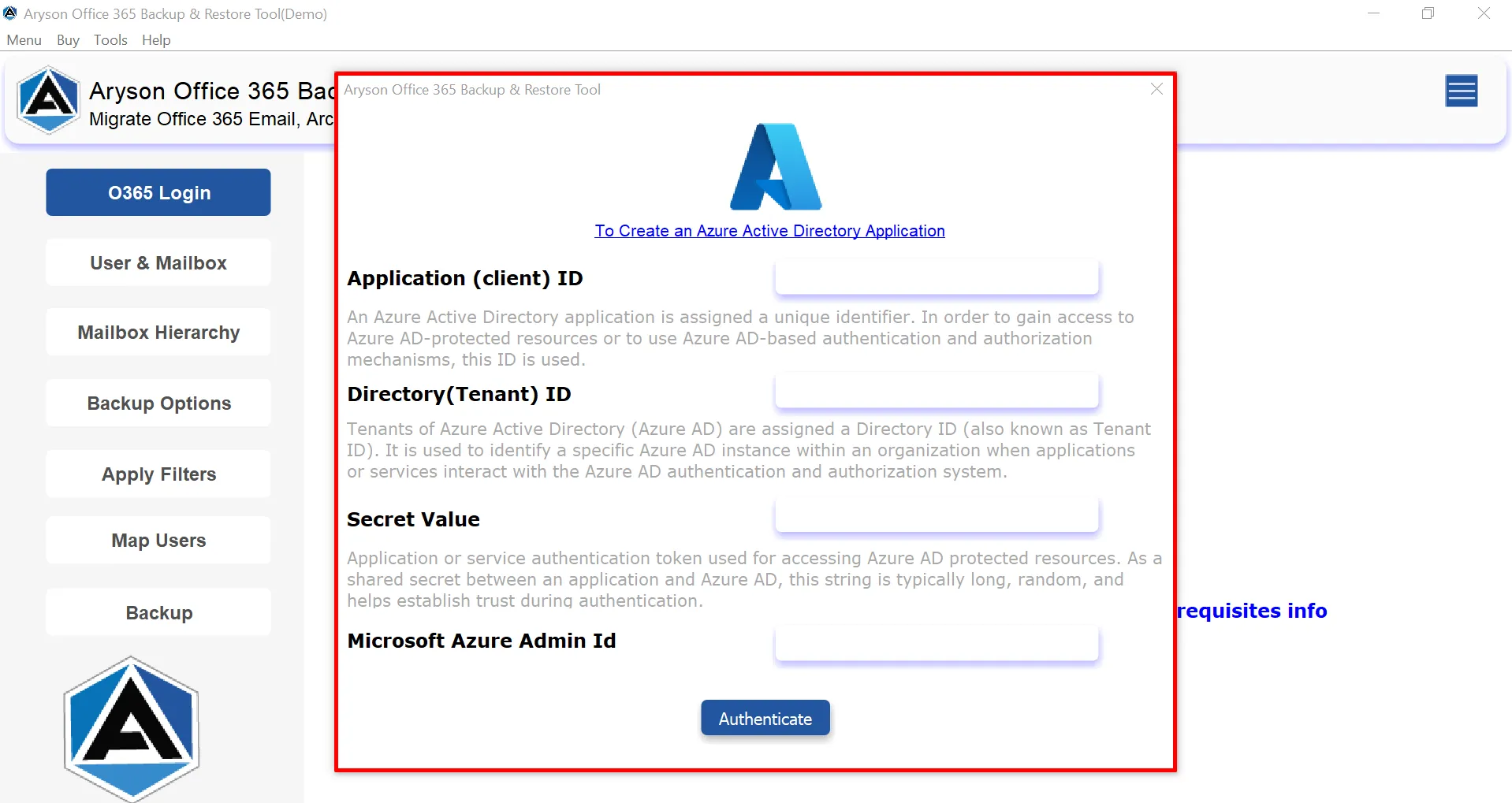
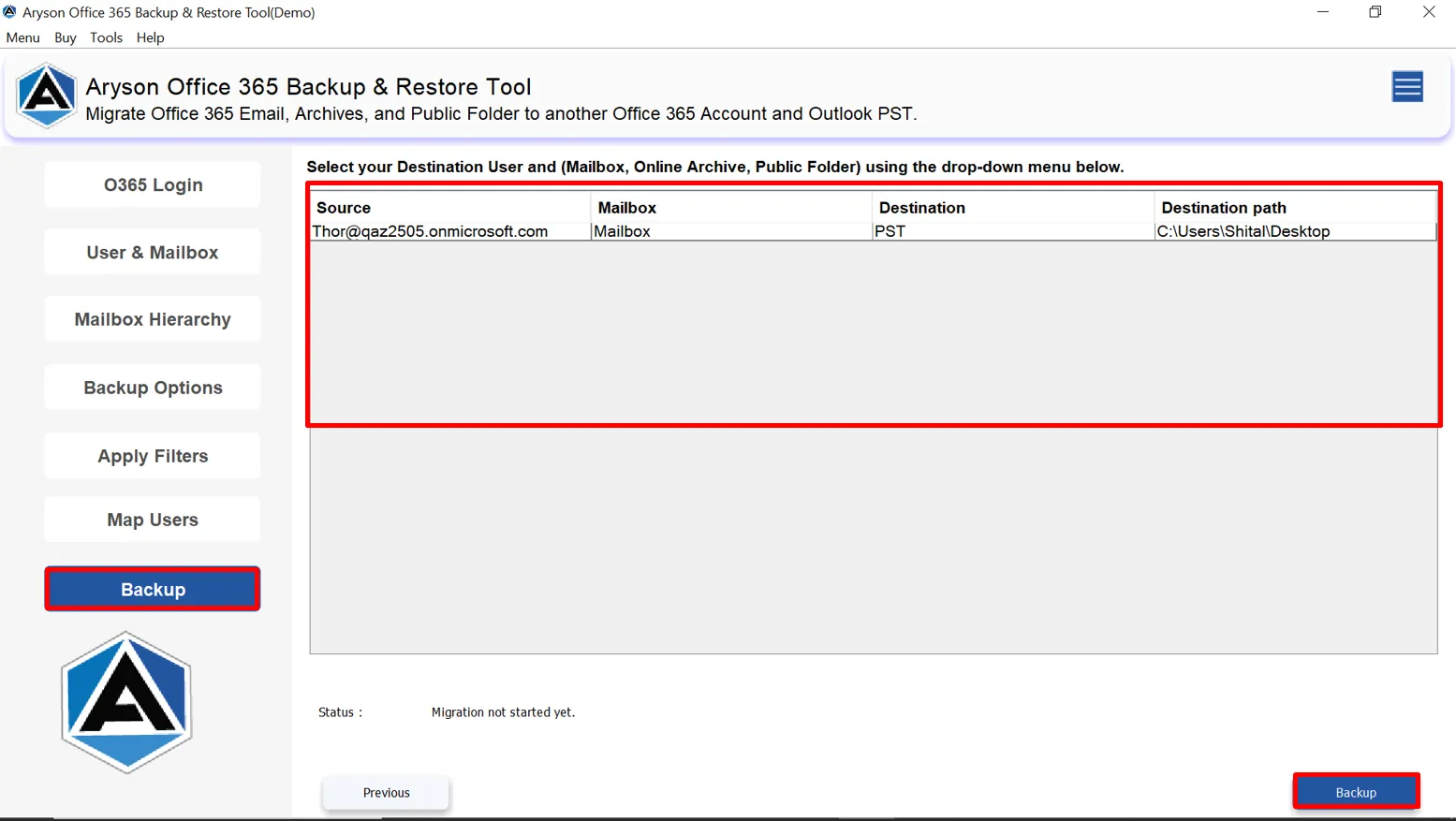
Users can proceed with Microsoft’s Modern Authentication protocol to ensure safe and secure access to Office 365 accounts. Along with secure login, it accurately maps users from the source to the destination mailboxes during backup, migration, or restoration. So that all data is assigned to the correct user accounts, prevents mapping errors, and maintains consistency across multiple mailboxes.

 Advanced Date Filter & Custom Folder Name

Advanced Date Filter & Custom Folder Name

Along with the above pointers, Aryson Office 365 Backup Software includes an advanced Date Filter to back up data within a specific time range. Additionally, Custom Folder Naming options allow users to organize exported data efficiently. As a result, these additional features will improve data accessibility and management, which will be quite appropriate for future use.

Option to Free Up Office 365 Server Space

Option to Free Up Office 365 Server Space

After completing the backup, users can choose to Free Up Server Space on Office 365. Once the mailbox data is securely backed up to a local system or another platform, users can remove the backed-up data from Office 365 servers. It helps organizations optimize cloud storage usage and make sure that all their essential data is safe.

Separate Option to Save Contacts & Calendars

Separate Option to Save Contacts & Calendars

Along with emails, this utility have specific option to save contacts and calendars within their associated formats. So, they can export contacts as VCF files and calendars as ICS files. When Office 365 or G Suite is selected as the output, contacts and calendars are migrated directly between servers. This server-to-server approach ensures accurate and efficient migration.

Cross-Platform Compatibility

Cross-Platform Compatibility

Aryson Microsoft 365 Backup Tool is compatible with Windows, Linux, and macOS. This way you can make sure it versatile and suitable for diverse IT environments. As a result, it allows businesses and users to implement secure and reliable backups across multiple platforms. You can install this Office 365 Backup Software on any version of Windows or Mac without any compatibility issues.

Supports Multi-Language Emails

Supports Multi-Language Emails

Emails in multiple languages and character sets are fully supported. The Aryson Office 365 Backup & Restore Tool ensures that all data, including non-English content, is backed up accurately without encoding issues or data distortion. This feature is ideal for organizations with global users, as it preserves original language content and maintains data readability across different regions.

How to Use Aryson Office 365 Backup Tool: Complete Guide

How to Use Aryson Office 365 Backup Tool: Complete Guide

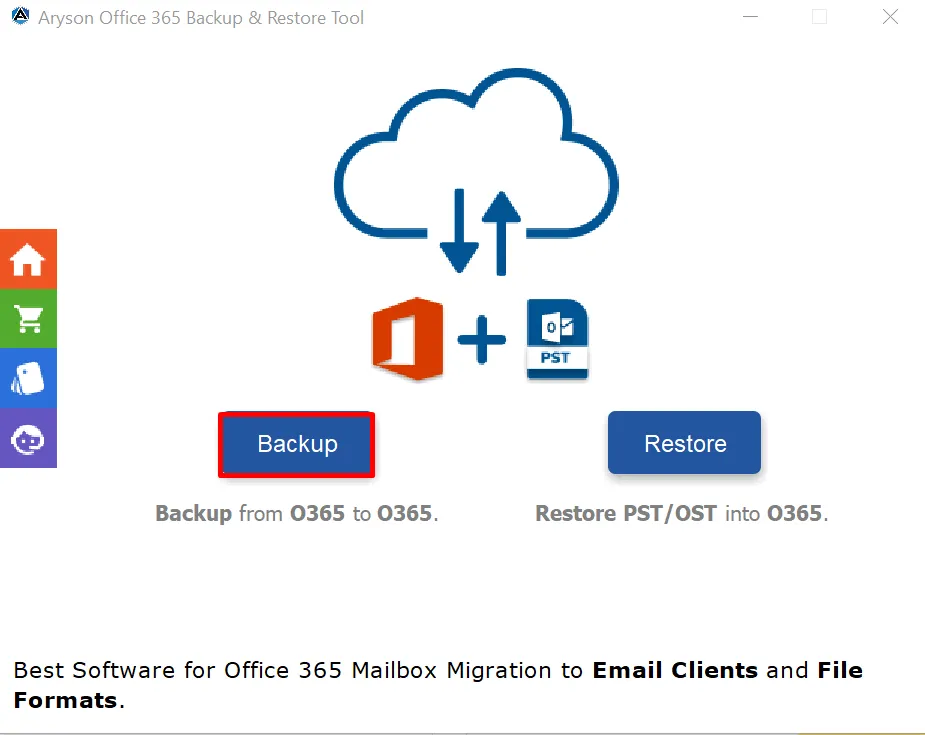
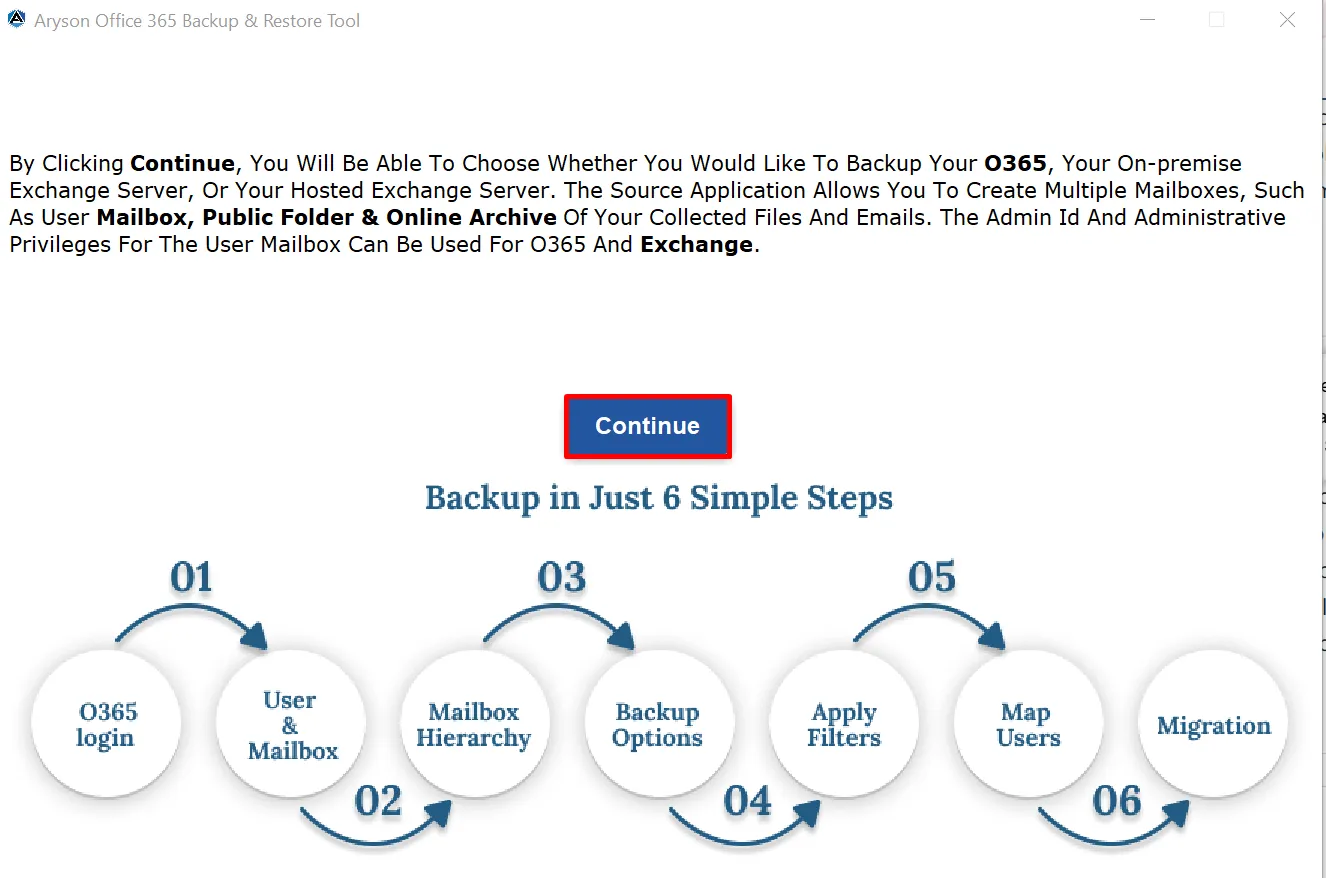
Aryson Office 365 Backup Tool allows you to securely back up Office 365 data, including emails, contacts, calendars, tasks, and public folders. With its easy-to-use interface and advanced options, you can select multiple mailboxes, apply filters, and export data to different formats without any data loss. Follow these steps to backup your Office 365 account:

  • Step 01: Download & install the Aryson Office 365 Backup Tool on your system.
  • Step 02: Choose whether you want to Backup or Restore Office 365 data.
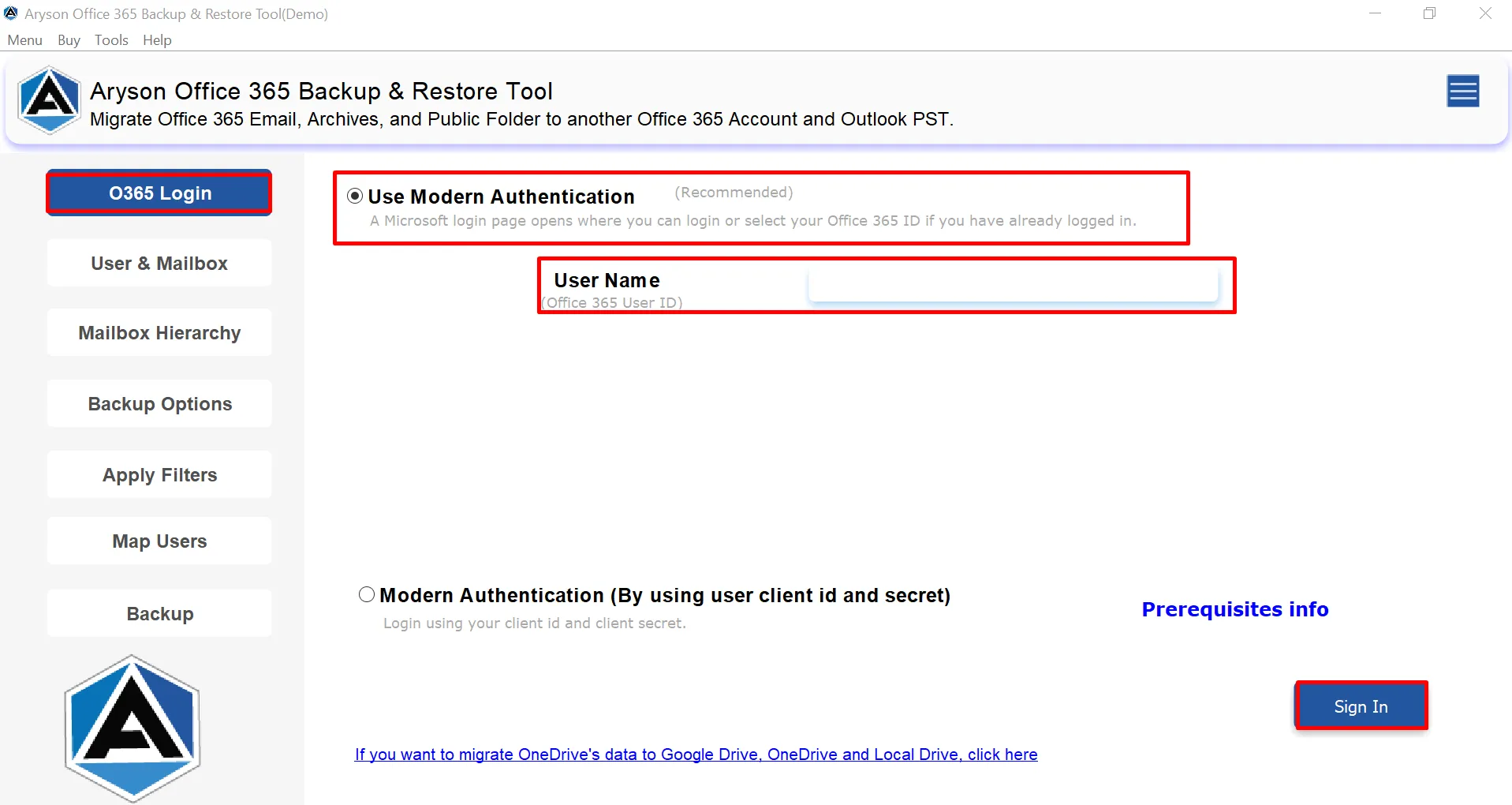
  • Step 03: Enter Office 365 credentials and enable Impersonation Rights if needed.
  • Step 04: Now, select the Office 365 mailbox that you want to back up.
  • Step 05: Pick the desired saving format and configure other in-built features.

Aryson Office 365 Backup Software: System Specifications

Software Download

(Windows)

Download Now


(Linux)

Download Now


Size: 221MBVersion: 26.02 ( Updated On 20 February 2026 )

Trial Limitations

Aryson Office 365 Backup Tool for Free allows users to back up or download only 50 items per folder. Or, you can import only 50 items from PST & OST files to your Office 365 account. So, if you want to save all the mailbox items of your Office 365, you must proceed with the complete version of the Aryson Office 365 Backup & Restore Tool.

Requirements & Supported Versions

Hard Disk Space: 500 MB of free hard disk space required

RAM: 500 MB RAM (1 GB Recommended)

Processor: Pentium Class Processor

Supported Platforms

Window OS: Windows 11, 10, 8.1, 8, 7, Vista, XP, 2000, 98, NT, and 95.

Software Prerequisites

  • If you are operating Windows OS 11, 10, 8, or 7 (32-bit or 64-bit) then you must launch the tool as an Administrator.
  • Turn off the Windows Firewall for proper installation.
  • Disable the Antivirus programs.

FAQ

Request For Software Customization

If you need to customize Aryson Software or need additional some specific features then, provide the software customization Request Quote

Aryson Microsoft 365 Backup Tool: Free & Premium Version

Get an overview of the Free and Premium versions of the best Office 365 backup and restore tool:

Product Features Free Version Full Version
Backup Office 365 into Multiple Formats 50 Items per folder Complete Mailbox
Backup Emails, Contacts, Calendars, Tasks 50 Items per folder Complete Mailbox
Migrate Office to Office 365, Google Workspace & IMAP 50 Items per folder Complete Mailbox
Multiple User Mailbox Backup
Date Filter & Remove Duplicate Emails
Save Contacts as VCF & Calendars as ICS
Free Up Office 365 Server Space
User Mapping Feature
Compatible with All Windows Versions
Price Free $49
Money Back Policy

Frequently Asked Questions:

Ans. Yes, administrators can back up multiple Office 365 user accounts in a single operation. This feature is especially helpful for enterprises and IT teams managing large environments.

Ans. Yes, the software supports a wide range of Office 365 and Microsoft 365 plans, including Enterprise, Business, Education, Exchange Online, and Firstline plans.

Ans. The Assigned Impersonation Rights option can access and manage multiple mailboxes at the same time. When this option is enabled during backup, you can back up multiple Office 365 mailboxes in a single operation. Similarly, when using the restore feature, it allows you to restore PST files into multiple available mailboxes within the Office 365 account. This option is useful for administrators who need to manage bulk mailbox backup or restoration efficiently.

Ans. No, the Aryson Office 365 Mailbox Backup Software does not store any confidential emails, passwords, or credentials on its own servers or on any third-party systems. All authentication is handled securely through Microsoft’s official sign-in process, and mailbox data is saved only at the user-selected destination. It ensures complete data privacy and compliance with security standards.

Ans. You can test the Aryson Office 365 Mailbox Backup Software by using its free demo version before investing in the full license. The demo allows you to explore the interface, understand the backup process, and evaluate key features. It helps you decide whether it meets your requirements as a reliable Office 365 cloud backup solution before upgrading to the full version.

Ans. Aryson Microsoft 365 Backup Tool allows you to backup complete Microsoft 365 mailbox data, including emails, contacts, calendars, tasks, notes, and attachments. It also supports backup of primary mailboxes, online archives, shared mailboxes, and public folders.

Ans. Yes, you can continue using your Office 365 mailboxes while the backup or restore process is running. Aryson Office 365 Backup & Restore Tool works in the background and does not interrupt ongoing email activities. So, users can send, receive, and manage emails without any downtime during backup or restoration.

Ans. This issue usually occurs when Multi-Factor Authentication (MFA) is enabled on your Office 365 account. In this case, you need to generate an App Password. Once the app password is created, use it to sign in to the software. For step-by-step guidance, please refer to the official help link: Click Here.

Ans. This happens if the admin account used for impersonation doesn’t have in-place archive enabled. Ensure it’s enabled for the admin as well. See the help guide for steps. Click Here

Ans. Yes, admin consent is needed when the Aryson Microsoft 365 Backup Tool requests access beyond a single user’s mailbox, like organization-wide or multiple users’ data. In such cases, only a Microsoft 365 admin can approve the login to ensure security.

Ans. Yes, enabling user sign-in is mandatory for Modern Authentication. This software l requires the user account to have sign-in access to generate the authentication token. If sign-in is disabled, the tool cannot connect or access data. Ensure user sign-in is enabled for all accounts before using Modern Authentication.

Trusted by IT Professionals & Enterprises Worldwide

See what our IT professionals and businesses say about their experience with the Aryson Office 365 Backup & Restore Tool.

review-rating