








Advanced Features of the Aryson Tenant-To-Tenant Migrator
Complete Microsoft 365 Cross-Tenant Migration Solution for Enterprises

Advanced Multi-Tenant Migration
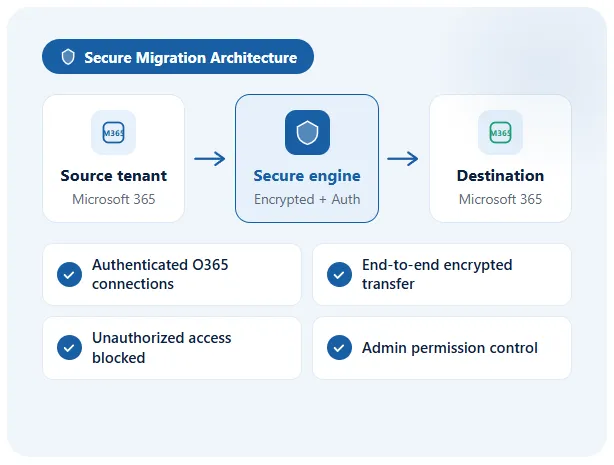
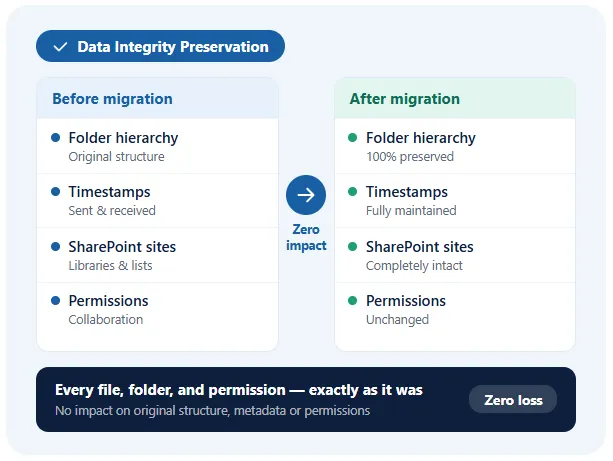
This Microsoft 365 Tenant to Tenant Migration Tool securely migrates the Exchange Online mailboxes, OneDrive, SharePoint, and Microsoft Teams data across multiple O365 tenants. Moreover, it maintains the folder hierarchy, & user mapping. This allows tenant consolidation, domain restructuring, or user relocation without data loss and provides seamless migration for complex enterprise environments.

SharePoint & OneDrive Selective Migration
Administrators can also migrate specific SharePoint document libraries, lists, or OneDrive files using content type, file extension, and size filters using the same utility. In addition, it enables precise control over what is transferred, avoids unnecessary data migration, and keeps the metadata intact. As a result, it acts as the best cloud migration tool that provides an accurate delivery of structured, compliant, & organized content.

Advanced SharePoint & OneDrive Migration Filters
The Aryson Tenant to Tenant Migration tool offers advanced filters for SharePoint and OneDrive migration, including migrate version history, migrate sensitivity labels, allows duplicates, and migrate site collections and subsites.

PST/OST Migration to Microsoft 365
Restores PST/OST files to Microsoft 365, including emails, attachments, calendar events, contacts, tasks, and notes. With advanced filters such as date range, exclude empty folders, skip migrated, and include items to migrate only important data.

Flexible CSV Mapping
You can upload a CSV file containing source and destination email addresses in each row. This feature provides you to bulk migrate Microsoft 365 tenants. The software allows 1:1, 1:many, many:1, and many:many mapping. Click Download Sample CSV to download a sample CSV file.

Advanced Mailbox Migration Options
The software provides multiple advanced mailbox filters, including folder and mailbox permissions (send as, send on behalf, and full access) migration, permission user mapping, rules migration, and automatic replies (Out of Office) migration.

Teams Data Migration
Migrates Teams, channels, messages, replies, files, folders, Planner, tabs, apps, announcements, Loop components, reactions, GIFs, mentions, quotes, meeting links, important messages, and shared videos while preserving hierarchy.

Exchange Server to Office 365 Migration
Migrate your Exchange Server mailbox types, including primary mailbox, shared mailbox, online archive, and public folder, to Office 365 using a secure authentication method such as modern auth and client ID & secret.

Intelligent User Mapping
It maps source tenant accounts to corresponding destination accounts and guarantees precision. Users just have to select the source and destination SharePoint sites, OneDrive, and O365 accounts. It prevents errors, duplication, or misplaced data, and ensures that every email, document, & folder is delivered correctly to the intended destination user.

Skip Previously Migrated Data
The Aryson M365 Tenant to Tenant migration tool detects & skips files, emails, or content that are already transferred. Moreover, it supports incremental migration to prevent duplicate transfers, saves storage & bandwidth. You just have to select the checkbox, and the cross-tenant migration solution will make sure to transfer only the new or missing items. This helps migrate M365 mailboxes without downtime & provides reliable, consistent performance.

Date Range & File Filters
IT admins are enabled to migrate emails, files, and documents within specific date ranges, file sizes, or types. This M365 Tenant Migration Tool supports the targeted, selective transfer of relevant data and excludes unnecessary content. As a result, the migration time reduces, and the productivity of users increases.

Custom Folder & Destination Path
Administrators can define custom folder names and exact destination paths for migrated content. This will eventually help them keep the migrated emails, files, and folders organized and separate. Additionally, it prevents this data from merging with existing content, maintains hierarchy, provides clarity for users, and simplifies the post-migration management.

Duplicate Email Detection
The Aryson Tenant to Tenant Migration Tool identifies & skips duplicate emails during mailbox Microsoft 365 Tenant to Tenant migration. Internally, it compares the sender, recipient, subject, and message body to prevent redundancy. Moreover, it maintains the mailbox cleanliness, reduces storage usage, optimizes migration speed, & makes sure that unique emails are transferred accurately to the destination tenant.

PST Export & Split Option
You can export mailbox data to PST files with flexible folder mapping & selective attachment handling. With the Aryson Tenant to Tenant Migration Tool, it has become easier to split large PSTs based on size or data range. Moreover, users can prevent corruption, improve performance, & allow manageable storage.

Deduplication Modules for Redundancy Removal
The tool has dedicated Email, OneDrive, and SharePoint deduplication modules that identify and manage duplicate data using Microsoft Graph API-based analysis. It compares content, metadata, and file properties to locate redundant items, helping reduce storage usage, improve data organization, and prevent unnecessary data transfers during migrations.

Flexible Attachment Management
End-users can control the migration of attachments: include, exclude, or customize attachment transfer as per the requirements of the project. These features optimize the storage usage, reduce mailbox size, and accelerate migration. Also, the Aryson M365 Tenant Migration Tool provides administrators with complete control over email content handling during cross-tenant migration.

Migrate into Default Mailbox Folders
This Microsoft 365 Tenant Consolidation Tool automatically migrates the emails into standard/default mailbox folders such as the Inbox, Sent Items, Drafts, and Deleted Items. Moreover, it maintains the familiar mailbox structure for end-users and prevents it from mixing with the existing content. It provides proper organization and allows users to access migrated emails effortlessly without confusion or disruption to daily operations.

Complete Mailbox Migration
Transfer emails, contacts, calendars, events, attachments, and shared mailboxes in one go with the help of the Aryson Tenant-To-Tenant Migration Tool. It ensures that a full mailbox environment is delivered to the destination tenant without missing data, preserving productivity, scheduling, & communication continuity. Also, guarantees enterprise-level reliability, data integrity, and operational efficiency.

User-Friendly Interface
The Aryson Tenant-to-Tenant Migration Tool has a clean and intuitive user interface and is suitable for administrators of all experience levels. Users can configure source and destination tenants, select workloads, apply migration settings & monitor progress from a centralized dashboard, decreasing complexity and increasing overall migration efficiency.

Free Demo Version
A free demo edition allows users to evaluate the software before purchasing. It supports migration of 1 user full mailbox migration and remaining up to 500 emails per folder, 100 contacts, and calendar events, tasks. This enables administrators to test connectivity, review features, verify migration results, and assess compatibility with their Microsoft 365 environment without any commitment.