




Screens

Video

Guide

Eula

Convert OST to MBOX: Supported Outlook Versions and Compatible Email Clients

Effortlessly convert your Outlook OST files into the flexible and widely supported MBOX format using Aryson OST to MBOX Converter. Here are the supported Outlook versions for OST files and the email clients that can easily open the converted MBOX files.

OST File – Supported Outlook Versions MBOX File – Compatible Email Clients
Microsoft Outlook 2021 Mozilla Thunderbird
Microsoft Outlook 2019 Apple Mail (Mac Mail)
Microsoft Outlook 2016 Eudora
Microsoft Outlook 2013 SeaMonkey
Microsoft Outlook 2010 Opera Mail
Microsoft Outlook 2007 Entourage (Mac)
Microsoft Outlook 2003 Spicebird
Outlook 2002 / XP Claws Mail
Outlook 2000 / 98 / 97 Sylpheed
Microsoft 365 (Exchange-based OST files) Google Workspace (via MBOX import tools)
No Outlook Installed Any MBOX-compatible email client (desktop/web)

Outlook OST to MBOX Converter - Rating & Reviews

Aryson Software is top-rated and highly trusted among users for its user-friendly interface and compatibility.

Expert Reviews

Rating & Reviews

Best Outlook OST to MBOX Converter With Advanced Key Features

Explore this Efficient Utility to convert Outlook OST files to MBOX format with accuracy:

 Effortlessly Convert OST to MBOX Format

Effortlessly Convert OST to MBOX Format

Aryson OST to MBOX Converter makes it easy to convert Outlook OST files into MBOX format without data loss. It supports both healthy/ orphaned OST files and preserves folder hierarchy. Also, it ensures compatibility with MBOX-based email clients like Thunderbird, Apple Mail, and more.

Convert Multiple OST Files at Once

Convert Multiple OST Files at Once

Batch OST to MBOX Converter supports bulk conversion. It allows users to add and convert multiple OST files in a single process. This feature saves valuable time and effort, especially during large-scale conversion. Also, it maintains data integrity and ensures consistent results across all selected files.

Export OST to Multiple Formats and Email Clients

Export OST to Multiple Formats and Email Clients

Along with MBOX, this software can convert OST to PST, EML, EMLX, MSG, PDF, CSV, VCF, ICS, DOC, DOCX, DOCM, HTML, MHTML, and even image formats such as JPG, GIF, TIFF, and PNG. Also, you can effortlessly import OST data into platforms like Gmail, Yahoo Mail, Office 365, AOL, Hotmail, Zoho Mail, iCloud, Yandex Mail, and other IMAP-enabled clients

 Remove Duplicate Emails

Remove Duplicate Emails

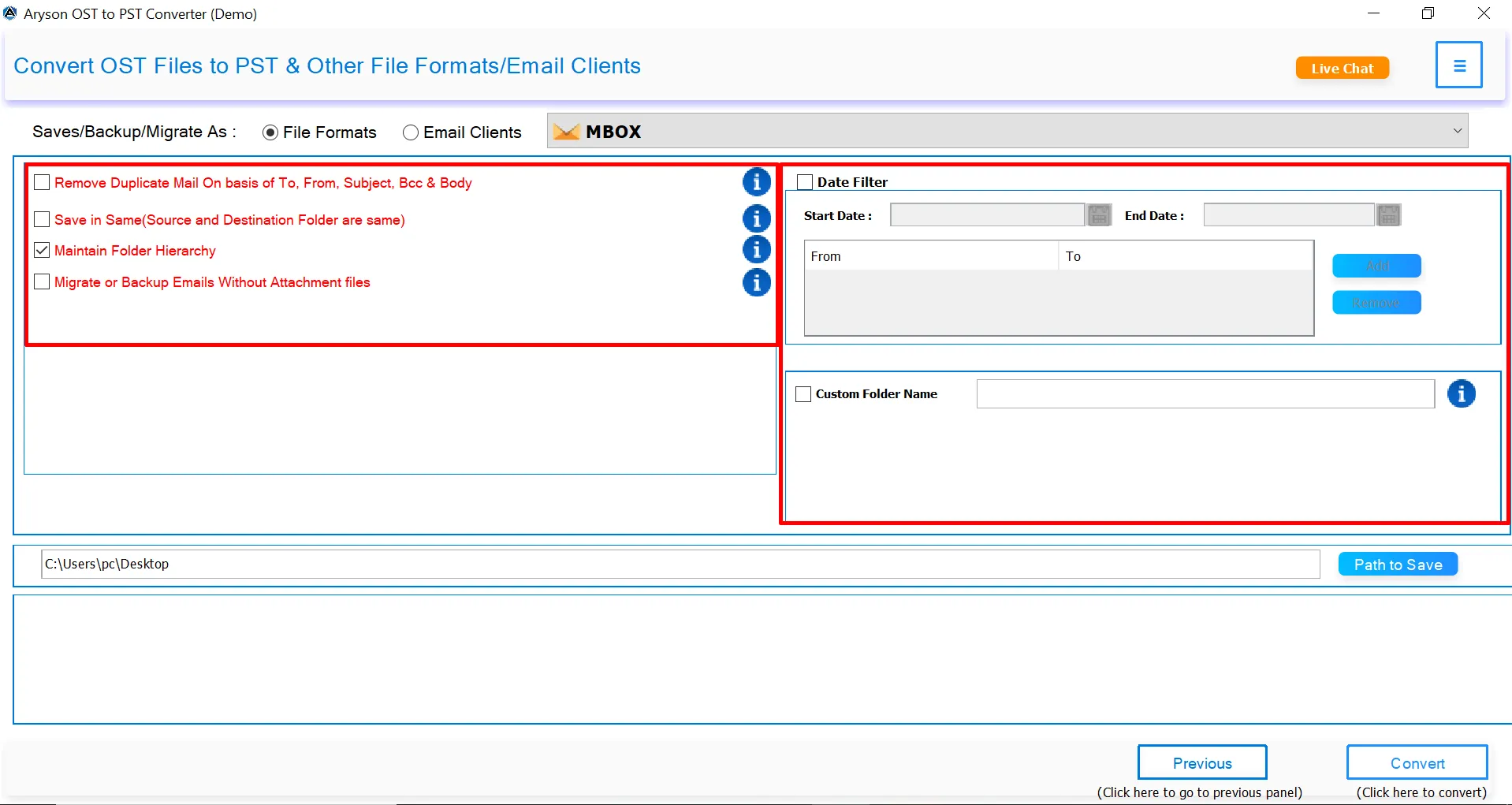
This software offers a smart duplicate email removal feature that filters out repeated messages based on criteria like To, From, Subject, Bcc, and Body. As a result, it helps to maintain a clean and organized mailbox and ensures that only unique emails are included in the final output.

Migrate with or without Attachments

Migrate with or without Attachments

Users have the flexibility to convert OST emails with or without attachments. So, you can easily choose whether to include or exclude attachments during the OST file conversion. This option helps to speed up the conversion process and saves storage space when attachments aren't required.

 Embedded with Date Range Filter

Embedded with Date Range Filter

The Date Range Filter of Outlook OST to MBOX Converter allows users to select a specific start and end date to convert only the required emails. This feature helps to narrow down your conversion to emails that matter most. After selecting a custom date range, you avoid bulk exports and extract only time-specific data.

 Custom Folder Name Feature

Custom Folder Name Feature

This OST to MBOX Converter Software provides the Custom Folder Name feature to assign a unique name to the output folder and save the resultant MBOX data. It facilitates better file organization, especially when handling multiple conversions. Also, it becomes easy to identify and access specific MBOX files later.

Wide Windows & Outlook Compatibility

Wide Windows & Outlook Compatibility

Aryson Outlook OST to MBOX Converter supports all major Windows operating systems, including Windows 11, 10, 8.1, 8, and 7. Also, this utility is compatible with OST files created in Outlook 2021, 2019, 2016, 2013, 2010, and earlier versions. Hence, it is suitable for both legacy and modern environments.


Aryon Outlook OST to MBOX Converter- System Specifications

Make sure that all the requirements of the software mentioned below are fulfilled to operate it smoothly

Software Download

(Windows)

Download Now


(Linux)

Download Now


Size: 209MBVersion: 24.03

Trial Limitations

The trial version of Aryson OST to MBOX Converter lets you convert up to 50 emails per folder. For unlimited file conversion, individuals should proceed with the full version of the software.

Requirements & Supported Versions

Hard Disk Space: 500 MB of free hard disk space required

RAM: 4 GB of RAM (4 GB is recommended)

Processor: Intel® Core™ 2 Duo CPU E4600 @ 2.40GHz 2.39GHz"

Supported Platforms

Window OS: Windows 11/ 10/ 8.1/ 8/ 7/2008/ 2012 (32 & 64 Bit), and other Windows versions.

Outlook Versions: Office 365, 2019, 2016, 2013, 2010, 2007, 2003, 2002, 2000, 98, and 97.

MS Exchange Server: 2019/ 2016/ 2013/ 2010/ 2007/ 2003/ 2000/ 5.5 and 5.0.

Software Prerequisites

  • If you are operating Windows OS 11, 10, 8, or 7 (32-bit or 64-bit) then you must launch the tool as an Administrator.
  • Turn off the Windows Firewall for proper installation.
  • Disable the Antivirus programs.

FAQ

Request For Software Customization

If you need to customize Aryson Software or need additional some specific features then, provide the software customization Request Quote

Aryson OST to MBOX Converter: Comparison of Free & Premium Version

Get an overview of the Free and Premium Version of the OST to MBOX Converter Software:

Product Features Free Version Full Version
Convert OST to MBOX Securely 50 Emails per folder Complete Mailboxes
Export OST to PDF, PST, EML, MSG, DOC, CSV, ICS, DOCM & Others. 50 Emails per folder Complete Mailboxes
Migrate OST to Email Clients (Gmail, Yahoo, Office 365, Thunderbird, etc.) 50 Emails per folder Complete Mailboxes
Batch OST File Conversion
Apply Date Range Filter
Preview OST File Before Conversion
Maintain Folder Hierarchy
Remove Duplicate Emails
Migrate Without Attachments
Save File at Desired Location
Outlook Version Support
Windows OS Compatibility
100% Secure & 24/7 Customer Support
Price Free $49
Money Back Policy

Queries Related to Aryson OST to MBOX Converter

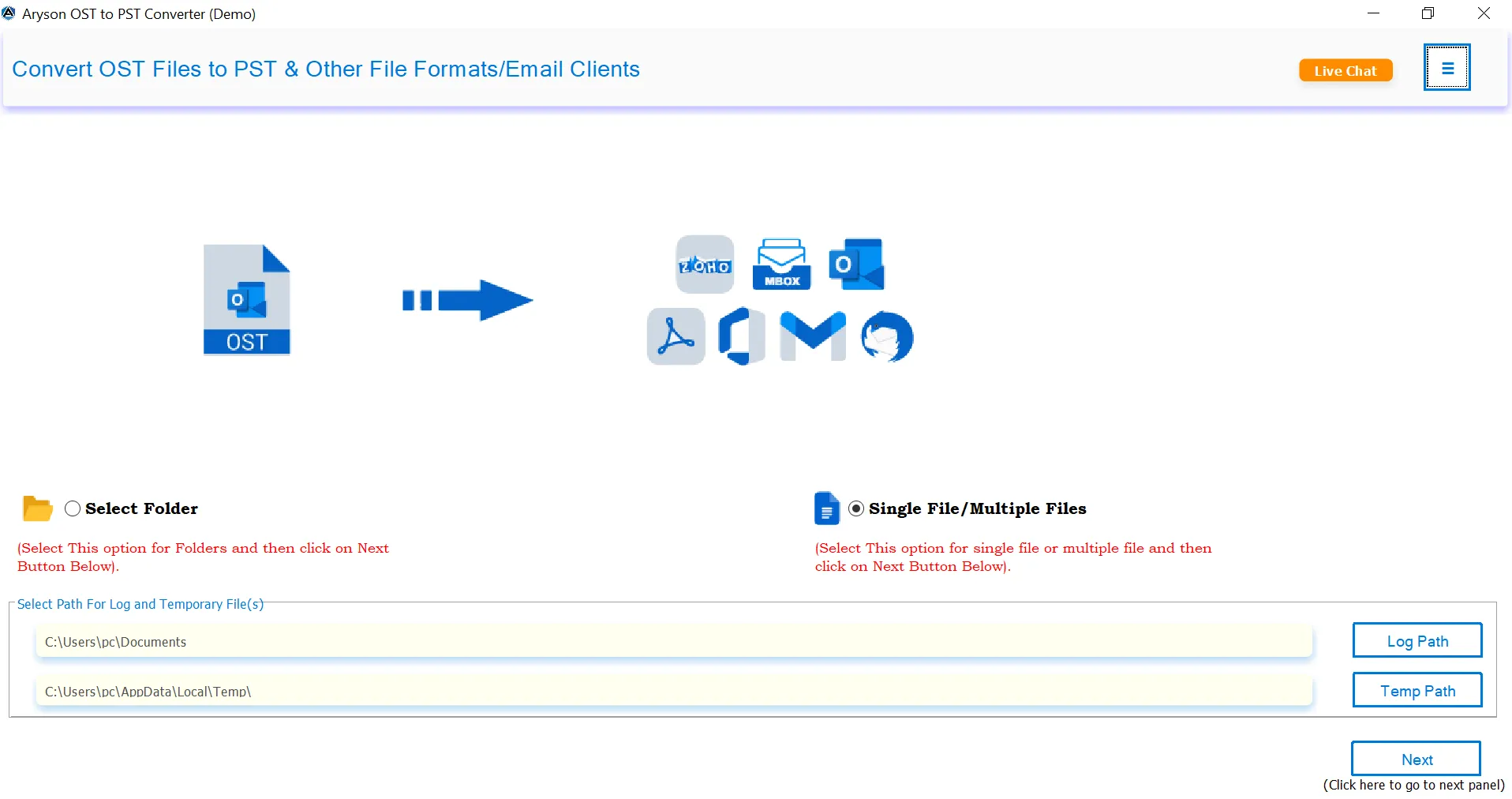
Ans.Here are the simple steps to convert multiple OST files to MBOX:

  • Download and install Aryson Outlook OST to MBOX Converter.
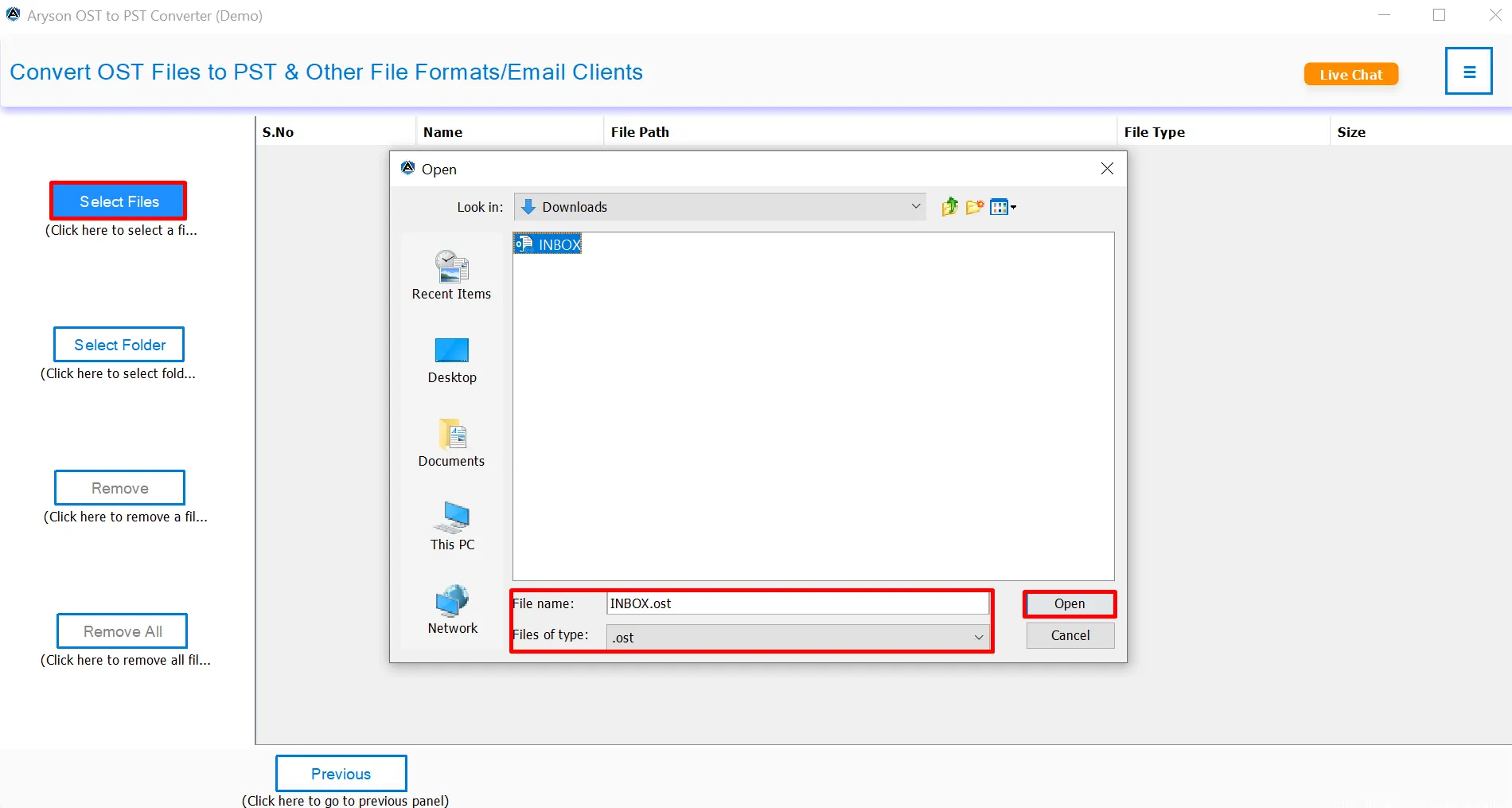
  • After that, click on the "Select Files" or "Select Folder" option.
  • Now, browse and select multiple OST files from your system.
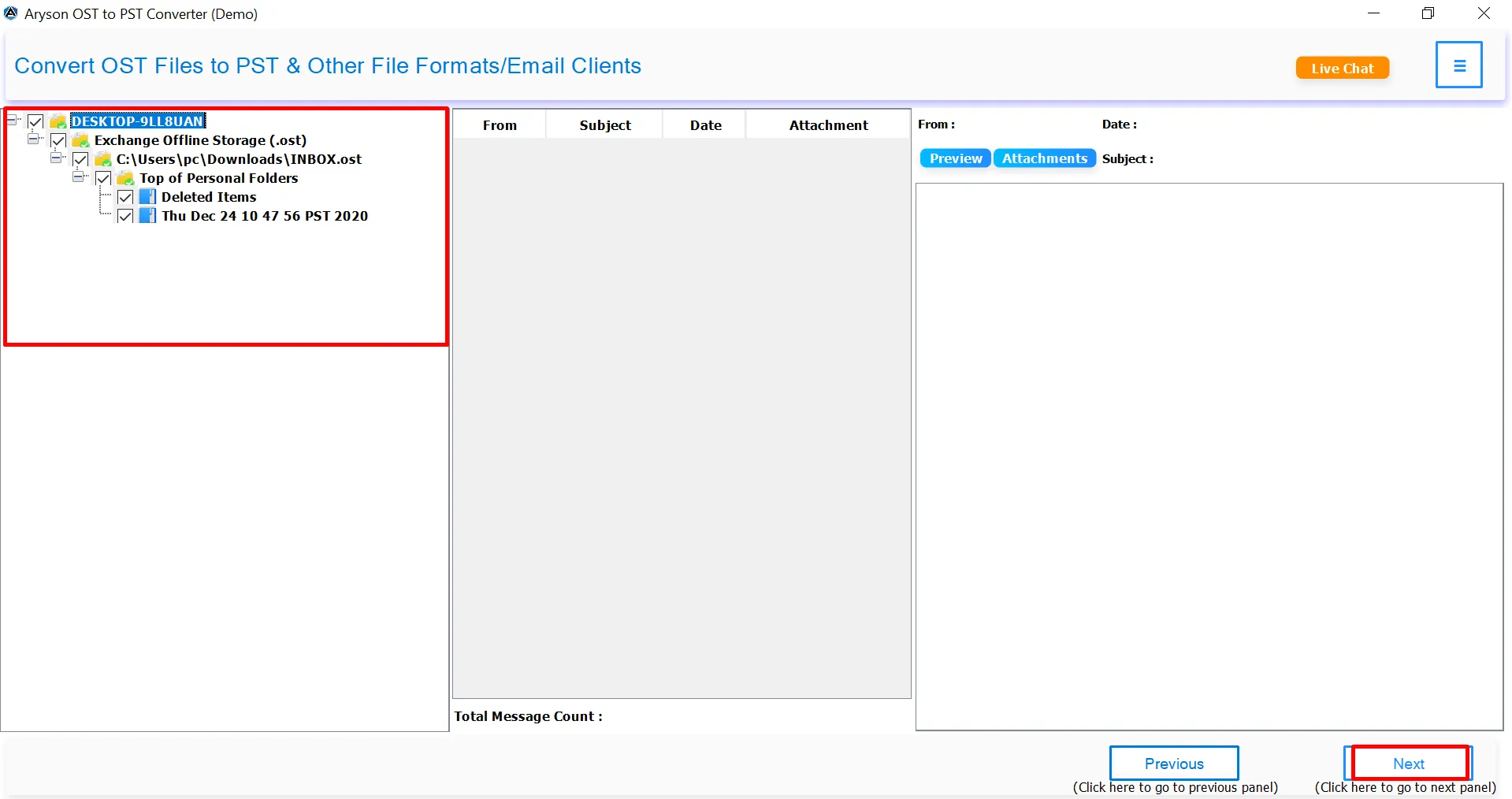
  • In the next panel, preview the OST file data (emails, attachments, etc.).
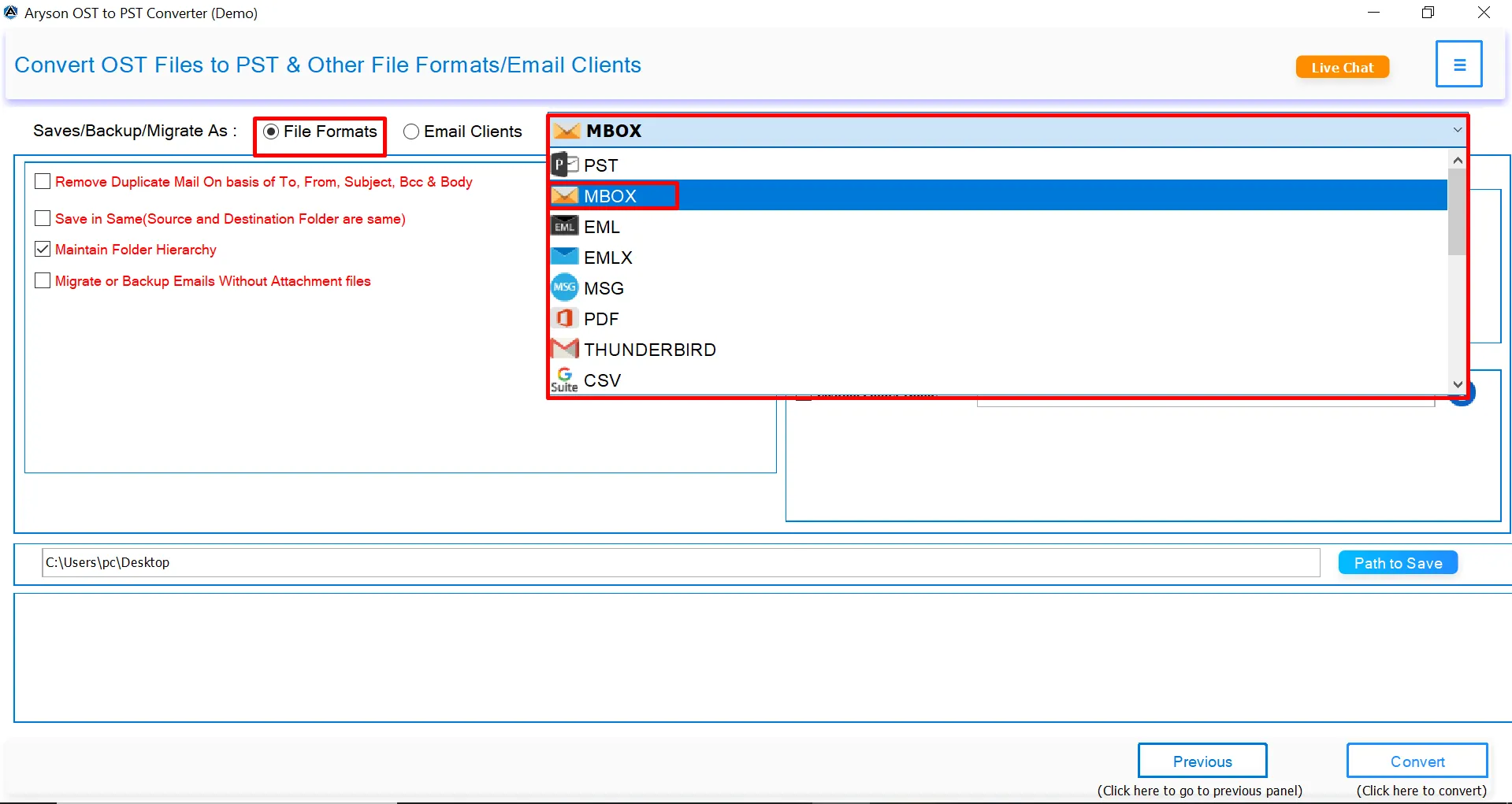
  • Choose MBOX as the output format from the list of available options.
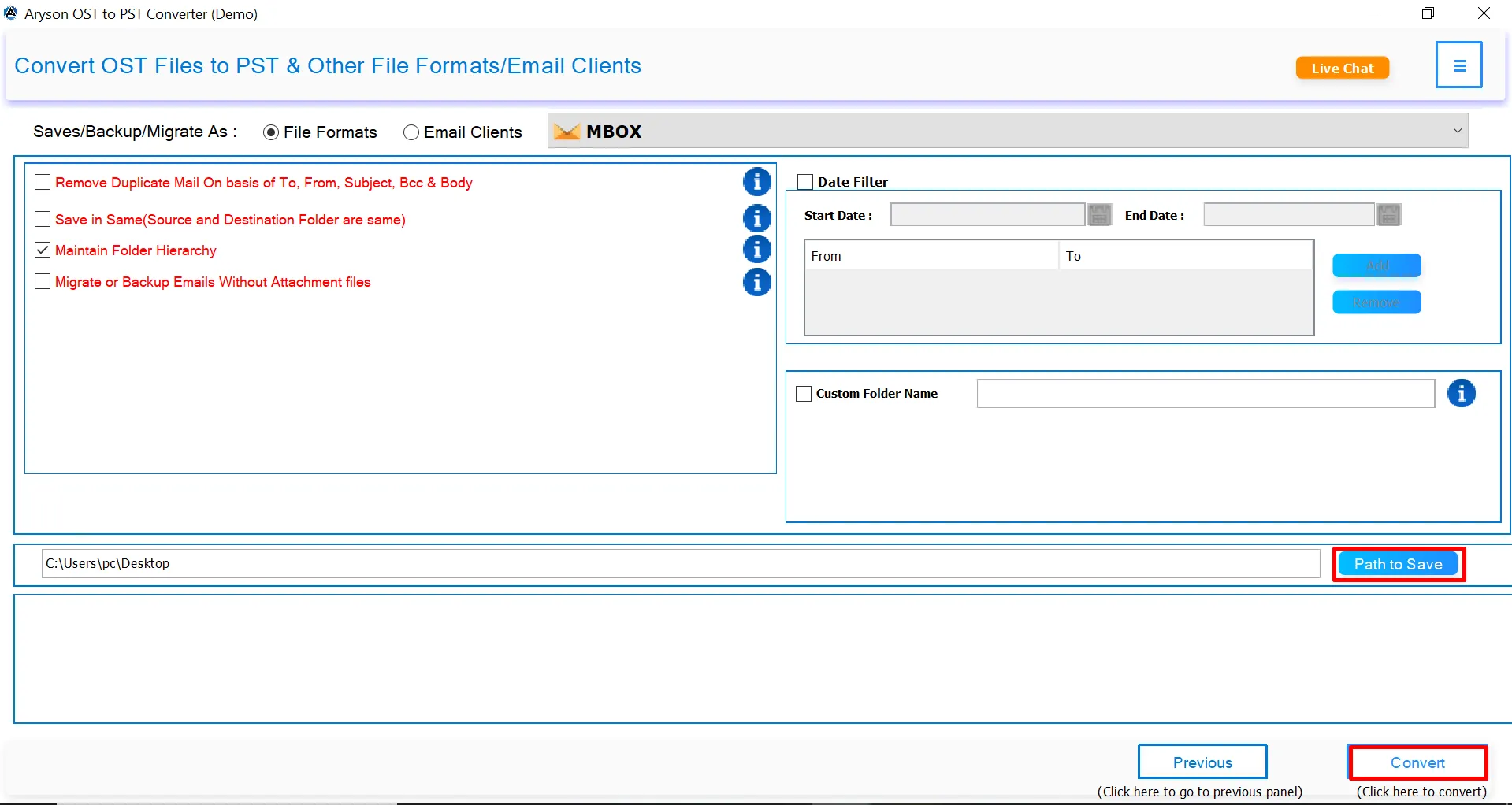
  • Select the destination path to save the converted MBOX files.
  • Click on the Convert button to begin the bulk conversion process.

Ans. Yes, this software works even if Outlook is installed on your system. It can read and convert orphaned OST files independently.

Ans. Absolutely. OST to MBOX Software preserves the original folder hierarchy of your OST files. So, your mailbox structure remains intact after conversion.

Ans. The OST to MBOX converter free trial allows you to convert up to 50 emails per folder. To remove limitations, you’ll need to activate the full version.

Ans.Yes, Aryson OST to MBOX Converter supports all major Windows versions, including Windows 11, 10, 8.1, 8, and 7.

Ans.It supports OST files from Outlook 2021, 2019, 2016, 2013, 2010, and earlier. Also, there is no Outlook installation is needed for conversion.

Ans.Yes, the OST to MBOX Converter Software lets you choose any desired destination folder on your system for saving the output file.

Ans.Yes, using the Date Range Filter, you can convert emails from a specific period rather than the entire mailbox.

Ans.Yes, you can directly import OST emails into various email platforms such as Gmail, Office 365, Yahoo, iCloud, and more using the tool.

Admin consent is only required when the application asks for permissions that go beyond a single user’s data, for example, organization-wide or multiple user access. In such cases, only a Microsoft 365 administrator can approve the login for security reasons.

Trusted by IT Professionals & Enterprises Worldwide

See what IT professionals and businesses say about their experience with our software!

review-rating