-

Written By Rohan Wiese
-
Updated on June 30th, 2026
How to Fix “PDF File Is Damaged and Could Not Be Repaired” Error
PDF files are widely used by large-scale organisations to securely share contracts, reports, invoices, and compliance documents without losing the original formatting across different systems. However, IT professionals may occasionally encounter the “PDF file is damaged and could not be repaired” error when trying to open important documents. This problem usually takes place due to incomplete downloads, malware infections, and interrupted file transfers. In this guide, we discuss some of the practical ways to resolve this issue and learn how to use the Aryson PDF Recovery Tool for quick recovery. Download Now Purchase Now
Symptoms of a Damaged PDF File
If you are experiencing any of the below-mentioned symptoms, better to know that your PDF might have been corrupted or damaged.
- You see an error message that states the PDF file is damaged & cannot be repaired.
- Moreover, the PDF document may fail to open in a standard PDF reader.
- The PDF file opens but displays blank pages instead of actual content.
- Additionally, you may not see the images or embedded elements in the document.
- Users may also experience frequent crashes when they open the damaged PDF file.
- Also, the document may display unreadable characters or broken formatting.
What Causes the “PDF File Is Damaged and Could Not Be Repaired” Error?
Listed below are the reasons why your PDF file would have gotten damaged.
- Partially saved PDF files get created due to incomplete or interrupted downloads.
- Virus or malware infections may damage the internal structure of the PDF document.
- Moreover, sudden system shutdowns may corrupt the PDF file.
- Additionally, improper file transfers via external drives may damage the document.
- Furthermore, the disk errors or bad sectors may corrupt the stored PDF file.
- Outdated or incompatible PDF reader applications may trigger file errors.
If any of the above causes match your situation, refer to the associated recovery method in the upcoming sections to repair corrupted PDF file.
How to Fix PDF File Is Damaged and Could Not Be Repaired Error?
In this section, we will mainly discuss the most effective recovery methods to fix damaged PDF document.
- Restore the PDF file by downloading it again
- Open the PDF using another PDF reader
- Using an Advanced PDF Repair Software
Read through each of these methods carefully and apply them according to the cause of the problem.
Fix 1: Download the PDF File Again
Sometimes, due to an interruption in the download process, the PDF file becomes corrupted. In such cases, if you download the file again, the entire issue will get resolved. Follow the steps below to download the required PDF file again.
Steps to Download the File Again
- Firstly, delete the corrupted PDF file from your system.
- Then, go back to the original website or the email from which you got the file.
- After that, try downloading the PDF again, making sure you’re connected to a reliable internet source.
- Finally, open the newly downloaded file to verify whether the issue is resolved.
Fix 2: Open the PDF in Another PDF Reader
If the above method didn’t work, this error might be appearing due to compatibility issues with the installed PDF reader. Opening the file in another PDF application may help you determine whether the issue lies with the software or the file itself.
Steps to Open the File Using Another PDF Reader
- Firstly, install another reliable PDF reader on your computer.
- After that, launch the newly installed application.
- Next, browse and select the damaged PDF file.
- Finally, try to open the document to check if the file works correctly.
Limitations of Manual Methods
- These methods cannot repair the severely corrupted or structurally damaged PDFs.
- You can’t re-download the file if you don’t have the source or download link.
- These methods will not work if the original PDF itself is corrupted.
- You can’t repair the file; you can only check the software compatibility in another reader.
- These approaches may fail to recover important data from severely damaged PDF files.
Note: If none of the above methods helped you, the actual issue might reside in your PDF file itself. Once you fix the PDF documents, this error might disappear. Therefore, the upcoming section explains an advanced PDF file repair solution to fix PDF file is damaged and could not be repaired error.
Fix 3: Advanced Solution to Recover Corrupted PDF File
Aryson PDF Recovery Tool is the most reliable software that helps IT professionals to repair and recover their corrupted or inaccessible PDF documents efficiently. It provides the user with two different recovery modes: Standard and Advanced, to handle both minor and severe file corruption. Moreover, this software can repair large PDF files in bulk without any issues. Additionally, users can restore text, images, and formatting without affecting the original file content. Using the same software, you can repair damaged or unreadable PDF files as well. With its user-friendly interface, users can quickly recover damaged PDF files without technical expertise.
Steps to Fix PDF File Is Damaged and Could Not Be Repaired Error
- First, download and install the Aryson PDF Repair Tool on your system.
- After that, select either the Single or Multiple PDF Files radio button.
- Browse and select the PDF saved on your PC & click Next.
- Now, choose either the Standard or Advanced recovery mode.
- Provide a destination path to save the recovered PDF files.
- If required, use the save extract image & save extract text options.
- At last, click on the Save button to save the recovered files.
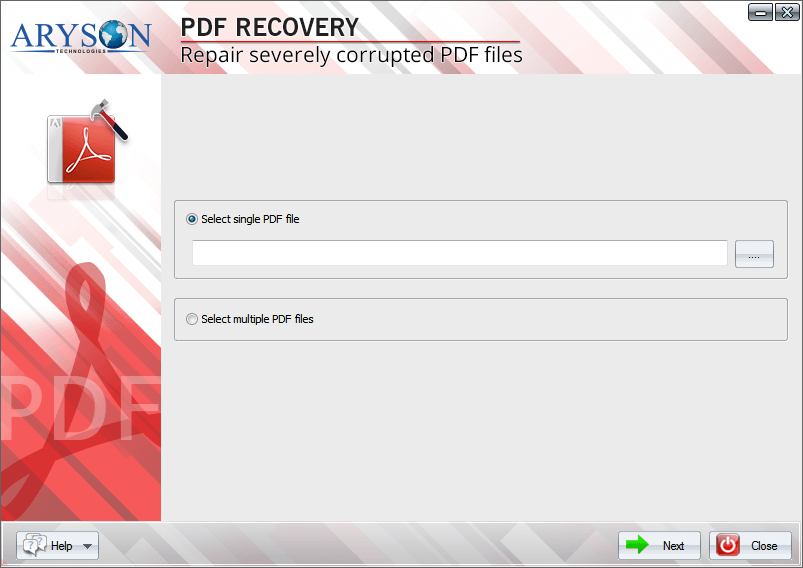
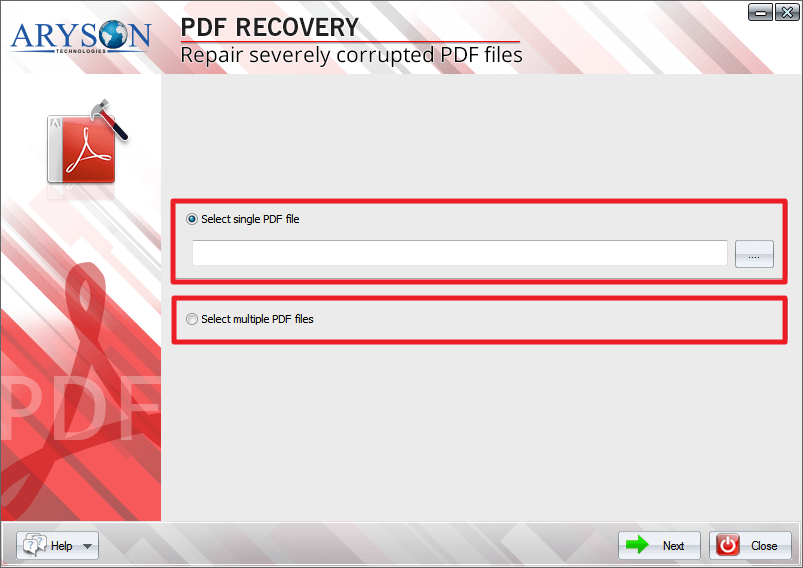
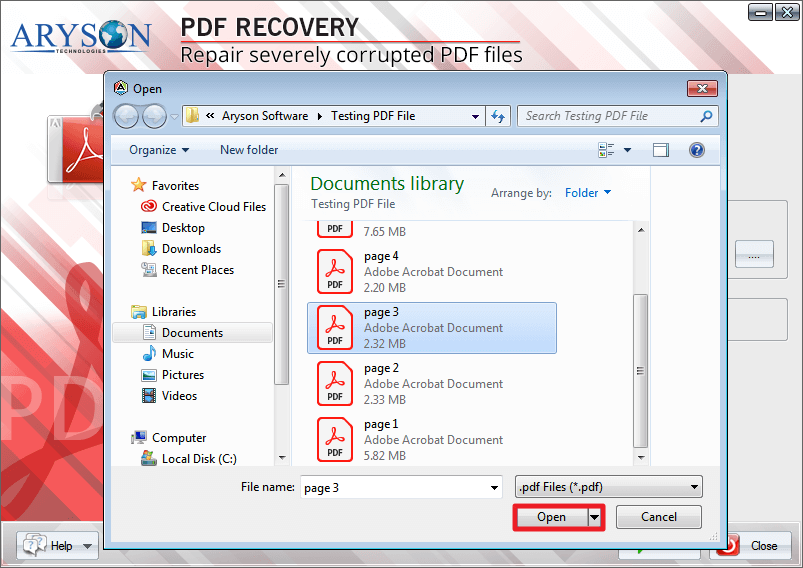
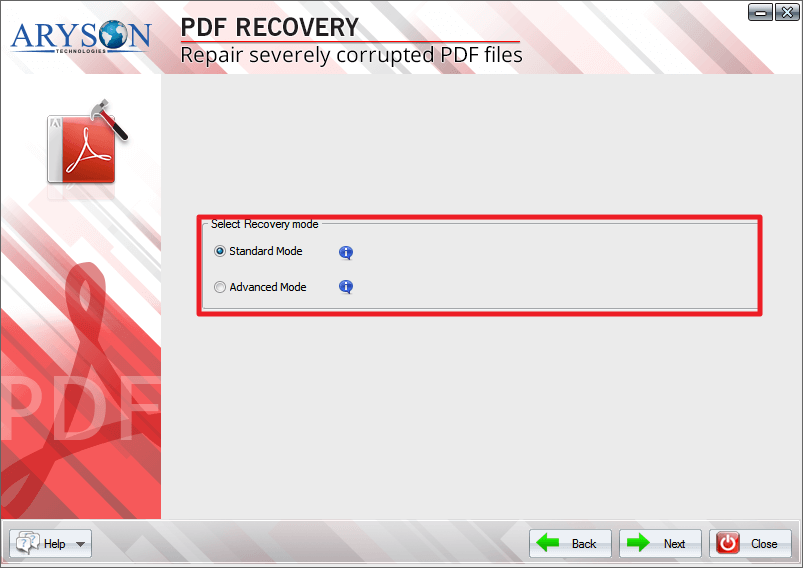
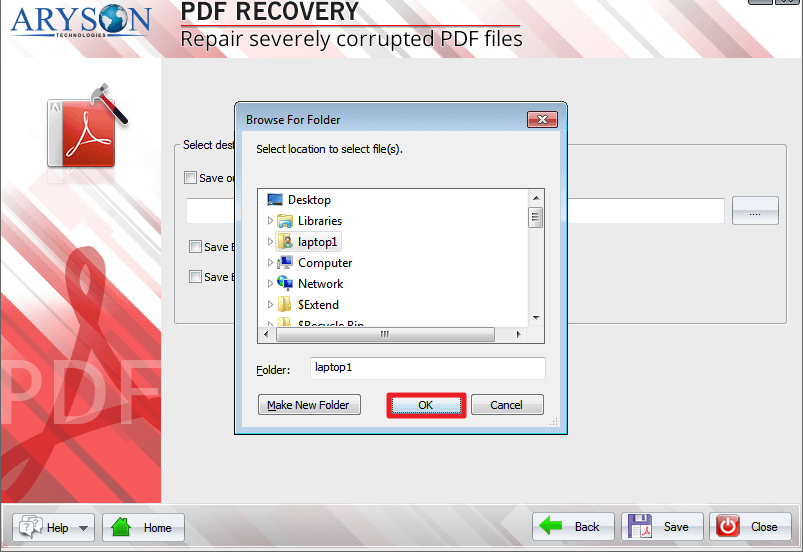
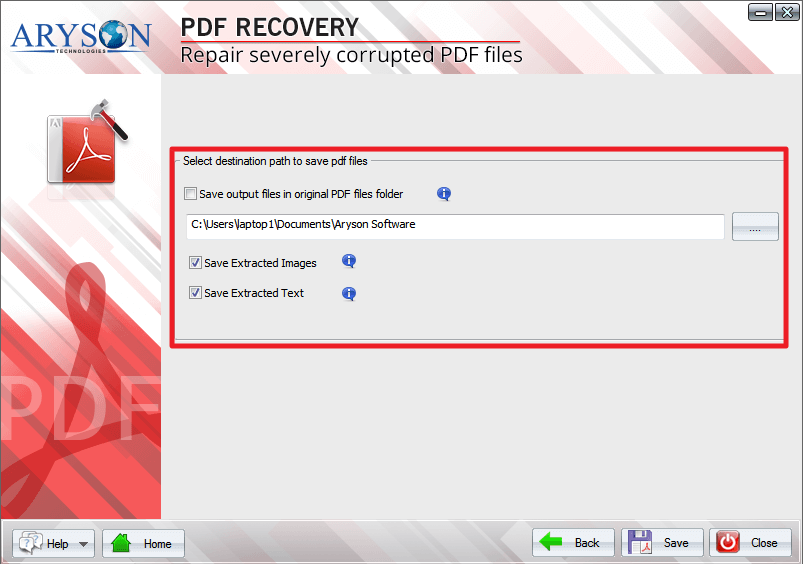
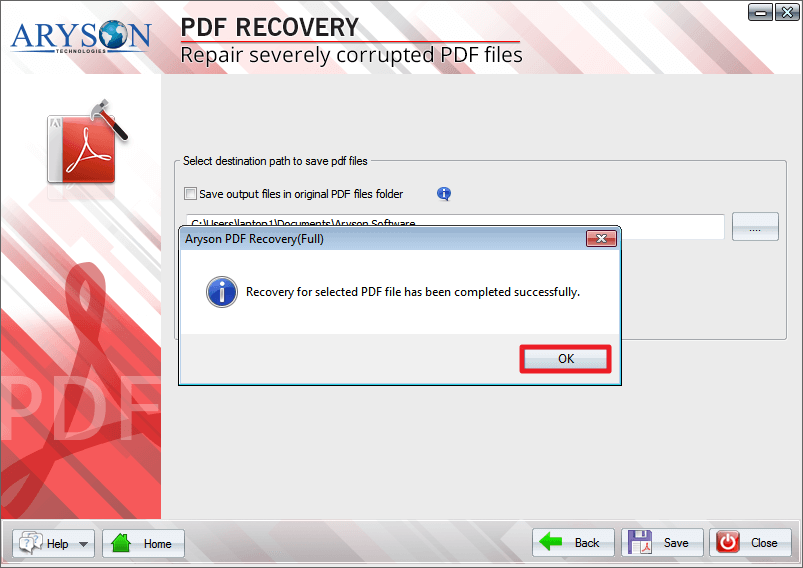
Once you save the recovered document, open the file again to confirm that the issue has been successfully resolved.
Conclusion
In the above article, we discussed the possible reasons behind the “PDF File Is Damaged and Could Not Be Repaired” error. Along with that, we explored several manual methods to fix PDF file is damaged and could not be repaired error in a small volume of PDF files. We also learnt the use of Aryson PDF Recovery Tool to recover and restore a large volume of PDF files. For a single user with sufficient time and technical knowledge, even the manual method will work fine. Whereas, for large-scale organisations and enterprises, it is advised to opt for the automated software only. Still, if the user gets stuck anywhere, they can reach out to the tech support team at Aryson.
FAQs
Q1. Can damaged PDF files be repaired?
Ans: Yes, with the help of the Aryson PDF Repair Tool, even the damaged PDF files can be repaired.
Q2. What causes the “PDF File Is Damaged and Could Not Be Repaired” error?
Ans: The error usually occurs due to incomplete downloads, malware attacks, sudden system shutdowns, disk errors, or improper file transfers.
Q3. How can I check if my PDF file is corrupted?
Ans: You can try to open the document in different PDF readers. If the file fails to open or displays errors, it may indicate corruption.
Q4. Can I repair a PDF file without using software?
Ans: Yes, you can try manual methods such as downloading the file again, using another PDF reader, or restoring the document from backup. However, using the automated software to repair unreadable PDF files is more secure.
Q5. How can I prevent PDF file corruption in the future?
Ans: You can prevent corruption by maintaining regular backups, using secure storage devices, and ensuring proper file transfers.
About The Author:

Rohan Wiese is a Technical Writer at Aryson Technologies. He is an expert Email Forensic, Cloud Computing, and a passionate nerd with over 10 years of experience in technical content writing. He writes about Cloud Migration, Database Recovery, Email Backup, Windows, Mac, and Tech.
Related Post