-

Written By Rohan Wiese
-
Updated on March 30th, 2026
Two Free Methods to Convert EDB to PDF Files [2026 Guide]
Exchange administrators very often need to convert EDB files to PDF format for purposes such as legal compliance, archival, and easy email sharing. Since there is no direct method available to perform EDB to PDF conversion, users often struggle to find the right approach. This article explains the common reasons and prerequisites for the conversion, along with two effective methods to convert EDB to PDF file. Along with that, here you will learn how to use the Aryson EDB to PST Converter to perform the conversion accurately and at scale. Download Now Purchase Now
What Is an EDB File?
EDB stands for Exchange Database files, and it is commonly used for storing users’ mailbox data like emails, contacts, calendars, and more. The data is typically stored across file extensions such as Priv. edb, Pub. edb, and .stm, depending on the Exchange version. PDF is an open-source file format that eliminates the dependence on any exclusive mail format and supports platform independence. This eventually allows users to view it on any system.
User Query:
ExchangeAdmin_James on Microsoft Community Asked:
I am an Exchange administrator, and I need to convert some EDB files to PDF format for a legal audit. However, I have no idea how to do this since there is no direct method available. I also cannot give external access to our Exchange Server for security reasons.
Therefore, suggest a safe and quick software to convert EDB to PDF file without Exchange Server and without any data loss?”
Common Reasons to Export Exchange EDB to PDF
Several reasons compel Exchange users to convert EDB files to PDF format. Some of the most common ones are listed below.
- Users need to share specific emails externally without granting server access.
- PDF format makes it easier to archive mailbox data in a standard, tamper-proof form.
- Many regulatory bodies need to save email data in a secure, compliance-friendly format.
- Users want to convert EDB to PDF in order to reduce the Exchange mailbox size.
- PDF files can be accessed on a local machine without Exchange installed.
- Users need to export selected emails quickly for legal audits or investigations.
Prerequisites Before You Convert EDB to PDF for Free
Make sure to follow the steps below to achieve a secure and error-free conversion.
- Identify whether your EDB file is offline or online.
- Install Outlook & Adobe Acrobat on your system.
- Make sure to have administrative rights to access the Exchange Server.
- Take a backup of the EDB file before starting any conversion process.
- Check the version of Exchange Server, as the software’s compatibility may vary across Exchange 2003 to 2019.
Best Methods to Convert EDB to PDF File
In this section, we will focus on two free methods to convert EDB files to PDF. Read through both methods and choose the one that best fits your situation and technical environment.
- Using Microsoft Outlook
- Use of an Advanced Software
Method 1: Convert EDB to PDF via Microsoft Outlook
In this method, we will use MS Outlook for conversion. First, the user has to set up their Exchange account in Outlook and use the Acrobat add-in. But, this approach will work well only if the users already have Microsoft Outlook & Adobe Acrobat installed on their systems.
Simplified Guide to Convert EDB emails to PDF Format via Outlook
- Firstly, install Microsoft Outlook and Adobe Acrobat on your system.
- After that, run Outlook & go to File >> Account Settings >> Add Account.
- Now, set up the Exchange Server account via the valid login details.
- Next, navigate to the mailbox folder that contains the required emails.
- Select the email(s) you want to export and open the Adobe Acrobat add-in from the Outlook ribbon.
- After that, click on the Convert to PDF or Create PDF option within the Acrobat add-in.
- Furthermore, choose the destination folder and click Save to export the selected emails as a PDF.
- At last, verify the saved PDF file to ensure all content, formatting, and attachments are intact.
Limitations of the Outlook Method
- Adding Exchange Server to Outlook is a complex process that requires a technically skilled user.
- This method is only suitable for a few emails and becomes very time-consuming for bulk conversion.
- The Acrobat plugin might not be available in Outlook 365.
- Due to the background issues, the add-in frequently stops functioning.
Method 2: Advanced Solution to Convert EDB to PDF File
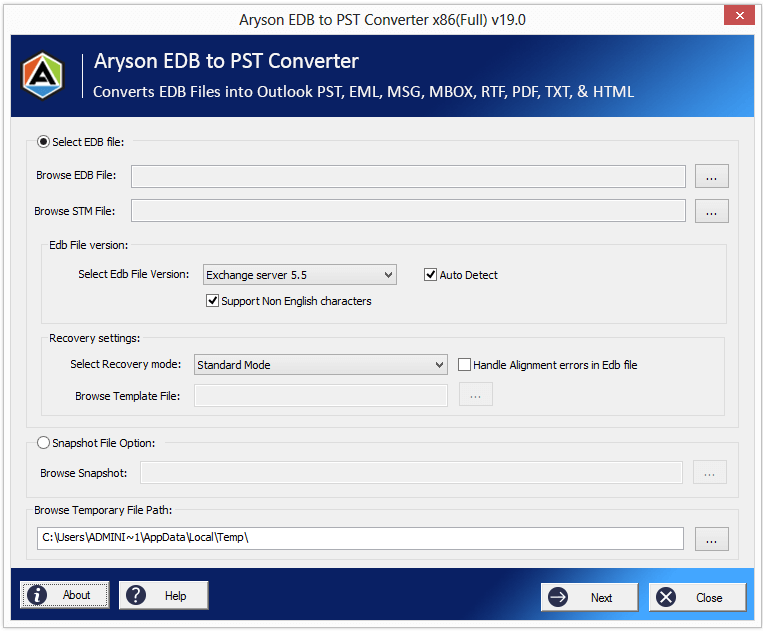
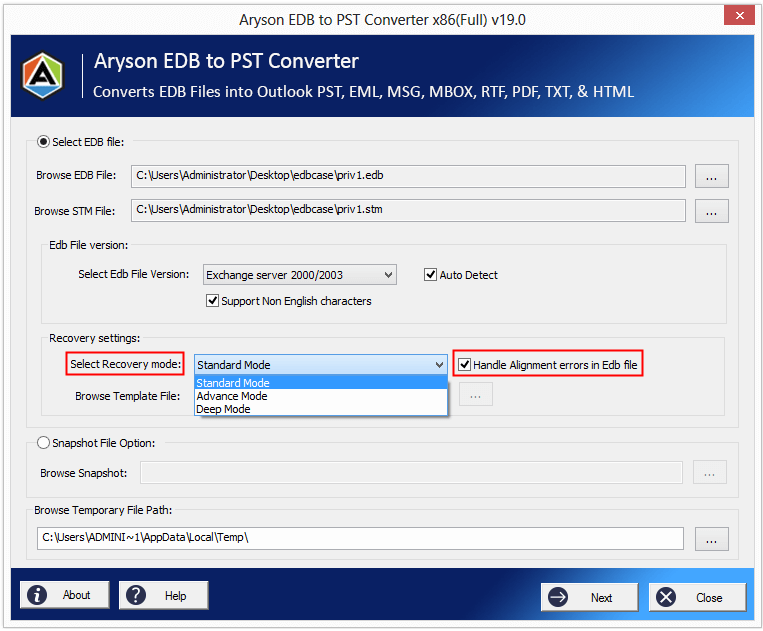
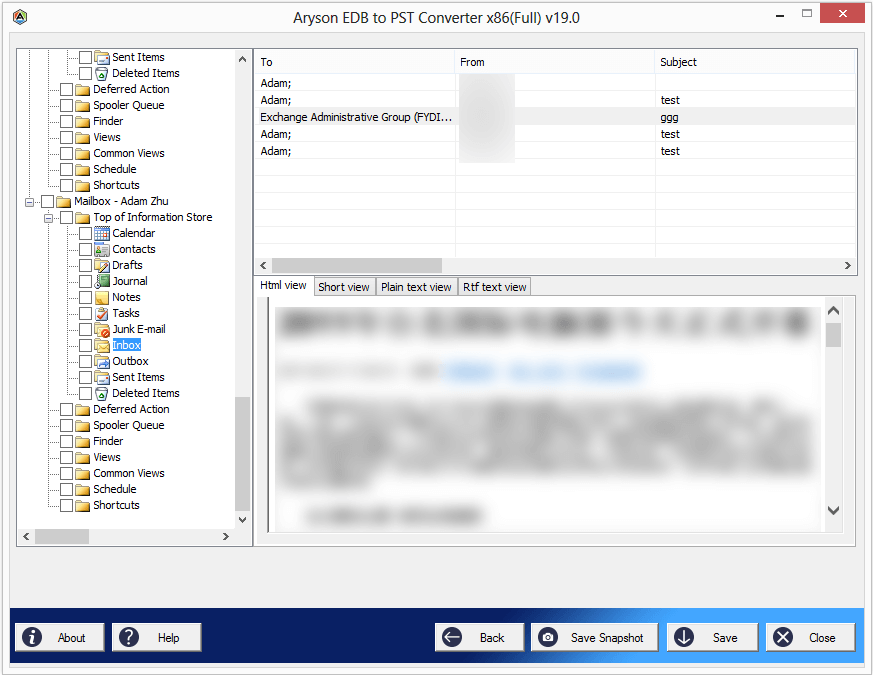
Aryson EDB to PST Converter is an expert-recommended software that helps users to repair & convert Exchange EDB files into PDF format. This software aims to provide 100% data integrity and accuracy. Moreover, it can convert EDB to various formats, including PST, EML, MSG, and MBOX. It provides the user with three different scanning modes: Standard, Advanced, and Deep. Additionally, it allows users to restore mailboxes from the Exchange Database EDB file. Also, this utility has been proven to be a productivity catalyst for a large number of organisations. With the help of the preview panel, users can make sure of data accuracy.
Simplified Steps for EDB to PDF Conversion without Exchange Server
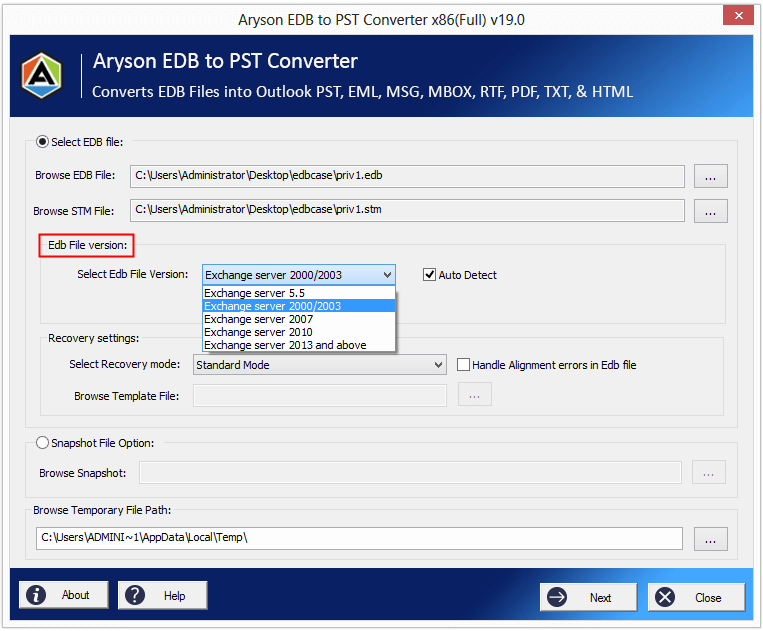
- Firstly, download and install the Aryson EDB to PST Converter.
- After that, click on the “Browse” button & select the Exchange EDB & STM File.
- Now, choose the required recovery mode to recover the EDB file to PDF format.
- Click on the Next button to cross-verify the selected Exchange EDB mailboxes.
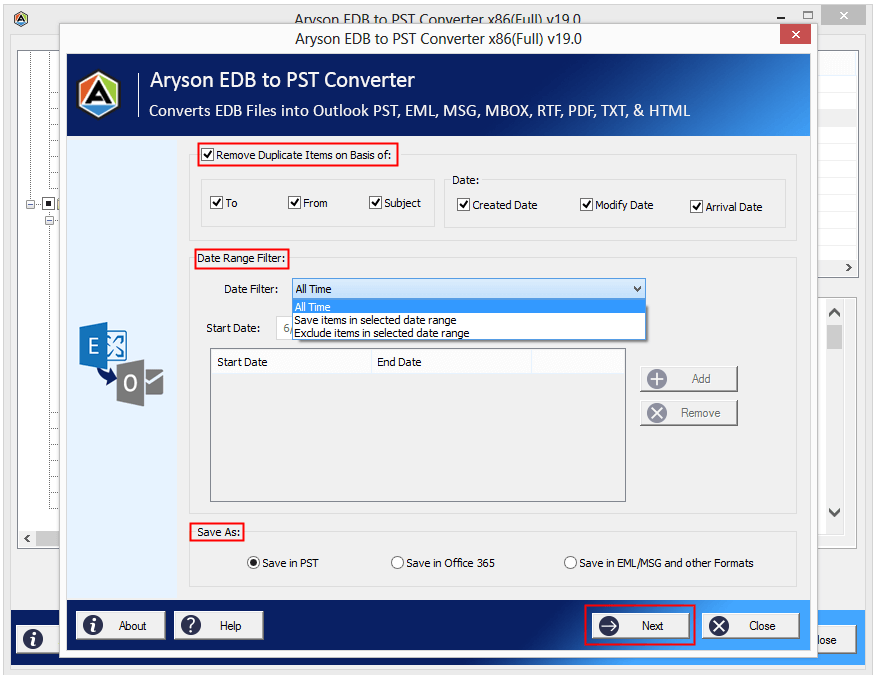
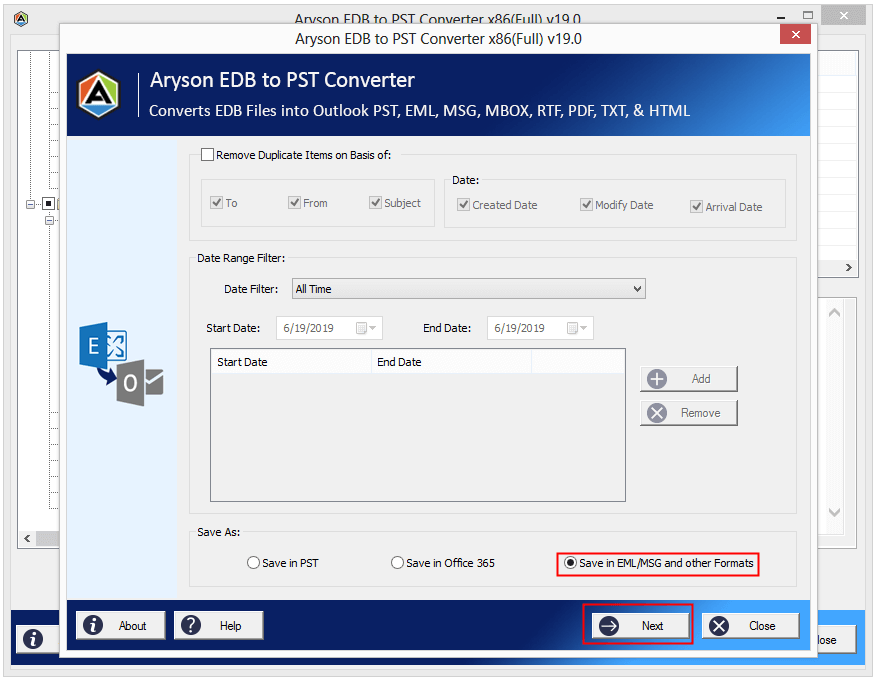
- Apply the advanced filters & remove duplicate items from the recovered Exchange EDB.
- Mark the “Save in EML/MSG and other formats” >> provide output file type & path.
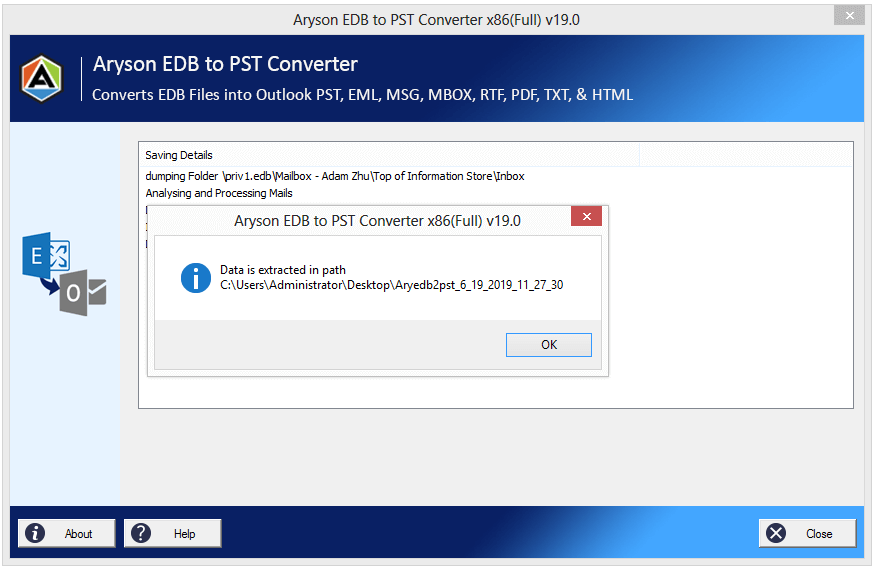
- Click OK to complete the conversion.
Advanced Features of the Automated Software
- It converts EDB mailboxes to PST of Outlook without affecting the original database.
- This software can efficiently migrate Exchange mailboxes to Office 365 A/C.
- Moreover, it provides the user with complete data integrity and accuracy.
- Furthermore, it extracts PST from Exchange Mailbox using EDB & STM files.
- It supports the conversion of non-English characters of Exchange mailboxes to Outlook PST.
- Additionally, you can open EDB file without Exchange Server.
- Also, it can remove duplicate email items from recovered Exchange EDB mailboxes.
Conclusion
In this blog, we discussed what EDB files are and the common reasons to convert EDB to PDF file. Along with that, we explored two effective methods: the manual method and the advanced software to convert EDB to a PDF file. However, both methods have their own pros and cons; the choice of method varies from user to user. For any difficulties during the process, feel free to reach out to the technical support team for personalised assistance.
FAQs
Q1. Can I convert EDB to PDF without Exchange Server?
Ans: Yes, with the help of the Aryson EDB to PDF Converter, you can convert EDB to PDF without an Exchange environment.
Q2. Is there a 100% free EDB to PDF tool?
Ans: Yes, the demo version of the above automated software is absolutely free to convert EDB to PDF.
Q3. Does PDF preserve email attachments from EDB?
Ans: Yes, if you are using the Ayson EDB to PST Converter for the Exchange database EDB file conversion, the PDF preserves email attachments from EDB.
About The Author:

Rohan Wiese is a Technical Writer at Aryson Technologies. He is an expert Email Forensic, Cloud Computing, and a passionate nerd with over 10 years of experience in technical content writing. He writes about Cloud Migration, Database Recovery, Email Backup, Windows, Mac, and Tech.
Related Post