-

Written By Rohan Wiese
-
Approved By
Shivam Rathore -
Updated on July 9th, 2026
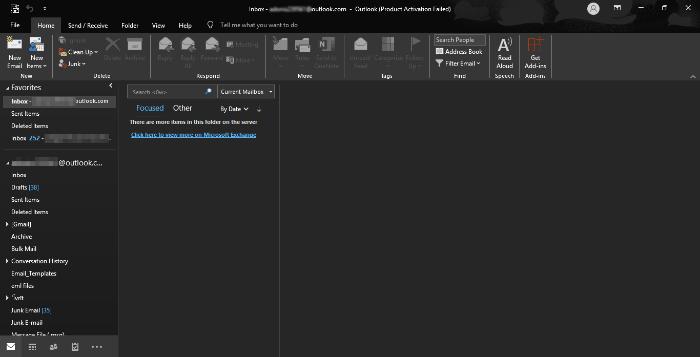
Outlook: “Cannot Open Default Folders” Error? Solved Easily!
Fact-checked and reviewed in accordance with our
Editorial Policy
Summary: In this digital landscape, email communication is a primary mode of communication for business purposes. MS Outlook is a widely used application for email communication purposes. The challenges arose when your default email folder was unable to open. This prevents you from accessing the default folder and mailbox. In this blog, we described the various manual methods to fix the “cannot open default email folders Outlook 2010” error. Also, we introduced the professional PST Repair Tool, which solves the Outlook issue with ease and convenience. Download Now Purchase Now
What Causes Error “Cannot Open Your Default Email Folders”?
This error is caused in the Outlook application and prevents users from accessing their mail. Here are the most common other causes that trigger this error:
- If your user profile is damaged, then Outlook fails to open the data folders.
- When your data file is corrupted, Outlook can not load folders.
- Incorrect email account settings can prevent Outlook from opening the email folder.
- An outdated version of Outlook may prevent users from loading folders.
- Lack of necessary file or folder permissions can block Outlook from accessing data files.
Manual Method to Fix “Cannot Open Default Email Folders in Outlook” Error
If you are encountering the Outlook error, you can try several manual troubleshooting methods:
Reset the Navigation Pane
If your Outlook navigation panel settings become corrupted, Outlook may fail to load properly. Resetting the settings restores the display layout to its original default configuration. Fix the settings to avoid the Outlook error.
- Before proceeding, make sure your Outlook application is completely closed.
- Next, press the Windows and R keys together to launch the Run dialog box on your screen.
- Next, type the command in the run dialog:
- Press the Ok button to save the navigation panel to the default.



Using the Inbox Repair Tool (ScanPST.exe)
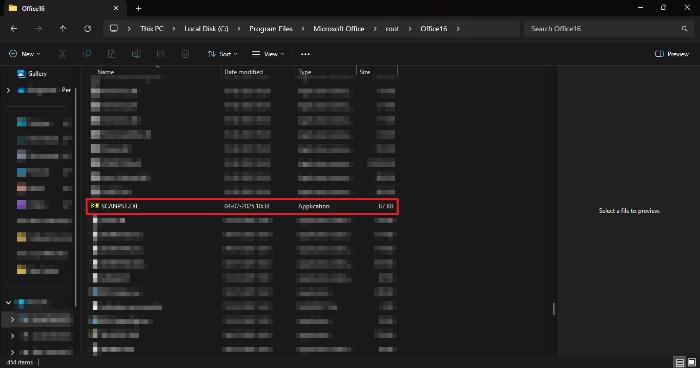
To fix issues in the Outlook data file, use the Inbox Repair Tool, which resolves minor errors in PST files. Follow the procedure:
- Navigate to the ScanPST.exe location to fix the issue. The location may differ based on which version of Outlook you are using.
- Double-click the tool to launch it, then use the Browse button to locate and select the corrupted PST file.
- If it finds any errors, click on the Repair option to begin fixing the file.
- After the completion of the repair, click on the OK button to fix it.

Also Read: How to Open OST File into Outlook
Run Outlook in Safe Mode
Starting Outlook in Safe Mode turns off all add-ins and custom settings, allowing you to check if they’re causing the issue.
- Make sure Outlook is completely closed before starting this process.
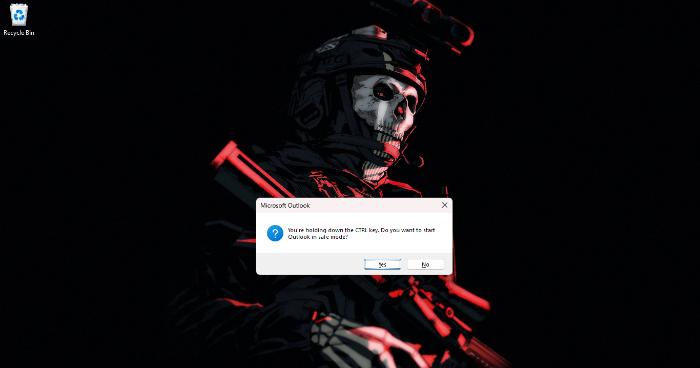
- Hold down the Ctrl key on your keyboard and then open Outlook.
- A confirmation window will appear. Click “Yes” to start Outlook in Safe Mode.
- Outlook will launch with “Safe Mode” shown in the title bar.
- Try accessing your emails, calendar, and other features to check if everything works properly.
- If you’re using an Exchange or IMAP account, verify that your data is syncing correctly.
- Once the issue is identified, close Outlook and restart it normally without holding the Ctrl key.

Also Read: Learn How to Move OST File to New Computer Easily
Professional Solution to Fix “Cannot Open Default Email Folders Outlook 2010”
A corrupted PST file can lead to various Outlook issues, including the cannot open default email folders error. To address this, using a reliable automated PST Recovery Tool is recommended. Such tools efficiently repair damaged files while maintaining complete data integrity. They feature a straightforward, user-friendly interface that simplifies the recovery process compared to alternative solutions. Additionally, the tools are cross-platform and support all Windows versions, ensuring smooth operation across different system environments. The tool can also fix the “import PST File into Outlook” issue smoothly.
Steps to Fix Cannot Open Default Email Folders Error
- Begin by downloading and installing the PST Recovery Tool on your computer.
- Launch the tool and click the Open button to locate your PST file.
- Browse your system and select the damaged or corrupted PST file from the local drive.
- Choose the appropriate recovery mode based on the severity of the corruption.
- After scanning, preview the recovered mailbox items and select the data you wish to restore.
- Click Save, then specify the destination path to store the recovered file.
- Apply any additional filters or settings if required before saving.
- Once the process is complete, ensure the PST file opens correctly in Outlook.
Conclusion
Repairing the “cannot open default email folders Outlook 2010” error in Outlook is not as complicated as it appears. You might attempt basic manual actions such as resetting the navigation pane or starting Outlook in Safe Mode. If all else fails, then a professional PST recovery tool is a good bet. It assists in correcting corruption without risking your data. Select the option that best meets your requirements and regain your access to Outlook with ease and security.
Frequently Asked Questions
Q: How to fix default folders issue in Outlook?
Ans: To fix “Outlook 2010 error opening default email folder,” you can utilize the manual method and a professional PST Recovery Tool. Both methods are perfect to resolve the issue, as per the situation.
Q: Will resetting the navigation pane delete my data?
Ans: No. It simply restores the default layout settings and does not delete any of your emails or folders. It simply resets the layout and visual customization of the navigation pane.
About The Author:

Rohan Wiese is a Technical Writer at Aryson Technologies. He is an expert Email Forensic, Cloud Computing, and a passionate nerd with over 10 years of experience in technical content writing. He writes about Cloud Migration, Database Recovery, Email Backup, Windows, Mac, and Tech.
Related Post