-

Written By Rohan Wiese
-
Approved By
Shivam Rathore -
Updated on July 8th, 2026
Solved: Outlook Error 0x8004010F When Sending/Receiving Emails
Fact-checked and reviewed in accordance with our
Editorial Policy
Summary: Outlook is widely used for sending and receiving email. But sometimes, users face an Error 0x8004010F. This error often shows up when you send or receive emails. It’s common in Outlook 2016, 2013, and 2010. However, you can fix it with the right tools and techniques. That’s why, in this blog, we will show you how to fix Outlook 0x8004010F error. Along with that, you can use the Outlook PST Repair Tool for a precise, quick, and 100% accurate recovery. Download Now Purchase Now
What Is Outlook Error 0x8004010F?
It is a Send/receive error in Microsoft Outlook. Generally, it means Outlook can’t access your default email folder. Also, it shows an error message, like:
“Error 0x8004010F: Outlook data file cannot be accessed.”
It occurs after a system restore, profile corruption, or using Outlook data between PCs.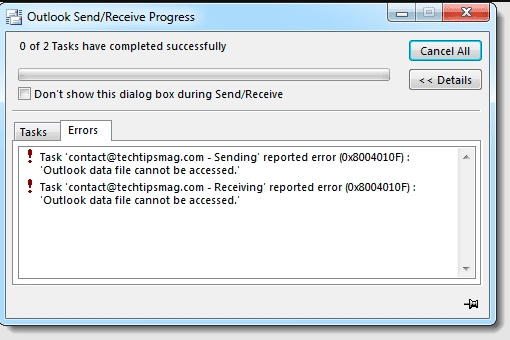
Why Does Outlook Error 0x8004010F Occur?
This error usually occurs due to several reasons, such as:
- If your Outlook profile is corrupted.
- Damaged or missing Outlook data file (.OST or .PST)
- Incorrect send/receive settings.
- Firewall or antivirus blocking Outlook.
- Besides that, there were network connection issues.
Methods to Fix Outlook 0x8004010F Error
0x8004010F error occurs while sending or receiving emails in Outlook; it might be due to poor internet or a problem syncing with the mail server. So, before trying anything else, check if:
- Your internet is working fine.
- Outlook is correctly connected to your mailbox server.
If the connection is good, then follow the methods below to fix this Outlook send/receive error easily.
Read Also: Learn How to Open OST File in Microsoft Outlook?
Method 1: Outlook 0x8004010F Profile Error Solution
Sometimes, Outlook errors occur because of minor glitches in your system. A quick restart can often fix them. So first, restart your computer. Then, right-click the Outlook icon and choose Run as administrator. Now, try sending or receiving an email.
Method 02: Check Your Outlook Account Settings
If you want to repair Outlook data file 0x8004010F, follow this method. Sometimes, the Outlook 0x8004010F error occurs because of incorrect account settings. If the port number or server name is wrong, Outlook can’t connect to the mail server correctly. Here’s how to check and fix it:
- Firstly, open Outlook >> File.
- Click Account Settings > Account Settings.
- Then, choose your email account and click Change.
- A new window will open. Click More Settings, then go to the Advanced tab.
- Now, review your server settings. Make sure they match the correct ones.
Read Also: Learn How to Fix Outlook Error 0x80070021 Quickly
Important Note:
If you’re not sure what the correct settings are, visit the official Microsoft Outlook support page for details. Furthermore, if you use Outlook at work, ask your IT team if they’ve changed anything on the server. That might be the reason behind the error.
Method 03: Fix Outlook 0x8004010F Error (Off Antivirus)
Antivirus programs or the Windows Firewall can block Outlook’s data files while they are scanning. It can cause the “Outlook data file cannot be accessed” error when you try to send emails. To check if this is the problem, turn off your antivirus and firewall for a short time. Then, send an email in Outlook.
Method 04: Manually Download the Offline Address Book (OAB)
The Offline Address Book (OAB) saved on your computer doesn’t match the version on the mail server. This mismatch can cause Outlook not to recognize contact details correctly. As a result, you face this error.
Repair Outlook Data File 0x8004010F Error With These Steps:
- First, open Outlook and click File in the top-left corner.
- Now, choose Account Settings, then click Download Address Book.
- In the pop-up, check the box for Download changes since last Send/Receive, and click OK.

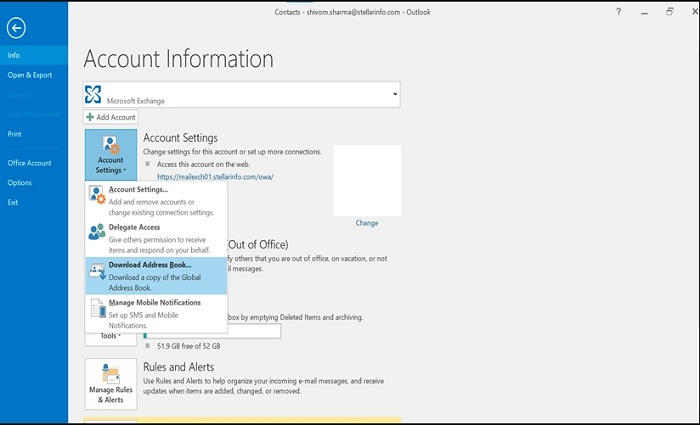
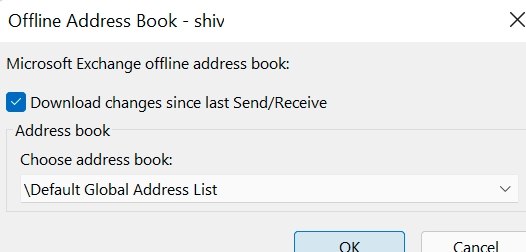
After the download finishes, close and reopen Outlook. Then, try sending an email to check if the error is fixed.
Read Also: Easy Steps to Fix Outlook Error 0x800ccc0d
Method 05: Professionally Fix Outlook 0x8004010F Error in Outlook File
As we know, sometimes, this Outlook error occurs due to a damaged or corrupted PST file. So, to fix it, you can use the Outlook PST Repair Tool. This tool is specially designed with an advanced algorithm for a quick and hassle-free recovery. In addition, you can repair an encrypted & password-protected PST file with this utility.
Furthermore, this tool repairs oversized PST files within a few minutes. The interface of this software is simple. You don’t need technical expertise to perform it. However, you can try the demo version of this tool to analyze its performance and functionality.
Easy Steps to Outlook 0x8004010F Antivirus Conflict Fix
To repair a corrupt PST file, follow these steps:
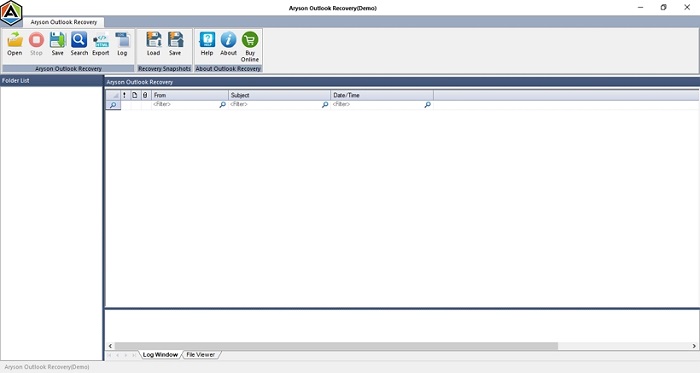
- Primarily, install the Outlook PST Repair Tool on your system.
- Then, click on Open and add the Corrupt PST file.
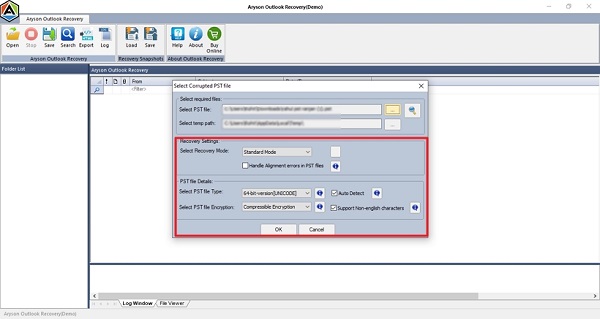
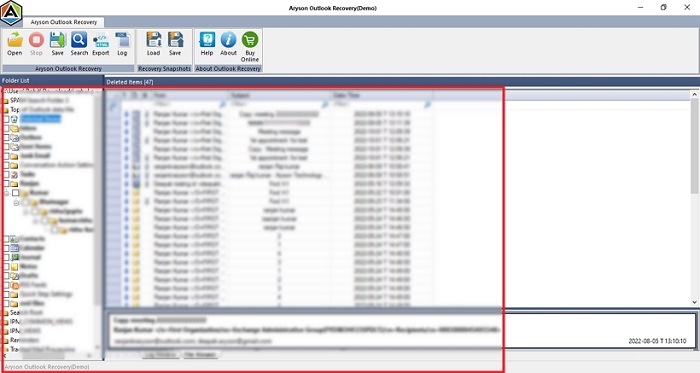
- Now, choose the Recovery Modes and other options. Click OK.
- After that, you can cross-verify the added PST file.
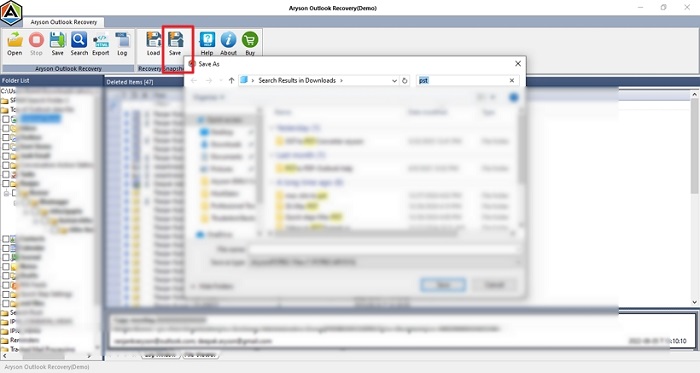
- In the end, click Save to download it into your system.

Conclusion
To sum up, the Outlook error 0x8004010F is a common issue that many users face while sending or receiving emails. But above, we discussed several methods to fix Outlook 0x8004010F error. It includes restarting the Outlook app and checking account settings. If needed, update your Offline Address Book or turn off conflicting security apps temporarily. But if your PST file is corrupted or damaged, experts suggest using the PST Repair Tool. It gives you a quick and hassle-free recovery without data loss or minimal disruption.
Frequently Asked Questions (FAQs):-
Q 1. What does Outlook error 0x8004010F mean?
Ans: The 0x8004010F error in Outlook indicates that the application cannot access the default email data file. This issue often arises when sending or receiving emails and is prevalent in Outlook 2010, 2013, and 2016 versions.
Q2. What if creating a new profile or repairing the data file doesn’t fix error 0x8004010F?
Ans: If no troubleshooting method worked, you must focus on understanding the causes. If your PST file is corrupted or damaged, then the Aryson Outlook PST Repair Tool will work.
About The Author:

Rohan Wiese is a Technical Writer at Aryson Technologies. He is an expert Email Forensic, Cloud Computing, and a passionate nerd with over 10 years of experience in technical content writing. He writes about Cloud Migration, Database Recovery, Email Backup, Windows, Mac, and Tech.
Related Post