-

Written By Rohan Wiese
-
Approved By
Shivam Rathore -
Updated on May 6th, 2026
How to Merge Multiple vCard (VCF) Files into One in Easy Ways
Fact-checked and reviewed in accordance with our
Editorial Policy
VCF (Virtual Contact File) files are used by most of the IT professionals and organisations nowadays. This format is generally used to store & share contact information such as names, phone numbers, email addresses & postal details. However, sometimes, it becomes a complicated task to manage dozens of individual VCF files across multiple devices, accounts, or backups. Thus, in this blog, we will cover some of the most practical ways to merge VCF files. Along with that, you will get to learn how to use the Aryson vCard Merger Tool for quick and bulk consolidation.
Common Reasons to Merge Multiple vCard (VCF) Files into One
This process is useful for users who want better contact management and flexibility, along with other reasons that include:
- The user can easily manage all contacts from a single, unified VCF file.
- Moreover, you can simplify the process of sharing contacts with colleagues or clients.
- Merging VCF files helps to streamline migration between devices and email clients.
- Additionally, users manage their contacts efficiently using the digital address book.
- After merging, you can even create a master backup of all contacts for storage.
- Also, the chances of duplication reduce when we consolidate all VCF files into one.
Top Approaches to Merge VCF Files into One
There are different ways to accomplish this task, but users generally rely on two reliable methods based on their technical expertise and the volume of contacts they need to handle.
- Automated Solution
- Manual Methods
Approach 01: Automated Solution to Combine VCF Files into One
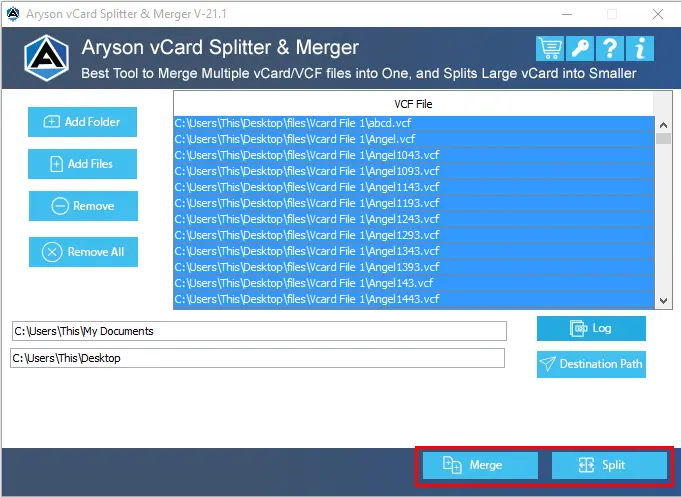
The Aryson vCard Merger Tool is one of the most recommended software tools that helps organizations to combine multiple VCF files into one. This software maintains complete data integrity and security. Moreover, it supports bulk merging of any number of vCard files simultaneously without any size limitations. Additionally, this utility keeps all the contact details, including name, phone number, email address, etc., intact during the merge. Users can also preview their vCard contacts before merging them and choose specific files for selective consolidation. If users want to convert VCF files to PST, they can use the Aryson VCF Converter Software for the same. Now, follow the steps below to efficiently merge multiple VCF files into one.
Quick Steps to Merge Multiple VCF Files into One
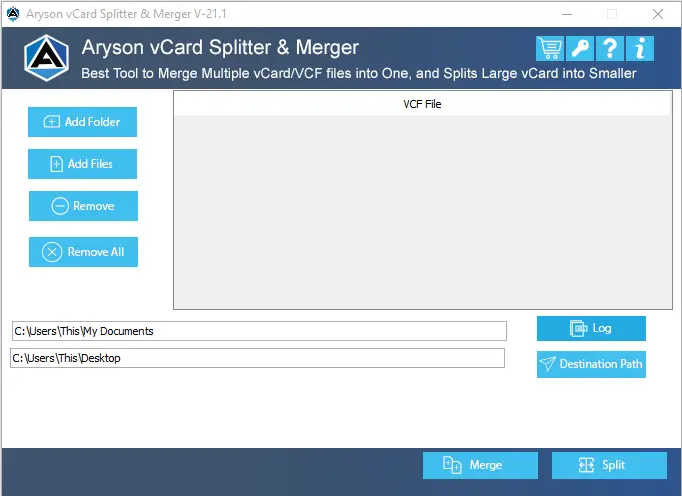
- To begin, install and run the Aryson vCard Merger Tool on your existing system.
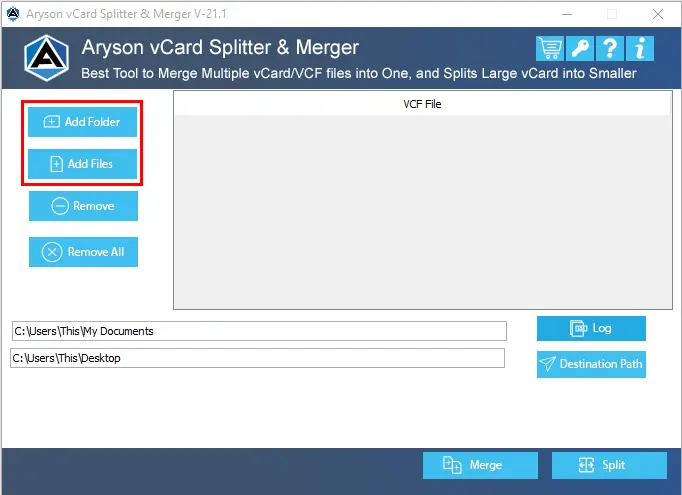
- After that, click on the Add Files or Add Folder to import the VCF files.
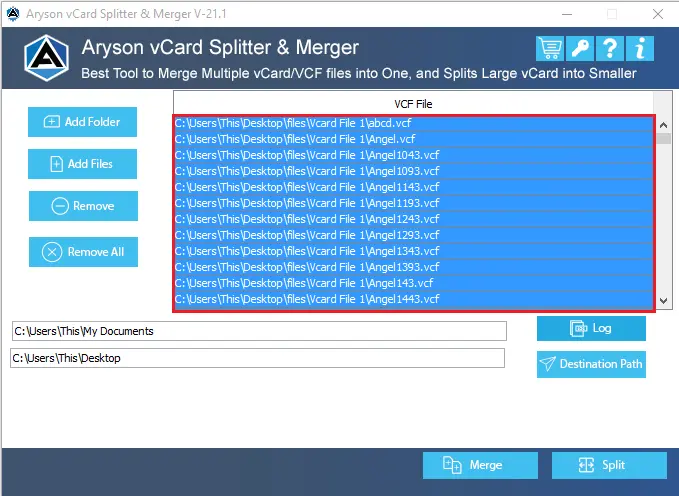
- Now, cross-verify the selected VCF files in the preview panel >> click Next.
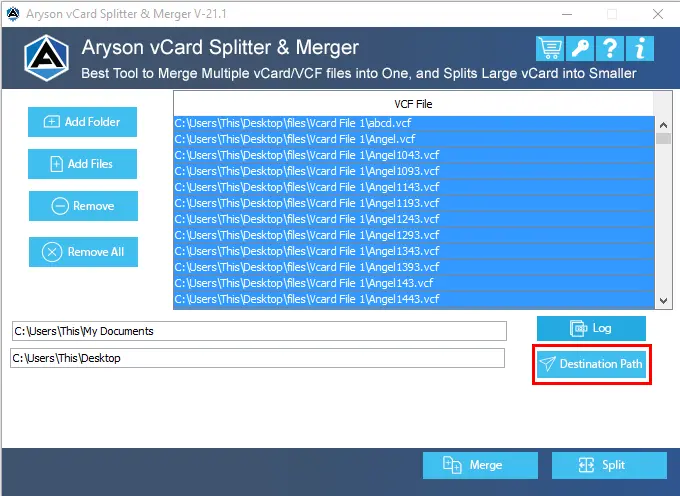
- Thereafter, choose the destination path to save the merged VCF file.
- At last, click the Merge button and wait for the process to complete.
Method 2: Use Command Prompt to Merge VCF Files on Windows
Windows provides its users with the Command Prompt application to quickly combine multiple VCF files. This method allows users to store contacts in a single folder using a simple copy command. Even if you do not have any third-party software downloaded on your system, you can use this software to merge multiple vCard files. However, it works best when all VCF files are of the same vCard version. This will help users to avoid formatting inconsistencies in the output file.
Simplified Steps to Combine vCard Files Using Command Prompt
- First, transfer all the desired VCF files into a single folder on your system.
- After that, use the Win + R, type cmd, >> click OK to open Command Prompt.
- Now, enter the cd command to move to the folder where your VCF files are stored.
- Next, type the following command and press Enter:
copy *.vcf merged_contacts.vcf
- At last, check whether a new file named merged_contacts.vcf contains all contacts.
Limitations of the Manual Methods
- To perform this method, all your VCF files must be stored in a single file.
- Moreover, this method becomes slow and unreliable when users deal with large amounts of data.
- In addition, there is a risk of incomplete or incorrect output if files use different vCard versions.
- Subsequently, you have to repeat the same process to merge additional files.
Real-Life Scenario
David Miller, an HR Manager from New York, needed to merge hundreds of VCF files collected from multiple devices and accounts into one. The manual method was far too slow for his growing contact list. He switched to the Aryson vCard Merger Tool and got everything done within minutes – all contacts, photos, and details perfectly preserved. Quick, accurate, and secure. Exactly what he needed.
Conclusion
In this method, we covered various ways to merge VCF files into one. While the manual methods work well for small-scale merging at lower investment, the advanced software provides a quick and much more reliable consolidation at reasonable prices. Even the software comes with a demo version that allows users to merge up to 15 VCF files for free. Now, as per your requirements, you may choose either of the methods to perform the merge.
FAQs
Q1. Can I save G Suite emails as EMLX files without using Apple Mail?
Ans: Yes, the Aryson vCard Merger Tool lets you combine VCF files from any platform – including iCloud, Google Contacts, Skype, and Outlook – without any compatibility issues.
Q2. Do I need technical expertise to merge VCF files using the tool?
Ans: No, the Aryson vCard Merger Tool has a simple and intuitive interface that is designed for both technical and non-technical users to operate without any prior experience.
Q3. Can I merge VCF files on Mac?
Ans: Yes, Mac users can join VCF files into one manually using the Terminal with the cat *.vcf > combinedfile.vcf command. For a simpler approach, dedicated Mac-compatible VCF merger tools are also available.
Q4. Will contact details like photos and addresses be retained after merging?
Ans: Yes, the Aryson vCard Merger Tool retains all contact information, including name, phone number, email, address, profile photo, and description, throughout the merge process without any data loss.
About The Author:

Rohan Wiese is a Technical Writer at Aryson Technologies. He is an expert Email Forensic, Cloud Computing, and a passionate nerd with over 10 years of experience in technical content writing. He writes about Cloud Migration, Database Recovery, Email Backup, Windows, Mac, and Tech.
Related Post


