Screenshots

Video

Guide

Eula

Easily Recover These Files with Aryson Windows Data Recovery Tool

Best Data Recovery Software for Windows to restore a wide range of files with Ease:

  • AVI, MOV, MP4, M4V, 3GP, 3G2, WMV, MKV, ASF, FLV, SWF, MPG, RM/RMVB, MPEG, etc.
  • JPG/JPEG, TIFF/TIF, PNG, BMP, GIF, PSD, CRW, CR2, NEF, ORF, SR2, MRW, DCR, WMF, RAW, SWF, SVG, RAF, DNG, etc.
  • M4A, MP3, WAV, WMA, APE, MID/MIDI, RealAudio, VQF, FLV, MKV, MPG, M4V, RM/RMVB, OGG, AAC, WMV, etc.
  • Kingston, Sandisk, Samsung, etc.
  • DOC/DOCX, XLS/XLSX, PPT/PPTX, PDF, CWK, HTML/HTM, INDD, EPS, etc.
  • ZIP, RAR, SIT, ISO, exe, html, SITX, etc.
  • MDF, LDF, MDB, DBF, BKF, etc.
  • External storage devices, digital cameras, virtual disks, music players, video players, RAID, ZIP drives, and more.

When to Use Aryson Windows File Recovery Software?

To Recover Deleted and Lost Files

Aryson Windows File Recovery Software can restore deleted or lost files from Windows PCs, external drives, and memory cards. Files removed accidentally or lost due to system errors can be reliably recovered, including documents, photos, videos, emails, and more. Its intuitive interface helps even non-technical users navigate the recovery process smoothly.
Recover Data from Virus-Affected or Infected Drives

If you have ever lost important files due to a virus or malware attack, you can use Aryson Windows File Recovery Software to restore them safely. Even when your drive shows files as corrupted or inaccessible, it can scan thoroughly and recover documents, photos, videos, and more. This way, you get back your critical data.

To Recover Data from Recycle Bin

With the Aryson Windows system recovery utility, you can easily restore deleted files from the Windows Recycle Bin. Even if files have been emptied from the Recycle Bin, the tool performs a deep scan to recover documents, photos, videos, and other important data. Users can preview items before recovery and selectively restore only the files they need.

Restore Data from Formatted or Corrupted Drives

The software is designed to recover data from drives that have been formatted or corrupted. It performs a deep scan to detect and retrieve all accessible files without altering their original structure. This feature is helpful when drives become inaccessible due to formatting errors, virus attacks, or file system corruption.

Side_Image

Comes with Volume Information Panel

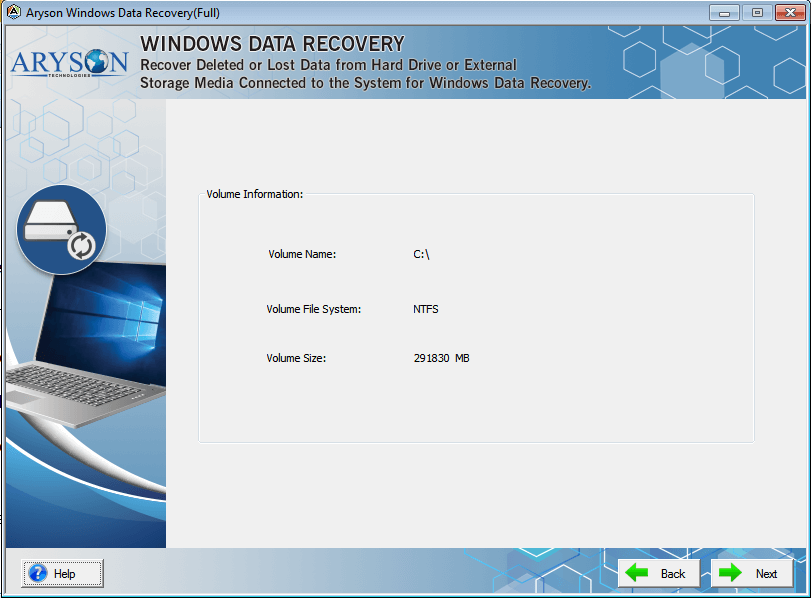
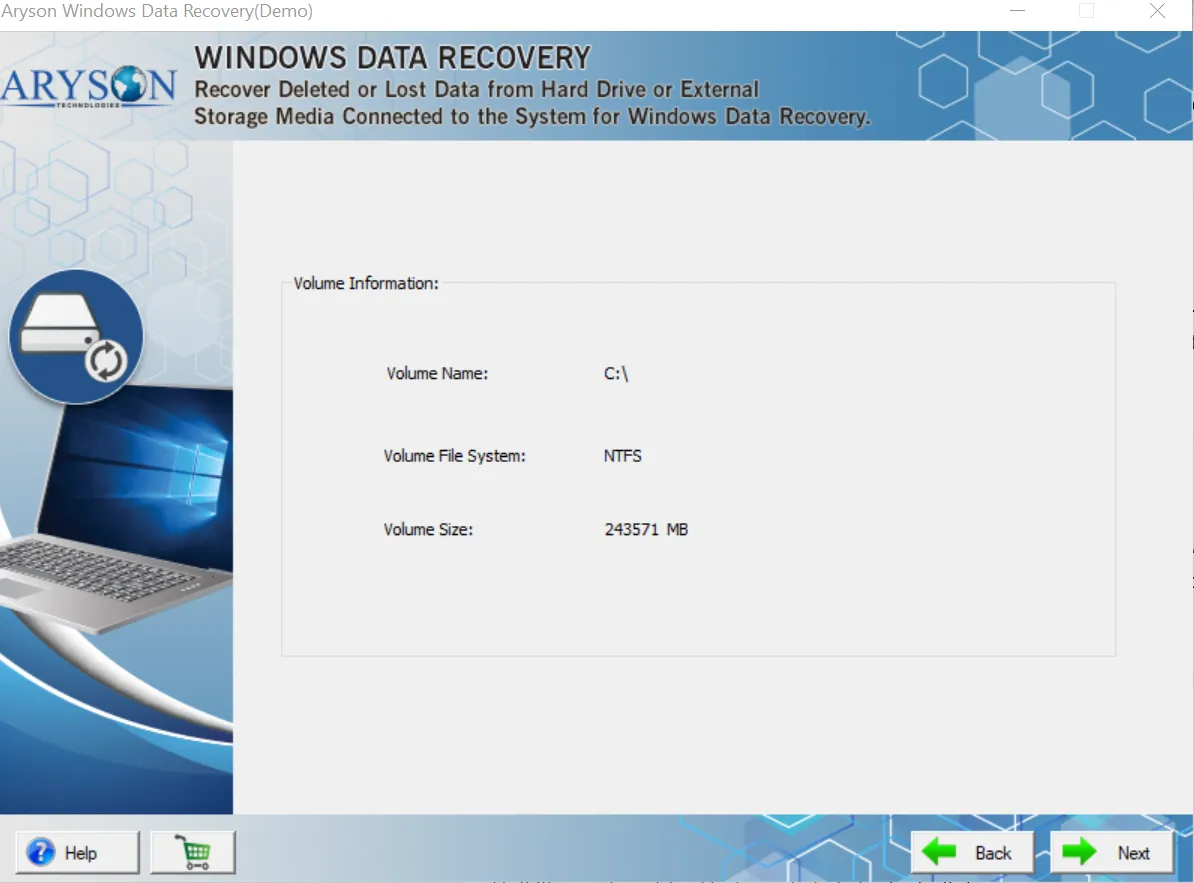
With Windows formatted drive recovery, you get the display panel of the complete volume details of the selected drive before scanning. It helps users understand the drive’s file system, size, and location, ensuring accurate recovery.

  • Shows Volume Name clearly to identify the selected drive.
  • Displays the File System Type, such as NTFS or FAT, for better recovery mapping.
  • Mentions the exact Volume Size to help estimate scanning time.
  • Ensures users verify the correct drive before performing recovery.
  • Helps users understand the drive configuration for deeper troubleshooting.

Embedded with Different Recovery Mode

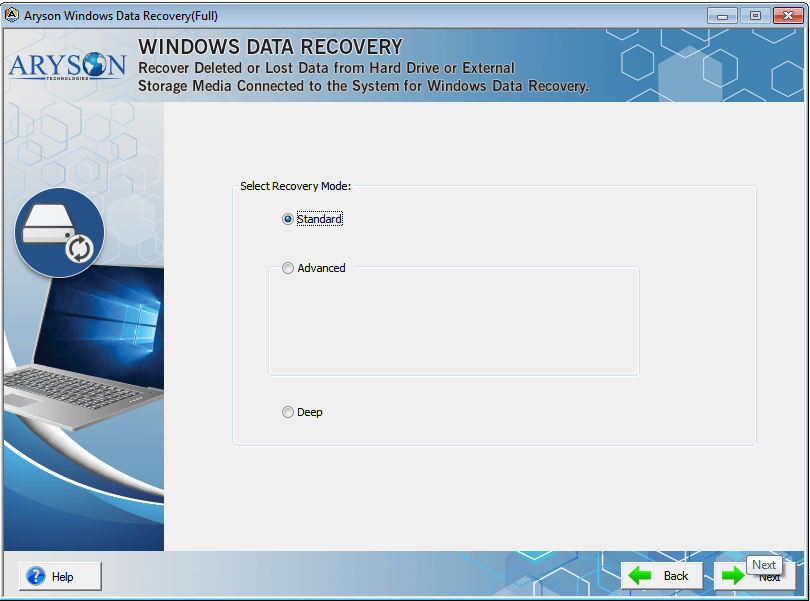
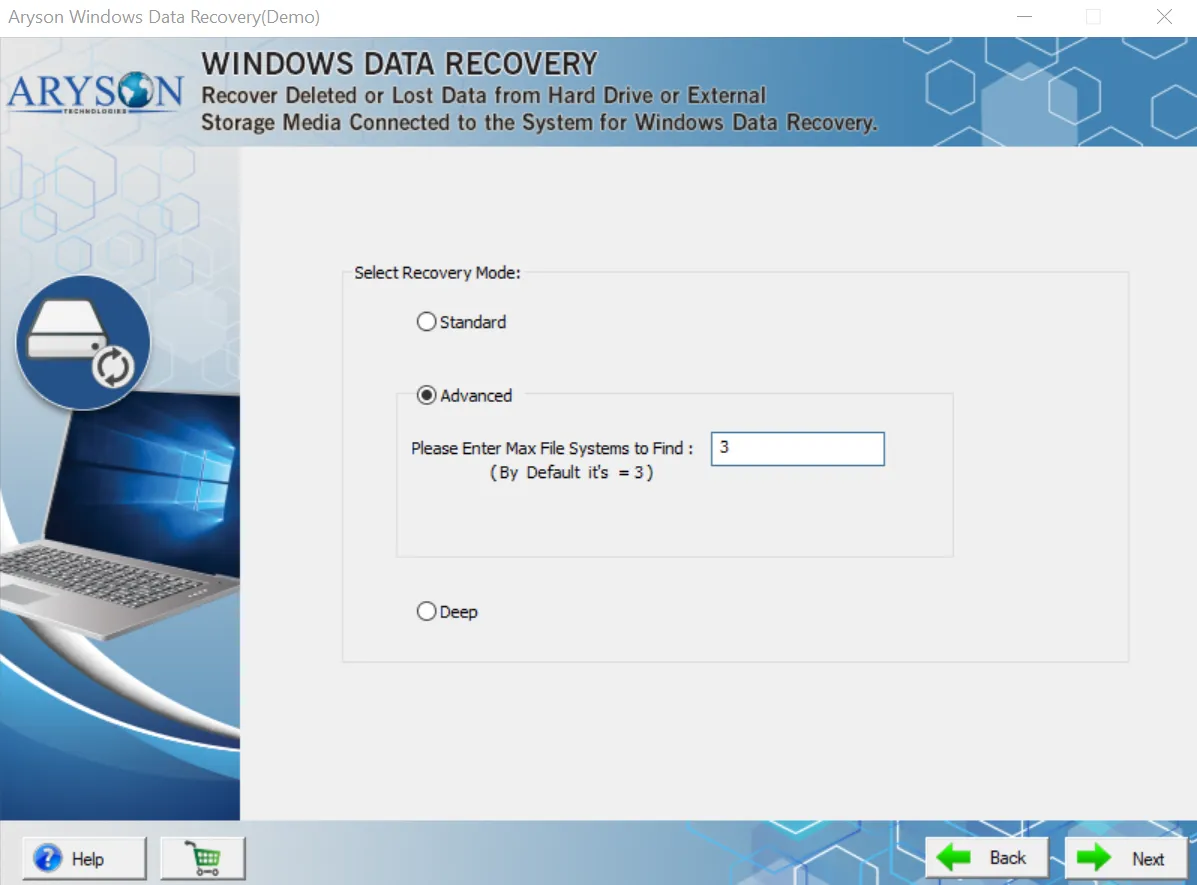
Aryson Windows system recovery utility allows users to choose the most suitable recovery method—Standard, Advanced, or Deep—based on the level of data loss. Each mode provides a different scanning depth to improve recovery accuracy.

  • Offers three powerful recovery modes: Standard, Advanced, and Deep.
  • Advanced mode lets users set the maximum file systems to detect.
  • Suitable for recovering data from minor corruption to severe damage.
  • Ensures flexible scanning depending on the user’s data-loss scenario.
  • Helps users achieve the maximum possible recovery, even from complex file-system issues.
Side_Image

Aryson Windows Data Recovery Software - Rating & Reviews

See what our users have to say about the Aryson Windows-formatted drive recovery

Expert Review

Rating & Reviews

Core Functionalities of Aryson Windows Data Recovery Software

Deleted File Recovery

Lost & Deleted File Recovery

Data Recovery Software for Windows from Aryson Technologies is a magnificent tool that helps to recover lost Windows data files from corrupted or inaccessible Hard Drives. It can also retrieve data from accidental deletion on Windows. The software supports recovery of entire files from both physical and logical drives.

NTFS Recovery

Recover Data from formatted NTFS drive.

Aryson Data Recovery for Windows is a comprehensive software that supports NTFS file systems and restores all data from formatted NTFS drives on Windows. Using this software, you can evaluate these files to ensure their content and select them to recover.

File Recovery

Recover Data from Internal & External HDD

Aryson Windows Recovery tool is a stand-alone application that can retrieve and restore data from both internal as well as external hard disk drives. The software is compatible with almost all types of hard drives and can efficiently recover file formats like documents, images, multimedia formats, emails, and databases in their original forms.

Window Supported

Windows Compatibility

The Data Recovery software runs smoothly on all versions of the Microsoft Windows operating system to efficiently restore deleted or lost files from Hard Disk Drives. It supports Windows 10, 8.1, 8, 7, XP, Vista, and lower versions of Hard Disk Drives and restores deleted files successfully.

Recover data from flash memory devices

Recover Data from Flash Memory Devices

Windows Data Recovery tool comprehensively restores the lost or deleted data from corrupted or inaccessible flash memory devices such as USB Flash Drives, SD Card, SSD, SDHC Card, and SmartMedia Card.

Fat data recovery

FAT Data Recovery

Aryson Windows recycle bin recovery tool designed based on a high algorithm to comprehensively recover data from corrupt or dead hard drives. The data recovery software for Windows supports restoring files from FAT16, FAT32, and FAT64 (exFAT) partitions of Windows Hard Drives. It helps the user restore all files that were present in the FAT file system.

Search and Preview

Advanced Search & Preview

The Data Recovery Windows software has dual scanning mode options, advanced and standard, to scan the corrupted partitions of Windows hard drives and search and preview deleted files. The application lets the user search files and preview all of their contents after scanning. One can also save the selected items to their PC in an accessible form.

Simple GUI

Easy & Simple GUI

The Windows Partition Recovery software is an advanced application. However, the tool has been designed with an easy-to-use interface, making it a cakewalk for users to recover Windows data and files with ease.

Recover Data from Storage Media Devices

Recover Data from Storage Media Devices

The Data Recovery Tool for Windows is a professional utility that recovers deleted data from all types of storage media devices. It also recovers lost data from magnetic storage devices like Hard disks, Magnetic Strips, and SuperDisks.

Get Data

Get Data from Bad Sector of Hard Drive

Aryson Data Recovery Software for Windows restores or retrieves lost or undeleted data from Bad sectors of Hard Drives on the entire Windows platform. Bad Sector is a minute cluster storage space in Hard Drives and won't respond to write and read requests. The software helps to restore the data from the Bad sectors of Drives.

Side_Image

How to Use Aryson Windows Data Recovery Software:

Best Data Recovery Software for Windows to recover lost, deleted, or inaccessible data from Windows-based storage devices such as hard discs, SSDs, USB drives, memory cards, and other media. The software employs a variety of techniques and algorithms to examine storage devices for remnants of data that may still be recovered even after deletion or formatting.

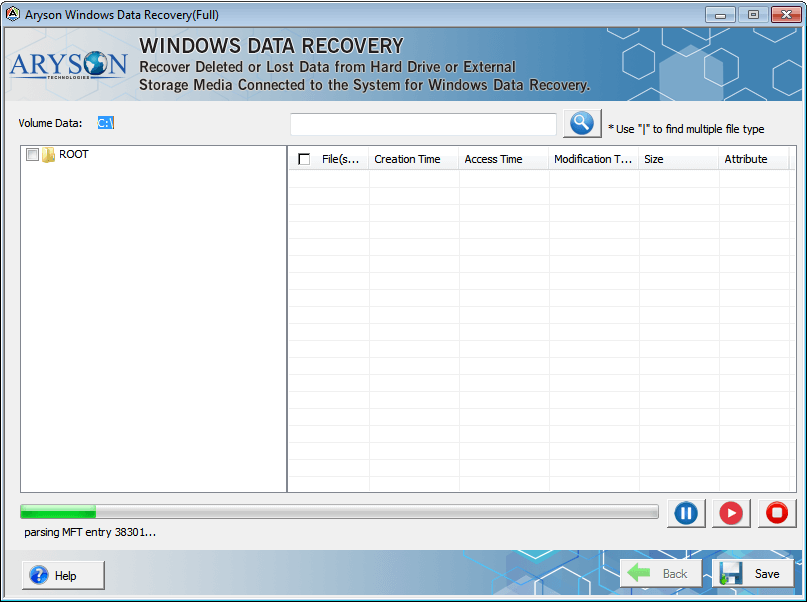
  • Step 01: Install Aryson Windows Data Recovery Software on your PC.
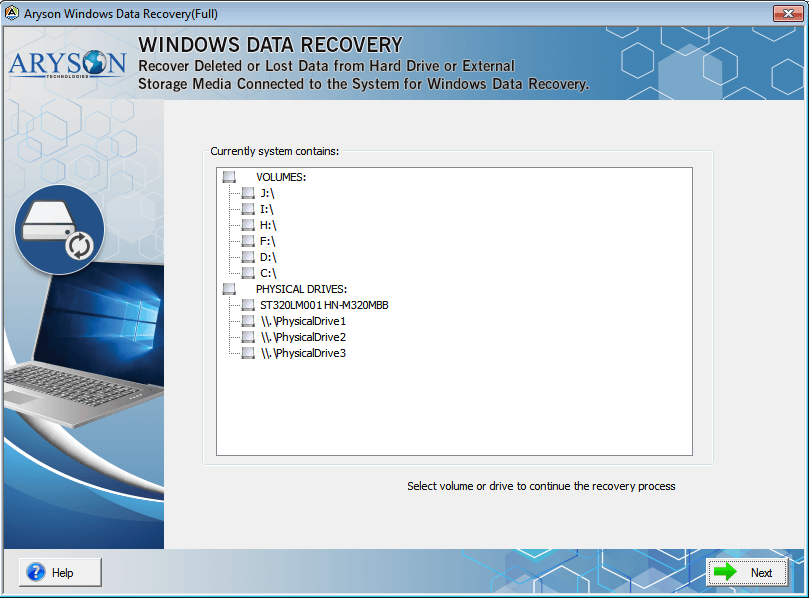
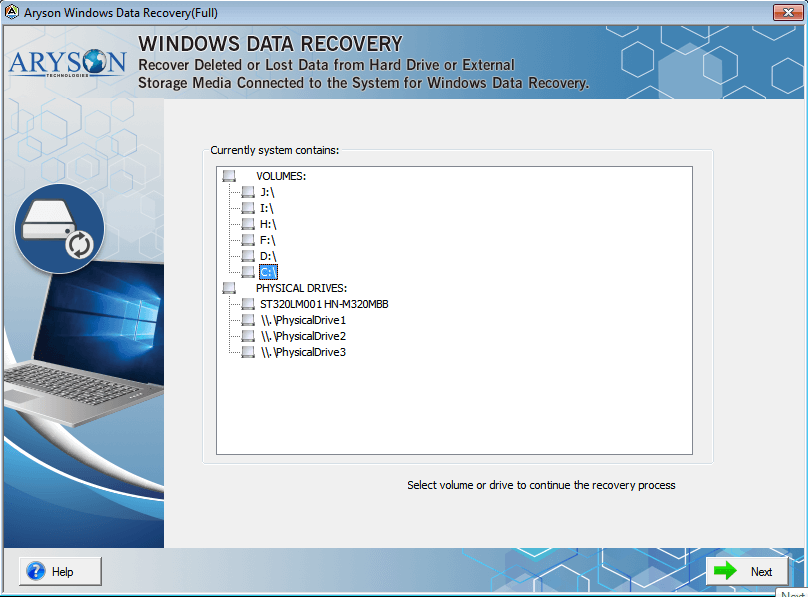
  • Step 02: Then, select the volume or drive and hit the Next button.
  • Step 03: Choose the data recovery mode, i.e., Standard, Advanced, or Deep Mode.
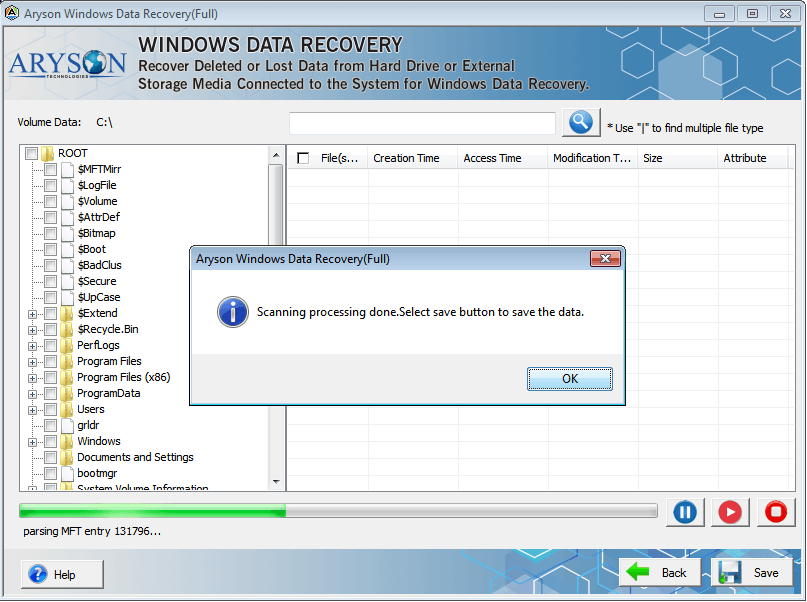
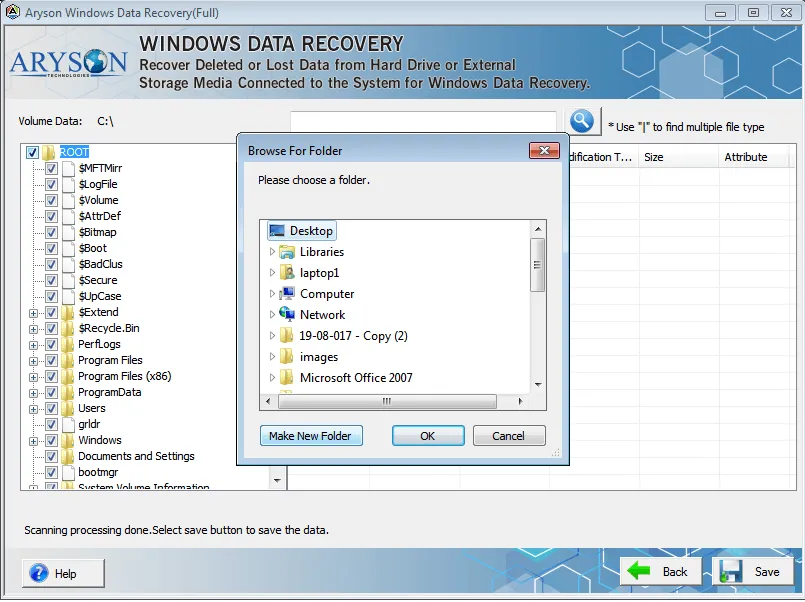
  • Step 04: Opt for the folders or files to recover and click on the Save button.
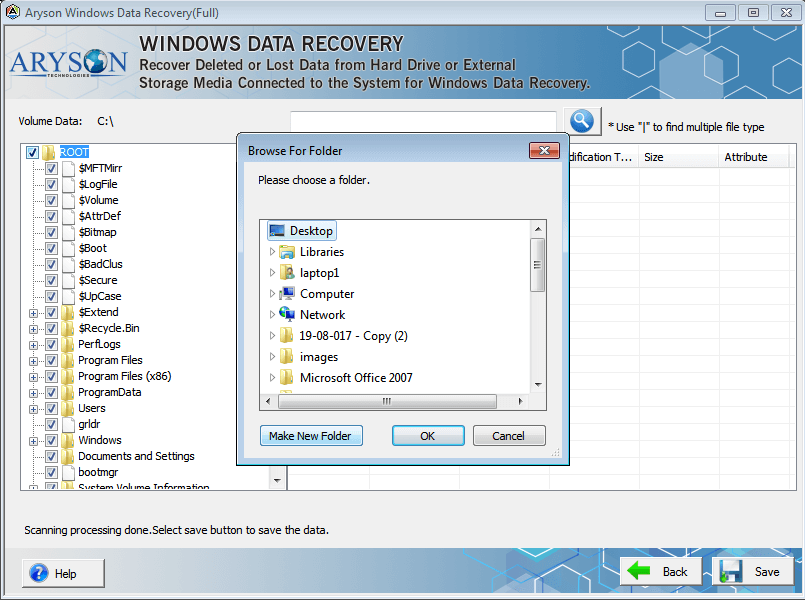
  • Step 05: Browse for the system location to save recovered Windows data.
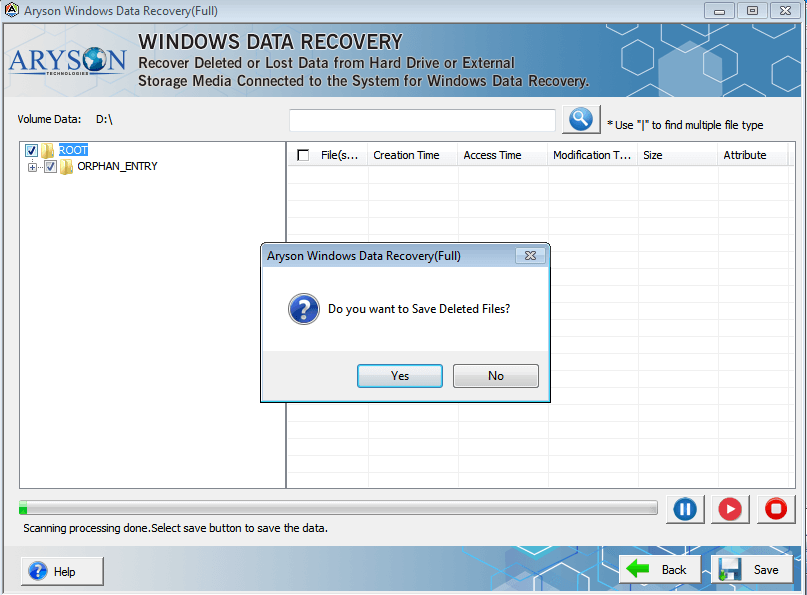
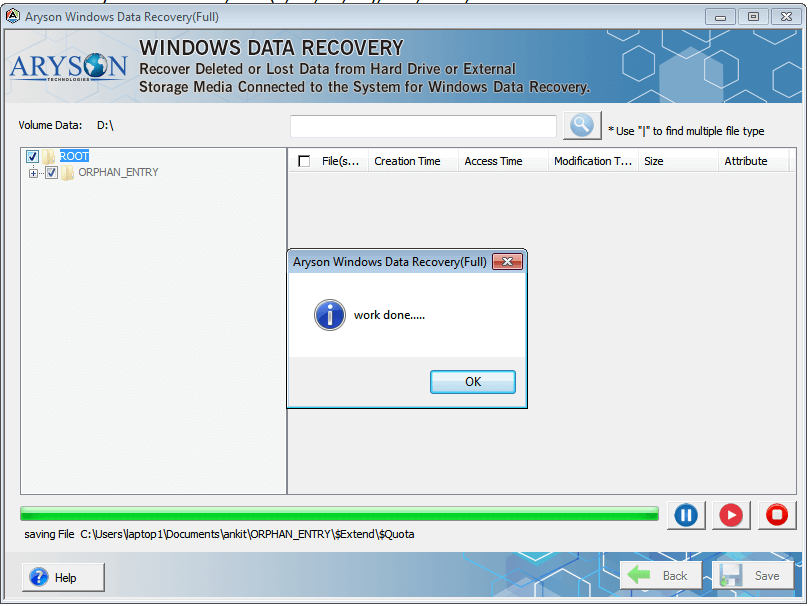
  • Step 06: Click on the OK button to successfully recover and save data.

Aryson Windows Data Recovery Software: System Specifications

Software Download

(Windows)

Download Now

Size: 1.40 MBVersion: 18.0

Trial Limitations

Download the Aryson Windows Data Recovery free version to recover up to 2GB of data for free from 2000+ storage devices, including Hard Drives. If you need to recover more than 2GB, you can upgrade to the full version for unlimited recovery

Requirements & Supported Versions

Processor: Intel® Core™ 2 Duo CPU E4600 @ 2.40GHz 2.39GHz

Hard Disk Space: 1 GB of free hard disk space required.

RAM: 4 GB of RAM (4 GB is recommended)

Supported Platforms

Window OS: Windows 11, 10, 8.1, 8, 7, Vista, XP, 2000, 98, NT, and 95.

Windows Server: 2022/2019/2016/2012/2008/2003

Software Prerequisites

  • If you are operating Windows OS 11, 10, 8, or 7 (32-bit or 64-bit) then you must launch the tool as an Administrator.
  • Turn off the Windows Firewall for proper installation.
  • Disable the Antivirus programs.

FAQ

Request For Software Customization

If you need to customize Aryson Software or need some additional specific features, then provide the software customization Request Quote.

Aryson Windows Data Recovery Software: Free & Premium Version

Overview of Free and Premium versions of this software to Recover Deleted Files on Windows:

Product Features Free Version Full Version
Recover Deleted Files Recover up to 2GB of data Recover unlimited data
Restore any type of files
Recover Data From 2000+ Storage Devices.
Advanced Scanning Options
Recover Deleted Files
Support for HDD, SSD, USB, and SD Cards
Recover Documents, Photos, Videos, Emails
Recover Files From Formatted Drives
Recover Data From Corrupt/ Damaged Partitions
Compatible with All Windows Versions
24x7 Technical Support
Price Free $39
Money Back Policy

Frequently Asked Questions

Ans. You can recover documents, emails, multimedia files (photos, videos, audio), archives (ZIP, RAR), and database files from Windows PCs and various storage devices.

Ans. Yes. The Data Recovery Tool for Windows can restore files from formatted drives, corrupted partitions, and inaccessible storage media using advanced scanning modes, including RAW recovery.

Ans. Yes. It supports Windows 11, 10, 8.1, 8, 7, Vista, XP, and Windows Server editions.

Ans. Absolutely. Windows Data Recovery Software supports HDDs, SSDs, USB drives, pen drives, SD cards, and other external media.

Ans. The free trial allows you to recover up to 2GB of data, giving you a chance to test the software.

Ans. Yes. Aryson Windows Data Recovery allows batch recovery, so you can restore multiple files simultaneously.

Ans. Yes. Aryson Windows hard drive recovery is compatible with both Master Boot Record (MBR) and GUID Partition Table (GPT) partition styles.

Ans. Yes. It features a simple and intuitive GUI, making it easy for users without technical knowledge to navigate and recover data.

Trusted by IT Professionals & Enterprises Worldwide

See what our professionals say about their experience with the Windows system recovery utility.

review-rating