







Screens

Video

Guide

Eula

Overview of Microsoft 365 Tenant to Tenant Migration

O365 Tenant to Tenant Migration is the process of moving organizational data from one Office 365 tenant to another without affecting the data integrity, permissions, & structure. It allows organizations to move their Exchange Online mailboxes, OneDrive accounts, & SharePoint sites between tenants during mergers, acquisitions, tenant consolidation, or the domain restructuring process.

  • IT Professionals transfer Exchange Online mailboxes, emails, contacts, calendars, etc.
  • Migrate OneDrive data with metadata, sharing settings, and access permissions.
  • Performs SharePoint Tenant to Tenant Migration and migrates SharePoint sites, document libraries, & files with complete structure & permissions.
  • Secure M365 tenant migration via modern authentication & encrypted connections.
  • Organisations migrate tenants during mergers, acquisitions, & domain restructuring.
Migration Challenges Faced by Organizations

There are multiple technical and operational complexities involved in cross-tenant migration projects. Without a dedicated migration solution, businesses often experience issues like data integrity, user mapping, security, & migration management when they transfer Microsoft 365 workloads between tenants.

  • Large mailbox, OneDrive, and SharePoint data volumes across multiple users.
  • Possibility of data loss or permission mismatch between source & destination.
  • The productivity of businesses is impacted during large migration projects.
  • Complex user mapping & tenant configuration requirements.
  • There are chances of security & compliance risks during cross-tenant data transfer.
  • IT Professionals find it difficult to track the migration, logs, & error tracking.

Manual Migration Methods vs Aryson Tenant-to-Tenant Migrator

Migration Challenges and How Our Cross-Tenant Migration Solution Solves Them

Manual Methods
Power Shells & Native Tools
Aryson Solution
Graph API-Based Automated Migration
PowerShell scripts & native export tools may lead to incomplete data transfer. Aryson Tenant to Tenant Migration Tool performs API-based migration for accurate & reliable tenant-to-tenant data transfer.
Requires complex administrative configuration for mapping users, mailboxes, and permissions. Automates user, mailbox, & permission mapping between source and destination tenants.
Metadata, timestamps, and folder hierarchy may not remain consistent. Keeps metadata and original folder hierarchy intact during migration.
Large-scale tenant migrations take time & are resource-intensive. M365 Tenant to tenant migration Tool supports large-scale migrations with bulk processing capabilities.
It is difficult to maintain the relationships between the SharePoint site structure & document library. difficult manually. Maintains complete SharePoint Online site and document library during SharePoint Tenant to Tenant Migration.
Incremental changes might not be updated in manual migration. Incremental migration transfers only newly added or modified content.
There are limited monitoring capabilities to identify failed or partially migrated items. This Office 365 Migration Tool provides real-time monitoring and helps administrators to identify & resolve migration issues quickly.
6 Critical Limitations
Manual approaches lack consistency and accuracy
6 Complete Solutions
Aryson resolves every challenge automatically
Get Demo

M365 Tenant Migration Scenarios for Enterprise Environments

Built to keep your business steady through every change and transition.

Mergers & Acquisitions

Enterprises can quickly migrate users, mailboxes, & collaboration data between tenants after mergers or acquisitions without affecting the data integrity & disrupting the business.

Tenant Consolidation

Aryson's Microsoft 365 Tenant Consolidation Tool allows IT professionals to merge multiple tenants into one environment. This simplifies the administration, reduces licensing costs, & centralize organizational data.

Divestitures & Business Separation

Administrators can transfer the selected users, mailboxes, and files to a new tenant during business separation or subsidiary divestitures with the help of this Office 365 Tenant to Tenant Migration Tool.

Corporate Rebranding or Domain Change

Moreover, with the help of this Tenant to Tenant Migration Tool, you can move organizational data to a new tenant during domain changes, corporate restructuring, or company rebranding.

Aryson Tenant to Tenant Migration Tool - Workloads Migrated

Supported Microsoft 365 Workloads You Can Migrate Between Tenants

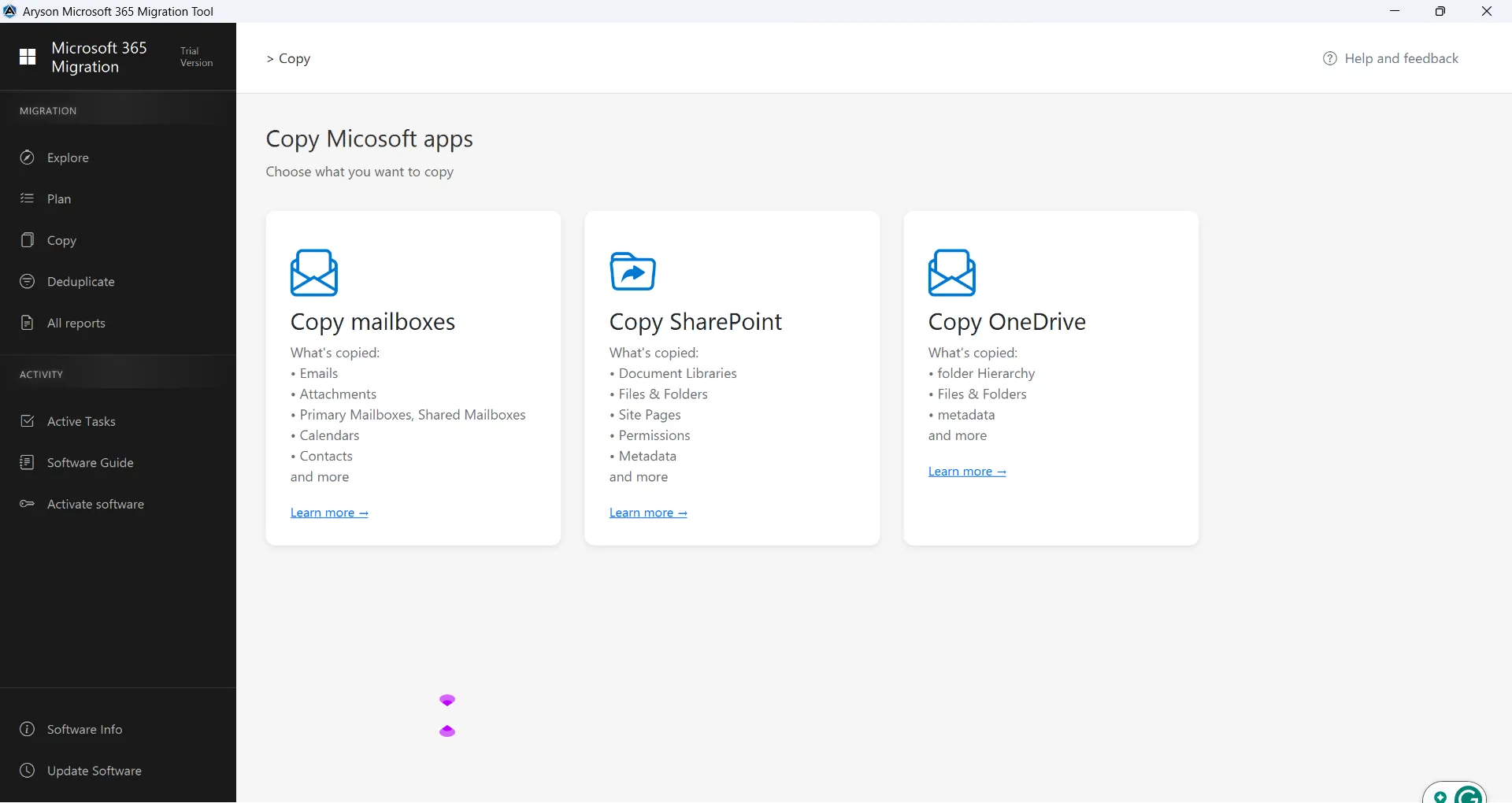
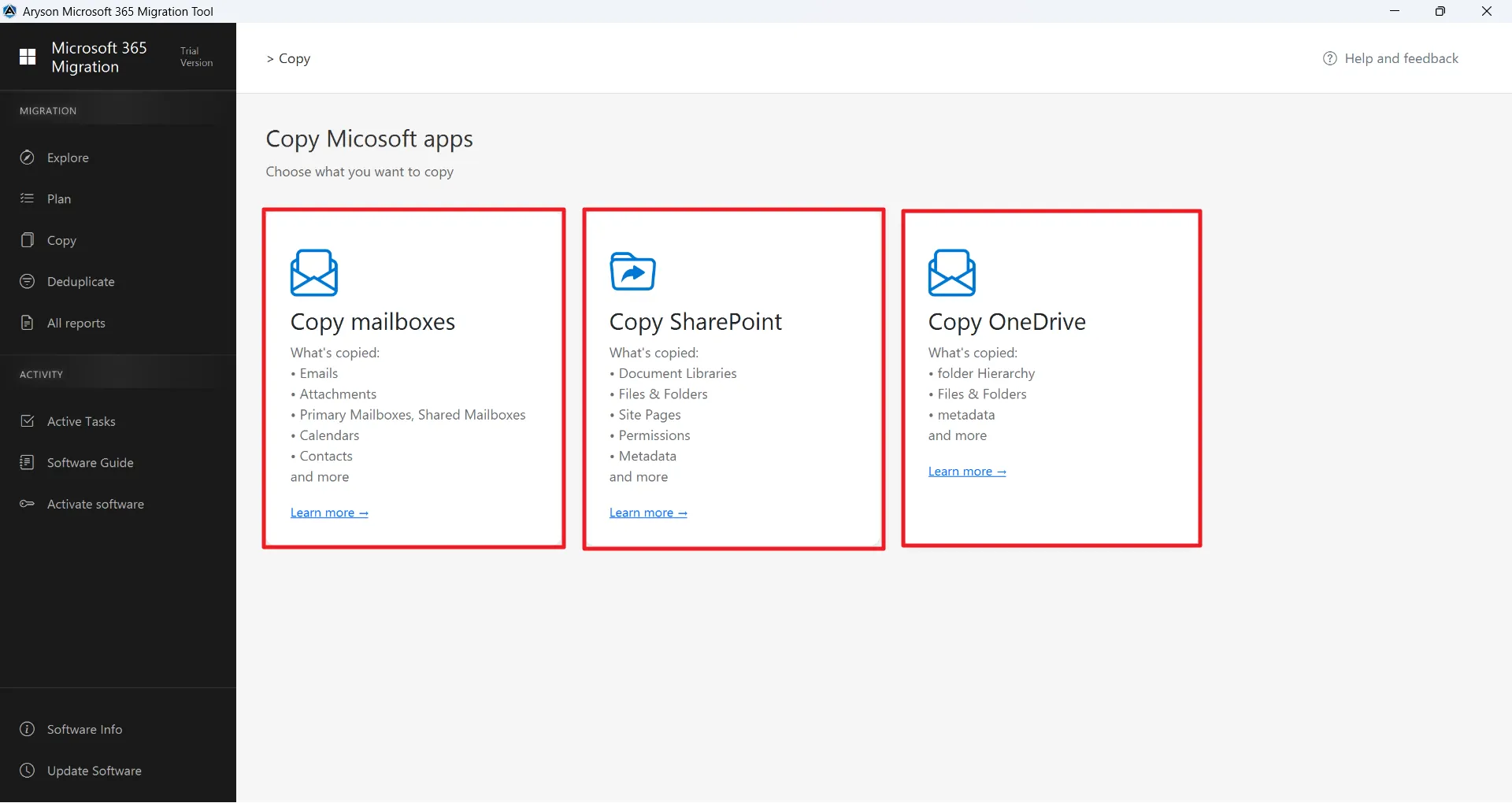
Microsoft 365 Tenant to Tenant Migration - Mailboxes
Microsoft 365
What gets migrated:
  • Emails (Inbox, Sent Items, Drafts, and custom folders)
  • Email attachments
  • Complete folder structure and hierarchy
  • Calendar items (meetings, appointments, recurring events)s
  • Contacts (personal mailbox contacts)
  • Shared mailboxes as licensed(user mailboxes)

Learn More

SharePoint Tenant to Tenant Migration - Sites & Libraries
SharePoint
What gets migrated:
  • File and Folder Metadata
  • Library Structure and Hierarchy
  • Basic SharePoint lists (generic lists only)
  • List items with Text, Number, Date & Time
  • File properties (created & modified date, file size & name)
  • Folder structure with maintained hierarchy
  • Permissions (where supported via Graph API)

Learn More

OneDrive Tenant to Tenant Migration - Files & Folders
OneDrive
What gets migrated:
  • OneDrive files
  • Files and folders
  • File and folder metadata
  • Folder structure and hierarchy
  • Supported file attributes (Created date, Modified date, File size, File name)

Learn More

Aryson Cross-Tenant Migration Tool - Rating & Reviews

Discover what industry reviewers say about the Aryson Office 365 Migration Tool

Expert Review:

Rating & Reviews

Advanced Features of the Aryson Tenant-To-Tenant Migrator

Complete Microsoft 365 Cross-Tenant Migration Solution for Enterprises

Migrate

Advanced Multi-Tenant Migration

This Microsoft 365 Tenant to Tenant Migration Tool securely migrates the Exchange Online mailboxes, OneDrive, and SharePoint data across multiple O365 tenants. Moreover, it maintains the folder hierarchy, permissions, & user mapping. This allows tenant consolidation, domain restructuring, or user relocation without data loss and provides seamless migration for complex enterprise environments.

Export Sharepoint

SharePoint & OneDrive Selective Migration

Administrators can also migrate specific SharePoint document libraries, lists, or OneDrive files using content type, file extension, and size filters using the same utility. In addition, it enables precise control over what is transferred, avoids unnecessary data migration, and keeps the metadata and permissions intact. As a result, it acts as the best cloud migration tool that provides an accurate delivery of structured, compliant, & organized content.

Mapping

Intelligent User Mapping

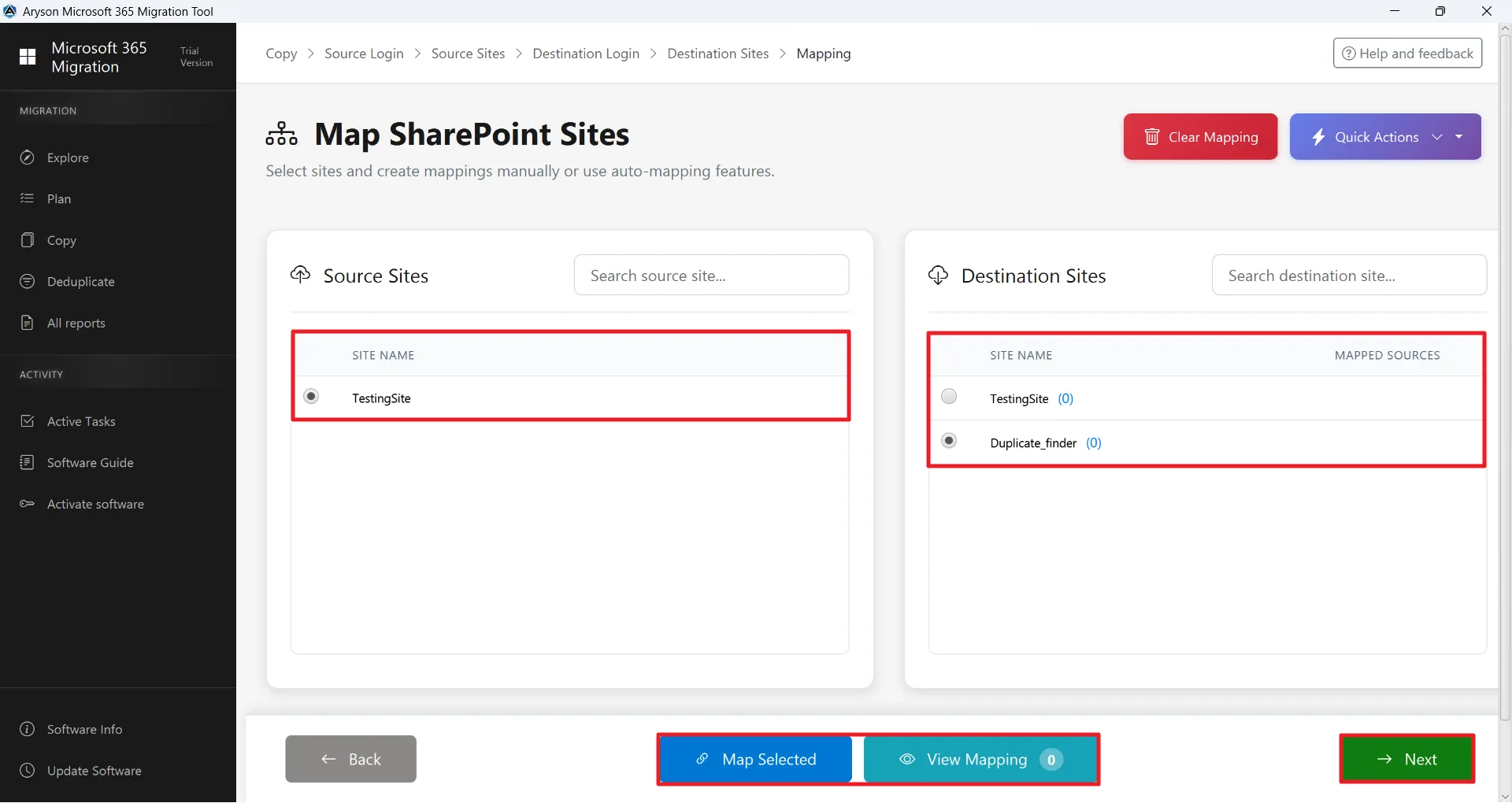
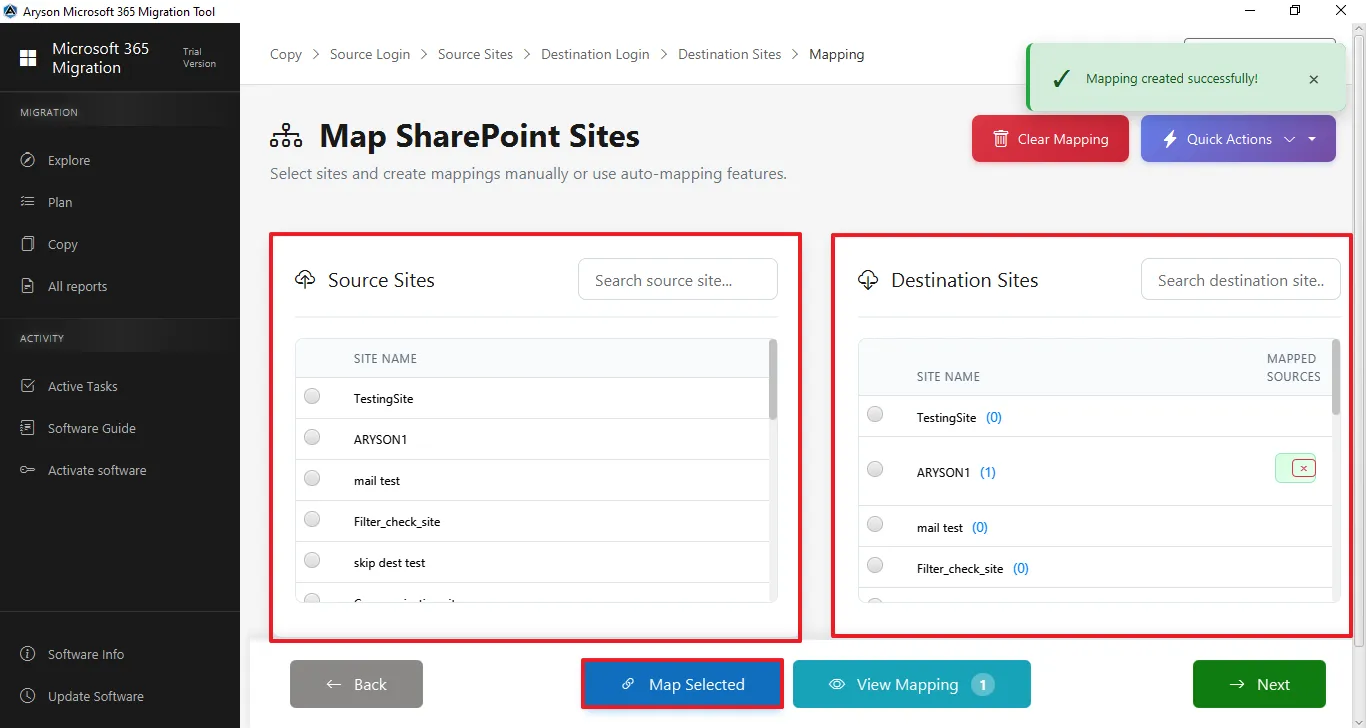
It automatically maps source tenant accounts to corresponding destination accounts and guarantees precision. Users just have to select the source and destination SharePoint sites, OneDrive, and O365 accounts. It prevents errors, duplication, or misplaced data, and ensures that every email, document, & folder is delivered correctly to the intended destination user.

Skip

Skip Previously Migrated Data

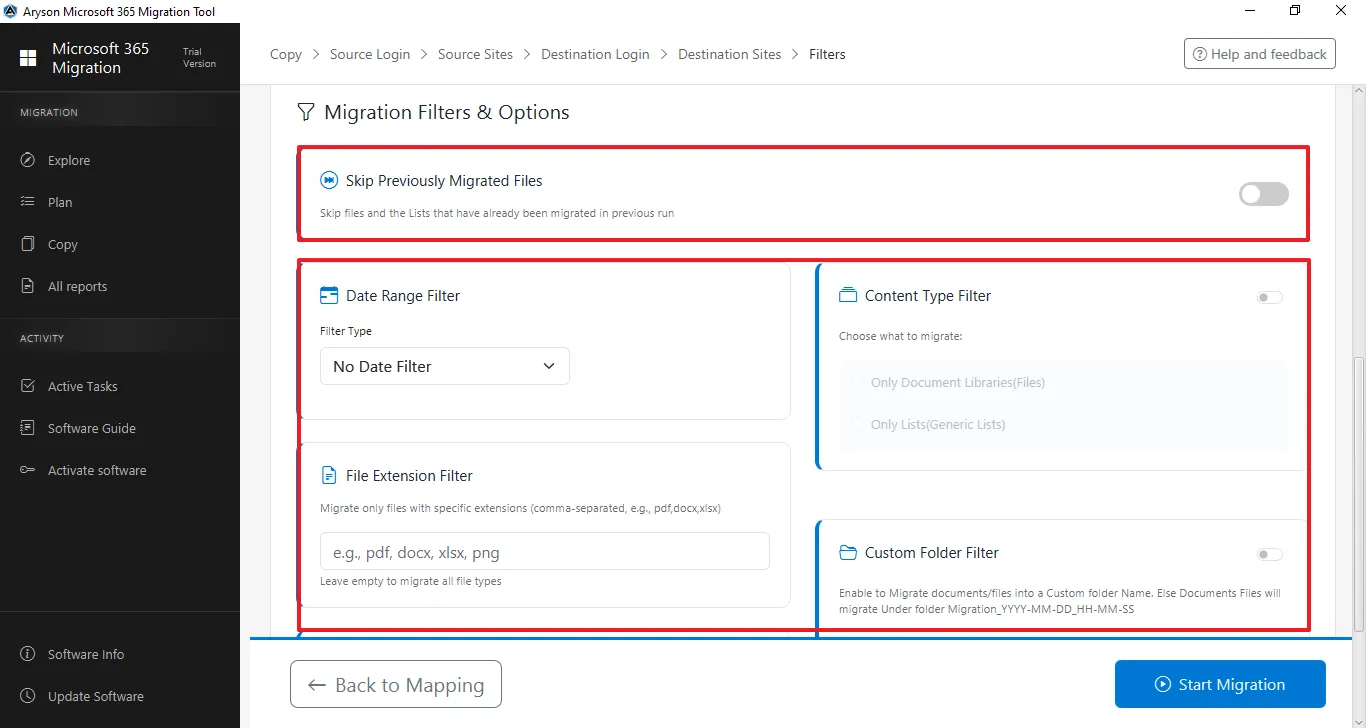
The Aryson M365 Tenant to Tenant migration tool detects & skips files, emails, or content that are already transferred. Moreover, it supports incremental migration to prevent duplicate transfers, saves storage & bandwidth. You just have to select the checkbox, and the cross-tenant migration solution will make sure to transfer only the new or missing items. This leads to a reduction of downtime & provides reliable, consistent performance.

Date Range

Date Range & File Filters

IT admins are enabled to migrate emails, files, and documents within specific date ranges, file sizes, or types. This M365 Tenant Migration Tool supports the targeted, selective transfer of relevant data and excludes unnecessary content. As a result, the migration time reduces, and the productivity of users increases.

Saving Path

Custom Folder & Destination Path

Administrators can define custom folder names and exact destination paths for migrated content. This will eventually help them keep the migrated emails, files, and folders organized and separate. Additionally, it prevents this data from merging with existing content, maintains hierarchy, provides clarity for users, and simplifies the post-migration management.

Remove Duplicates

Duplicate Email Detection

The Aryson Tenant to Tenant Migration Tool identifies & skips duplicate emails during mailbox migration. Internally, it compares the sender, recipient, subject, and message body to prevent redundancy. Moreover, it maintains the mailbox cleanliness, reduces storage usage, optimizes migration speed, & makes sure that unique emails are transferred accurately to the destination tenant.

Split PST

PST Export & Split Option

You can export mailbox data to PST files with flexible folder mapping & selective attachment handling. With the Aryson Tenant to Tenant Migration Tool, it has become easier to split large PSTs based on size or data range. Moreover, users can prevent corruption, improve performance, & allow manageable storage.

Attachment

Flexible Attachment Management

End-users can control the migration of attachments: include, exclude, or customize attachment transfer as per the requirements of the project. These features optimize the storage usage, reduce mailbox size, and accelerate migration. Also, the Aryson M365 Tenant Migration Tool provides administrators with complete control over email content handling during cross-tenant migration.

Hierarchy

Migrate into Default Mailbox Folders

This Microsoft 365 Tenant Consolidation Tool automatically migrates the emails into standard/default mailbox folders such as the Inbox, Sent Items, Drafts, and Deleted Items. Moreover, it maintains the familiar mailbox structure for end-users and prevents it from mixing with the existing content. It provides proper organization and allows users to access migrated emails effortlessly without confusion or disruption to daily operations.

Mailbox

Complete Mailbox Migration

Enterprises can transfer emails, contacts, calendars, events, attachments, and shared mailboxes in one go with the help of the Aryson Tenant-To-Tenant Migration Tool. It ensures that a full mailbox environment is delivered to the destination tenant without missing data, preserving productivity, scheduling, & communication continuity. Also, guarantees enterprise-level reliability, data integrity, and operational efficiency.

Windows

User-Friendly Interface & Compatibility

The intuitive, simple interface of Aryson Tenant to Tenant Migration Tool allows both non-technical administrators & beginners to perform migrations easily. It also provides a trial version to migrate 50 files/folders for evaluation. Also, it is fully compatible with all major Windows versions & M365 environments and enables real-time monitoring, reporting across all tenant transfers.
Enterprise Data Security & Privacy Protection

Keeps Your Data Safe Throughout the Migration

Enterprise-Grade Security for Microsoft 365 Tenant Transfers

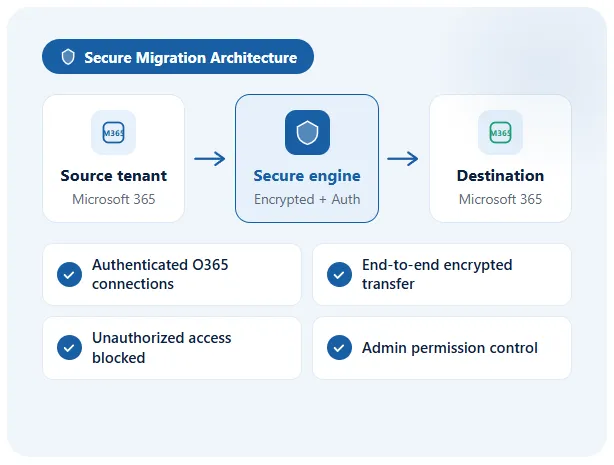
Tenant-to-tenant migration involves transferring critical organizational data between Microsoft 365 environments. Therefore, this cross-tenant migration solution maintains strict security controls and protects user information throughout the migration workflow for organizations that handle sensitive business communications.

  • It performs migration through secure and authenticated O365 connections.
  • Make sure to encrypt communication during data transfer between tenants.
  • Prevent unauthorized access to organizational workloads during migration.
  • Maintain strict control over administrative migration permissions.
Migration Security Diagram
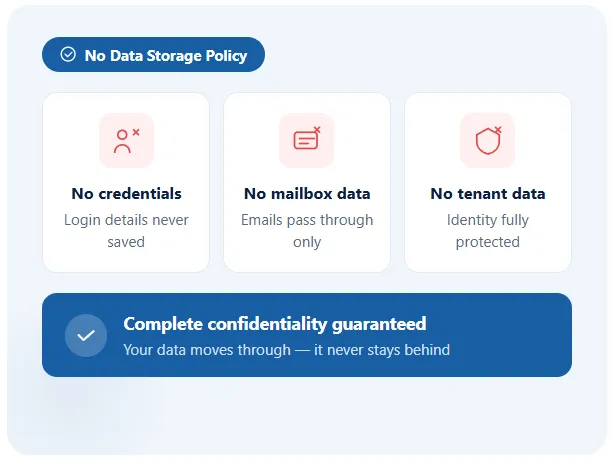
User Information Is Never Stored or Retained

For organizations, protecting user identity and mailbox information is a major concern. Therefore, the Aryson M365 Tenant Migration tool ensures that migration activities do not store or retain sensitive user information.

  • Do not store user credentials, mailbox content, or organizational data.
  • Process migration tasks without retaining personal or tenant information.
  • Ensure complete confidentiality of migrated mailboxes and files.
  • Protect organizational identity and user privacy throughout the process.
screenshot
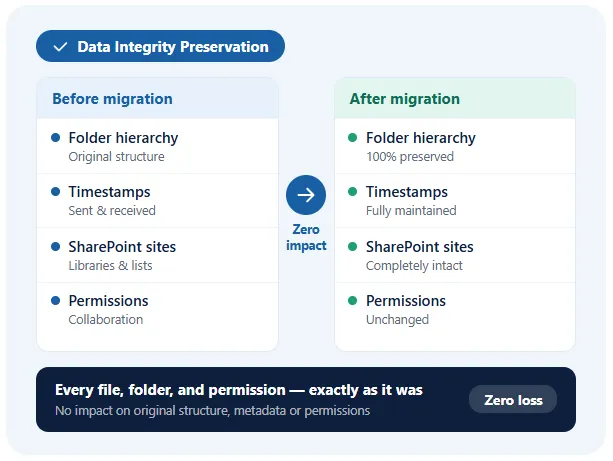
Maintain Complete Microsoft 365 Data Accuracy

During tenant-to-tenant migration, maintaining the integrity of organizational data is critical. Thus, this O365 Tenant Migrator transfers all workloads without affecting their original structure, metadata, and permissions

  • It keeps the mailbox folder hierarchy and email properties intact.
  • It maintains the timestamps, such as sent and received dates.
  • Moreover, it retains the SharePoint site structure and document libraries.
  • Also, admins can preserve user permissions & collaboration settings.
screenshot
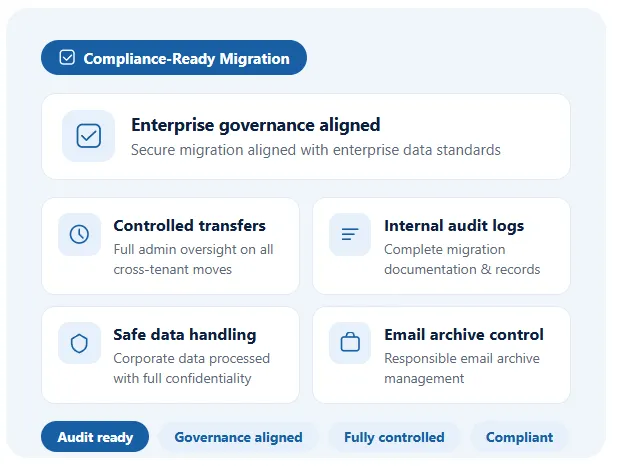
Aligned with Enterprise Data Governance Requirements

Enterprises often follow strict regulatory and data governance policies. This tenant migration tool supports enterprise-grade compliance & responsible data handling practices.

  • Aryson Cross-Tenant Migration Solution supports secure migration aligned with enterprise governance standards.
  • It allows the organizations to perform controlled cross-tenant transfers.
  • Moreover, it facilitates internal auditing & migration documentation.
  • Ensures safe handling of corporate communication data.
  • Helps organizations manage email archives with controlled processing.
screenshot

Why Aryson Leads Enterprise Microsoft 365 Migrations

Here is why IT teams trust Aryson for secure and scalable tenant-to-tenant migration.

Email Migration

Multi-Platform Microsoft 365 Migration

Aryson Tenant-to-Tenant Migration Tool supports migration of Exchange Online mailboxes, OneDrive files, and SharePoint libraries between Microsoft 365 tenants, keeping the folder hierarchy, metadata, and permissions intact for enterprise collaboration continuity.

One to Another

Cross-Tenant & Intra-Tenant Flexibility

The M365 Tenant to Tenant migration tool supports both Microsoft 365 tenant-to-tenant migration and same-tenant restructuring scenarios, helping enterprises perform tenant consolidation, domain restructuring, or user relocation without disrupting business-critical workloads.

Mapping

Automated User & Folder Mapping

The intelligent user mapping engine of Aryson Office 365 Migration Tool automatically aligns source and destination mailboxes, OneDrive accounts, and SharePoint paths. Moreover, it ensures accurate Microsoft 365 tenant migration with correct folder placement and structured destination configuration.

Secure

Secure Modern Authentication

The platform uses OAuth 2.0 modern authentication and secure connectivity protocols to establish encrypted communication between Microsoft 365 tenants, ensuring enterprise-level security, compliance readiness, and protection of business-critical organizational data.

Incremental

Incremental & Duplicate-Free Migration

The incremental migration engine transfers only new or modified data during repeated Microsoft 365 tenant migrations. This eventually prevents duplicate transfers, reduces the bandwidth usage, and ensures efficient migration performance for large enterprise environments.

High Speed

Enterprise-Scale Migration Architecture

This Microsoft 365 Tenant Consolidation Tool is built with a high-performance processing engine, as it handles large-scale Microsoft 365 workloads across mailboxes, OneDrive, and SharePoint, allowing enterprises to complete complex tenant-to-tenant migration projects with minimal operational downtime.

Aryson Tenant To Tenant Migration Tool: System Specifications

Software Download

Size: 200MBVersion: 26.3

Trial Limitations

The Demo Version of Aryson Tenant-to-Tenant Migration tool can migrate 50 emails per folder, skips SharePoint and OneDrive files larger than 20 MB, and migrates only 5 list items per SharePoint list. Mailbox and OneDrive limits apply per user, while SharePoint limits apply per site.

Requirements & Supported Versions

Processor: Intel® Core™ 2 Duo CPU E4600 @ 2.40GHz 2.39GHz

Hard Disk Space: 1 GB of free hard disk space required

RAM: 4 GB of RAM (8 GB is recommended)

Supported Platforms

Window OS: Windows 11, 10, 8.1, 8, 7, Vista, XP, 2000, 98, NT, and 95.

Microsoft 365 and Office 365 Plans: Enterprise (E1, E3, E5), Business, Academic (A1–A5), Frontline (F1), and Exchange Online.

Outlook Versions: Office 365, 2019, 2016, 2013, 2010, 2007, 2003, 2002, 2000, 98, and 97.

Software Prerequisites

  • If you are operating Windows OS 11, 10, 8, or 7 (32-bit or 64-bit) then you must launch the tool as an Administrator.
  • Turn off the Windows Firewall for proper installation.
  • Disable the Antivirus programs.

FAQ

Request For Software Customization

If you need to customize Aryson Software or need additional specific features, then provide the software customization Request Quote.

Free Demo vs Full Version- Aryson Tenant-to-Tenant Migrator

Compare the capabilities of the free demo and full version of Aryson Office 365 Migration Tool

Product Features Free Version Full Version
Complete Exchange Online Mailbox Migration Migrates 50 items per mailbox folder Complete mailbox migration
Microsoft 365 Tenant-to-Tenant Migration Limited migration testing only Full cross-tenant migration support
Migrate SharePoint Lists & Document Libraries Migrates 5 list items only / Skips files larger than 20 MB Complete SharePoint site migration
Migrate OneDrive Files & Folders Skips greater than 20 mb data. Complete OneDrive migration
SharePoint Deduplication View duplicates only
Folder Hierarchy & Metadata Preservation
Incremental Migration (Skip Previously Migrated Data)
Migration of Emails, Contacts, Calendars & Events
Date Range & Advanced File Filters
Automated User & Folder Mapping
Compatibility with Windows & Microsoft 365
24/7 Technical Support
Price Free $499
Money Back Policy

Frequently Asked Questions

Ans. Organizations perform Microsoft 365 tenant migration during mergers, acquisitions, tenant consolidation, domain restructuring, or when moving users and workloads to a new Microsoft 365 tenant environment.

Ans. The Aryson Tenant-to-Tenant Migration Tool migrates Exchange Online mailboxes, emails, contacts, calendars, OneDrive files, and SharePoint libraries while maintaining folder hierarchy, metadata, and permissions.

Ans. Yes, the Aryson Cross-Tenant Migration Solution preserves mailbox folder hierarchy, SharePoint site structure, OneDrive file organization, metadata, and permissions. Make sure that the migrated data remains structured in the destination tenant.

Ans. Yes. The Aryson Office 365 Migration Tool supports selective Microsoft 365 migration, allowing administrators to migrate specific users, mailboxes, or workloads instead of transferring the entire tenant environment.

Ans. Yes. The Aryson Tenant to Tenant Migration Software is considered the best cloud migration tool as it provides automated user mapping. It enables administrators to accurately map source tenant users to destination tenant accounts for precise mailbox and data migration.

Ans. Yes. This O365 Tenant to Tenant Migration Tool uses OAuth 2.0 modern authentication and Microsoft Graph API connectivity, ensuring encrypted data transfer and secure access to Microsoft 365 tenant environments.

Ans. Yes. The Skip Previously Migrated and Duplicate Detection features prevent duplicate emails and files from being transferred during incremental Microsoft 365 tenant migrations.

Ans. Yes. The System Specifications are built with a high-performance migration engine capable of handling large Microsoft 365 environments across mailboxes, OneDrive, and SharePoint workloads.

Ans. No. The Microsoft 365 Tenant to Tenant Migration Tool provides an admin-friendly interface and guided workflow, allowing IT administrators to migrate users mailboxes between Microsoft 365 tenants without complex scripts.

Ans. Yes. Aryson provides a free demo version that allows users to evaluate the Microsoft 365 tenant migration process, test core features, and analyze the software performance before purchasing the full version.

Customer Reviews: Aryson Tenant-to-Tenant Migration Tool

See how enterprise IT teams use the Aryson Microsoft 365 Tenant to Tenant Migration Tool for secure Microsoft 365 tenant-to-tenant migrations.

review-rating