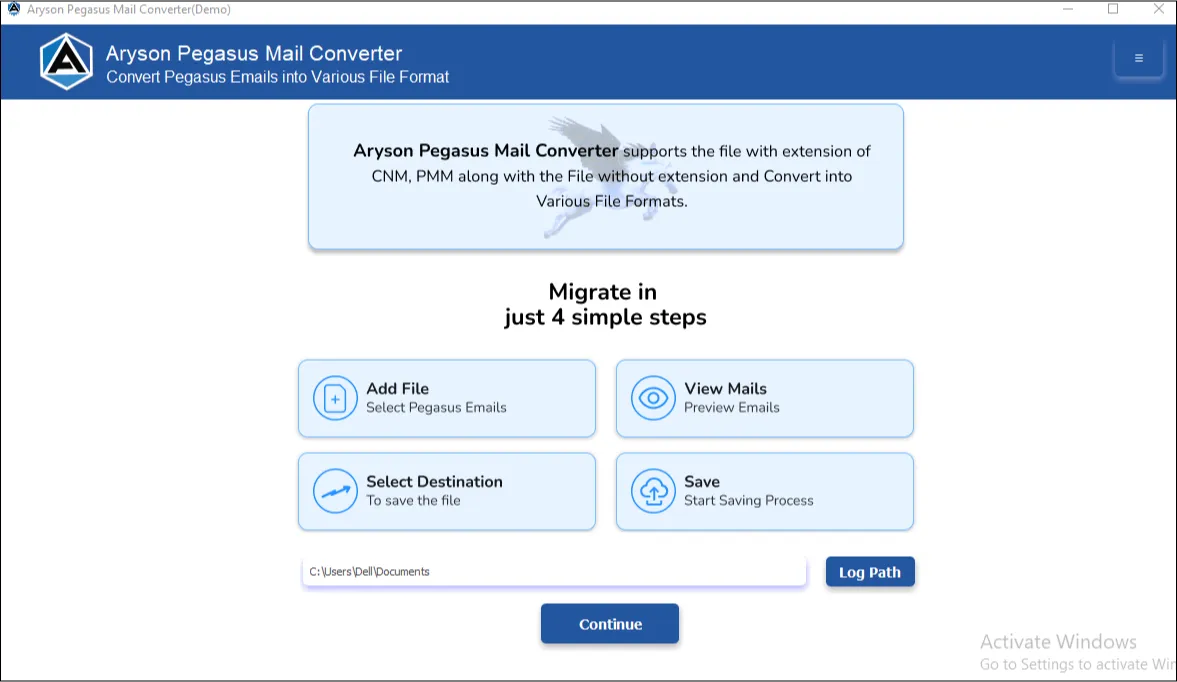





If you need to move your Pegasus Mail data to a modern email client like Outlook or Thunderbird, this Pegasus Mail Backup Tool converts from PMM and CNN files directly into a format your new client can open.
A Complete Set of Features Worth Knowing About
Complete Suite of Functionalities to Convert & Migrate Pegasus Mail Data

Convert Pegasus Mail to 10+ Formats
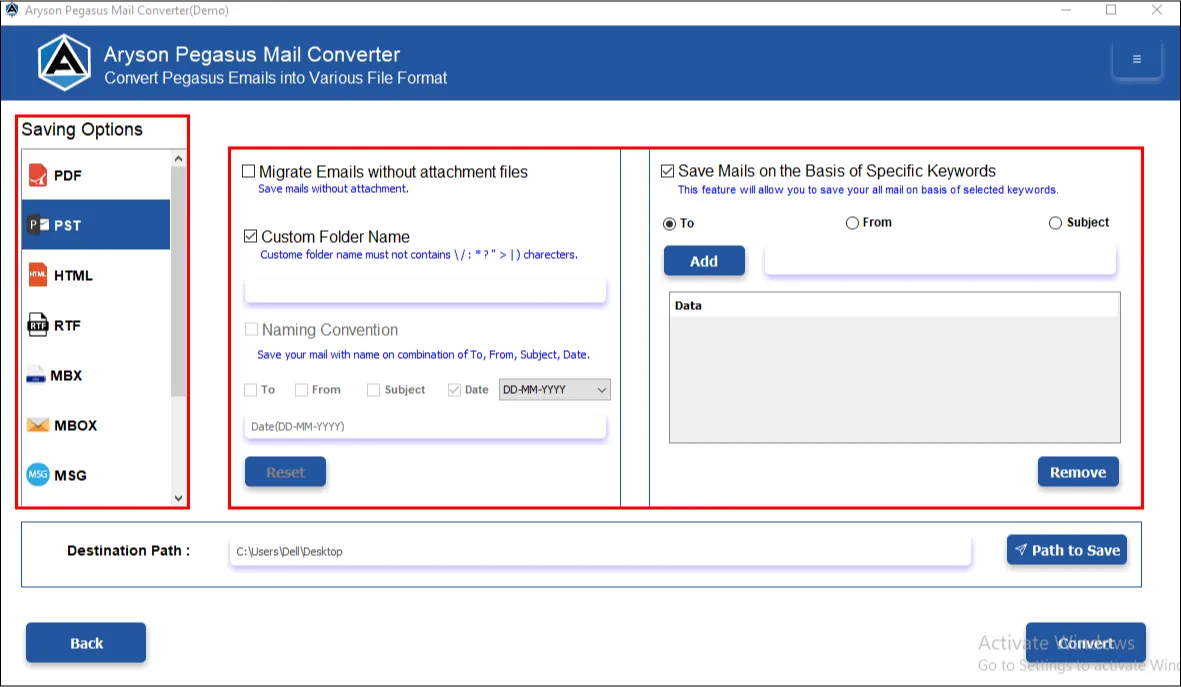
The Pegasus Mail Migration Tool supports the conversion of PMM, CNN, PMI, PNM, PML, PMF, PMC, and files without extensions. The output formats available are PST, PDF, HTML, RTF, MBX, MBOX, MSG, EML, EMLX, CSV, MD, and DOCX. During conversion, users can select specific Pegasus Mail mailboxes and check for the total email count in them. Moreover, there is no need to install any third-party plug-ins or applications.

Bulk Conversion Without the Wait
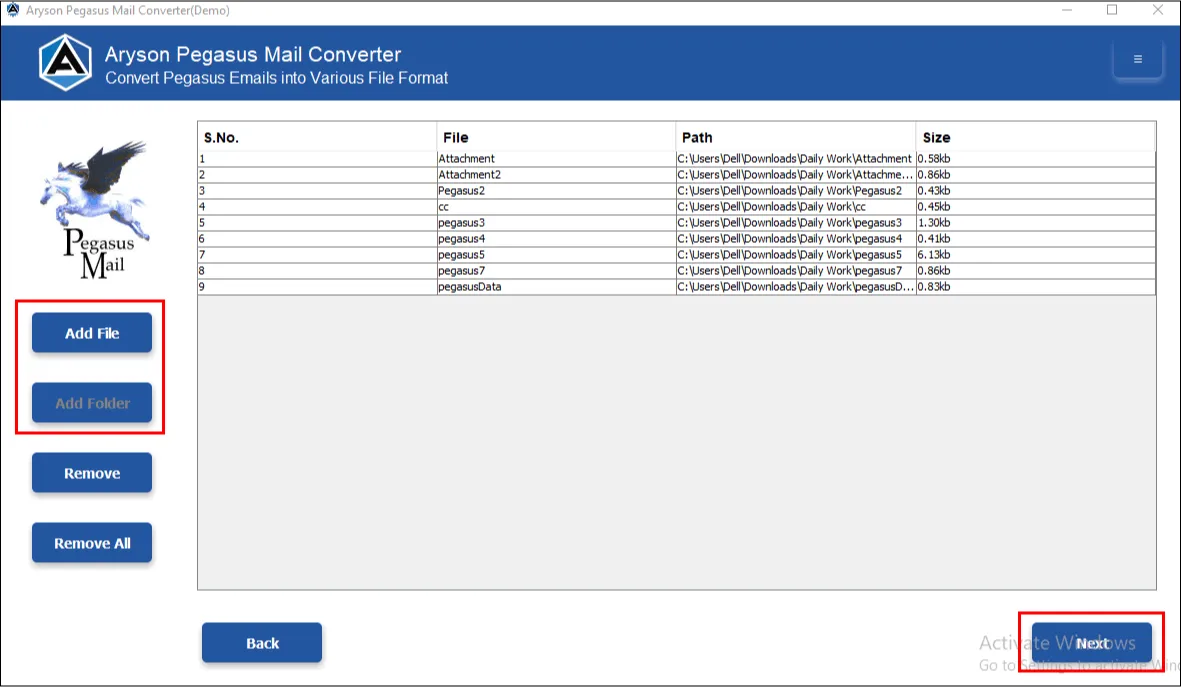
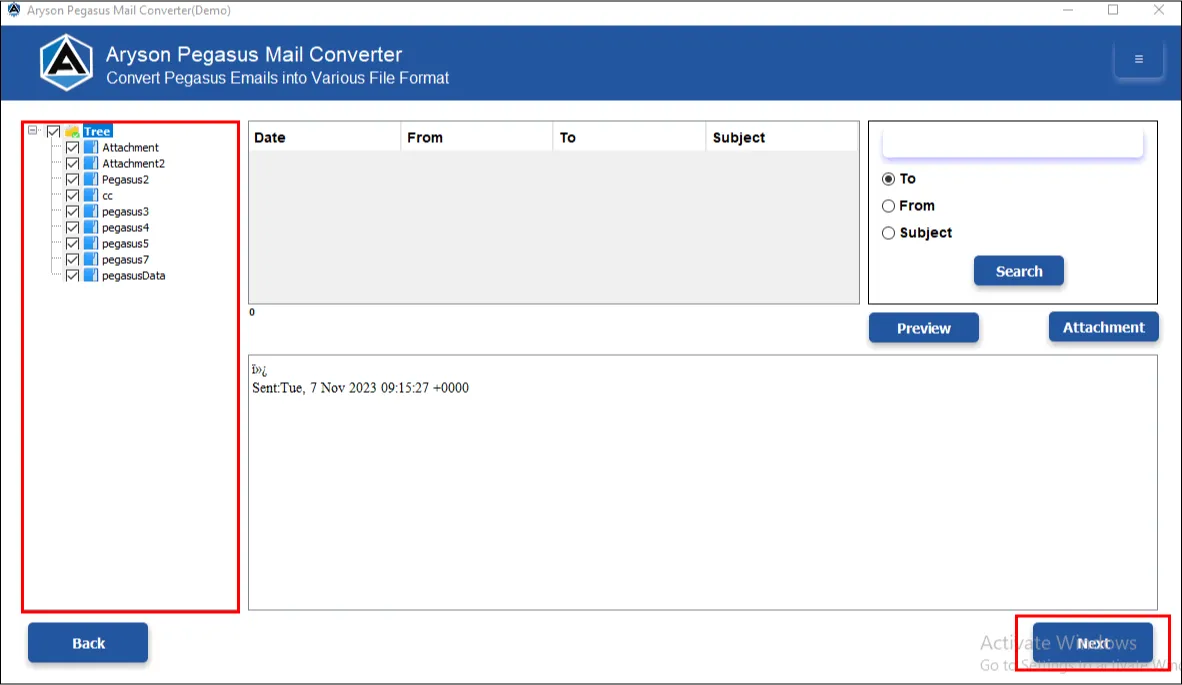
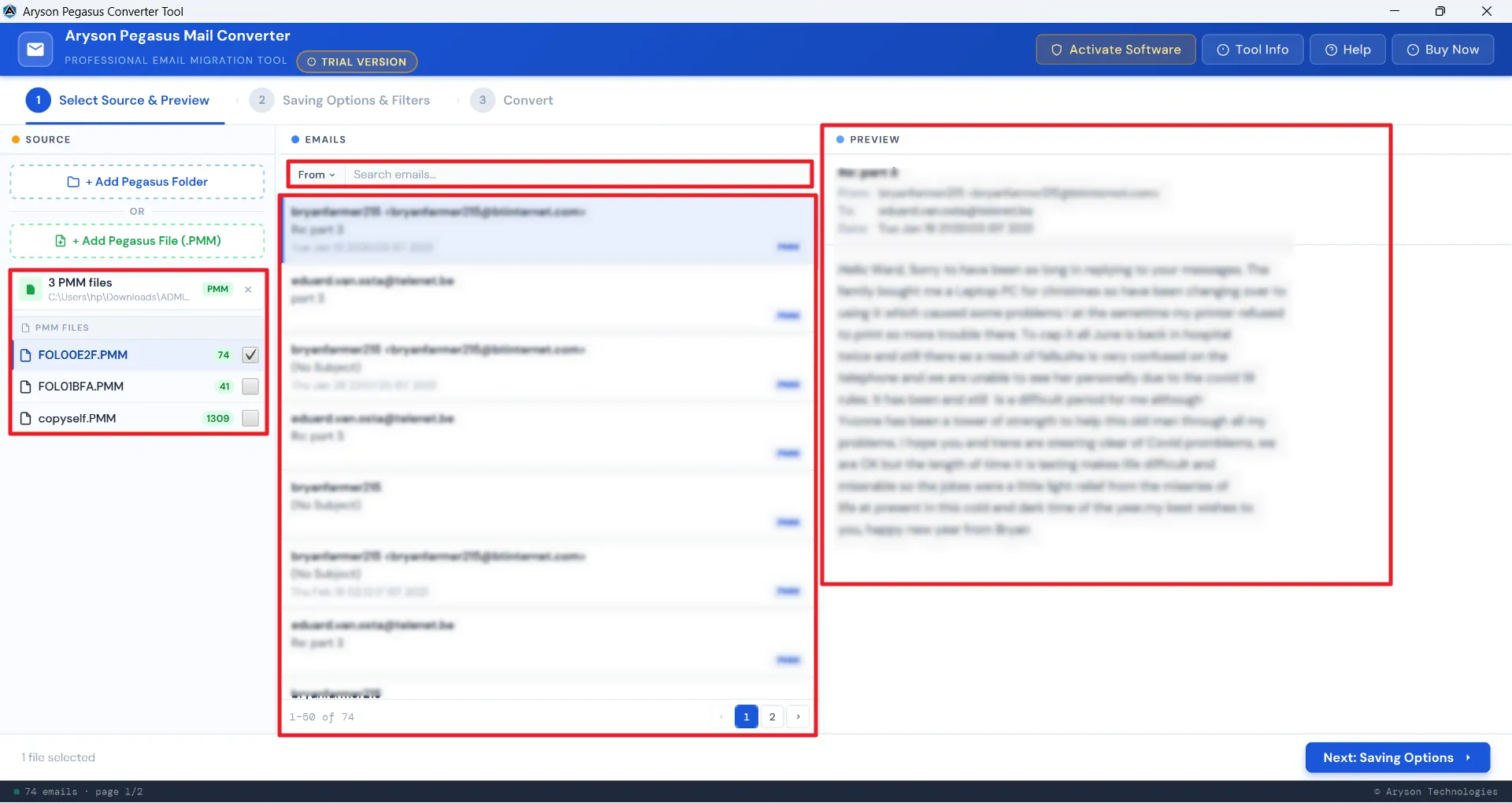
With the help of this Pegasus Mail Export Tool, IT admins and enterprises with large datasets can efficiently convert their data in bulk without any issues. Select Add folder or Add file option to browse through thousands of emails and load them into the software panel. You can select single or multiple PDFs and embed PDFs with attachments. This eventually saves time and catalyses the productivity of the IT professionals managing large Pegasus mailboxes across multiple user accounts simultaneously.

Preview Emails For Data Accuracy
For Organisations managing critical and confidential emails, data accuracy plays an important role. To maintain it, the Pegasus Mail Migration Tool provides a preview panel to review the selected Pegasus emails before conversion. The advanced search enables email browsing across selected mailboxes based on the To, From and Subject Fields. Cross-verify the attachments of the associated selected emails in the right panel. This enhances the data accuracy and integrity of the resultant data.

Date-based Filtering & Attachment Handling
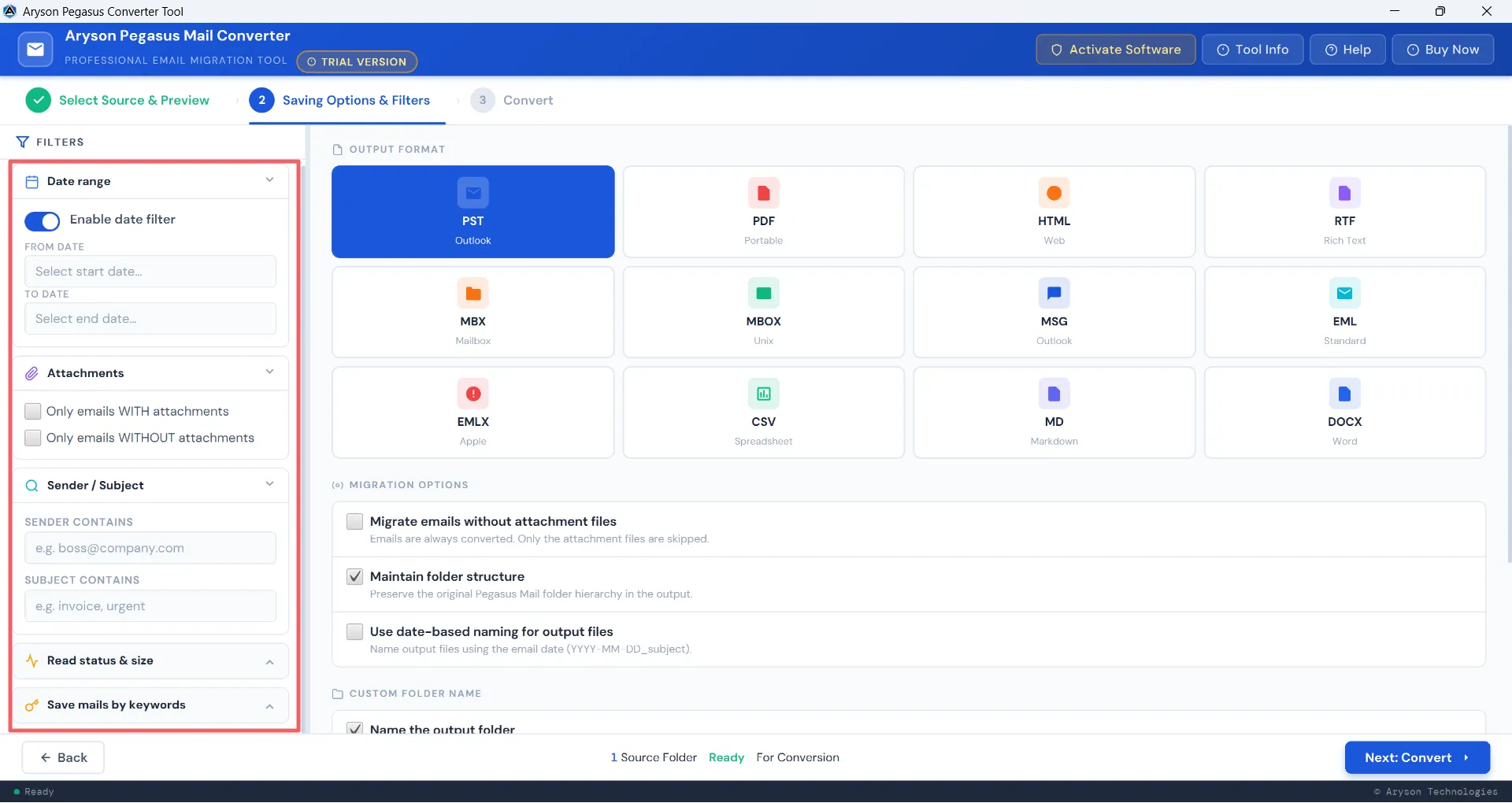
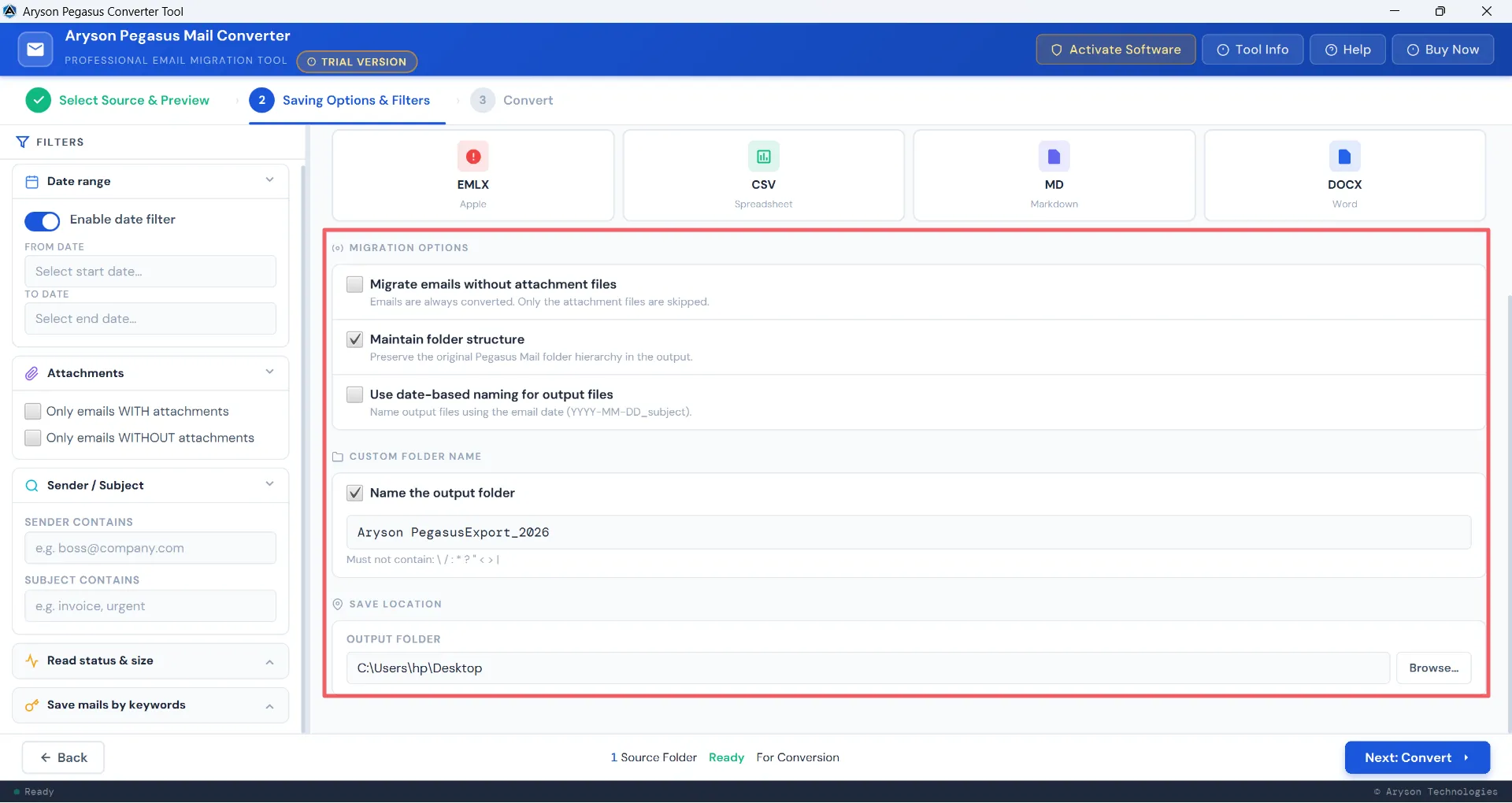
Users can toggle on Date-Filter to define a specific Start and End date range for targeted conversion. Additionally, they can choose to include only emails with attachments or convert only the relevant data and increase the processing speed. This provides users with precise control over output size and relevance, avoiding unnecessary data in the final results.

Sender, Subject & Multi-Keyword Filtering
The Pegasus Mail Export Tool lets users filter emails associated with a particular sender and single or multiple subject keywords. The multi-keyword filter applies multiple search terms simultaneously across To, From, and Subject fields for sharper results. Professionals can pull project-specific or client-specific emails from large mailboxes without manually sorting through thousands of records. This eventually saves the total time of searching through the emails.

Unread Email Filter & Size-Based Sorting
IT Experts who handle large datasets can choose to select the unread emails only based on their email sizes. They can select unread emails with sizes - Less than 100 KB, Medium (100 KB–1 MB), or Large (over 1 MB) - using a simple dropdown selection. This helps the Pegasus Email Converter to activate the selection engine as per the selected file size. Users can now focus on what genuinely matters and keep output files manageable without unnecessary bulk.

Migrate Without Attachments & Maintain Folder Structure
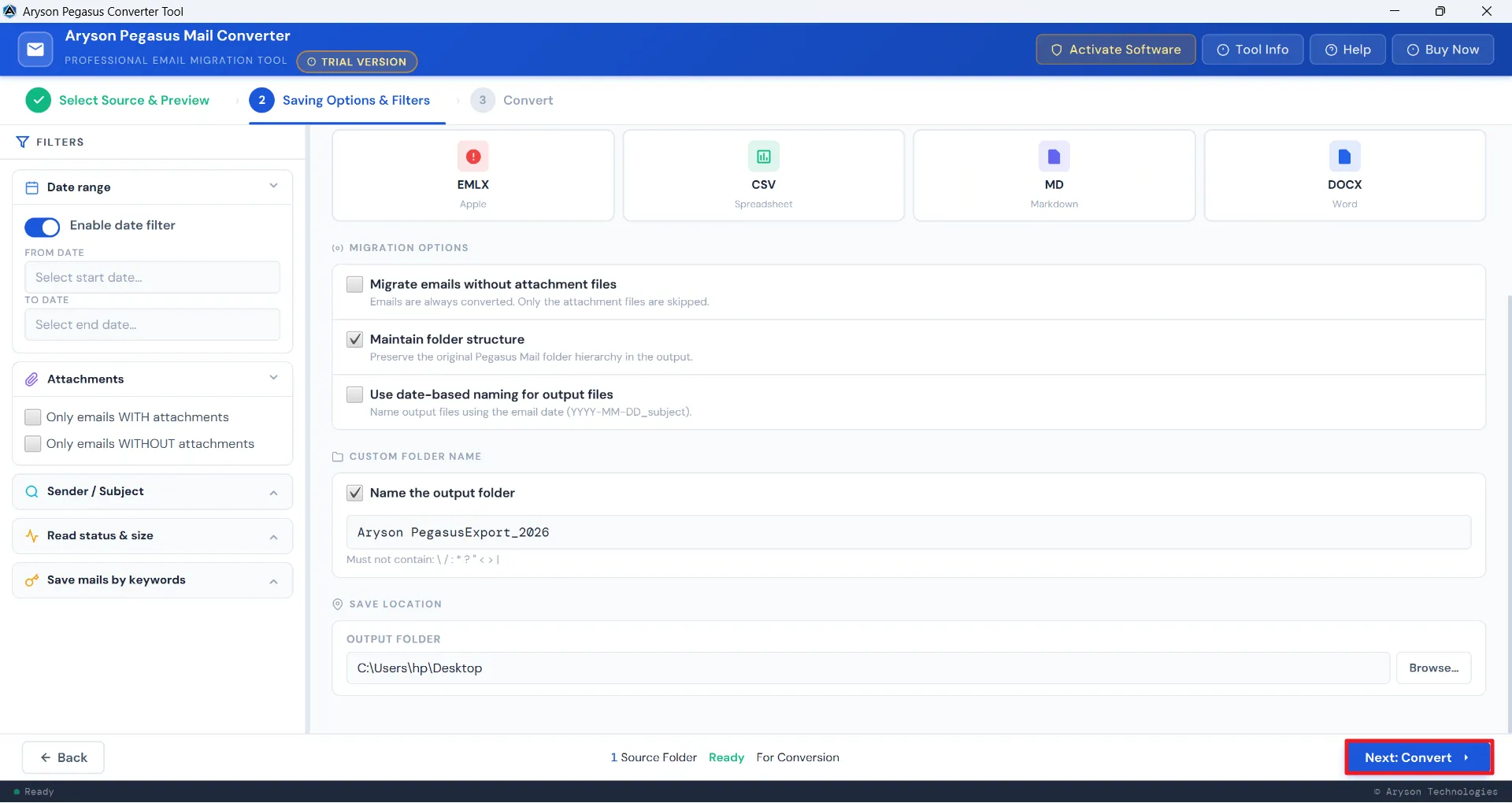
The Aryson Pegasus Mail Converter offers a dedicated check box to convert emails without attachments, reducing output size significantly. This speeds up the processing speed and work efficiency of the end-user. Apart from this, the Maintain Folder Structure checkbox makes sure that the original Pegasus Mail hierarchy stays fully intact throughout.

Custom Folder & Date-Based Naming
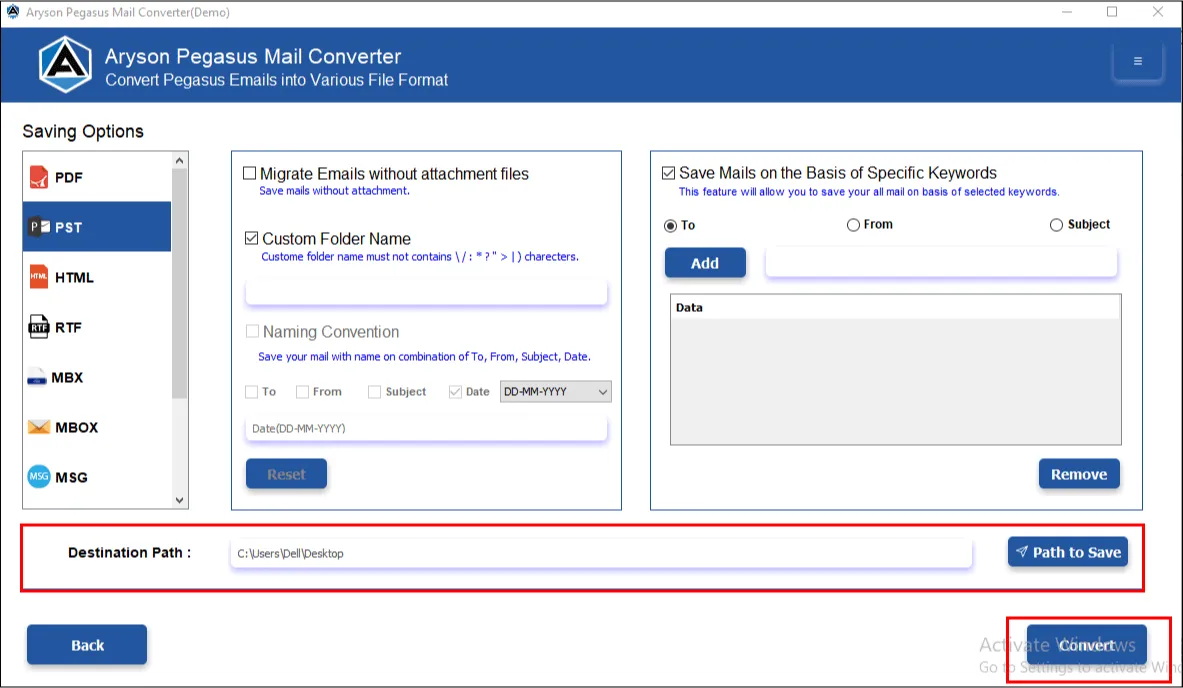
Users can assign custom names to output folders, apply date-based naming conventions for automatic file labelling, and choose any destination path on their system or external drive for saving results. This Pegasus Mail Migration Tool keeps every conversion clearly organised and easy to locate - especially useful when handling multiple client projects.

Live Progress Tracking & Detailed Conversion Report
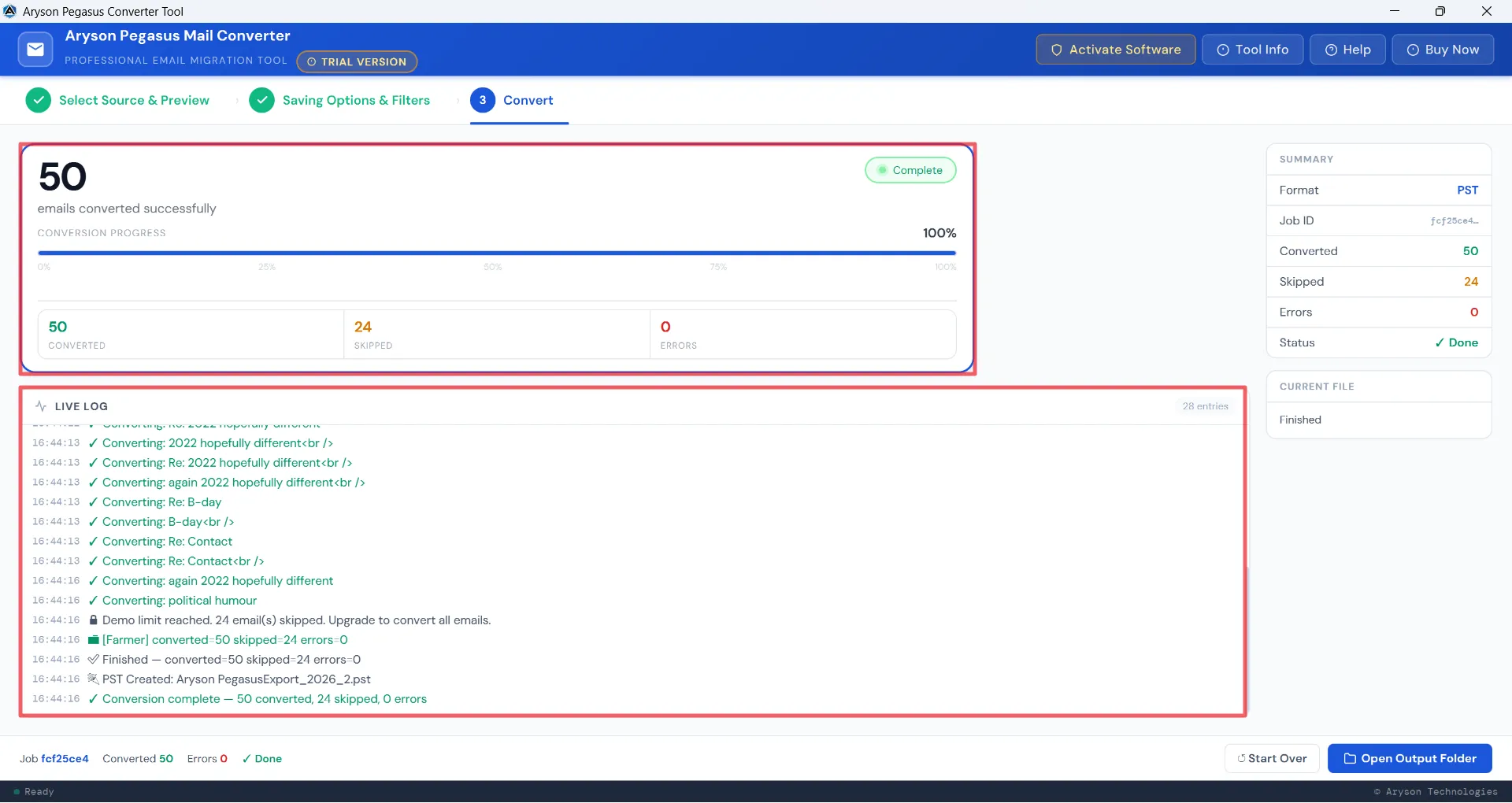
A real-time conversion log of the Pegasus Mail Export Tool displays every email being processed with timestamps, while a progress bar tracks the job completion. A final report breaks down the total number of converted, skipped, and flagged emails clearly. Moreover, a unique Job ID is assigned for each user for future backtracking of the conversion. Users get full visibility throughout and a documented record afterwards - valuable for audits, client handovers, and internal reporting.

Simple Interface, Windows Compatibility & Free Trial
The Pegasus Mail Migration Tool runs on all major Windows versions, including Windows 11, 10, 8.1, 8, 7, and earlier. The interactive GUI and self-explanatory interface make it easy to use for both technical and non-technical users. Moreover, the free demo version converts up to 50 emails per folder, letting users test against real data to get a hands-on experience.