




Screens

Video

Guide

Eula

Aryson IMAP to Office 365 Migration Tool – Rating & Reviews

See what users and experts say about the IMAP to Microsoft Office 365 Migration Tool

Expert Review:

Rating & Reviews

Aryson IMAP to Office 365 Migration Tool: Core Functionalities

Explore the Various Functionalities of the IMAP to Office 365 Software

Migrate

Migrate IMAP to Microsoft 365 Securely

Aryson IMAP to Office 365 Migration Tool allows IT professionals to securely migrate IMAP mailboxes to Microsoft 365. Moreover, it provides them with modern authentication and impersonation login methods.

Bulk Migration

Single and Bulk Modes of Migration

Users can migrate multiple IMAP mailboxes at the same time using this software. Moreover the you can use the CSV import option to allow administrators to upload multiple account credentials in bulk in one go. This eventually simplifies the mailbox mapping and provides a structured migration process.

Search Capability

Advanced Search & Preview Email Items in Browser

You can search for the required emails in the J-Table based on the Subject, To, From, and File Name. Once you select a specific field and enter it in the text box, the software will highlight the associated emails in the J-table. Moreover, users can preview the complex files in the browser as well via the Preview in Browser feature.

Removes Duplivate

Transfer IMAP Mailbox to O365 Without Duplication

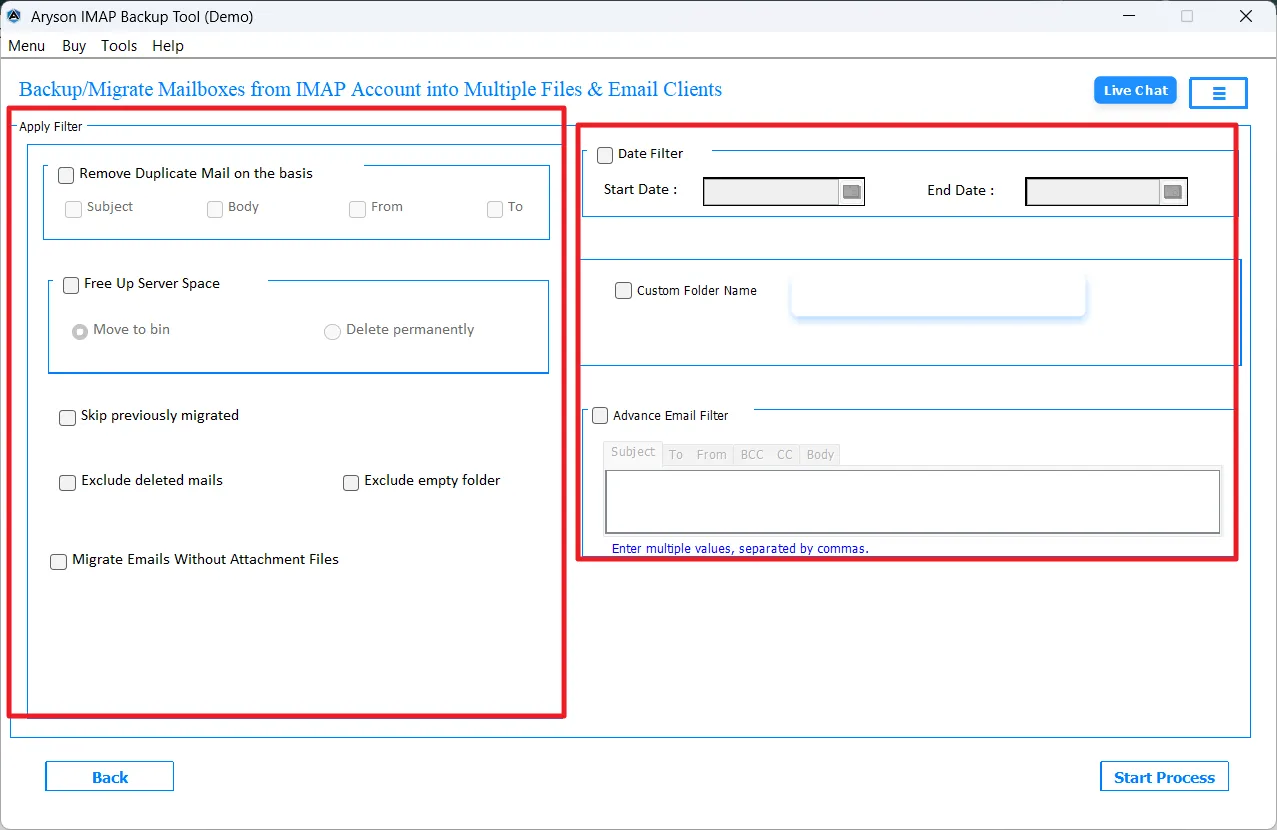
Once you tick the checkbox of the Remove Duplicate feature, it will detect duplicate emails based on their Subject, From, To, and Body fields. Along with that, it also identifies the already migrated items and skips them during subsequent processes. This helps the end-user to avoid any kind of duplication.

Date Range Filter

Migrate Data with Advanced Filter Options

Aryson IMAP to O365 Migration Software provides users with a Date Range filter to migrate specific emails within the provided start & end dates. Along with that, it offers an advanced filter option to filter data based on Subject, To, From, CC, BCC, and Body. So that you can migrate all your data within a few clicks.

Free Space

Option to Free Up Server Space

With this IMAP Mailbox to Office 365 Tool, IT professionals can easily manage their server space using the Free Up Server Space feature of the software. It basically helps them to move emails to the trash or permanently delete them from the source server post migration. This feature helps admins to reduce server storage usage.

Exclude Empty Folder

Exclude Deleted Mails & Empty Folders

This IMAP Mailbox to Office 365 Tool provides the user with the ability to exclude deleted emails and ignore empty folders during the migration. Hence, it makes sure that only the relevant and meaningful mailbox data is transferred. So it results in optimized storage usage and improved migration efficiency.

Attachment

Efficient Attachment Handling

Users can migrate their IMAP emails without attachments using the Migrate without Attachments feature of the software. This feature is advantageous for the enterprises as it helps them to reduce storage consumption at the destination. In addition, attachments can be downloaded separately to a chosen folder path.

Naming Convention

Custom Folder Naming Option

The IMAP to Microsoft 365 Migration Tool keeps the original IMAP folder structure intact during migration to Office 365. Moreover, it allows users to assign custom names to destination folders. This eventually helps them to organise the mailboxes in a better way.

Advance Preview

Advanced Preview Panel with J-Table

This software provides the user with a detailed J-Table to preview the emails selected for migration before the actual process begins. The selection panel enables choosing specific folders for transfer, providing better control and avoiding the migration of unnecessary data.

Split PST

Perform IMAP to Office 365 Migration with Different Methods

This IMAP to Exchange Online Migration Tool provides two different login methods: Modern Authentication, OAuth 2.0 and Impersonation login. The Modern Auth method makes sure to provide an encrypted communication between source and destination accounts. Moreover, it maintains data integrity and prevents unauthorized access during the migration process.

Secure Login

Default Mailbox Mapping

With the help of MAP to Office 365 Converter Tool automatically maps the source IMAP mailboxes with corresponding Office 365 accounts. As a result, it helps to minimize the manual configuration. As a result, it reduces errors and simplifies the overall migration workflow.

Mapping

Windows Compatibility & Simple Interface

This software is compatible with Windows 11, 10, 8.1, 8, 7, and earlier versions. It offers a simple and interactive GUI that is designed for both technical and non-technical users. Moreover, it enables the user to smoothly navigate and execute the migration tasks.

Demo Version

Free Demo Version & 24/7 Technical Support

The free demo version of Aryson IMAP to Office 365 Migration Tool allows users to migrate up to 50 emails per folder to provide a hands-on experience. However, the licensed version includes continuous technical support and personalised assistance during the installation and troubleshooting process.
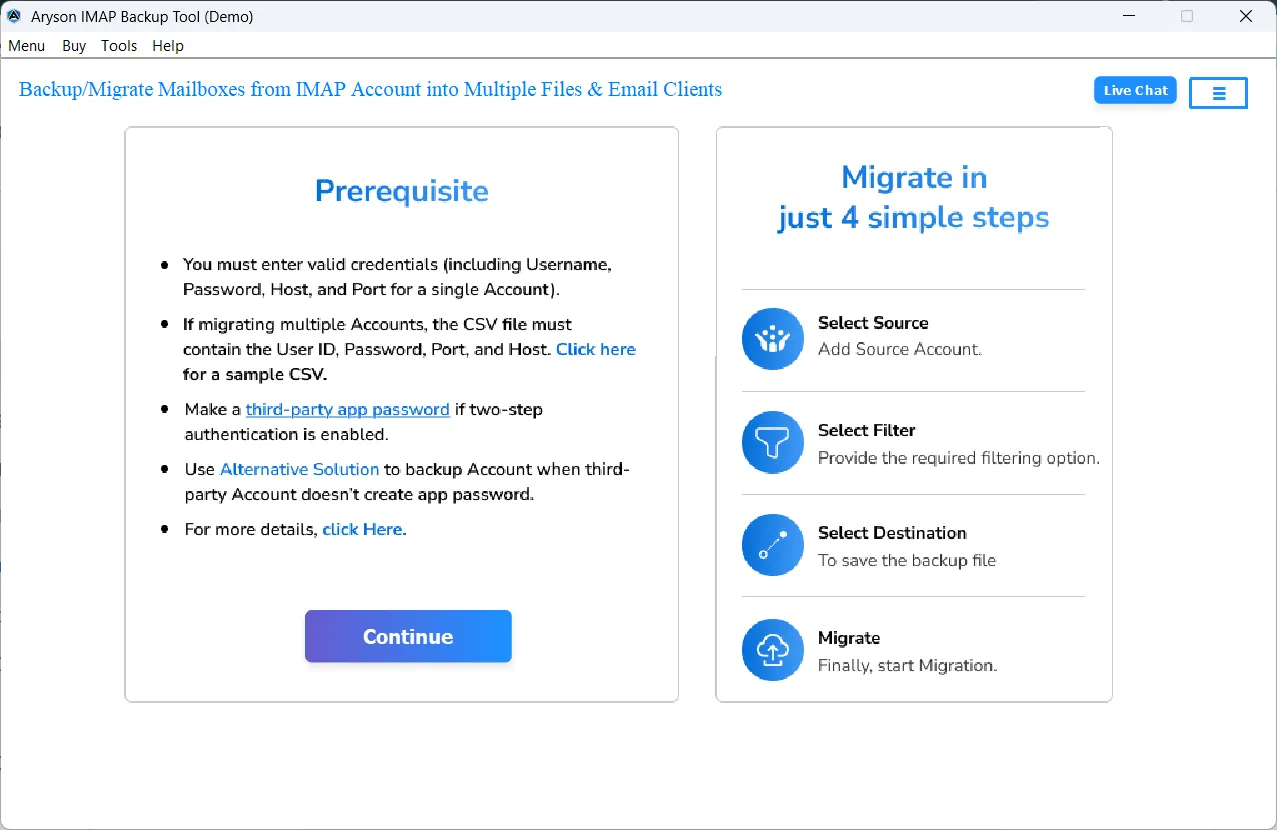
Aryson IMAP to Office 365 Migration Tool - Quick Guide

Screenshot

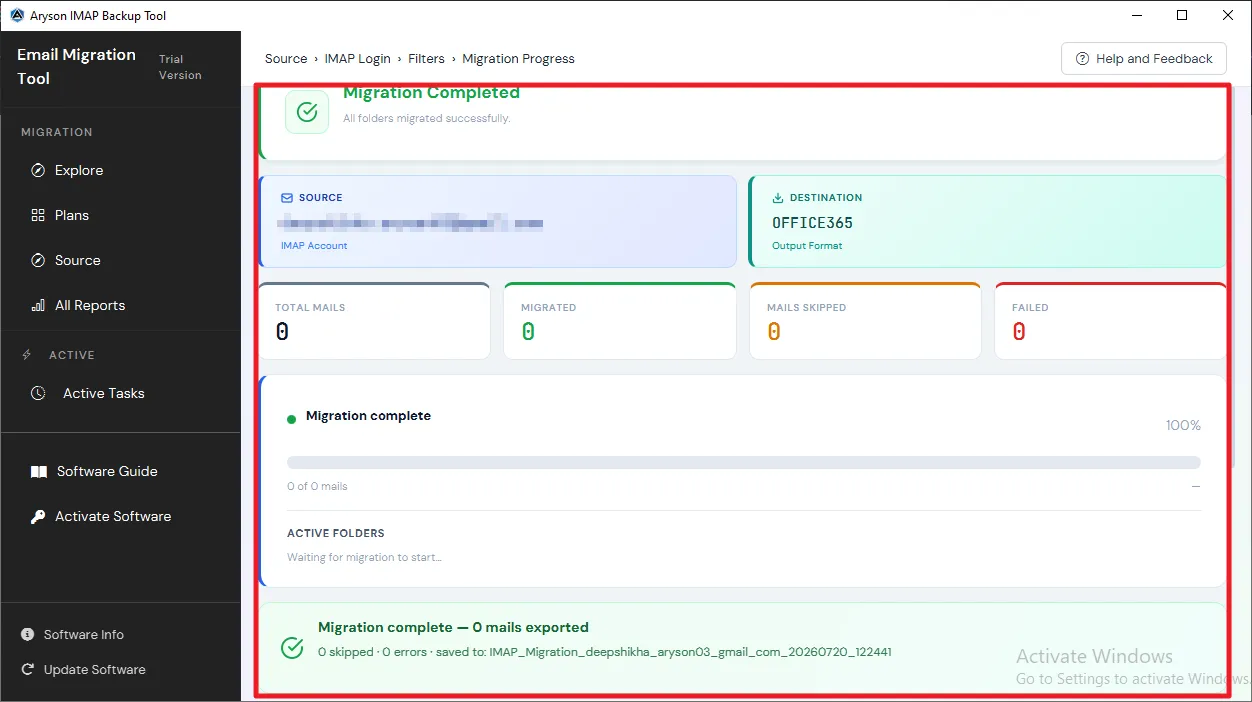
The Aryson IMAP to Office 365 Migration Tool is used to securely transfer emails from IMAP-enabled accounts to Microsoft Office 365. This software preserves the folder structure, attachments, and email properties during the migration. Moreover, it supports the processing of multiple accounts, advanced filters, and secure authentication for accurate and efficient mailbox transfer.

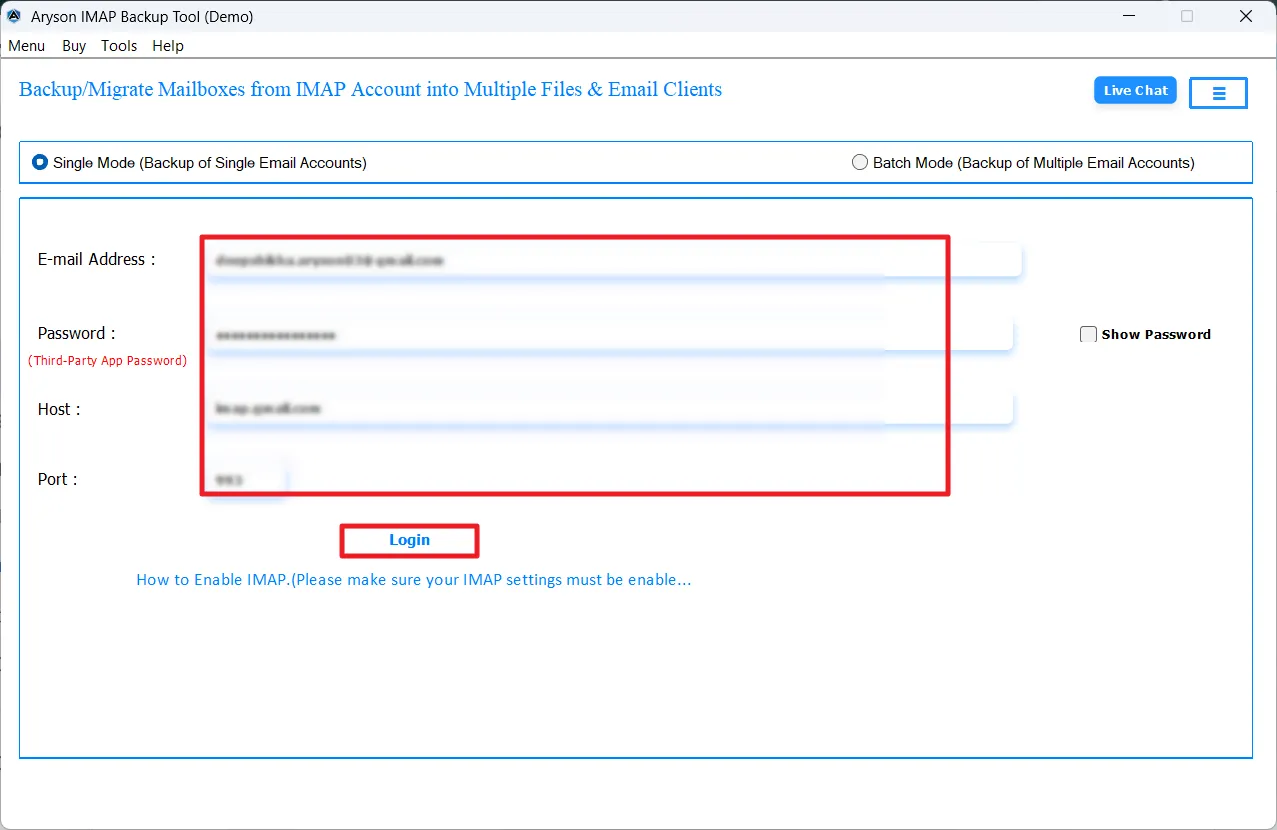
  • Step 01: Download and install the Aryson IMAP to Office 365 Migration Tool.
  • Step 02: Enter your IMAP account details or upload a CSV file for multiple accounts.
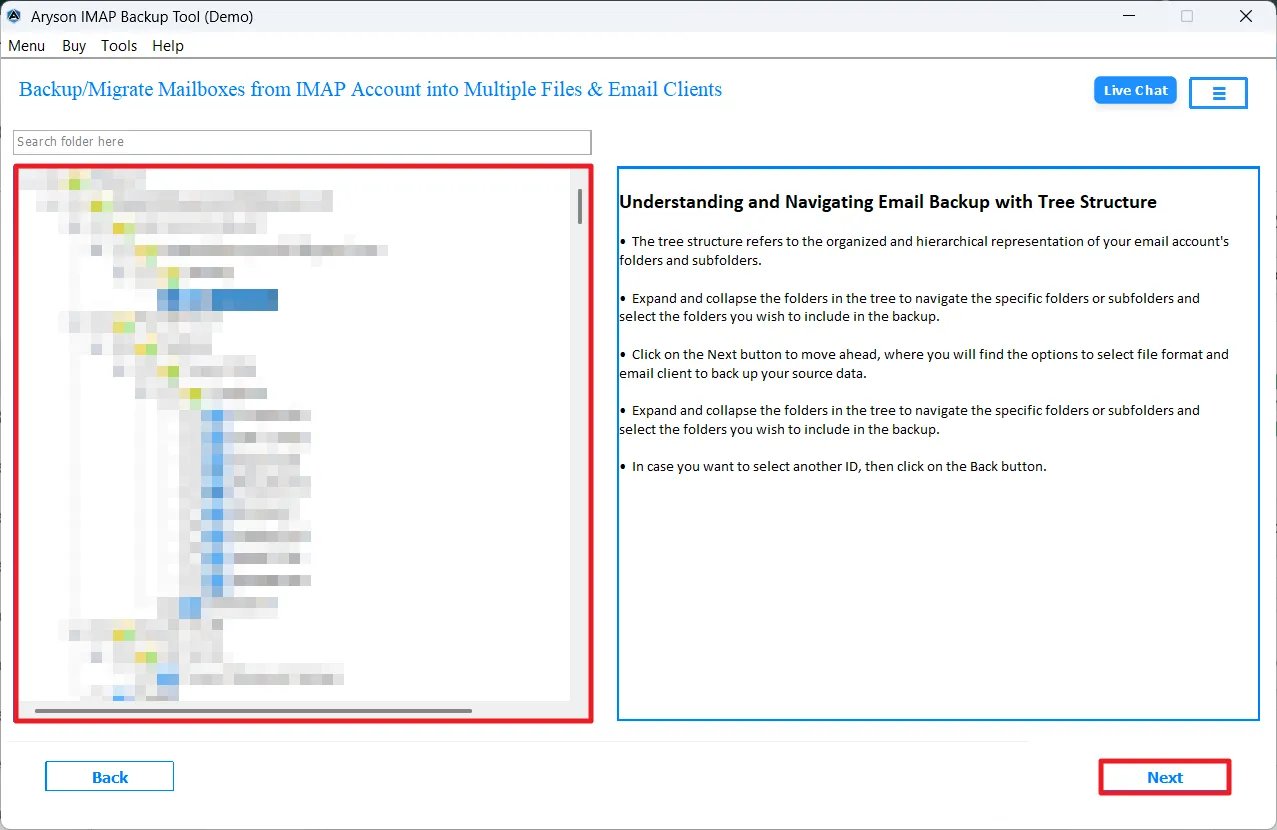
  • Step 03: Preview and select the mailbox folders you want to migrate.
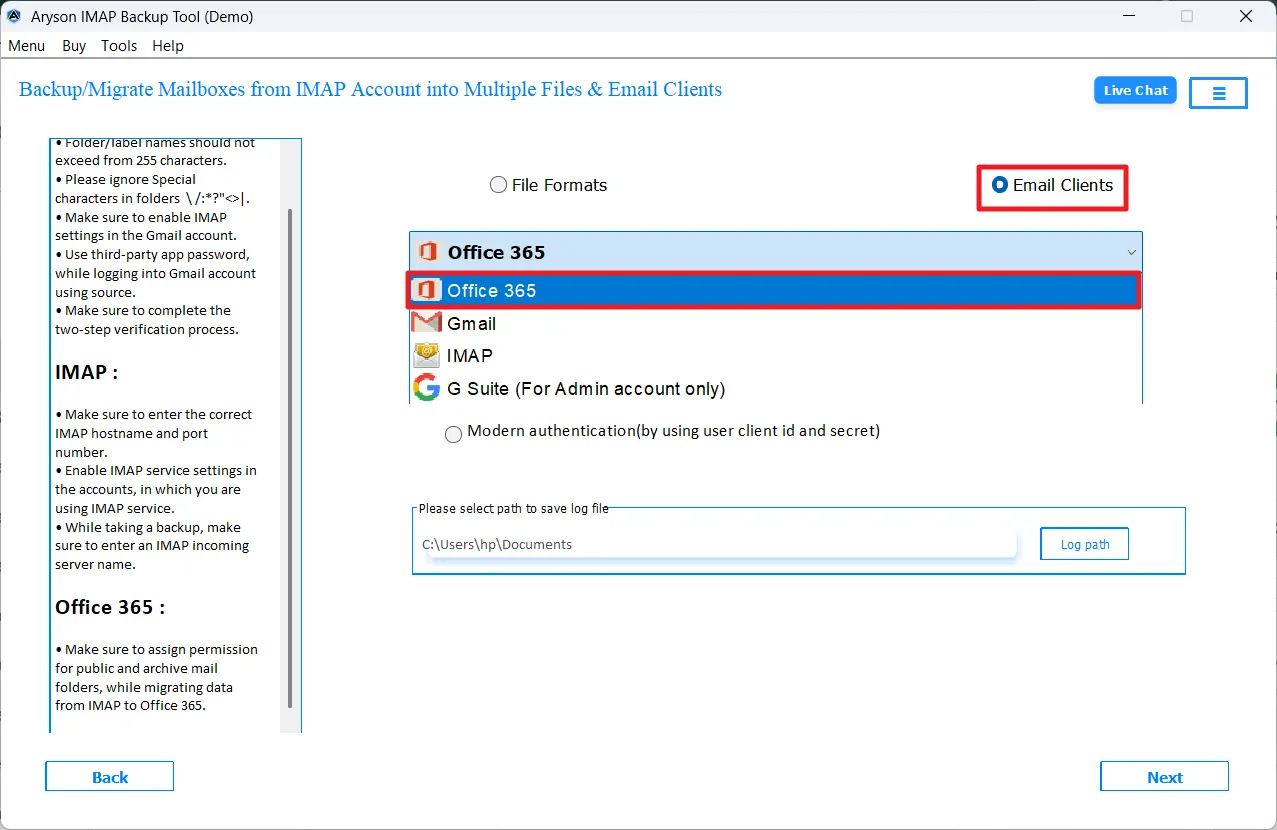
  • Step 04: Choose Office 365 as the destination under the listed Email Clients.
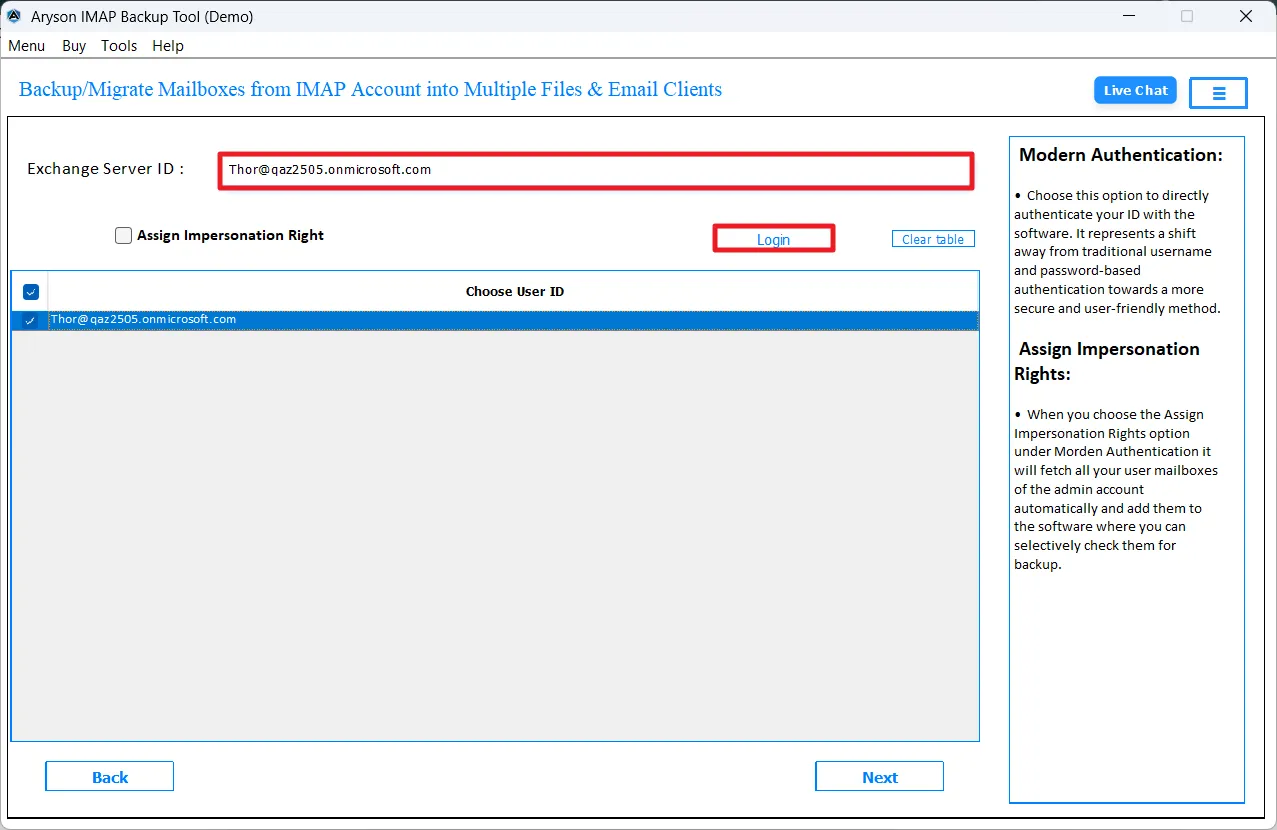
  • Step 05: Log in to the Office 365 account using the correct login credentials.
  • Step 06: Use the advanced features of the software if required.
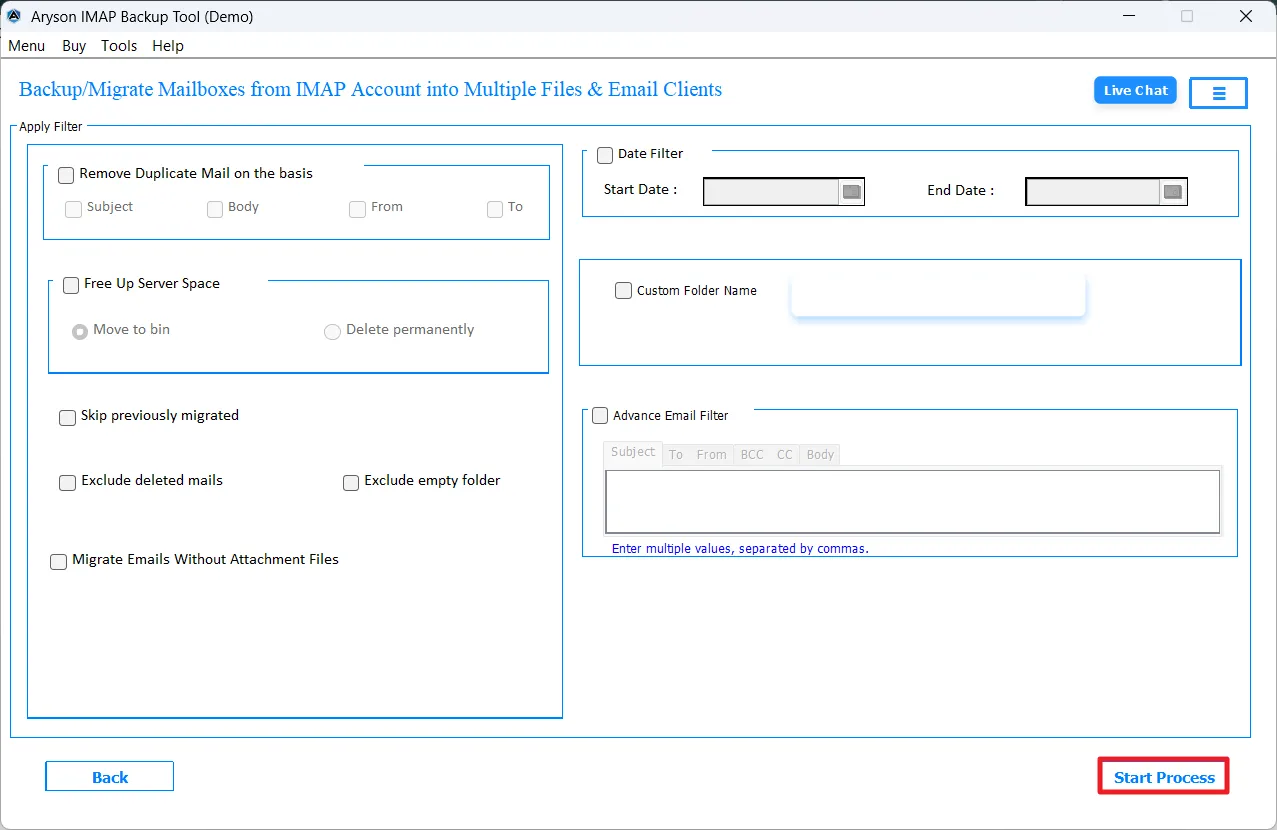
  • Step 07: Click on the Convert button to start the migration process.

Aryson IMAP to Office 365 Migration Tool: Enterprise-Level Use Cases

Here’s how organisations manage large-scale IMAP to Office 365 migrations securely and efficiently

Backup

Centralised IMAP to Office 365 Migration:

Organisations can move multiple IMAP mailboxes to Microsoft Office 365 using the Aryson IMAP to Office 365 software efficiently.

CSV Support

Bulk Account Processing with CSV Support:

IT administrators can upload a CSV file containing multiple IMAP account credentials and migrate all mailboxes in one operation.

Performance

Large & High-Volume Mailbox Handling:

This software is designed to process large IMAP mailboxes containing thousands of emails. It maintains folder hierarchy, attachments, and metadata.

Secure

Secure & Authorised Access:

With Modern Authentication (OAuth 2.0), organisations can securely connect to Office 365 accounts. This ensures a preserved data transfer and meets modern security standards.

Selective Migration

Selective & Controlled Migration:

Using Date Range and folder-level filters, businesses can migrate only required or business-critical emails instead of transferring the entire mailbox.

Data Integrity

Data Integrity & Compliance Support:

The software preserves email properties such as To, From, Subject, timestamps, and attachments to maintain data accuracy.

Aryson IMAP to Office 365 Migration Tool: System Specifications

Software Download

(Windows)

Download Now


(Linux)

Download Now


Size: 327MBVersion: 25.07

Trial Limitations

The free demo version of the IMAP to Microsoft Office 365 Migration Tool offers all the same features as the full version. This allows users to properly test the software before buying it. The only limit is that it allows migration of up to 50 emails per folder from the IMAP server to Microsoft 365.

Requirements & Supported Versions

Hard Disk Space: 500 MB of free hard disk space required

RAM: 4 GB of RAM (4 GB is recommended)

Processor: Intel® Core™ 2 Duo CPU E4600 @ 2.40GHz 2.39GHz

Supported Platforms

Windows OS: 11, 10, 8.1, 8, 7, Vista, XP, 2000, 98, NT, and 95.

Outlook Versions: Office 365, 2019, 2016, 2013, 2010, 2007, 2003, 2002, 2000, 98, and 97.

Software Prerequisites

  • If you are using Windows OS 7, 8, 8.1, 10 or 11 (either 32-bit or 64-bit), then you must launch the tool as an administrator.
  • Turn off the Windows Firewall for proper installation.
  • Disable the antivirus programmes.
  • Establish a proper internet connection.

FAQ

Request For Software Customization

Note: If you need to customise Aryson Software or need additional specific features, then provide this software customisation.

Aryson IMAP to Office 365 Migration Tool: Demo & Full Version

Product Features Free Version Full Version
Migrate IMAP Emails to Office 365 50 emails per folder All emails
Preview Mailbox Folders
Date Range Filter & Remove Duplicate
Migrate Emails Without Attachments
Advanced Email Filter options
Mailbox Mapping with Destination Accounts
24*7 Technical Support
Price Free $79
Money Back Policy

Frequently Asked Questions (FAQs)

Ans. The Aryson IMAP to Microsoft Office 365 Migration Tool supports all IMAP-enabled email services such as Gmail, Yahoo Mail, Outlook.com, Zoho Mail, and other hosted IMAP servers. It works with any email account that provides IMAP server details.

Ans. Yes, the Aryson IMAP to Office 365 migration tool allows bulk migration of multiple IMAP accounts in one go. Even IT professionals can upload a CSV file to add multiple accounts and perform large-scale migration easily and quickly.

Ans. Yes, the software keeps the original folder hierarchy, email formatting, attachments, and metadata intact during the entire migration process.

Ans. Yes, it provides a Date Range Filter and other advanced filters so you can migrate only specific emails instead of the complete mailbox.

Ans. Yes, the tool includes a Remove Duplicate Mail feature based on To, From, Subject, and Body. It also offers a skip previously migrated option to avoid duplication.

Ans. Yes, it supports modern authentication (OAuth 2.0) to ensure secure login and safe migration to Office 365 accounts.

Ans. Yes, a free demo version is available that allows migration of up to 50 emails per folder. To migrate complete mailboxes without limitations, you need to purchase the full version.

Ans. The software is compatible with Windows 11, 10, 8.1, 8, 7, and earlier Windows versions, making it suitable for both new and older systems.

Trusted by IT Professionals & Businesses Worldwide

Aryson IMAP to Microsoft Office 365 Migration – Verified User Reviews

review-rating