




Screens

Video

Guide

Eula

Aryson iCloud Backup Tool VS Manual Methods

See how Aryson iCloud backup software works better than Manual workflows

Manual Method Aryson iCloud Backup & Migration Software
The manual method might take you long hours or even days to migrate large mailboxes. Users can back up single or multiple iCloud mailbox folders in one operation without processing them individually.
The user cannot use any advanced filtering option while performing the manual steps of migration. The process is catalysed with the help of the advanced filters and features of the software.
Moreover, they cannot cross-verify the content of the selected iCloud emails before actually migrating them. Users can cross-check all iCloud folder emails & attachments before they begin the backup process.
The manual backup process might affect the original folder hierarchy or cause formatting issues, which might lead to disorganisation. The iCloud backup download tool keeps the original folder hierarchy, email threads, metadata, & attachment data intact during backup.
Additionally, there is a possibility of losing important emails, attachments, and email metadata during the backup. Aryson iCloud Email Backup Tool consists of a Remove Duplicates option to avoid any kind of redundancy.
This process requires a technical expert to perform the proper configuration steps. The iCloud Backup & Migration tool provides a simple & intuitive interface to help IT professionals and complete beginners perform the backup.
6 Critical Limitations
Manual approaches lack consistency and accuracy
6 Complete Solutions
Aryson resolves every challenge automatically
Get Demo

Aryson iCloud Backup Tool - Reviews & Ratings

Discover what users say about the Aryson iCloud backup software

Expert Reviews:

Rating & Reviews:

When to Use the iCloud Backup Tool?

To save iCloud emails locally

For users who need to back up their iCloud data to their own PC or an external device like a hard drive, this software is a one-stop solution. Not just that, it also offers different saving formats like PST, CSV, MBOX, MSG, etc.

To archive iCloud emails offline

If you need to create offline archives of your iCloud account, this iCloud Backup & Migration Software can do it. It can download all emails with attachments without any data loss. Also, it makes sure to keep everything organised and completely intact.

To migrate iCloud emails to another email client

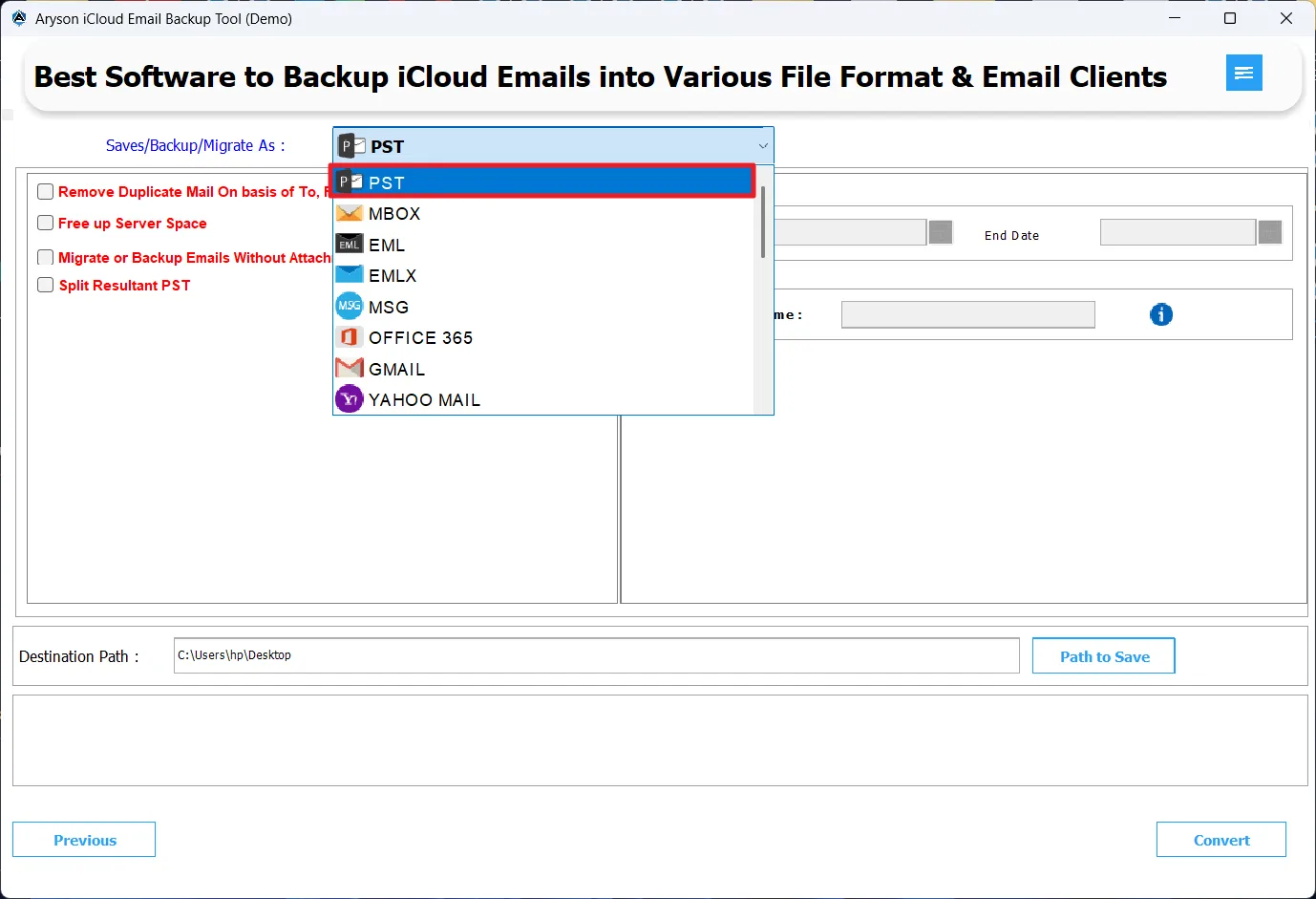
If you need to move your iCloud emails to different email platforms like Gmail, Office 365, Yahoo Mail, AOL, etc., use this software to handle the end-to-end migration process without any manual configuration errors.

To print or share iCloud emails as PDF

If you need to print or share your iCloud emails, the iCloud Backup & Migration Software allows you to save them in PDF format with attachments downloaded separately, making it easy to distribute or archive email records professionally.

Advanced Features of Aryson iCloud Backup Tool

Complete Suite of Advanced Features to Securely Back Up & Migrate iCloud Emails

Secure

Back Up iCloud Emails to 12+ File Formats

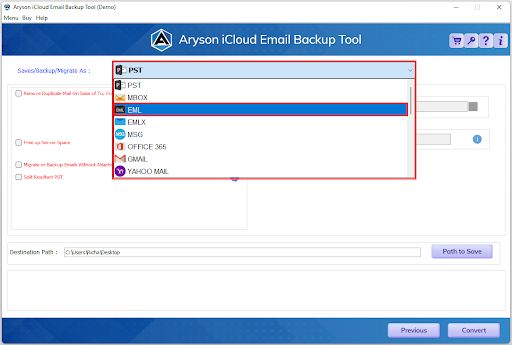
Aryson iCloud backup software allows its users to save the required iCloud data into 13 different file formats- PST, MBOX, EML, EMLX, MSG, CSV, HTML, MHTML, DOCX, GIF, JPG, TIFF, and PNG. This is helpful because not every email client or system reads the same file type. Whether you're switching platforms or just archiving old emails, you pick the format that works best for you, and leave the rest to the software only.

Backup

Migrate iCloud Emails to Multiple Email Clients

Move your iCloud mailbox directly to Gmail, Office 365, Yahoo Mail, Thunderbird, AOL, Hotmail, HostGator, or any IMAP-based email client without going through complicated manual setups. This is especially useful when switching email providers, and you want everything - inbox, sent items, folders - to land exactly where it should without spending hours reconfiguring accounts.

Email Clients

Back Up Single or Multiple iCloud Folders at Once

Whether you need to back up one specific folder or your entire iCloud mailbox in one shot, this iCloud backup tool handles both. You don't have to sit and process folders individually - select what you need, run the backup, and walk away. This saves enormous time for anyone managing large mailboxes or multiple accounts.

Preview

Preview Emails & Apply Advanced Filters Before Backup

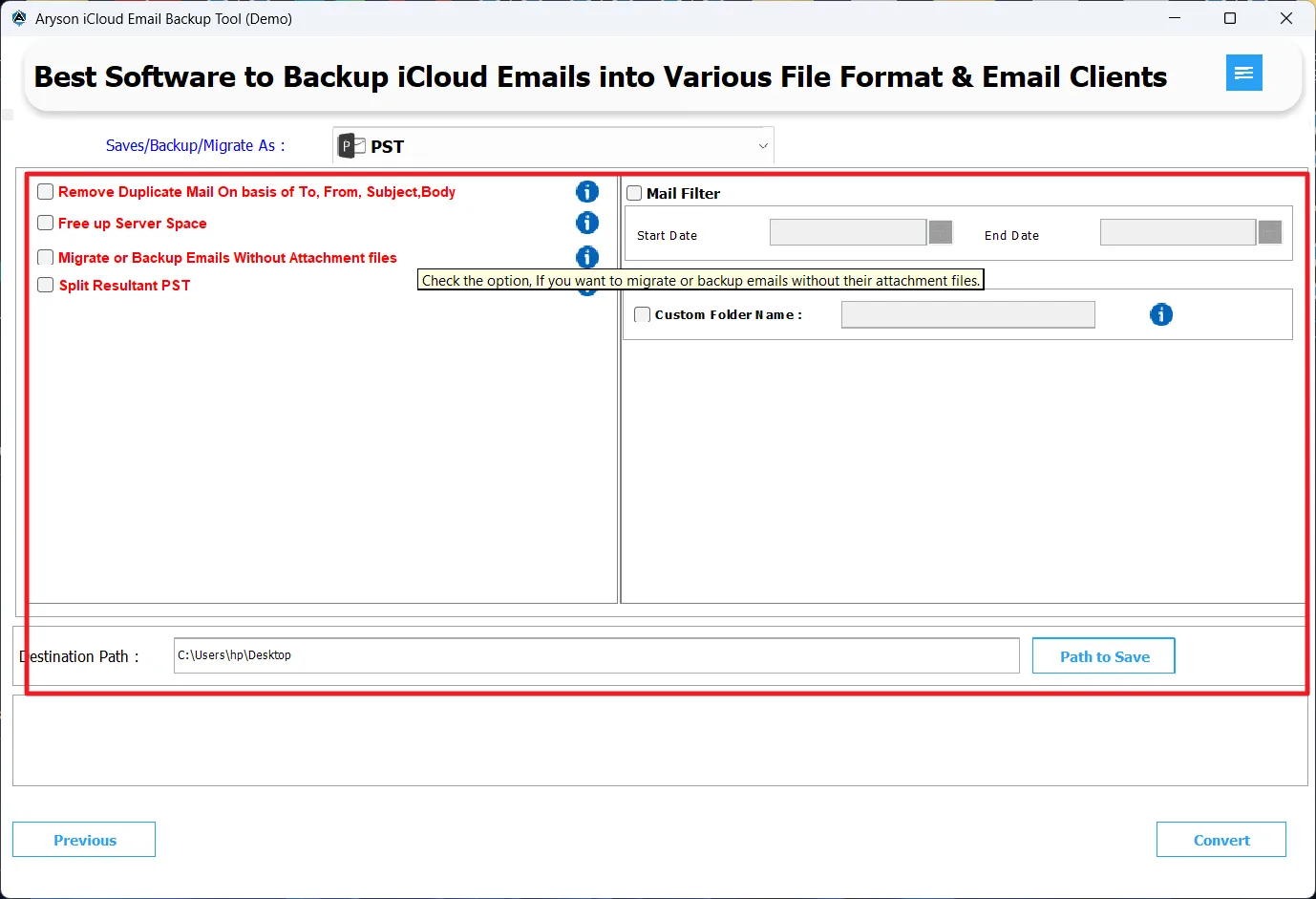
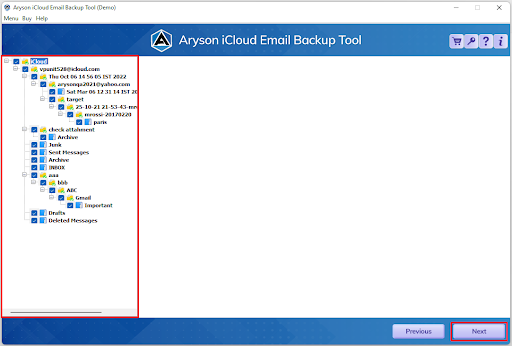
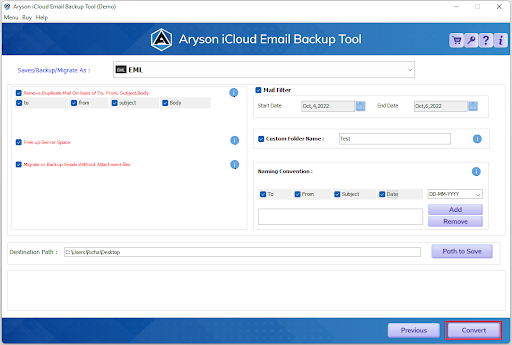
Before the backup begins, you can open and review your iCloud folders, emails, and attachments right inside the tool - so you know exactly what's going on. On top of that, the date range filter lets you narrow things down to a specific time period, backing up only what's actually relevant. The Remove Duplicates filter, when applied, removes the duplicate entries from the selection based on sender, subject, and date. Together, these features make sure your backup is accurate, lean, and exactly what you intended.

Integrity

Maintains Folder Hierarchy, Metadata & Attachment Integrity

This iCloud backup software makes sure to keep all your iCloud folder structure, email threads, timestamps, sender details, & all attachments intact after migration. Nothing gets reshuffled or lost in translation. If your emails were organized a certain way in iCloud, they'll look the same on the other side - which is something manual methods rarely guarantee.

Flexible Attachment

Flexible Attachment & PST Split Options

If attachments aren't what you're after, you can skip them entirely to speed up the backup and reduce file size - great when you're short on storage or just need email content fast. And when backing up to PST format, you can split large output files into smaller, more manageable chunks, making them easier to store, share, and import into Outlook without any file size issues.

Free Up iCloud Server Space

Free Up iCloud Server Space Post-Backup

Once your backup is complete and verified, the iCloud Email Backup Tool lets you delete emails directly from your iCloud account - freeing up server storage without logging into iCloud separately to do it manually. This is a practical feature that most iCloud users overlook until their storage is maxed out and they're scrambling for space.

Custom Folder Naming

Custom Folder Naming & Detailed Conversion Report

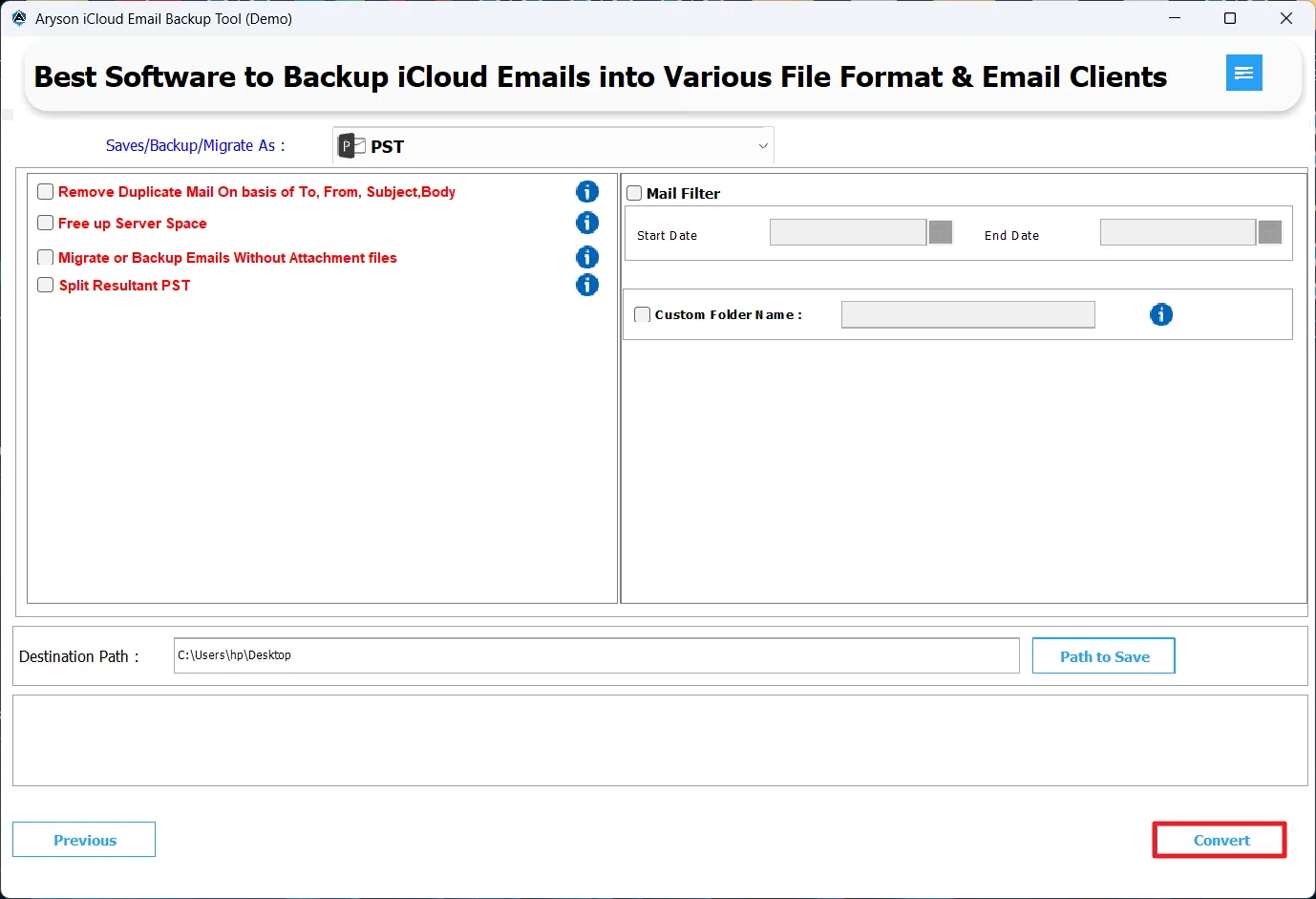
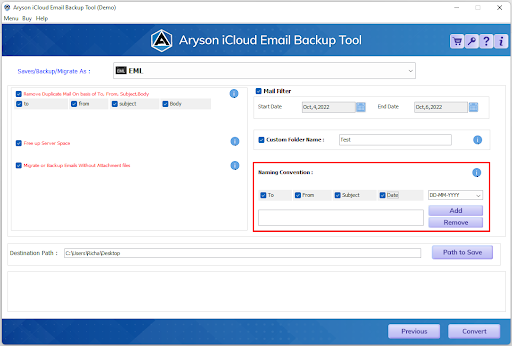
You can provide custom names to output folders & set naming conventions for the resulting files. This keeps everything labeled and organised the way they want it to be. After completing the backup, the user can even download a detailed conversion report. This report consists of a log-to-log status of the entire migration. This way, you can verify what was backed up, detect anything that needs to be fixed, and keep a record for future reference.

Simple Interface

Simple Interface with No Extra Software Needed

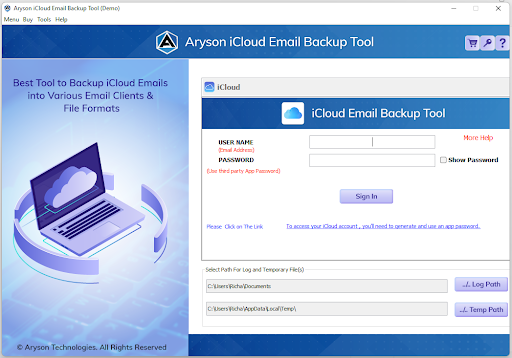
The interface of this iCloud backup software is interactive & straightforward, which doesn't need a technical expert to handle. Everything is laid out clearly - no confusing settings, no hidden steps. It works completely independently, too, so there's no need to install additional applications or configure anything externally before getting started. If you can click through a basic wizard, you can run a full iCloud backup.

Compatible

Free Demo, Wide Compatibility & Round-the-Clock Support

Not ready to commit? The free trial version of the Aryson iCloud backup tool lets you back up 50 emails per folder so you can test the tool against your actual data before purchasing. The software runs on all major Windows versions, including Windows 11, 10, 8.1, 8, and 7 - so whatever system you're on, it's covered. And if there are any kind of doubts, you can reach out to the technical support team available 24*5 without delays.
How to Use Aryson iCloud Backup Tool?

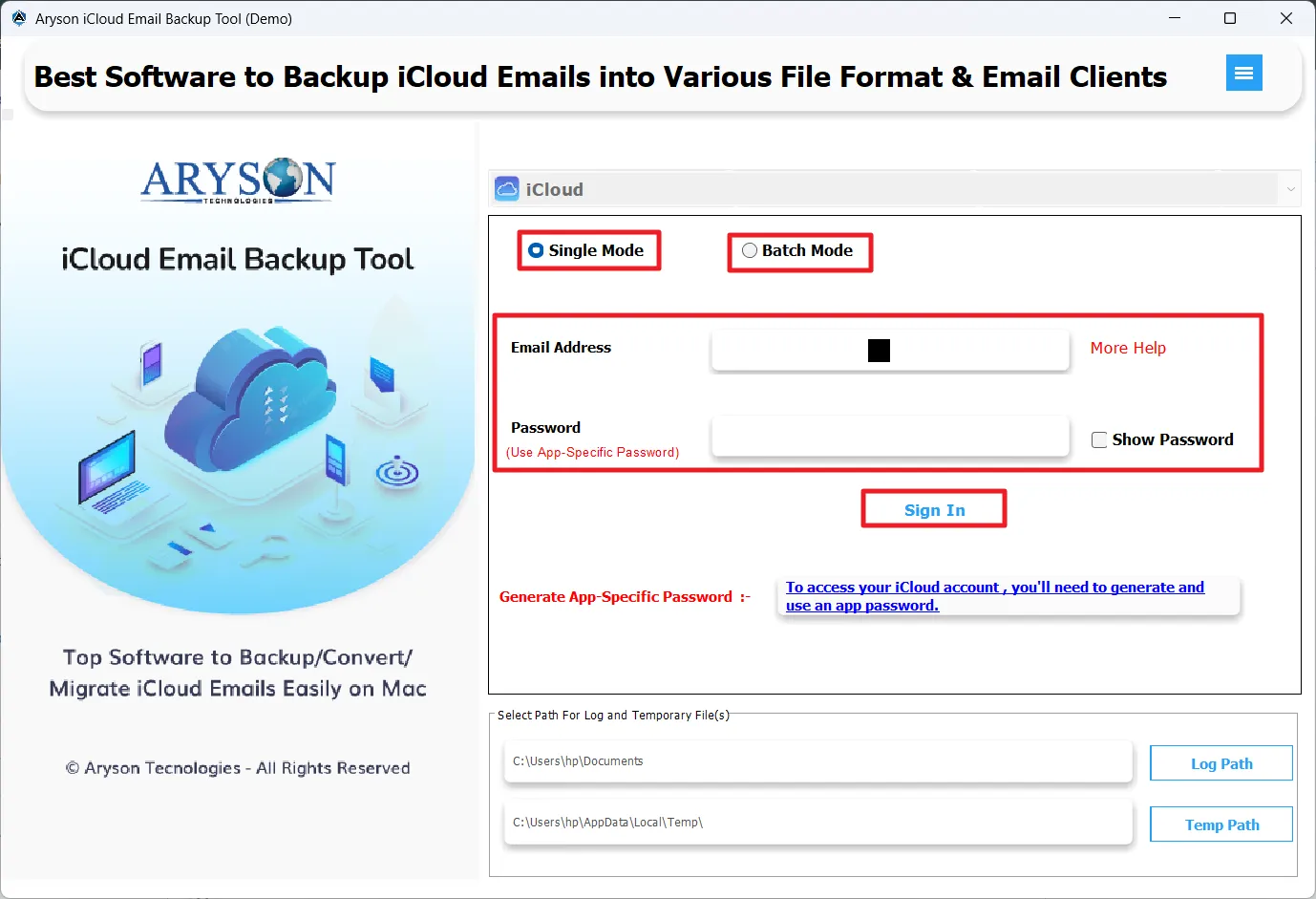
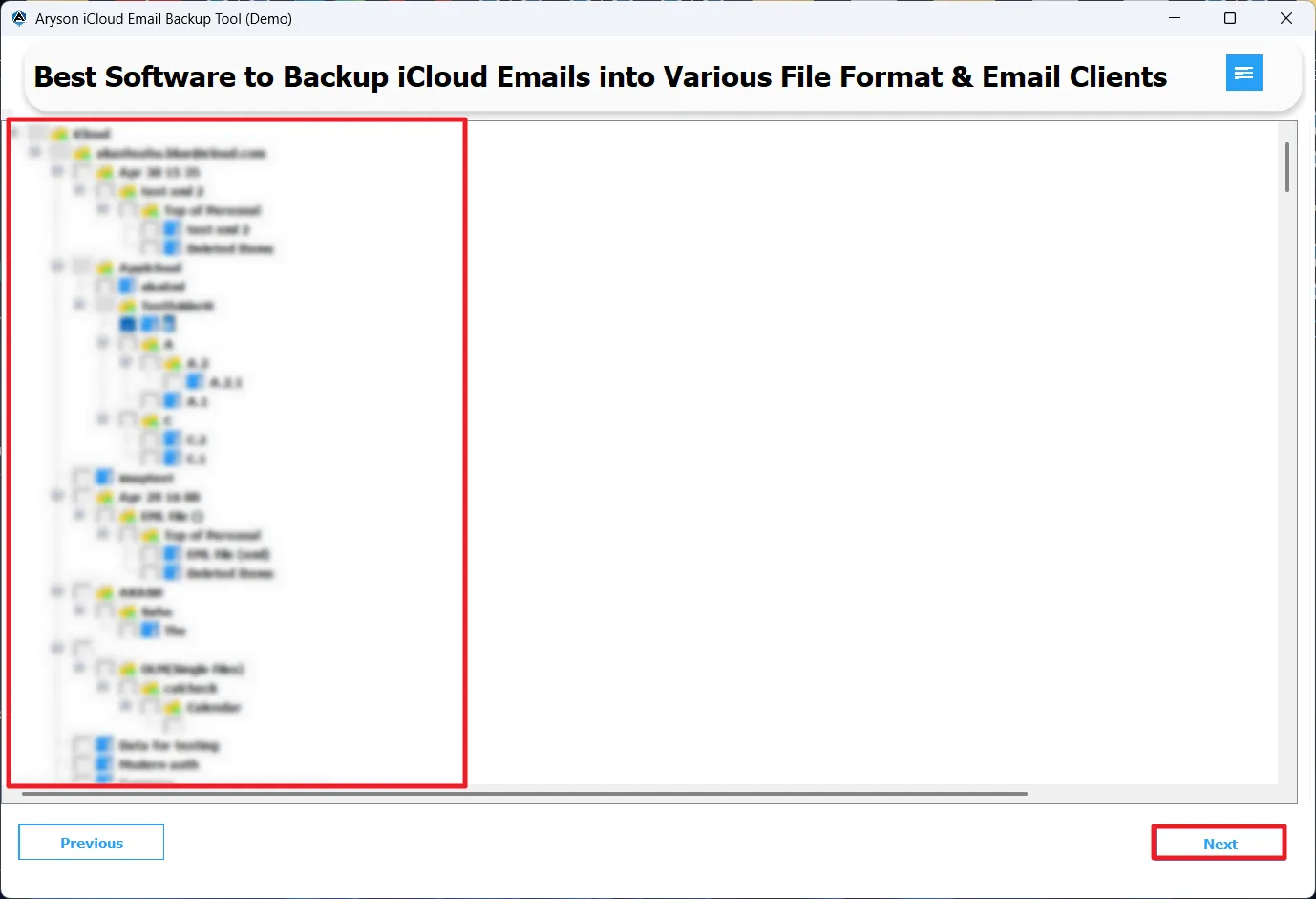
Here are the steps you need to follow to back up iCloud mailbox emails

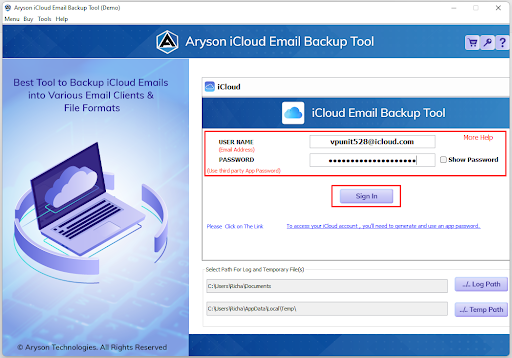
step 1 Screenshot
step 2 screenshot
step 3 screenshot
step 4 screenshot
step 5 screenshot

Who Benefits from the Aryson iCloud Backup Tool?

Real-world scenarios where the Aryson iCloud backup software is the right Solution

IT Departments

Managing iCloud mailbox backups across an organization is straightforward with bulk folder selection. IT teams can back up multiple iCloud folders in one operation, organize data by date or folder, and keep the original hierarchy fully intact throughout the process.

Legal & Compliance Specialists

Backing up archived iCloud emails based on specific date ranges or folders makes it easy to retrieve records for audits, litigation, or compliance requirements. Email metadata, headers, and properties are fully preserved, ensuring nothing is altered or missing in the output.

Data Security Officers

For those handling sensitive mailbox data, the software runs entirely on your local desktop - no cloud intermediary, no third-party server involved. All iCloud data is processed locally before being saved or migrated, giving you full control over how your data is handled at every step.

Individual Users & Large-Scale Businesses

Whether you're switching email providers or just want a clean backup of years of iCloud emails, the simple interface makes it accessible without any technical background. Pick your folders, choose your format, and back up everything - contacts, emails, and attachments - without needing outside help.

Aryson iCloud Backup Tool: System Specifications

Software Download

(Windows)

Download Now


(Linux)

Download Now


Size: 171MBVersion: 24.4

Trial Limitations

The free demo version includes all features available in the fully licensed version, so you can properly evaluate the tool before committing to a purchase. The only limitation is that it allows backup of up to 50 emails per folder.

Requirements & Supported Versions

Hard Disk Space: Enough hard disk space to save the resultant file

RAM: Minimum 1 GB RAM (2GB Recommended)

Processor: Pentium Class Processor

Supported Platforms

Windows OS: 11, 10, 8.1, 8, 7, Vista, XP, 2000, 98, NT, and 95.

Outlook Versions: Office 365, 2019, 2016, 2013, 2010, 2007, 2003, 2002, 2000, 98, and 97.

Software Prerequisites

  • If you are using Windows OS 7, 8, 8.1, 10, or 11 (either 32-bit or 64-bit), then you must launch the iCloud Backup & Migration tool as an administrator.
  • Turn off the Windows Firewall for proper installation.
  • Disable the Antivirus programs.
  • Establish a proper internet connection.

FAQ

Request For Software Customization

Note: If you need to customize Aryson Software or need additional specific features, then provide this software customisation.

Aryson iCloud Backup Tool: Demo VS Full Version

Compare the Features of the Demo and Full Version of the Aryson iCloud Email Backup Tool:

Product Features Demo Version Full (Licensed) Version
Backup iCloud emails into PST, PDF, EML, MSG, CSV, MBOX, etc. 50 items per folder
Migrate iCloud mailbox emails to Gmail, Office 365, Yahoo Mail, AOL, etc. 50 items per folder
Bulk Migration
Advanced Preview Panel
Remove Duplicate Emails
Free up Server Space
Backup Emails Without Attachments
Split Resultant PST
Date Filter Option
Custom Folder Name
Save Attachments Separately
Naming Convention
Download Report
Compatible with Windows, Mac & Linux
24*5 Tech Support
Price Free $49
Money Back Policy

Frequently Asked Questions

Ans. Yes, Aryson Mac iCloud Backup Software supports PDF as one of its output formats. You can save your iCloud emails directly as PDF files, making them easy to read, share, and archive without needing any email client to open them.

Ans. Absolutely. The Aryson iCloud Backup & Migration tool supports bulk folder selection, meaning you can back up or migrate multiple iCloud folders in a single operation instead of processing them one by one. This saves significant time, especially for large mailboxes.

Ans. No, the Aryson iCloud backup software works independently and does not require Outlook or any other email application to be installed on your system. It handles the entire process on its own.

Ans. You can use the Aryson iCloud Backup Tool to export your iCloud emails into formats like PDF, HTML, or MHTML, which can be opened directly in any browser — no email client needed.

Ans. Yes. The iCloud Email Backup Tool includes a date range filter that lets you select a specific time period, so you only back up emails that fall within that window. This is useful when you need emails from a particular project, period, or event without pulling everything else along with it.

Ans. Yes. The iCloud Backup & Migration Software has a dedicated option to migrate or back up emails without their attachments. This is helpful when you want to speed up the process or reduce the output file size, particularly for large mailboxes with heavy attachments.

Ans. Admin consent is required if the application requests permissions beyond an individual user’s data, such as organization-wide or multi-user access. In these cases, only a Microsoft 365 administrator can approve the login for security reasons.

Trusted by IT Professionals & Enterprises Worldwide

Aryson iCloud Backup Tool Verified Purchase Reviews

review-rating