




Screens

Video

Guide

Eula

Detect and Remove Duplicate Photos and Files

Enterprises can identify and clear numerous Photos and Files in Bulk with advanced scanning technology.

Detect Duplicate Photos

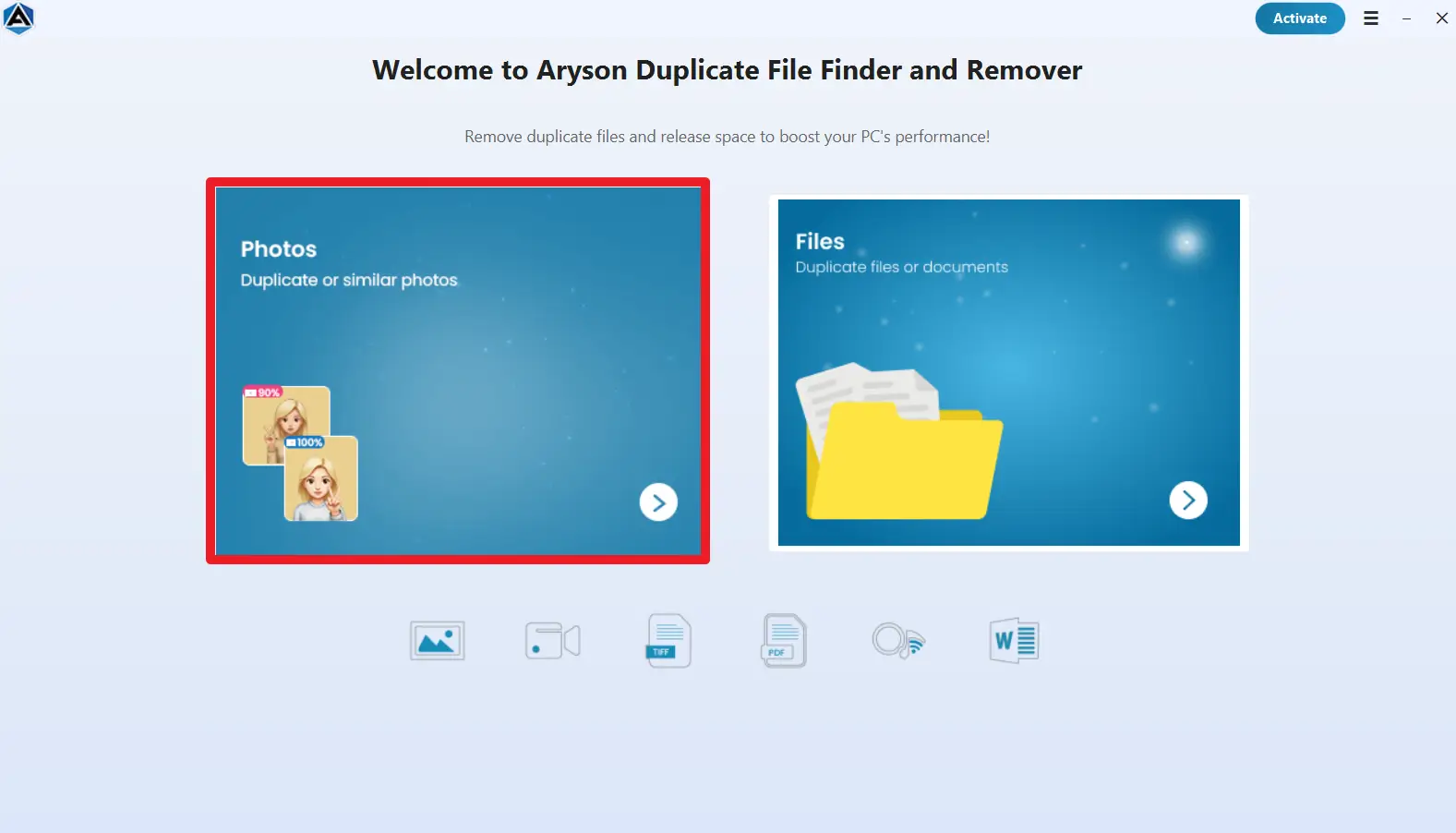
Users can easily detect and remove the identical images by scanning specific folders or the entire system. This software uses adjustable similarity settings and size filters to detect duplicate images accurately.

  • Similarity Threshold: You can adjust the percentage to find similar images more precisely.
  • Minimum Photo Size: Set a size limit (KB/MB) to refine photo scanning.
  • Drag and Drop Folder Here: Quickly add folders for scanning.
Detect Duplicate Files

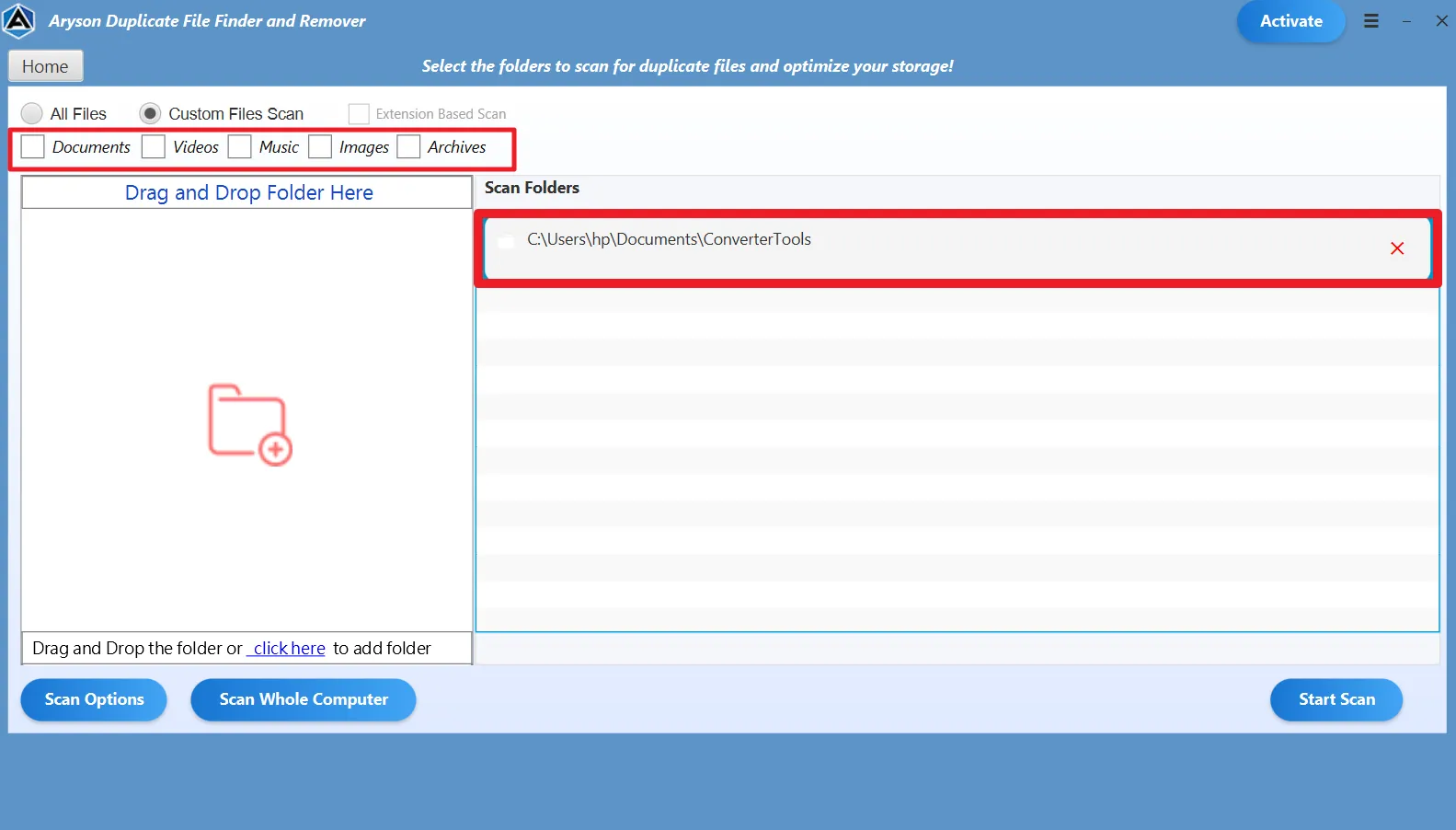
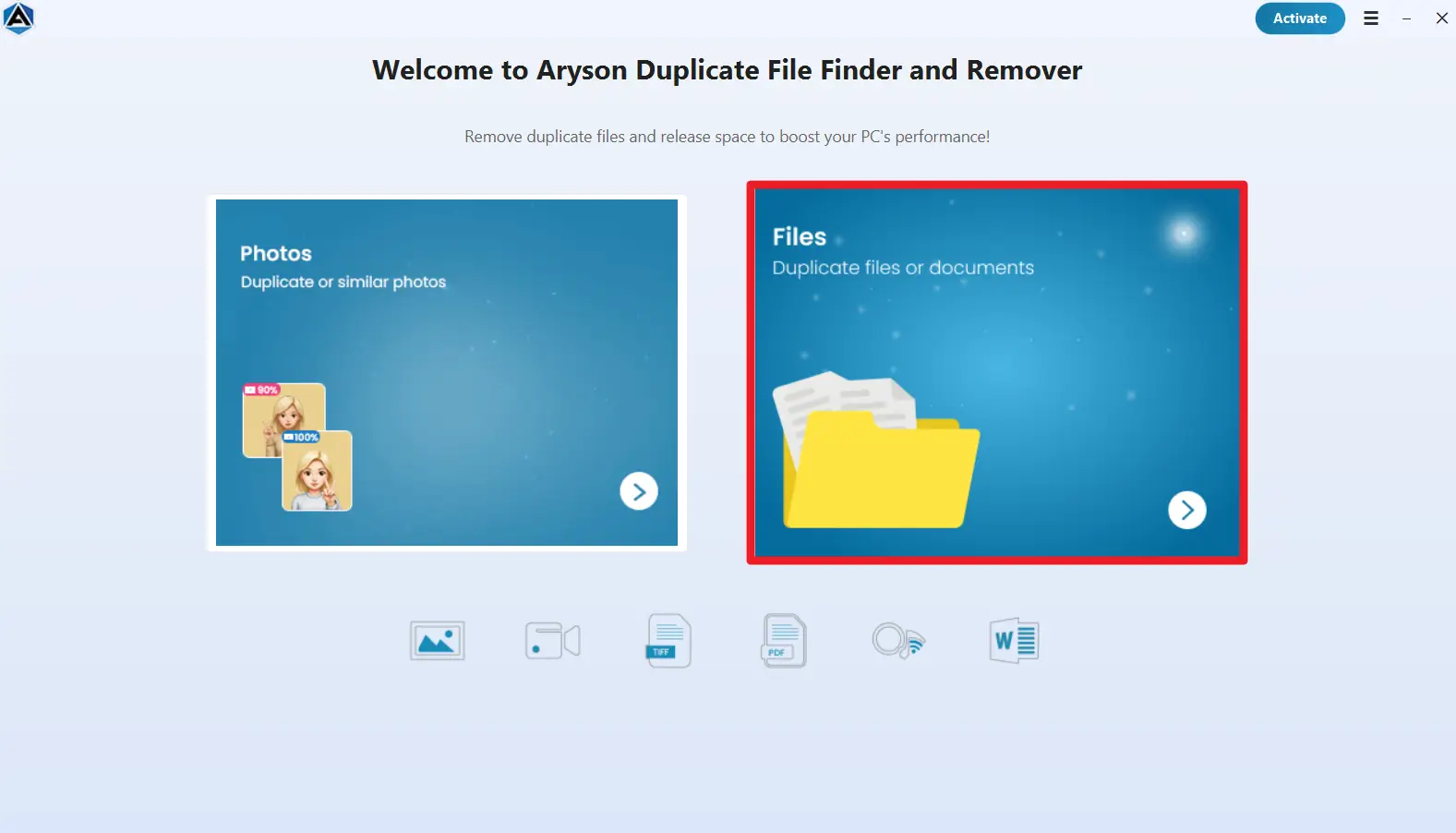
Also, it allows users to scan folders or the whole computer to detect duplicate files and eliminate them efficiently. It first groups duplicate items together and provides options to mark and organize selected files.

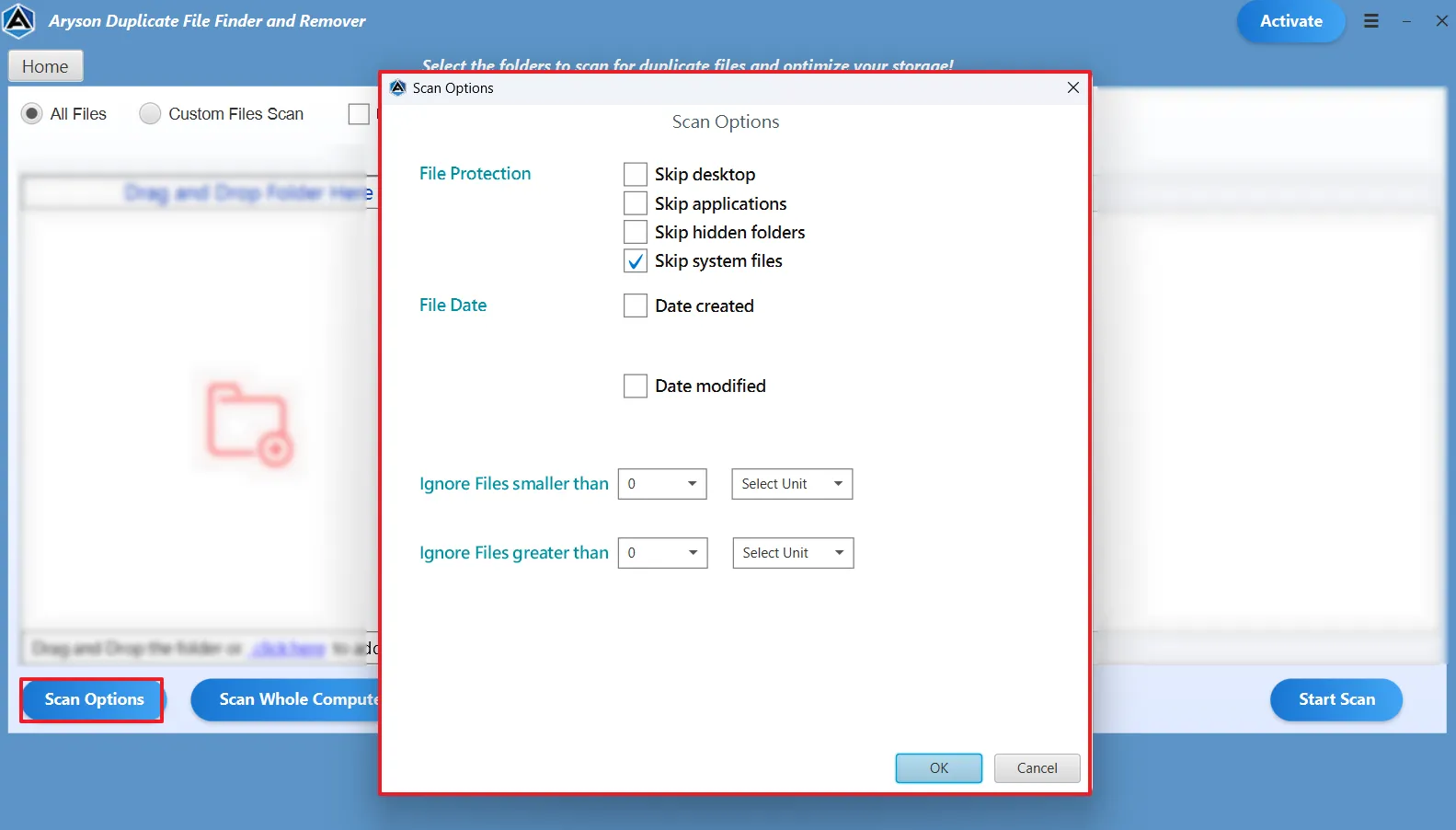
  • Selective Scanning: Skip desktop, applications, hidden folders, or system files.
  • Date-Based Filtering: Scan files by creation or modification date.
  • Size Control: Filter files based on file size.

Supported File Types

Capabilities of the Duplicate Finder & Remover Compatible with Document, Photo, Music, Video, Audio, and Email File Formats

service-icon

Audio

AIF/AIFF, M4A, MP3, WAV, WMA, APE, MID/MIDI, OGG, AAC, RealAudio, VQF etc.

service-icon

Database Files

MDF, LDF, NDF, MDB, ACCDB, BAK, SQL, SQLite, DB, DB3, DBF

service-icon

Video

MP4, AVI, MKV, MOV, WMV, FLV, WebM, 3GP, OGG, MPEG, DIVX, H.264, H.265, VP9, etc.

service-icon

Document

DOC/DOCX, XLS/XLSX, XLSB/XLSM, XLTM/XLTX, PPT/PPTX, PDF, CWK, HTML/HTM, INDD, EPS, ODT, etc.

service-icon

Email

PST, DBX, EMLX, etc.(from Outlook, Outlook Express, etc.)

service-icon

Images

PG/JPEG, TIFF/TIF, ICO, PS, PNG, BMP, GIF, PSD, CRW, CR2, NEF, ORF, RAF, SR2, MRW, DCR, WMF, DNG, ERF, RAW, SWF, SVG, PAT and X3F, etc.

service-icon

Executable Files

EXE, MSI, MSIX, APP, DMG, PKG

service-icon

Archives Files

ZIP, TAR, RAR, 7-ZIP, TGZ, GZ, ZIPX

service-icon

Other Files

EPUB, HTML, ICS, CDR, VCF, RTF, MDB, ARJ, EDB, RPM, CAB, PEF, etc.

Aryson File Finder and Remover: Compatible Storage Devices

Efficient Duplicate File Finder to Scan, Detect & Eliminate duplicates Across Any Device

PC/laptop
PC/laptop

Hard Drive
Hard Drive

External Disk
External Disk

SSD
SSD

USB Drive
USB Drive

Micro Card
Micro Card

Memory Card
Memory Card

Music Player
Music Player

Video Player
Video Player

CF Card
CF/SD Card

Pen Drive
Pen Drive

Other Devices
Other Devices

Aryson Duplicate File Finder and Remover – Rating & Reviews

See what our users have to say about the Aryson Duplicate Cleaner

Expert Review

Rating & Reviews

When Should You Use Aryson Duplicate File Finder & Remover

Scan and Remove Large Duplicate Files Efficiently

Large files occupy substantial storage space, and duplicate copies quickly reduce available capacity across drives. Aryson’s Duplicate File Finder Mac scans your entire system, detects oversized duplicates using advanced content comparison, and removes them safely in bulk. Also, it helps you reclaim disk space quickly without manual searching.
Bulk Duplicate Removal

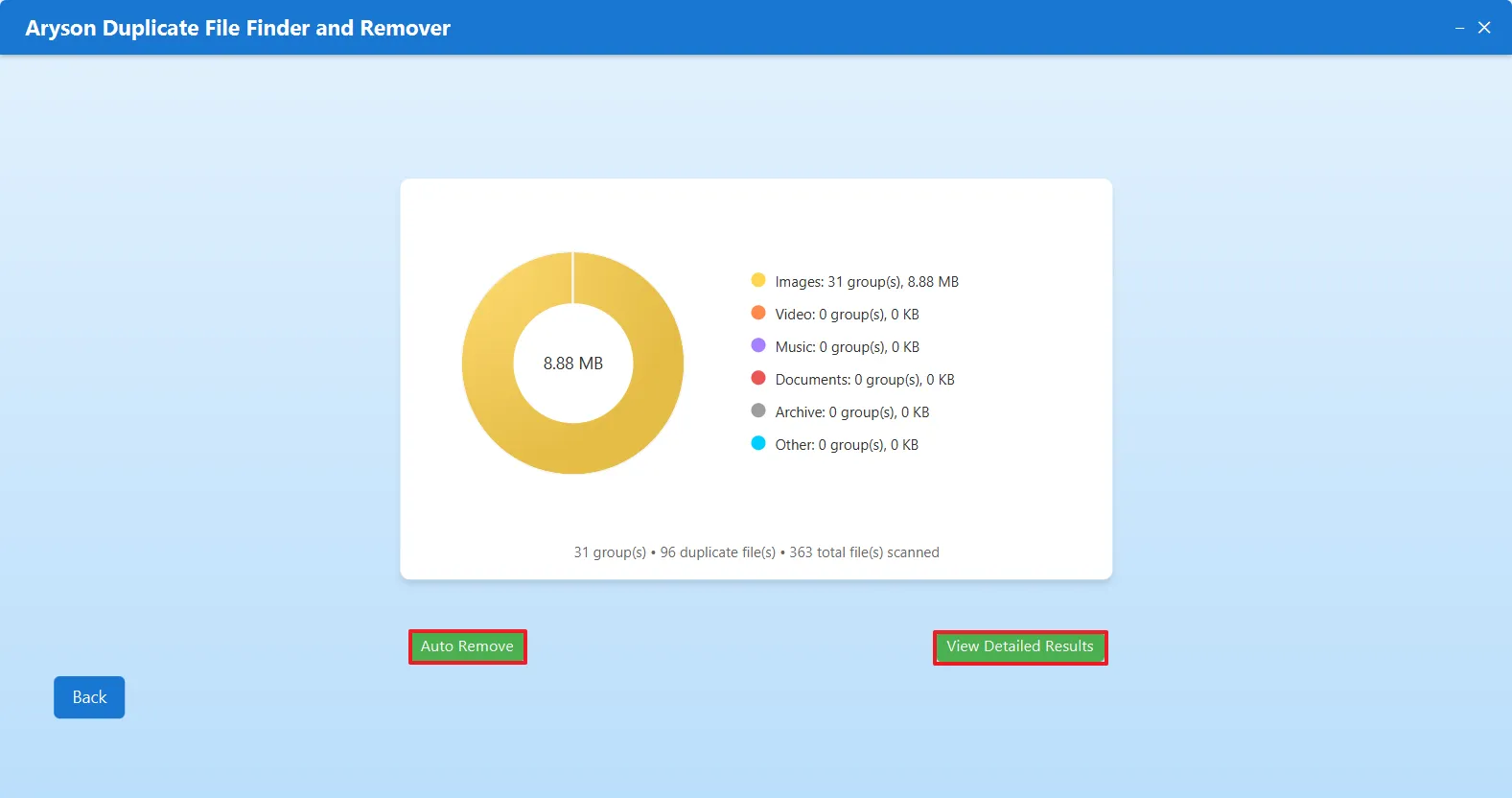
Deleting duplicate files one by one takes a lot of time. Aryson Duplicate File Finder & Remover lets you select and remove multiple duplicate files all at once. This saves time, reduces manual effort, and helps you clean large amounts of unnecessary data quickly and safely.

Optimize Storage and Improve System Performance

Over time, duplicate documents, photos, videos, and backups clutter your storage and slow system performance. Aryson Duplicate File Remover scans folders, subfolders, and external devices to eliminate redundant files efficiently, freeing space, improving speed, and maintaining an organized environment for smooth daily operations.

Advanced Duplicate Management Features

Precision controls to scan, select, review, and remove duplicate files efficiently

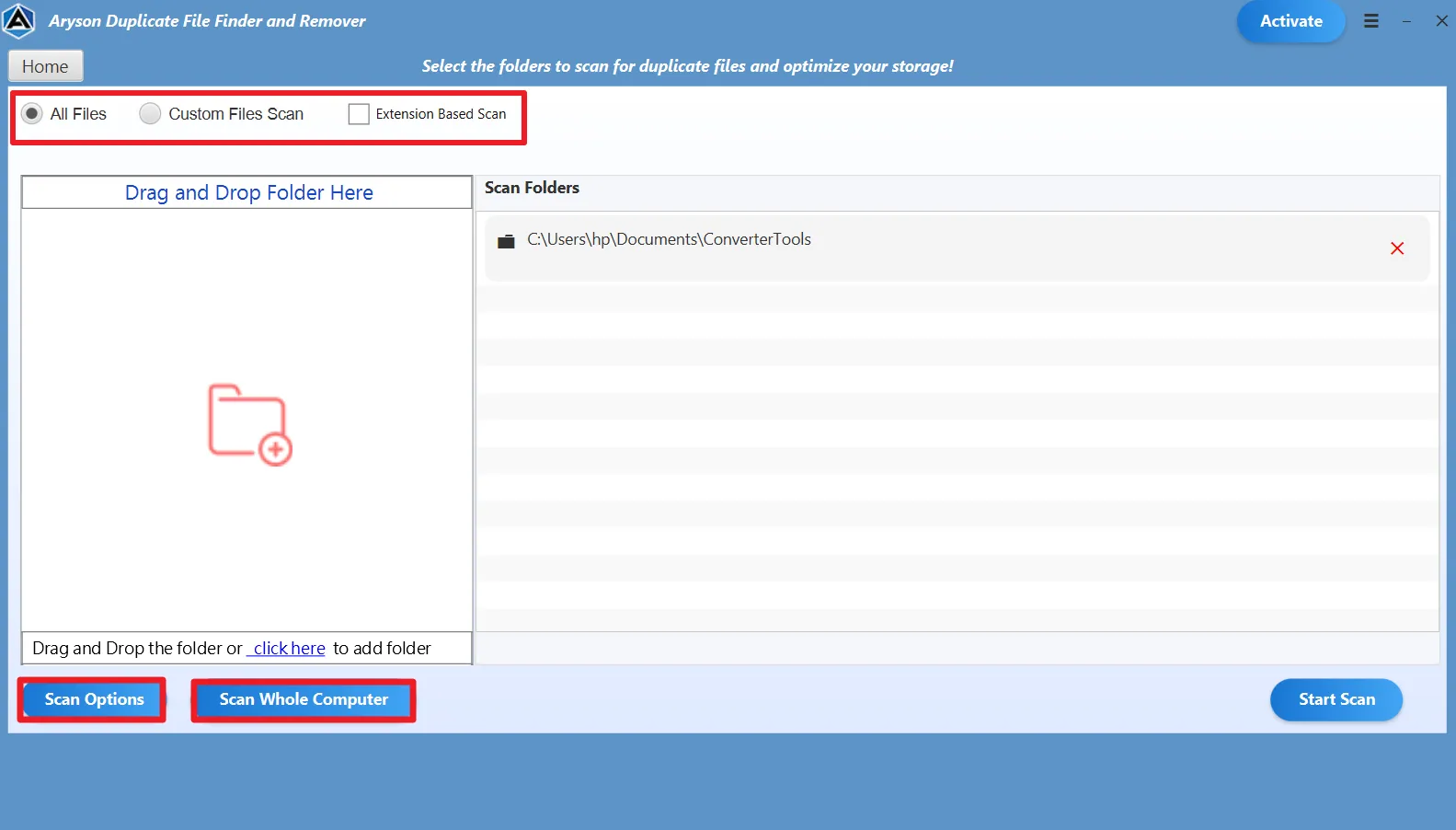
  • Multiple Scan Options

    Users can scan specific folders, entire systems, or external devices using extension-based filtering. You can Skip Desktop applications, hidden or system files, filter by creation, and more.

  • Detailed View Features

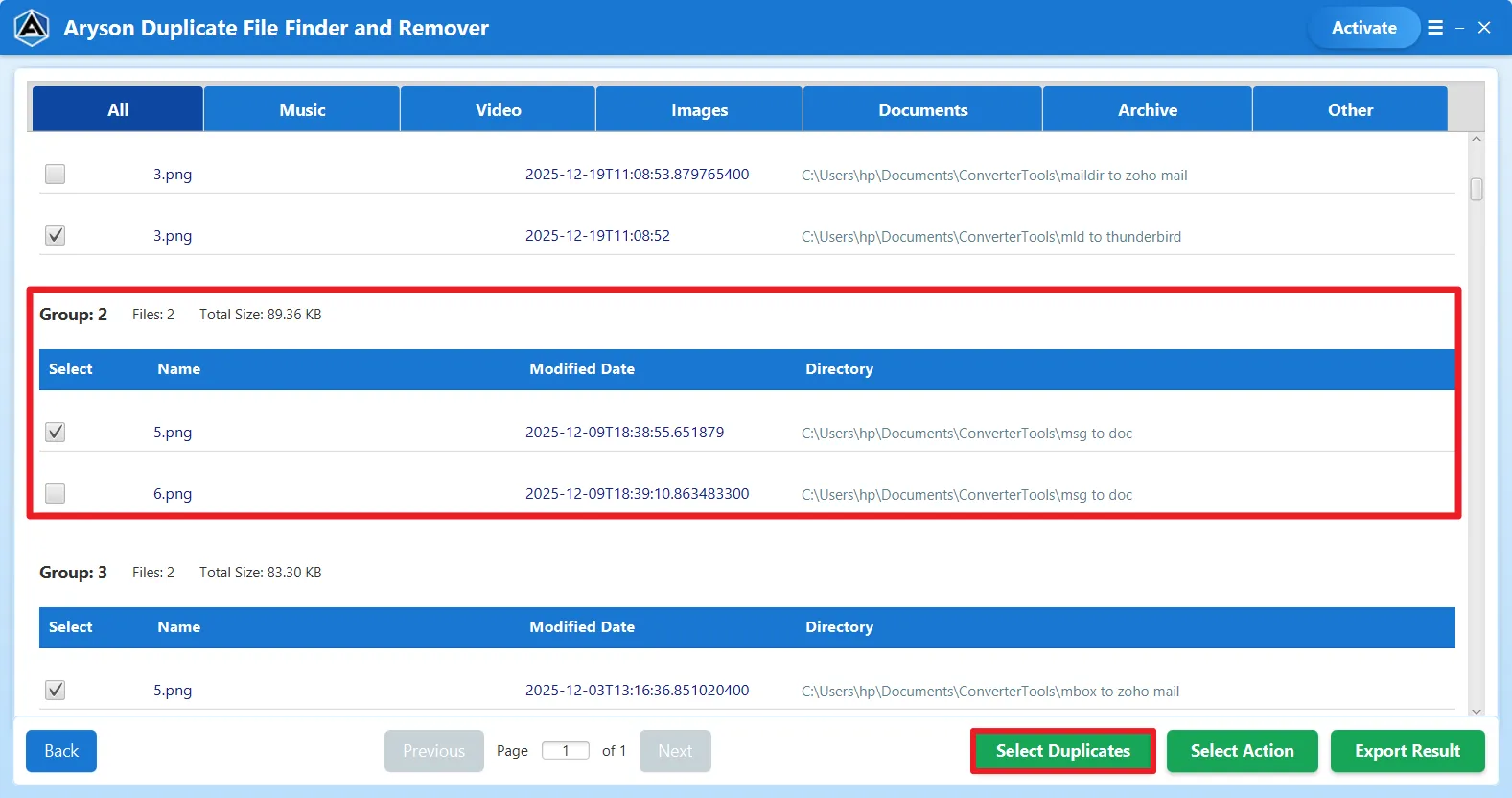
    Preview duplicate groups with complete details, including file path, size, type, and modification date. The Consolidated reports help analyze storage usage and verify selections.

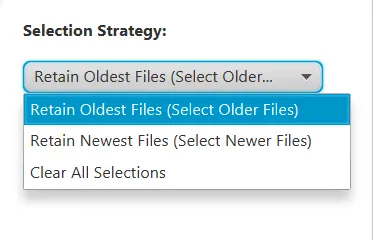
  • Selection Strategy Options

    Users can mark duplicates by the newest and oldest file criteria. This eventually improves accuracy and makes sure that only unnecessary copies are chosen for deletion.

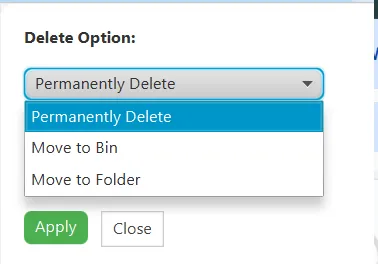
  • Flexible Delete Options

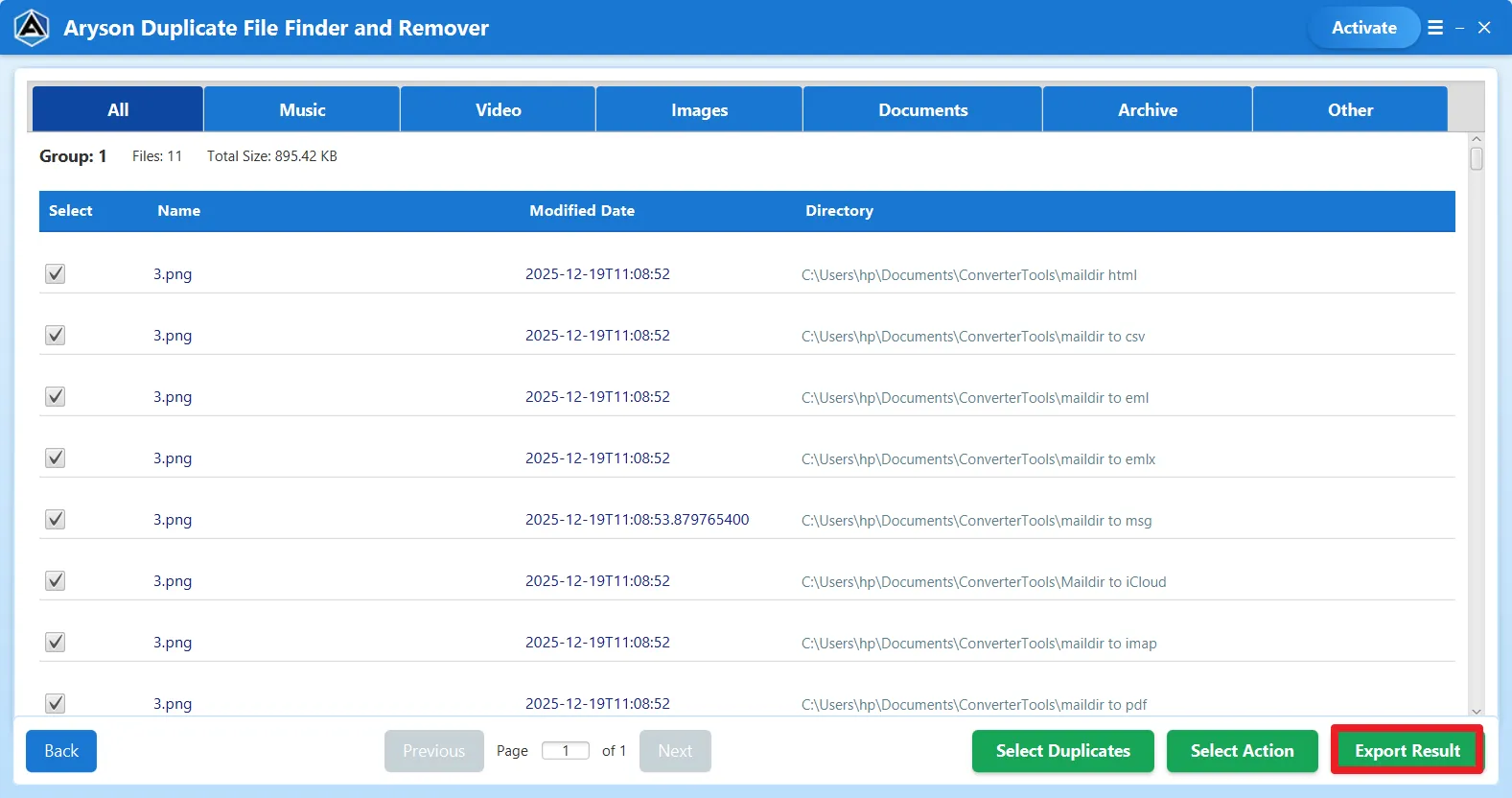
    Users can permanently delete, move, or send duplicates to the recycle bin after scanning. This feature of Duplicate File Cleaner protects important data.

Step 1
Step 2
Step 3
Step 4
  •  
  •  
  •  
  •  

Exclusive Features: Aryson Duplicate File Finder & Remover

Powerful scanning and selection features to quickly detect and eliminate duplicate files.

Support different file format

Supports 80+ File Formats

Aryson Duplicate File Finder & Remover detects duplicate files across multiple formats, including documents, images, videos, audio, and archives. This broad compatibility ensures accurate scanning and complete cleanup, allowing users to manage diverse data types without compatibility issues of unsupported formats.

Compatible

Compatible with a Wide Range of Storage Devices

The software scans and removes duplicate files from internal drives, external hard disks, SSDs, USB drives, pen drives, memory cards, and other portable storage devices. It integrates with multiple media types, enabling users to eliminate duplicates from any location without restrictions or compatibility concerns.

Batch Removal

Batch Duplicate Removal

Aryson Duplicate Cleaner integrates a powerful bulk processing engine that identifies and removes thousands of duplicate files simultaneously. This automated batch removal eliminates manual selection, reduces cleanup time, and helps organizations or individuals quickly reclaim large amounts of storage space efficiently and consistently.

Scanning

Extension-Based & Custom File Scanning

Aryson Duplicate File Cleaner offers extension-based scanning options that allow users to target specific file types such as photos, documents, videos, or archives. By focusing only on selected extensions, the process becomes faster and more precise, ensuring relevant duplicates are detected without scanning unnecessary data.

File Detection

Content & File Name–Based Detection

This software compares files using advanced algorithms based on file content and metadata to identify true duplicates. This comparison makes sure to provide the user with complete accuracy and ensures only identical or redundant files are flagged, which makes sure to remove unnecessary copies.

Folder-Level Scanning

Whole Computer & Folder-Level Scanning

Aryson Duplicate Finder enables scanning of entire computers, selected folders, or deeply nested subfolders with complete accuracy. This flexible approach ensures that hidden, scattered, or old duplicate files are detected across every directory. It provides a thorough system-wide cleanup without leaving redundant data behind.

Duplicate Image Detection

Duplicate Image Detection

Aryson Duplicate Photo Cleaner includes advanced similarity detection for images, allowing users to set percentage thresholds to find identical or visually similar photos. This feature is ideal for cleaning large picture libraries, removing repeated shots, and optimizing storage without affecting important or unique memories.

Advanced Selection Strategy Options

Advanced Selection Strategy Options

Aryson Duplicate File Finder and Remover provides automated selection strategies such as retaining the oldest files, keeping the newest versions, or auto-selecting duplicates. These intelligent rules simplify decision-making, speed up cleanup tasks, and help users safely manage large duplicate groups without manually reviewing each file individually.

Delete & Move Actions

Flexible Delete & Move Actions

After scanning, users can permanently delete duplicates, move them to the Recycle Bin, or relocate them to a selected folder. These flexible actions ensure safe file handling, prevent accidental loss, and provide better control over how redundant data is managed.

Organized Preview

Intuitive Interface & Organized Preview

Aryson Duplicate File Finder features a clean, interactive interface that displays duplicates in grouped views with file names, paths, sizes, and dates. This organized preview allows easy comparison before deletion, making the software simple to operate for both beginners and experienced professionals.

Windows Compatibility

Windows Compatibility

Best Duplicate File Finder Windows 11 runs smoothly on all major Windows versions, including Windows 11, 10, 8.1, 8, and 7. Also, it supports both 32-bit and 64-bit systems. This broad compatibility ensures stable performance across personal computers, business workstations, and enterprise environments.

Free Demo

Free Demo & Evaluation Version

Aryson’s Free Duplicate Photo Cleaner comes as a demo version that scans up to 50 files per folder. Users can evaluate features, test scanning accuracy, and understand functionality. This ensures reliability and informed decisions during the installation of the software.
How to Use Aryson Duplicate File Finder & Remover

Aryson Duplicate finder Guide

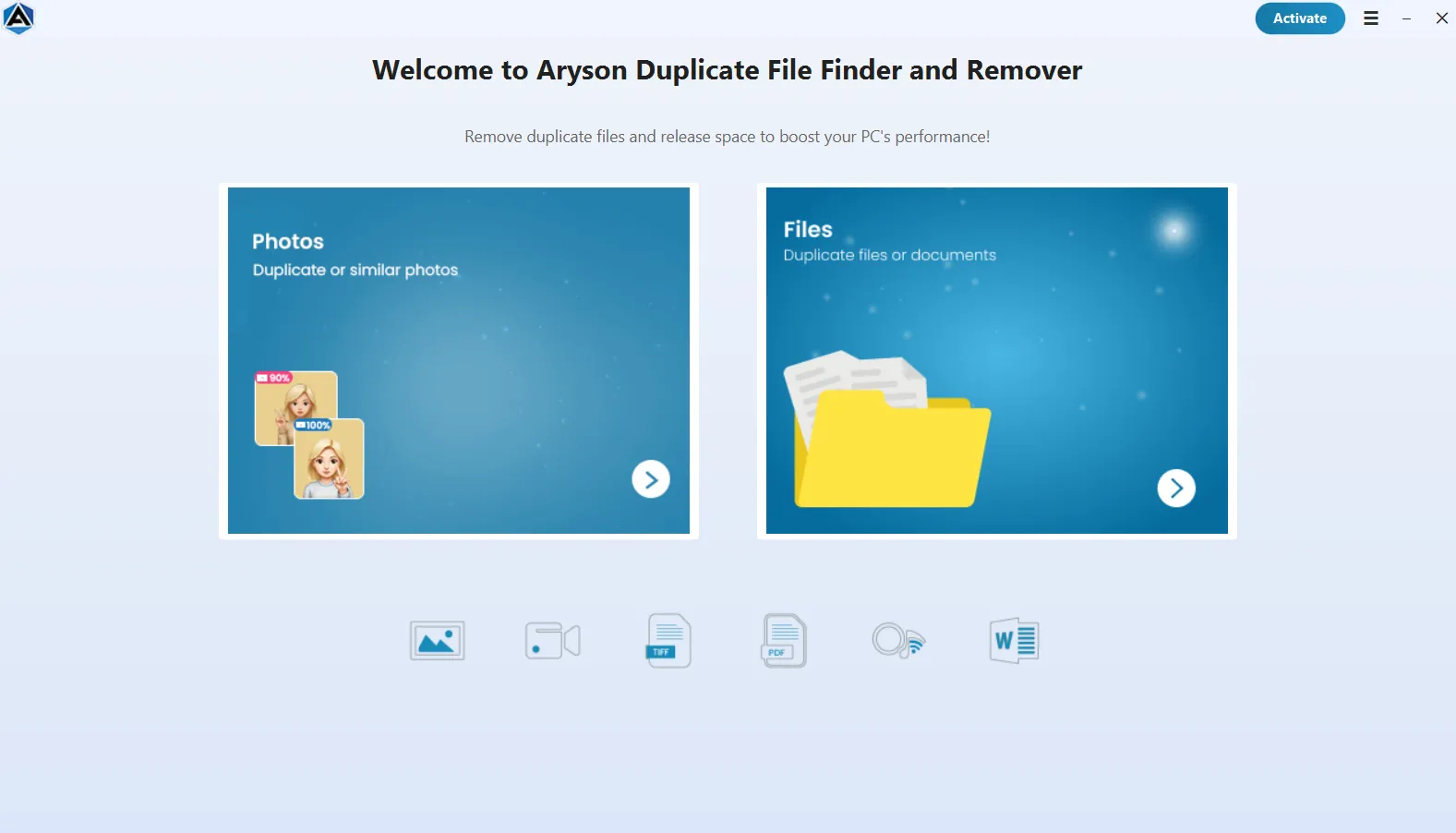
Aryson Duplicate File Cleaner is a reliable solution to detect and eliminate duplicate or similar files without manual searching. With its user-friendly interface and advanced scanning options, users can preview duplicate groups, apply filters, and safely delete or move redundant files. Follow the steps below to eliminate duplicates efficiently:

  • Step 01: Download & install the Aryson Duplicate File Finder & Remover Tool on your system.
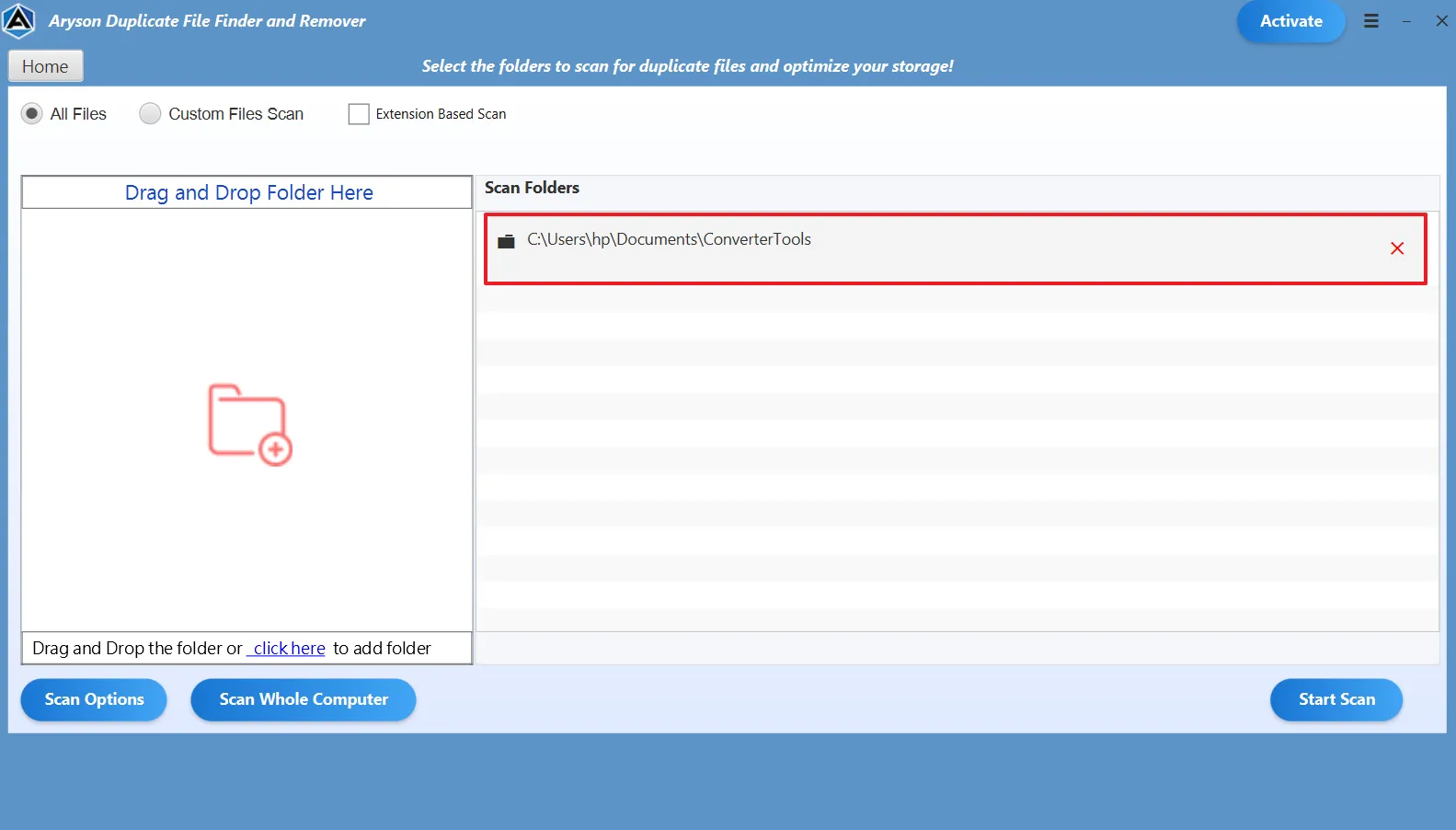
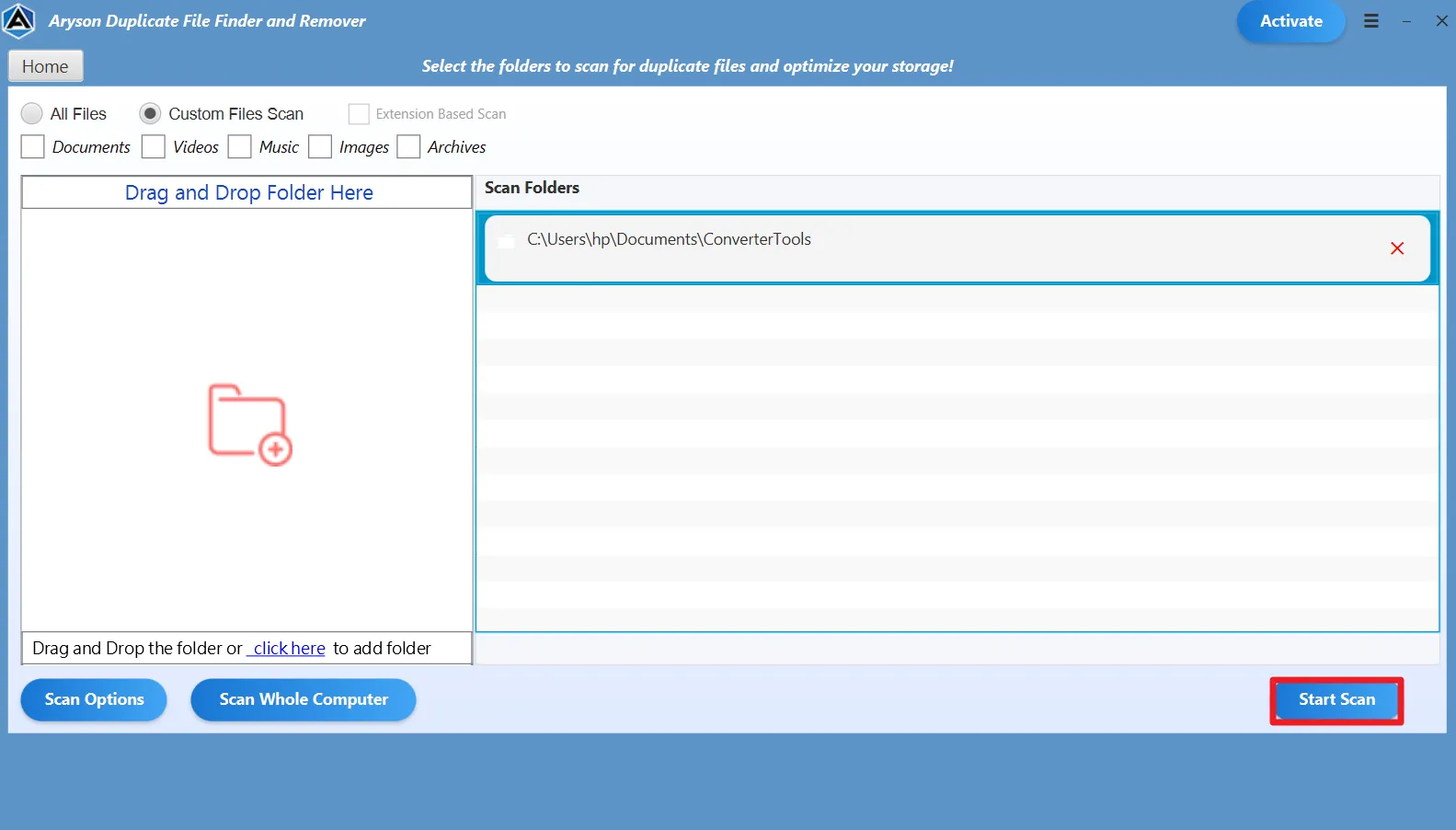
  • Step 02: Launch the software and add the required files for further scanning.
  • Step 03: Choose Whole Computer, Custom Folder, or Extension-Based scanning.
  • Step 04: Select file categories or apply filters like file type and similarity level.
  • Step 05: Click Scan to detect duplicate and similar files across selected locations.
  • Step 06: Preview duplicate groups, choose a selection strategy.
  • Step 07: Remove or move the unwanted files safely from the system.

Aryson Duplicate File Finder and Remover: Enterprise-Level Use Cases

Here’s how organizations optimize storage and manage duplicates across large systems.

Duplicate Cleanup

Centralized System-Wide Duplicate Cleanup:

Duplicate file finder and remover helps enterprises scan entire systems, root directories, and child folders to locate identical files in one go. As a result, IT teams can eliminate redundant data without manually checking multiple locations.

Bulk Duplicate Detection

Bulk Duplicate Detection Across File Formats:

Supports 80+ file types, including documents, images, videos, databases, and archives. Therefore, organizations can identify duplicates across diverse business data from a single interface.

 Name-Based advanced Identification

Content & Name-Based advanced Identification:

Detects duplicate files using deep content comparison. Consequently, enterprises ensure accurate results with zero false matches or accidental deletions.

Scanning

Storage Device-Wide Scanning:

Works seamlessly across PCs, laptops, external drives, SSDs, USBs, memory cards, and other storage media. Hence, IT administrators can eliminate duplicates from all connected devices simultaneously.

Bulk File Management

Automated Bulk File Management:

Allows bulk delete, move, or recycle-bin options for detected duplicates. As a result, large-scale cleanup projects become faster and significantly reduce manual workload.

Filter-Based Cleanup

Selective & Filter-Based Cleanup:

Provides extension-based filters, folder depth control, and attribute-based scanning. Thus, enterprises can target only specific file types or locations instead of scanning the entire system.

Optimization

Improved Storage Optimization & Performance:

Removes unnecessary duplicate files that consume valuable disk space. Consequently, organizations experience better system speed, smoother performance, and optimized storage utilization.

Export mail

Safe & Controlled Data Handling:

Offers preview and controlled deletion options to prevent accidental data loss. Therefore, businesses can safely manage critical data while maintaining file integrity.

Aryson Duplicate File Finder & Remover Tool: System Specifications

Software Download

(Windows)

Download Now


Size: 132 MBVersion: 25.09(Latest Release)

Trial Limitations

Users can evaluate the software using the free demo version, which scans up to 50 files per folder. To remove unlimited duplicates and unlock all features, simply purchase and activate the full version of Aryson’s Free Duplicate File Finder & Remover Tool.

Requirements & Supported Versions

Processor: Intel® Core™ 2 Duo or above

Hard Disk Space: 500 MB of free disk space required

RAM: Minimum 4 GB recommended

Supported Platforms

Windows OS: Windows 11, 10, 8.1, 8, and 7 (32-bit & 64-bit).

Software Prerequisites

  • If you are operating Windows OS 11, 10, 8, or 7 (32-bit or 64-bit) then you must launch the tool as an Administrator.
  • Turn off the Windows Firewall for proper installation.
  • Disable the Antivirus programs.

FAQ

Request For Software Customization

If you need customized features or specific enhancements, you can request software customization tailored to your business requirements.

Aryson Duplicate File Finder and Remover: Free & Premium Version

Overview of the Free & Full Versions of the Aryson Duplicate File Cleaner Software

Product Features Free Version Full Version
Scan System for Duplicate Files
Detect Similar Photos & Images
Clean Duplicate Documents, Videos & Audio
Bulk Duplicate File Removal
Whole Computer Scan
External & USB Drive Support
advanced Selection Modes (Keep Newest/Oldest)
Extension-Based File Filtering
Preview Before Deletion
Move Duplicates to Folder
Permanent Delete Option
Maintains Folder Structure
Compatible with All Windows Versions
Technical Support
Price Free $39
Money Back Policy

Frequently Asked Questions

Aryson Duplicate File Finder & Remover detects duplicate documents, images, videos, audio files, archives, and other file types.

Yes, this best Duplicate File Finder Windows 11 supports bulk scanning. You can add multiple folders, partitions, external drives, or even the whole computer to detect duplicates in one single scan.

Ans. Yes, Aryson Free Duplicate Photo Cleaner includes an advanced, similar image detection feature that identifies identical or visually similar photos, helping you clean redundant screenshots, edited images, and photo backups efficiently.

Absolutely. Using Aryson Duplicate Finder and Remover is safe to delete the duplicates permanently or move them to a separate folder.

Yes, you can apply extension-based filters to scan only specific file types such as JPG, MP4, DOCX, or others. This helps target cleanup and saves time during scanning.

Yes, Aryson Duplicate File Cleaner works seamlessly with external hard drives, USB flash drives, SSDs, memory cards, and other removable storage devices.

Yes, the free duplicate file finder allows you to scan the system and remove up to 50 duplicate files per folder. Upgrade to the full version for unlimited cleanup.

No, this Duplicate Finder and Remover intelligently keeps at least one original copy and removes only redundant duplicates, ensuring your important data remains intact and secure.

Currently, the best duplicate file finder Windows 11 is as it supports Windows 11, 10, 8, and 7.

Yes, the advanced selection modes like Keep Newest and Keep Oldest allow automatic duplicate selection, making large-scale cleanup quick and effortless.

Trusted by IT Professionals & Enterprises Worldwide

See what professionals and organizations say about Aryson Duplicate File Finder & Remover.

review-rating