-

Written By Rohan Wiese
-
Approved By
Shivam Rathore -
Updated on July 3rd, 2026
Migrate AWS Workmail Emails to Google Workspace: 2026 Guide
Fact-checked and reviewed in accordance with our
Editorial Policy
Query: I’m currently assisting a client with migrating more than 100 email accounts from Amazon WorkMail to Google Workspace and am looking for the most efficient migration approach. The native migration options available in Google Workspace have been generating errors during testing, and I’m concerned that using IMAPSync may be too slow for such a large-scale migration. I’m seeking a reliable solution that can handle bulk mailbox transfers efficiently while minimizing migration time and administrative effort.
Summary: This article explains what AWS WorkMail and Google Workspace are, the benefits of switching from Amazon WorkMail to G Suite, and how to migrate from AWS WorkMail to Google Workspace account. Nowadays, many users prefer a Google Workspace account because of the useful collaboration apps and features like Gmail, Sheets, Docs, Photos, Meet, Shopping, and more included in the same package. So keep reading this blog to know about the AWS WorkMail & Google Workspace, and the step-by-step procedure to migrate emails from Amazon WorkMail to a G Suite account using the Aryson Amazon WorkMail Backup Tool.
A Brief Description of AWS WorkMail and Google Workspace
Amazon, which started as a modest e-commerce service, now wants to acquire other sectors, including cloud services, hosting, books & accessories, groceries, and others. However, it has been found that AWS WorkMail’s main focus is on cloud hosting and providing business solutions, as other giant organizations provide, which are Microsoft and Apple. And, of course, many people use Amazon WorkMail as a web email service to manage their businesses. However, for different reasons, users want to migrate mailboxes from AWS WorkMail to another trusted email service provider, i.e., Google Workspace.
AWS WorkMail Highlights:
- Cloud-based business email service.
- Supports professional email communication.
- Managed and hosted through AWS infrastructure.
- Commonly used by organizations for business operations.
Google Workspace or Google Workspace is a suite of productive applications available for users to manage their important information. It offers business email management, shared calendars, online document editing and storage, video meetings, and other apps. Furthermore, these tools still exist as stand-alone apps, but there’s more integration when you use them in the Google Workspace framework.
Google Workspace Highlights:
- Business email management solution.
- Shared calendars for team collaboration.
- Online document editing and cloud storage.
- Integrated video meetings and productivity apps
Benefits of Using Google Workspace Over AWS WorkMail
There are several advantages provided by Google Workspace(Google Workspace) that allow users to migrate emails from AWS Workmail to Google Workspace.
- Integration of multiple productive applications makes your work simpler and easier.
- Available option to store and share files in the cloud.
- It is designed with a highly advanced algorithm to secure your data and devices.
- As a cloud-hosted platform, you can access and manage your data anywhere and anytime.
- It is also a cost-effective solution compared to other email management service providers.
Best Methods to Migrate AWS WorkMail Emails to Google WorkSpace/Gmail
There is no need to search for a manual solution to migrate emails from Amazon WorkMail to Google Workspace because, as per our research, there are no manual methods to perform Amazon WorkMail to Office 365 migration. Hence, we recommend you use the Aryson Amazon WorkMail Backup Tool, which is fully authorized and tested to migrate from AWS WorkMail to Google Workspace/ Google Workspace. This Software is capable of transferring all email messages without any size limitation.
The tool comes up with a free demo version capable of migrating 50 emails from each AWS WorkMail folder to the Google Workspace folder. Thus, the freeware version helps you understand the software’s working process before activating the license.
Migrate AWS WorkMail to Google Workspace using Best Solutions
Here is the step-by-step guide to Migrate from AWS Workmail to Google Workspace:-
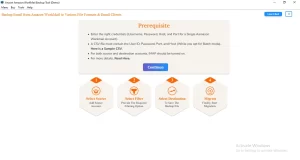
- Download, Install, and Open Amazon WorkMail Backup Tool.
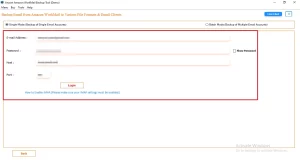
- Enter your AWS WorkMail email address and password to Login.
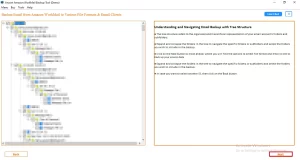
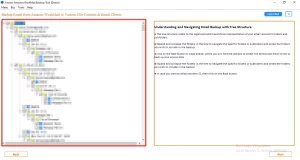
- In the opening wizard, you need to select the folders to migrate.
- Click Next to proceed with the further process.
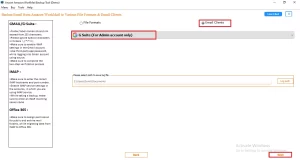
- Choose Google Workspace/Gmail from the drop-down list.
- Afterward, enter your Google Workspace email address and password to login.
- Select the offered features by the software for selective migration.
- Click Next to start the AWS WorkMail to Google Workspace migration.
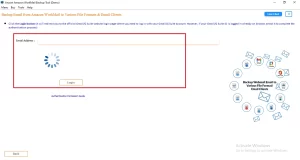
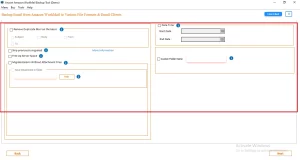
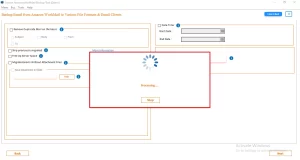
Apart from the Amazon Workmail Backup Tool, organizations handling large-scale mailbox transfers use other cloud email migration approaches. For example, users looking for a centralized solution for cross-platform email often opt for the IMAP backup tool and migrate IMAP emails to Google Workspace, Thunderbird, Yahoo Mail, Zoho Mail etc. for efficient migration.
Real-Life Scenario
David Carter, IT Administrator at Carter Financial Solutions, Chicago, needed to migrate over 120 Amazon WorkMail mailboxes to Google Workspace within a tight deadline. Native migration methods produced errors, and IMAP-based migration was too slow. Using the Aryson Amazon WorkMail Backup Tool, he performed a bulk migration while preserving folder structure and metadata, completing the project with minimal downtime and administrative effort.
Conclusion
This blog briefly explains details about migrating from AWS Workmail to Google Workspace. The Amazon WorkMail to Google Workspace Migration Tool is free of cost with limitations that permit users to migrate 50 emails from every folder of WorkMail to Google Workspace. Users can get complete satisfaction with the free demo edition, and after satisfaction, they can grab its full version for transferring emails from AWS WorkMail to a Google Workspace/Google Workspace account.
Frequently Asked Questions
Q1. How do I migrate emails from Amazon WorkMail to Google Workspace?
Ans. You can use the Aryson Amazon WorkMail Backup Tool to connect your Amazon WorkMail account and migrate emails directly to Google Workspace. The tool simplifies the process and transfers mailbox data without requiring complex configurations.
Q2. Can I migrate Amazon WorkMail emails directly to a Google Workspace account?
Ans. Yes. Aryson Amazon WorkMail Backup Tool supports direct migration from Amazon WorkMail to Google Workspace, eliminating the need for intermediate file exports and imports.
Q3. Does the migration process preserve email folders and metadata?
Ans. Yes. The tool preserves folder hierarchy, email formatting, attachments, sender and recipient details, timestamps, and other mailbox metadata throughout the migration process.
Q4. Can I remove duplicate emails during Amazon WorkMail migration?
Ans. Yes. Aryson Amazon WorkMail Backup Tool includes features that help avoid duplicate email migration, ensuring a clean and organized mailbox in Google Workspace.
Q5. Is it possible to migrate Amazon WorkMail emails without attachments?
Ans. Yes. The software provides advanced options that allow users to exclude attachments during migration, helping reduce storage usage and migration time when required.
Q6. Can I migrate emails from a specific date range?
Ans. Yes. Aryson Amazon WorkMail Backup Tool offers a Mail Filter feature that enables users to migrate emails from a selected date range, ensuring only relevant data is transferred.
Q7. Is Amazon WorkMail to Google Workspace migration safe for business emails?
Ans. Yes. The software performs secure migrations while maintaining the originality of email content and metadata. It ensures that business-critical emails are transferred safely without data loss.
Q8. Why should I use a dedicated Amazon WorkMail to Google Workspace migration tool?
Ans. A dedicated solution like Aryson Amazon WorkMail Backup Tool automates the migration process, supports bulk mailbox transfers, preserves data integrity, and significantly reduces the time and effort required for migration.
Q9. How does the Amazon WorkMail to Google Workspace migration tool ensure data integrity?
Ans. This software maintains the original folder structure, email properties, attachments, and metadata throughout the migration. It performs accurate mailbox transfers without modifying the source data.
Q10. Does the software provide expert guidance for large-scale mailbox migrations?
Ans. Yes. Aryson provides technical support and detailed documentation to assist users with large-scale mailbox migrations, helping organizations complete migration projects efficiently and with minimal disruption.
About The Author:

Rohan Wiese is a Technical Writer at Aryson Technologies. He is an expert Email Forensic, Cloud Computing, and a passionate nerd with over 10 years of experience in technical content writing. He writes about Cloud Migration, Database Recovery, Email Backup, Windows, Mac, and Tech.
Related Post