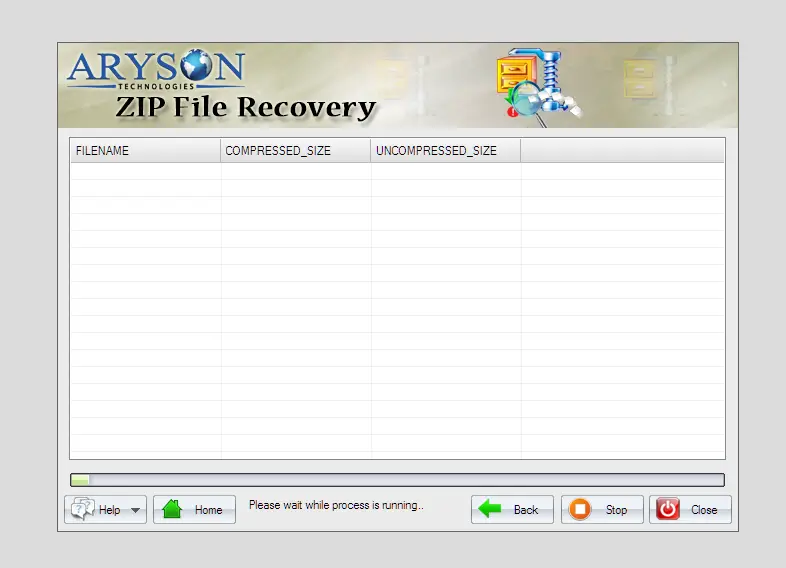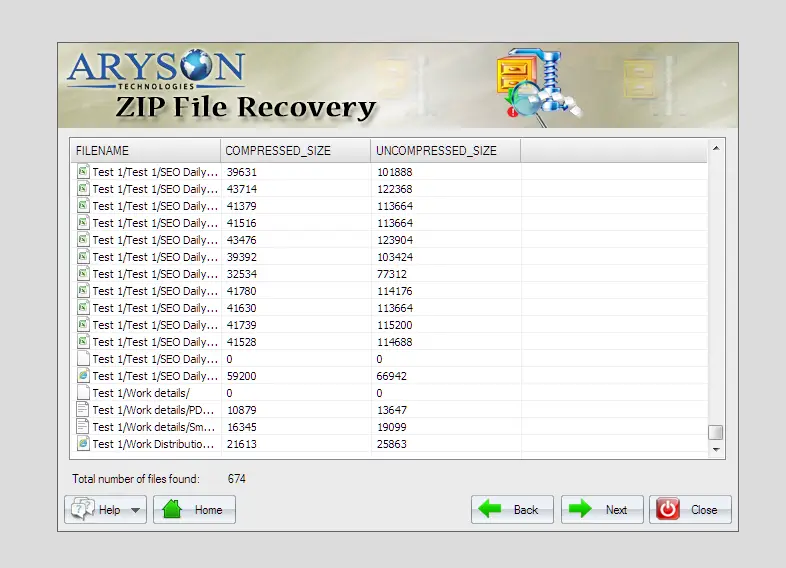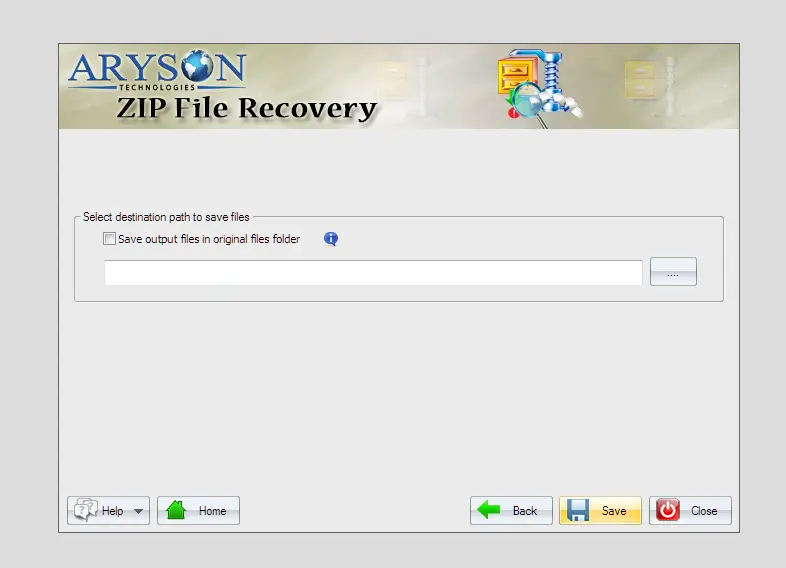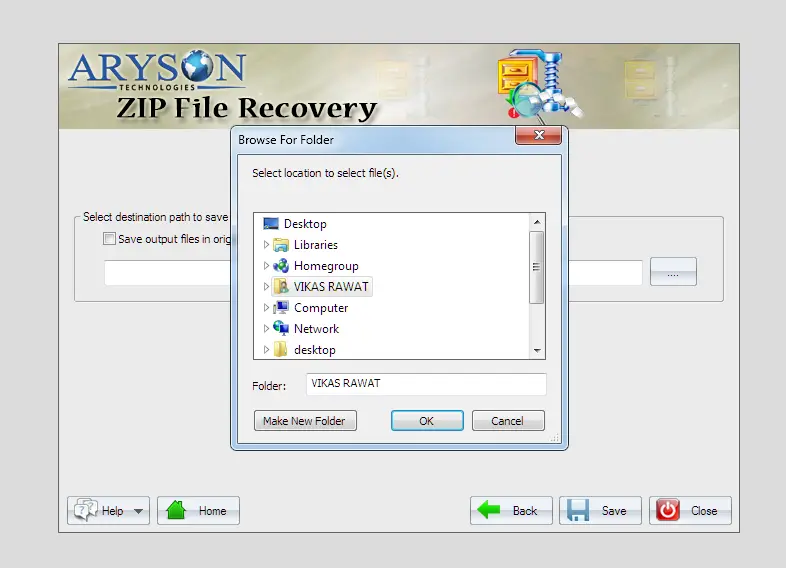





Screens

Video

Guide

Eula

Aryson Zip File Recovery Software- Ratings & Reviews

See what our users have to say about the Aryson ZIP File Repair Tool:

Expert Reviews

Rating & Reviews

When to Use the Aryson Zip File Recovery Software

Use When Restore Zip Files

It is a flexible, efficient, easy-to-use, inexpensive Zip recovery program that helps you recover as much information as possible from damaged Zip files. It needs low repair costs for maintenance, which saves a lot of money and time. It can be used by any user, whether technical or non-technical.

To Fetch Inaccessible Zip Files

Aryson Zip Repair Tool can easily recover data from corrupted, inaccessible Zip Files. This software fully supports the types of zip files that WinZip, WinRAR, etc., create. This software has an essential function that provides minimal time for the complete recovery of multiple zip file data.

Use When Restoring Files From Corrupted Zip Files

This Freeware Online Zip Recovery Tool is the fastest and best application with many advanced algorithms. Along with that, it can easily restore your lost Zip files on all Windows versions, such as Windows 10, Windows 8 and 8.1, Windows 7, etc.

Use to Solve the Error "Cannot open file: not a valid archive."

A zip file (single file) includes several files of major sizes. This zip file becomes inaccessible and shows an error such as "Can not open file: Not a valid archive." Aryson Zip Recovery Program plays a critical role to retrieve the complete ZIP file data.

Advanced Features of Aryson Zip File Repair Software

Repair of Zip Files Completely

Repair of Zip Files Completely

Aryson Zip Repair Tool executes the complete Repair of the corrupt and damaged zip files. Corruption can be a virus attack, improper downloading, incomplete compression, or maybe due to the poor sectors on the disk. After the data Repair, the newly extracted data can be safely saved by the users at their specific location.

Different Repair Modes

Different Repair Modes

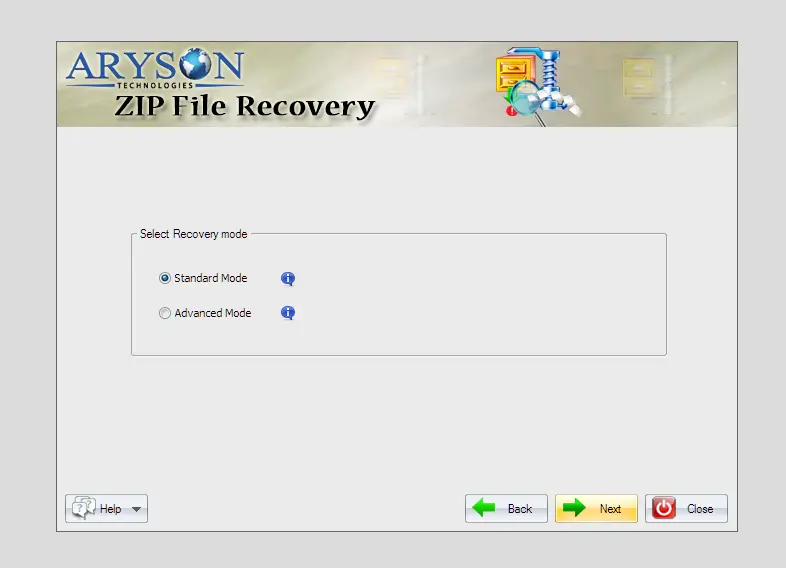
This Zip File Repair Software facilitates the user with its built-in feature of Repair modes. Now, you can select the Repair mode as per the requirement. There are two modes: the first is the Standard mode, which is meant for the minor complexities of corruption, and the second is the Advanced mode, which is used to handle highly corrupted data.

Recover Multiple ZIP Files

Recover Multiple ZIP Files at Once

With the help of the Zip Repair Tool, you can repair multiple zip files in a single shot. Just select the option "Select Multiple Files" and upload all of them at once. It will not affect the original content, as well as it will help you to repair Zip files in a limited time.

Advanced Preview

Embedded with Advanced Preview

Aryson Zip File Recovery Tool restores Zip files and displays the complete list of extracted data in a tree view structure. With the help of this preview, users get to know about the recovered data accuracy and file originality. The file hierarchy remains intact throughout the process that can be seen easily using the preview feature.

Automatic Search Feature

Automatic Search Feature

The best ZIP file recovery software for Windows can search for a specific file from the entire .zip file, extracted by specifying the name. You can add multiple Zip files at a time, and the search feature will let you directly locate the misplaced Zip file from the directory list.

Supports the External Media

Supports the External Media

Aryson Zip file recovery software supports external media like CD-ROM, DVD-ROM, external drives, pen drives, Zip files, and repairs the Zip files. It allows easy access to zip files of external media drivers and explores the data on Windows. Also, it performs recovery in read-only mode, which means it does not modify or overwrite the original ZIP file.

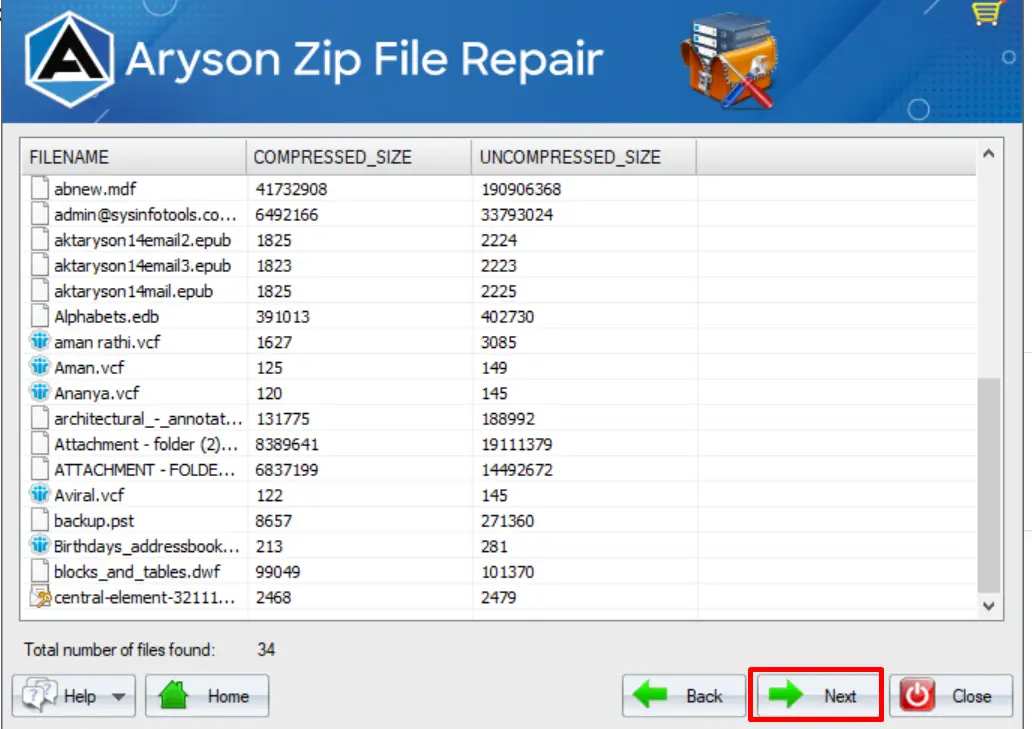
Shows Compressed/Uncompressed File Size

Shows Compressed/Uncompressed File Size

Aryson Zip File Repair clearly shows both compressed and uncompressed file sizes during the preview stage. This detailed view helps users understand how much data is actually stored inside the ZIP archive and how much space it occupies after extraction. Additionally, it can plan storage requirements after recovery. Users can estimate disk space in advance and avoid surprises while saving large files.

Support Mac OS Created Zip Files

Support Mac OS Created Zip Files

The Zip File Repair Software can surely recover and repair the corrupt zip files created by both Windows and MAC operating systems within no time. It can repair large files and save the recovered data into compressed zip format. Also, it provides an option to save recovered files in the original ZIP file location.

24/7 Tech Support

Simple GUI with 24/7 Tech Support

Zip Repair Tool is developed with such an amazing GUI that it helps users to operate the software so easily. It is highly effective and user-friendly, and no technical knowledge is required to install and run the software. Hence, anybody can use it without any issue as a DIY method. Also, it provide 24/7 technical support team to assist users.

Free WinZip with Wide Compatibility

Free WinZip with Wide Compatibility

The Online Demo Version of the tool can recover Zip Files whether they are corrupt or damaged. It allows you to get a preview of the recovered data for free. The software is highly compatible with all the major versions of the Windows-based Operating System. Extract all zip file formats, whether spanned zip files or split zip files.

How to Use the Aryson ZIP File Repair Utility

How to Use the Aryson ZIP File Repair Utility

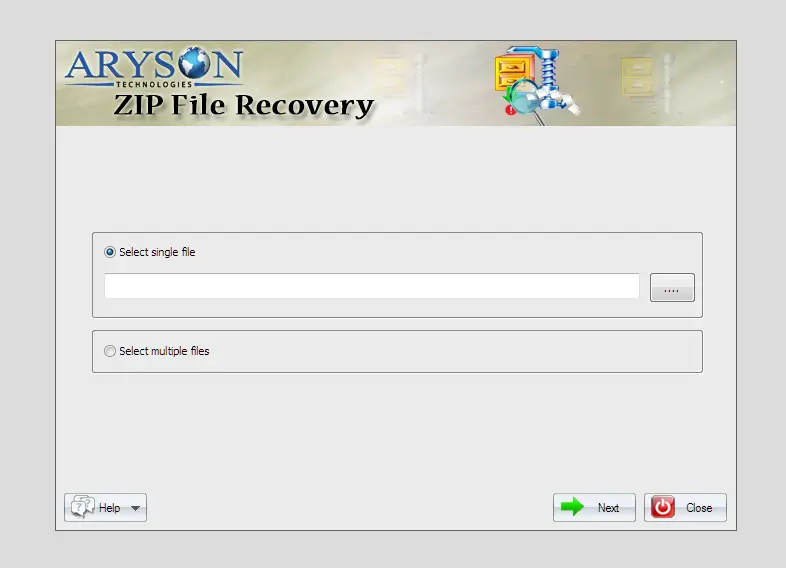
Aryson ZIP File Repair Utility is designed to make ZIP recovery simple and stress-free. With its guided interface, users can repair corrupted ZIP files without technical expertise. It scans damaged archives, previews recoverable data, and restores files safely while preserving their original structure. Follow the steps below to complete the recovery process smoothly.

  • Step 01: Launch the Aryson ZIP File Repair Utility on your system.
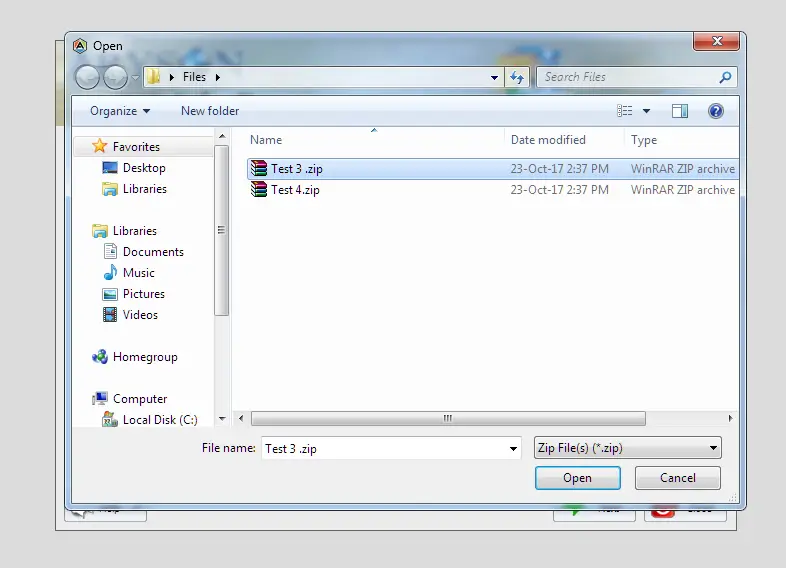
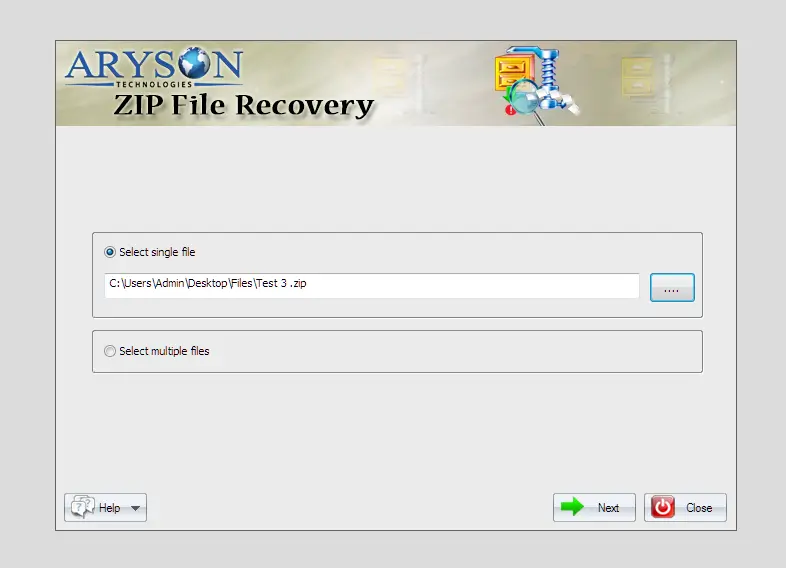
  • Step 02: Click Open and select the corrupted ZIP file.
  • Step 03: Choose Standard or Advanced recovery mode.
  • Step 04: Start the scan to analyze the ZIP archive.
  • Step 05: After that, preview the recovered files.
  • Step 06: Select a destination path to save files.
  • Step 07: Click Save to complete the recovery process.

Aryson Zip File Recovery Software: System Specifications

Software Download

(Windows)

Download Now


Size: 2.1MBVersion: 22.0

Trial Limitations

Aryson Zip File Repair Demo version will repair corrupt Zip files with a watermark. If you want to proceed without any watermark, then the individual needs to purchase the full version of the software.

Requirements & Supported Versions

Processor: Intel® Core™ 2 Duo CPU E4600 @ 2.40GHz 2.39GHz

Hard Disk Space: 500 MB of free hard disk space required

RAM: 4 GB of RAM (4 GB is recommended)

Supported Platforms

Window OS: Windows 11, 10, 8.1, 8, 7, Vista, XP, 2000, 98, NT, and 95.

Zip File Type: Support to recover all Zip files created by WinZip, WinRAR, etc.

Software Prerequisites

  • If you are operating Windows OS 11, 10, 8, or 7 (32-bit or 64-bit) then you must launch the tool as an Administrator.
  • Turn off the Windows Firewall for proper installation.
  • Disable the Antivirus programs.

FAQ

Request For Software Customization

If you need to customize Aryson Software or need some additional specific features, then provide the software customization Request Quote.

Aryson Zip File Recovery Software: Free & Premium Version

Get an overview of the Free and Premium versions of the WinRAR ZIP recovery to recover Zip files:

Product Features Free Version Full Version
Repair corrupted ZIP files
Scan damaged ZIP archives
Preview recovered files
Show compressed & uncompressed size
Preserve original folder structure
Recover all file types from ZIP
Dual recovery mode
Save recovered files Preview Only Save all items
Choose custom destination path
Save files in the original folder
Compatible with All Windows Versions
Batch recovery of multiple ZIP files
24/7 Technical Support
Price Free $49
Money Back Policy

Frequently Asked Questions

Ans. With the Aryson Zip File Recovery help, you can open a Zip file larger than 4GB successfully using the given software working steps on Windows.

Ans. Run the Aryson Zip File Recovery in your system and select the zip file after the software scans the Zip file and recovers the zip file on your system.

Ans. Yes, the software offers an Advanced Recovery Mode that helps repair heavily damaged or inaccessible ZIP files effectively.

Ans. Yes, it can recover all file formats stored inside ZIP files, including documents, images, videos, and other data types.

Ans. Yes, the software provides a complete preview of recoverable files, allowing users to verify data accuracy before saving.

Ans. Yes, the premium version supports batch recovery, enabling users to repair multiple ZIP files simultaneously.

Ans. No, the tool works in read-only mode, ensuring the original ZIP file remains unchanged and safe.

Ans. Yes, users can select any desired destination path or save recovered files in the original ZIP folder.

Ans. No, the free version is designed for scanning and preview purposes only. Saving recovered files requires the full version.

Ans. Yes, the software supports all major Windows operating systems without compatibility issues.

Trusted by IT Professionals & Enterprises Worldwide

See what our IT professionals say about their experience with the Aryson WinRAR ZIP recovery.

review-rating