




LiveChat

Aryson SQL Password Recovery
Best Tool to Reset or Change SQL Server Password Instantly

Aryson SQL Password Recovery Tool is a professional SQL Server Password Changer that allows users to reset or change SQL Server password instantly. Database security is very crucial for the SQL Server Administrators that keep secure your data information through SQL Server password. Loss of such password causes a pathetic situation. But, don’t worry, here is an authentic and reliable solution to recover SQL SA Password. Here is given a SQL Server Password Recovery software tool that will help you to remove and reset or change SQL Server user password. It enables to crack or remove users as well as SQL Server Administrator account password successfully.

  • Allows us to reset the password of user’s database in SQL server by removing the old password.
  • Help users to change alternate passwords of SQL Server MDF file.
  • Permits us to change passwords from all types of protected or encrypted SQL Server database.
  • Resets the multilingual password of SQL Server database MDF file.
  • Helps users to Open Password Protected Database of SQL Server.
  • Enables to change the login password of protected offline master .mdf file.
  • Allows users to reset SA password without installation of SQL Server.
  • Resets both User and Administrators password from the SQL master .mdf file.
  • Offers a Demo Version that allows users to change up to two char password from MDF file of SQL Server.
  • Supports to change the password of SQL Server 2016, 2014, 2012, 2008 R2, 2008, 2005 and 2000 Database MDF File.
 Download Now100% safe    Purchase Now

Live Demo Version of Aryson SQL Server Password Recovery Tool Securely Download for Testing

Most Suitable Tool to Recover SQL Server Password

Aryson SQL Password Recovery is a most suitable tool that permits users to recover or reset the password from the protected SQL Server Database MDF file. It is professionally designed based on the great algorithm, therefore quickly resets the multilingual password in SQL Server.

Follow the Given Steps to Change the Password in SQL Server:

  • Step 1: Download Aryson SQL Password Recovery Tool, and Install.
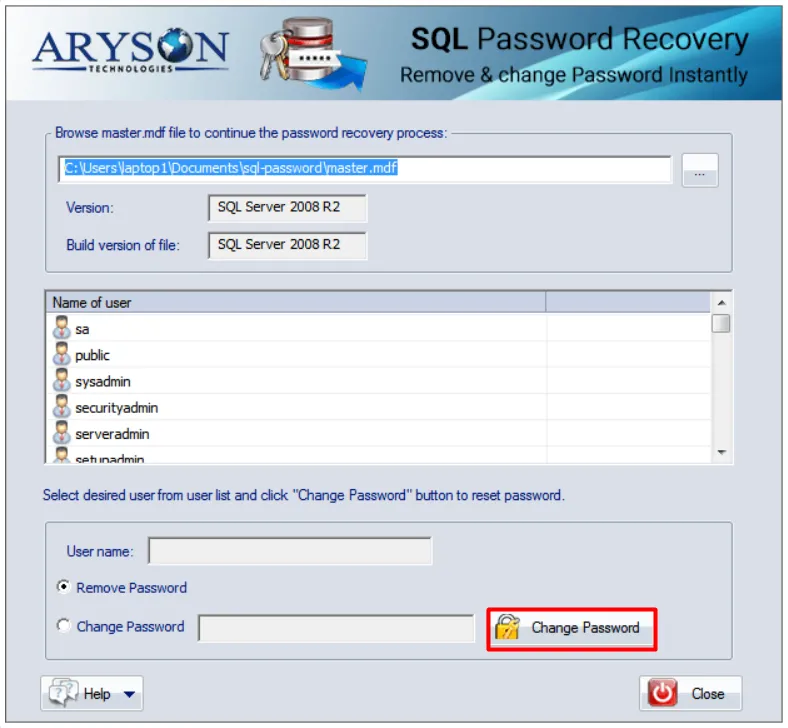
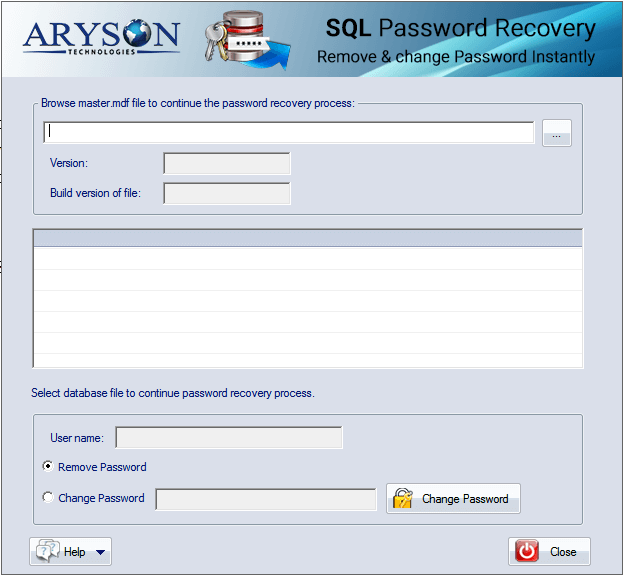
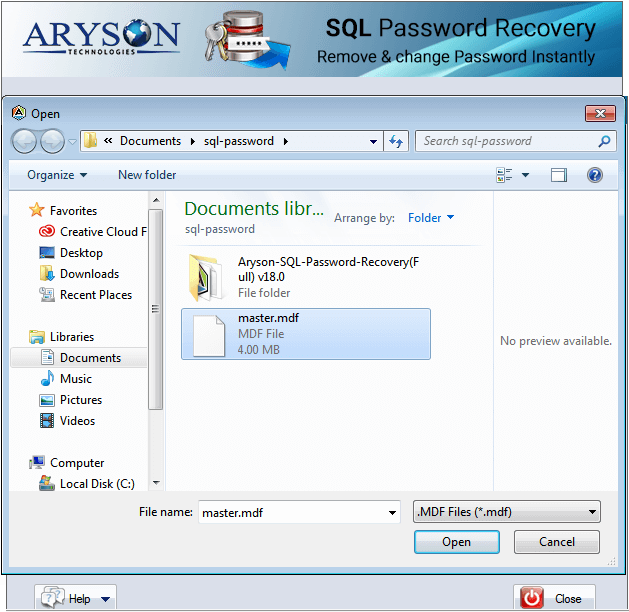
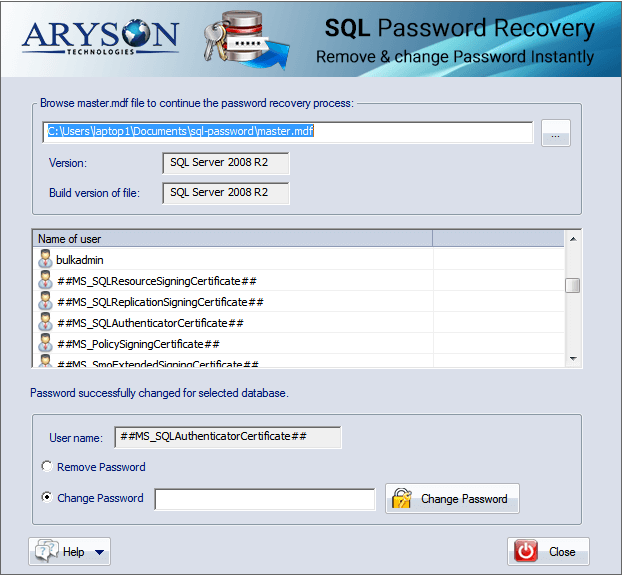
  • Step 2: Run the software, and open password-protected MDF file of SQL Server.
  • Step 3: Now, enter the user name of SQL Server.
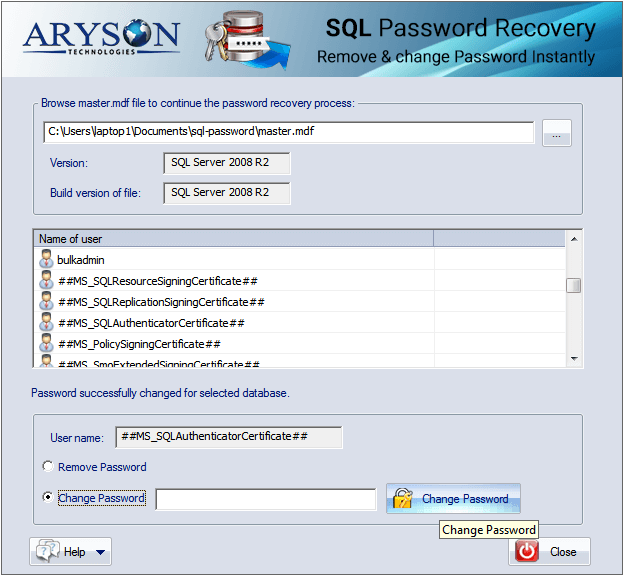
  • Step 4: Click on the Change Password button to Recover or Change the Password from Protected SQL Server DB MDF File.
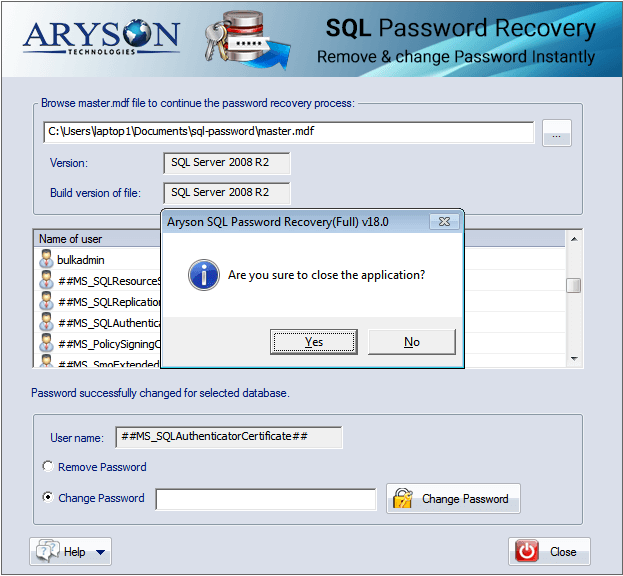
  • Step 5: Now, click on the Close button to exit the application.
SQL Password Recovery

When to Use SQL Password Recovery Tool?

When Need to Change the Forgotten Password of MDF File?

If you have lost or forgotten the previous password of SQL Server MDF file, then you should use this SQL Password Remover software that helps to change or recover SQL Server password successfully.

When Need to Unlock the Protected SQL Database File?

SQL Password Recovery Software helps users to unlock the protected database file of SQL Server. It also removes the multilingual password from them without any data loss.

When Need to Recover SQL Server Data from Locked MDF File

With the help of SQL Password Remover tool, users can recover useful SQL Server data from locked MDF file when the old password forgot accidentally.

When Need to change alternate passwords of SQL Server

SQL Server Password Recovery is a fabulous tool for resetting or changing of password from protected SQL Server Database file when the user needs to change the previous alternate password.

Prominent Features of Aryson SQL Password Recovery

Reset SQL Server Password

Reset SQL Server Password

SQL Server Password Recovery Tool allows users to recover the password from protected SQL Server database file, and reset it in case you have lost or forget the password. Users will need to upload the master.mdf file from your system, then users will choose the user name and then reset the password.

Individual & SA Password Recovery

Individual & SA Password Recovery

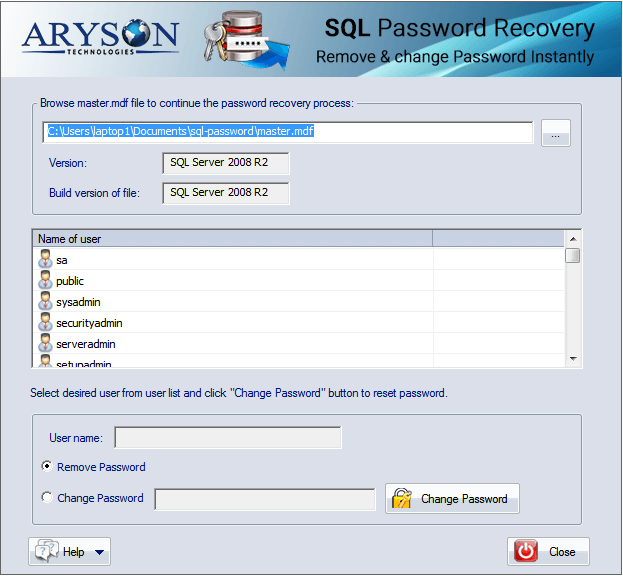
SQL Password Unlocker tool effectively unlocks the protected user accounts of an individual and System Administrator. As you select the SQL data file, all the user name, irrespective of an individual account or system administrator account will be displayed in the pane. You can choose the SA account and reset the password.

Reliable and Simplified Recovery

Reliable and Simplified Recovery

The SQL Server Password Recovery software is equipped with an interactive and user-friendly interface so that even a non-technical user can operate it with ease, and recover password from the protected SQL Server database file.

Free Demo Version

Free Demo Version

SQL Password Recovery Tool offers a free version that allows users to recover up to 2 characters of password from protected MDF file for free.

Enables Preview of SQL Server Users

Enables Preview of SQL Server Users

This software is provided with a preview feature that enables it to display the list of all the MS SQL server users in the list control. This way, you’ll be able to know the password of the user account that you are going to change is available in the selected MDF file or not.

Auto Detect Feature

Auto Detect Feature

The software has auto-detect features that give ease to the user in the selection of the SQL version. As you upload the MDF file, the software automatically detects the versions of the MDF file and displays it.

Technical Overview

SQL Server SA Password are used to protect the databases for security purposes and from unauthorized access. But many times, the passwords get lost or forgotten. There are various user accounts created in the master database of SQL Server, and every user can set the password by utilizing SQL Server authentication. Usually, MDF files incorporate strong encryption algorithms to set passwords for the databases. It is not at all easy to crack these passwords, and so require some robust password recovery mechanism. So, to overcome the issue, we use an SQL Server Password Recovery Tool. While you use the software, there is no need to install Microsoft SQL Server.

Software Specification

System Requirement

Hard Disk Space: 500 MB of free hard disk space required

RAM: 4 GB of RAM (4 GB is recommended)

Processor: Intel® Core™ 2 Duo CPU E4600 @ 2.40GHz 2.39GHz

Operating System:
Microsoft Windows – Windows 11 (64-Bit), Windows 10, 8, 7 (32 bit or 64 bit) & Windows Server 2016, 2012 R2, 2008
SQL Server ‐ 2019, 2017, 2016, 2014, 2012, 2008 / R2, 2008, 2005 & 2000

License Types
Home License
Home License
Corporate License
Corporate License
Technical License
Technical License
Software Delivery & Version
ElectronicYes
Versionv18.0

Comparison of Demo & Full Version

Product Features Free Version Full Version
Add or Open Password Protected Master .MDF file
Preview All User Accounts ID
Explore Versions of Master.MDF File
Runs with All Windows Platforms including Win10
Remove Password from Selected User ID
Change or Reset SQL User and Administrator Password
24*7 Tech Support & secure 100%
Price Free $59
Money-Back Guarantee
Rating & Review
cinet

Most safe & downloaded tool is SQL Server Password Recovery on CNET Download that helps users to change the password from protected SQL Server Database file.  Read More..

software informer

SQL Password Remover tool is used for changing or resetting the password of the SQL Server Database file when the user lost the password accidentally. Reviews by Software.Informer.  Read More..

Softonic

Softonic grantees that Aryson SQL Password Recovery software is virus-free therefore users can run on own systems and recover SQL SA Password without any risk.  Read More..

soft32

SQL Password Unlocker is a professional tool that allows users to unlock the password-protected SQL Server Database file when user forgetting the password of SQL Server. Soft32  Read More..

Frequently Asked Questions

Follow Steps to Recover Password of SQL Database Files:

  • Step 1: Download Aryson SQL Password Recovery Tool, and Install.
  • Step 2: Now, Run Software and Opens Password Protected MDF file of SQL Server.
  • Step 3: Enter the user password of the SQL Server.
  • Step 4: Now, click on the Change Password button to reset or recover the SQL Server password.

Yes, with the help of this software you can reset the SQL SA Password without installation of SQL Server.

Yes, the SQL Server Password Recovery tool is a design based on high algorithms; therefore, supports all version of SQL Server including SQL Server 2012 & 2008 & change their password successfully.

No, this software helps users to recover or remove password from only healthy MDF file. If you want to repair corrupt SQL database file, then you can go with Aryson SQL Database Recovery Tool.

Yes, with the help of this software users can easily change the password of stored SQL Database MDF file.

  • capgemini
  • moto
  • ibm
  • county
  • oreilly
What Our Customers Are Saying About Us
 Submit Your Review
You Might Be Interested in These Products Too

Aryson OST Recovery

Aryson OST Recovery

Read More 

Aryson Outlook PST Password Recovery

Aryson Outlook PST Password Recovery

Read More 

Aryson Access Database Recovery

Aryson Access Database Recovery

Read More 

Aryson SQL Log Analyzer

Aryson SQL Log Analyzer

Read More 
Service

At Service Since
2010

Trusted

Trusted by
Millions

SSL Secure

SSL
Secure

McAfee

McAfee SECURE
100% Secure

Aryson Technologies

united states

2880 Zanker Road, Suite 203, San Jose, CA - 95134, USA

india

A-58 , 2nd Floor A Block Sector 57, Noida, Uttar Pradesh 201301, India

Find Us on

Subscribe to our newsletter to get the latest News & Update

© Copyrights 2014 by Aryson Technologies Private Limited - All Rights Reserved

DMCA.com Protection Status