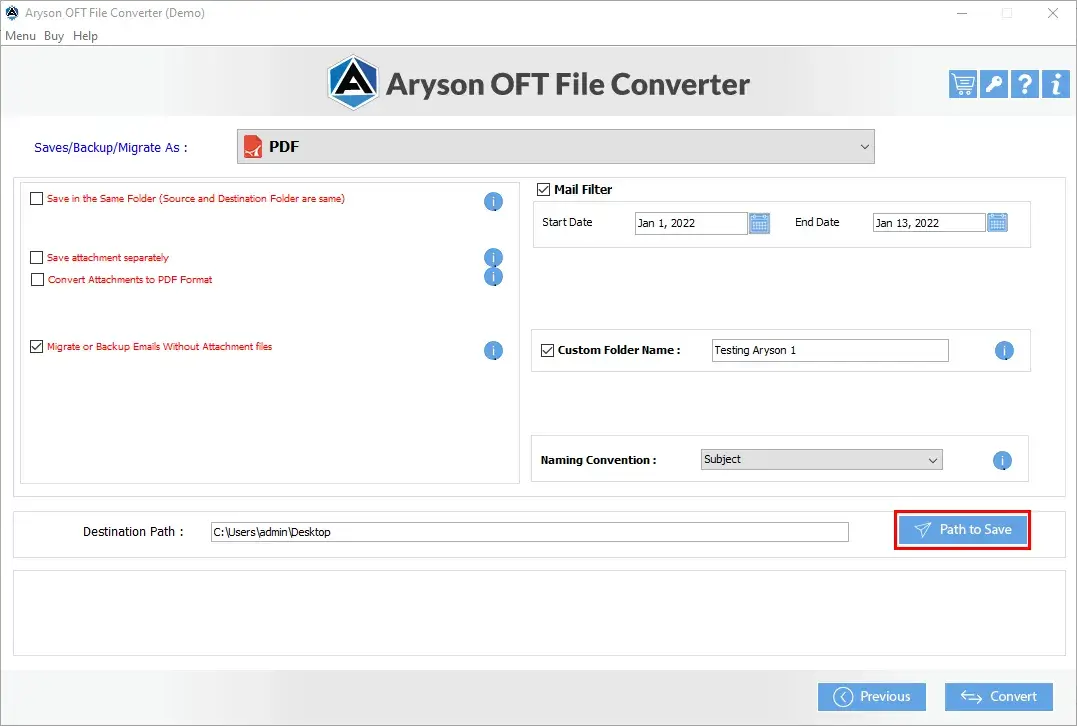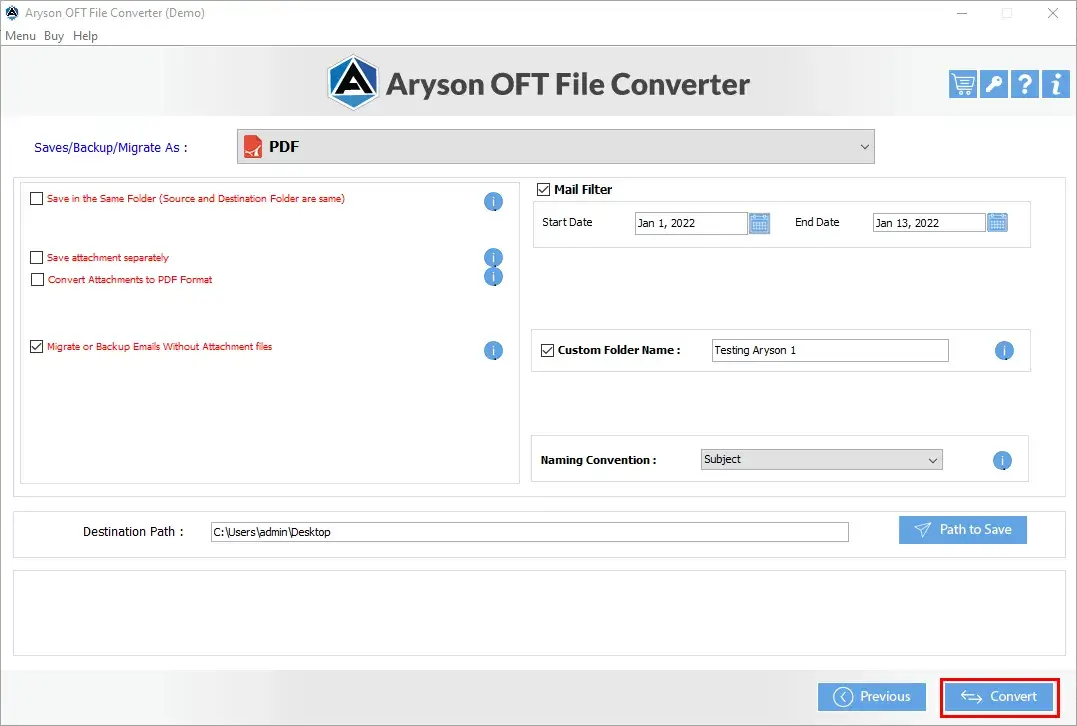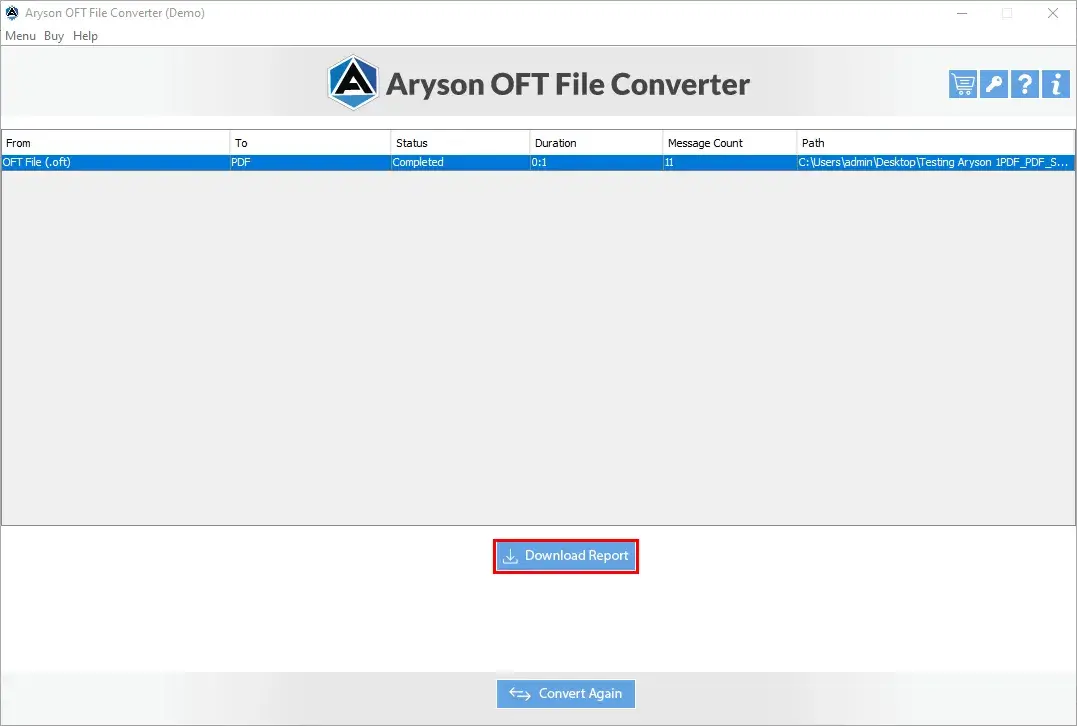





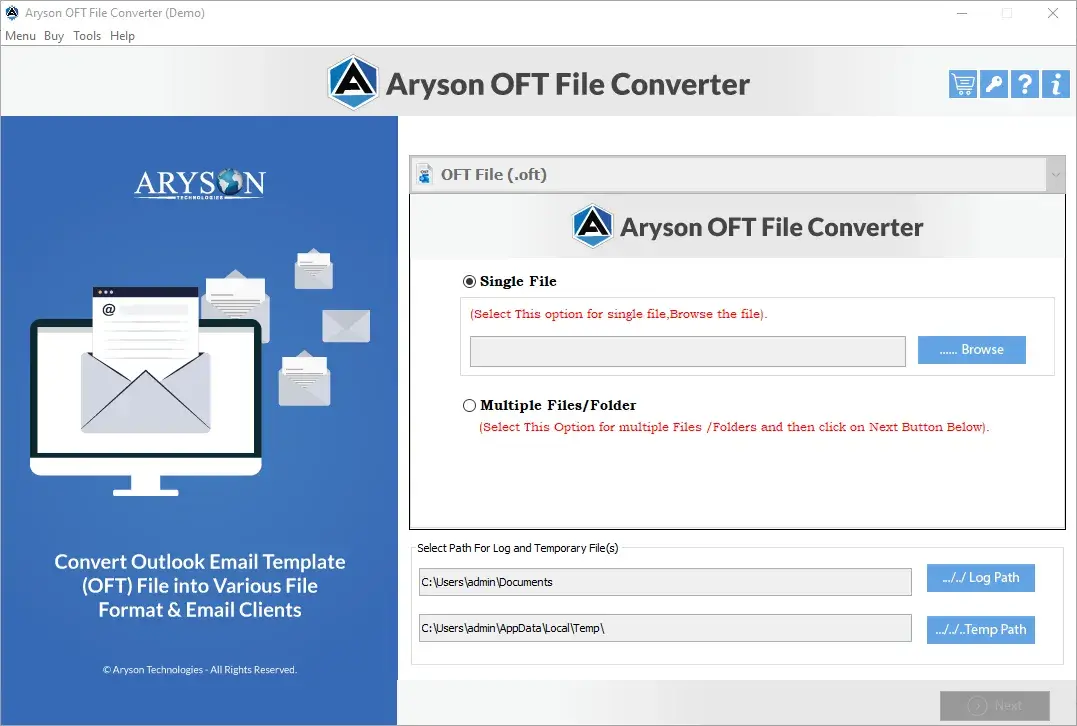
Screens

Video

Guide

Eula

Email Format Conversion Flowchart

Visual Guide Showing All Supported Conversion Paths

Source Clients

Microsoft Outlook
Office 365 (Outlook Web / Desktop)
Exchange Server
OFT Files (Local Storage)
OFT Files

Target Formats

Email File Formats: PST, MBOX, EML, MSG
Document Formats: PDF, DOC / DOCX / DOCM, HTML / MHTML
Data Formats: CSV, JSON
Image Formats: JPG, PNG, GIF, TIFF

Aryson OFT File Converter: Ratings & Reviews

Explore what IT admins and enterprise users say about the Aryson OFT Converter Tool

Expert Reviews:

Rating & Reviews:

Aryson OFT File Converter vs. Manual Methods

Comparison of Manual Approaches and the Advanced Aryson OFT Converter.

Manual Methods Aryson OFT Converter
Users have to convert their OFT files one by one, which may take even days. Enterprises can convert both single and multiple OFT files simultaneously in one operation.
Using manual methods, you cannot export OFT data into multiple formats. You can export OFT data to PST, PDF, EML, EMLX, MBOX, MSG, HTML, CSV, DOC, DOCX, DOCM, JSON, PNG, TIFF, GIF, and more with the help of the same software.
Moreover, you cannot cross-verify the content before converting it into another format or client. There is a preview window to cross-verify the OFT file content before converting it.
The manual conversion may lead to the disruption of the original content and hierarchy of the emails. This utility makes sure to keep the original folder hierarchy, email metadata, subject, date, time, & attachment data fully intact.
Additionally, there is a need for a technical expert to perform the manual conversion. Also, there is no need to install Outlook or connect to an Exchange Server to use this software.
Also, there is a risk of losing confidential and important information during the manual conversion. The complete conversion takes place offline on your desktop only.
There are limited monitoring capabilities to identify failed or partially migrated items. This Office 365 Migration Tool provides real-time monitoring and helps administrators to identify & resolve migration issues quickly.
6 Critical Limitations
Manual approaches lack consistency and accuracy
6 Complete Solutions
Aryson resolves every challenge automatically
Get Demo

How Does the OFT File Converter Tool Software Work?

How to Use the Aryson Google Drive Duplicate Cleaner

Aryson Outlook Template OFT File Converter is one of the most reliable software programs that helps organisations to convert OFT data to PST, PDF, & 13+ other formats. This software provides the user with advanced features such as removing duplicate emails, applying date range filters, & back up OFT files with attachments excluded. This Aryson software supports over 15 different file formats and provides flexibility for various needs.

  • Step 01: Download and install the Aryson OFT Converter.
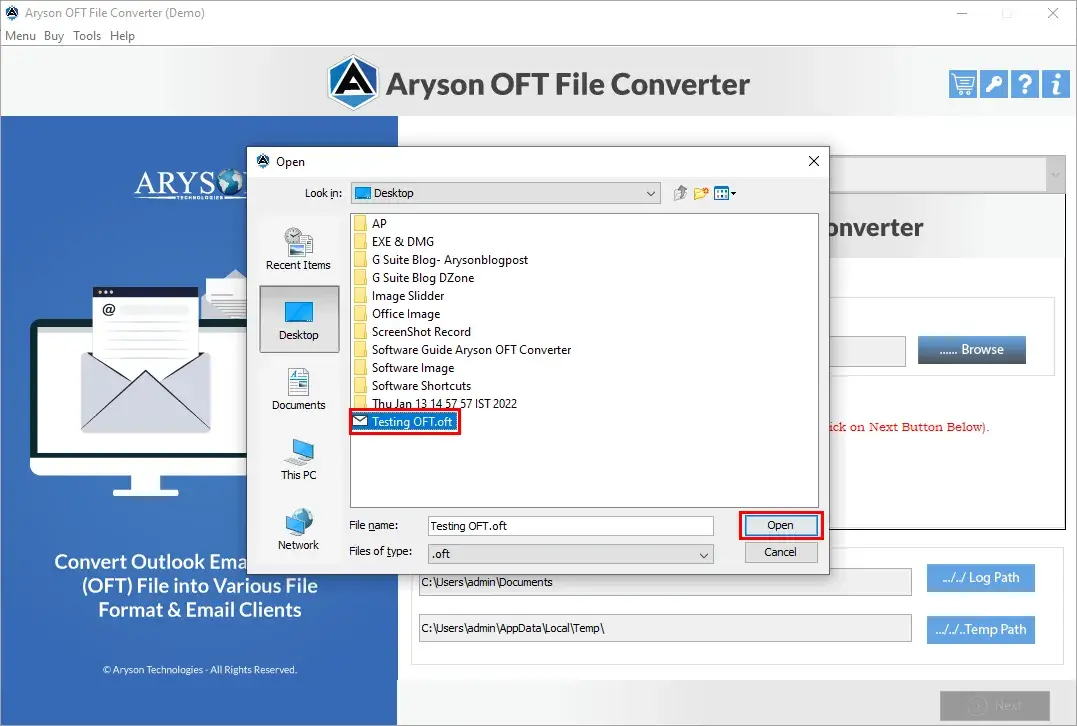
  • Step 02: Run it as administrator & load the required OFT files into the software.
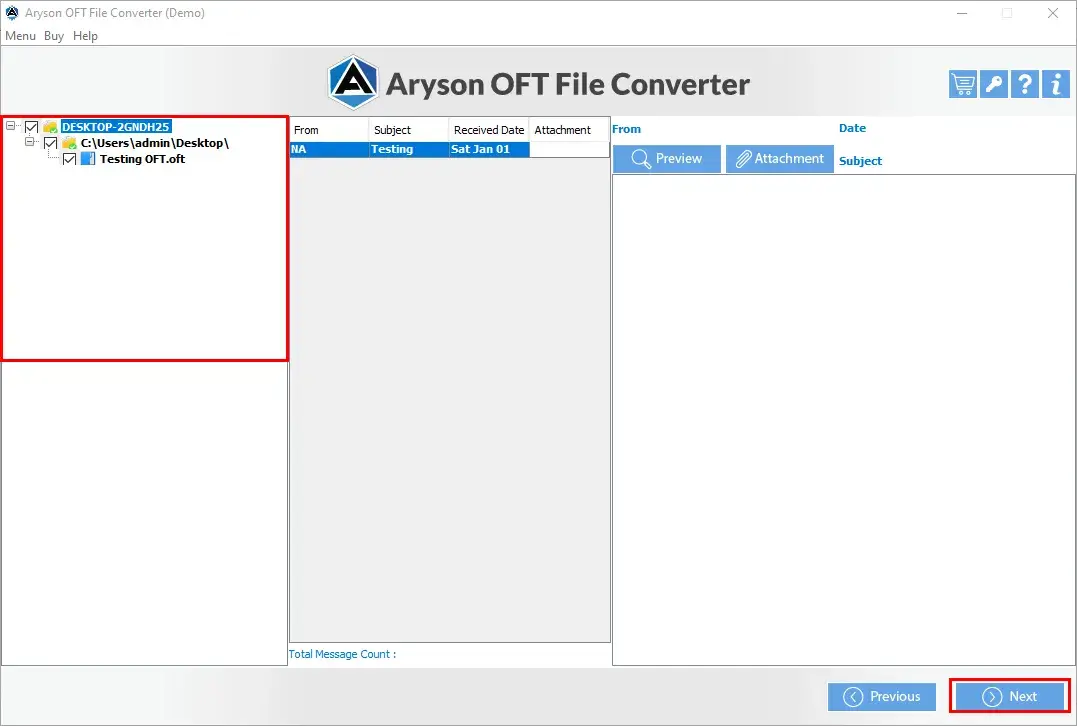
  • Step 03: Cross-verify the mailbox items, including emails & attachments.
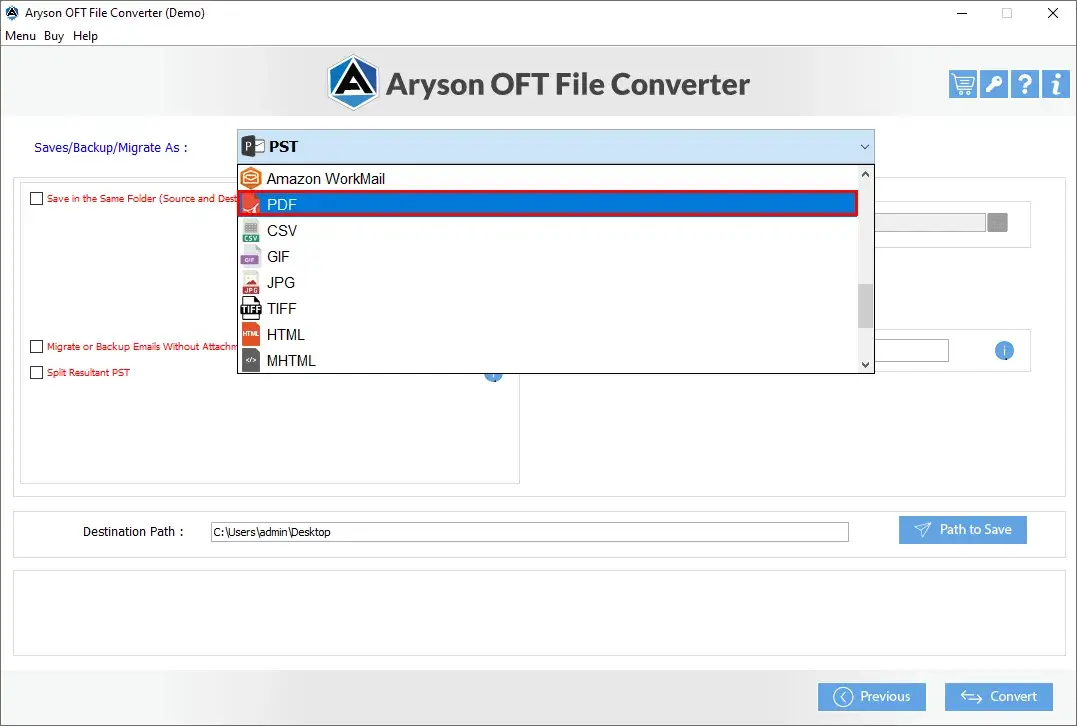
  • Step 04: Select the required file format or email client from the displayed dropdown list.
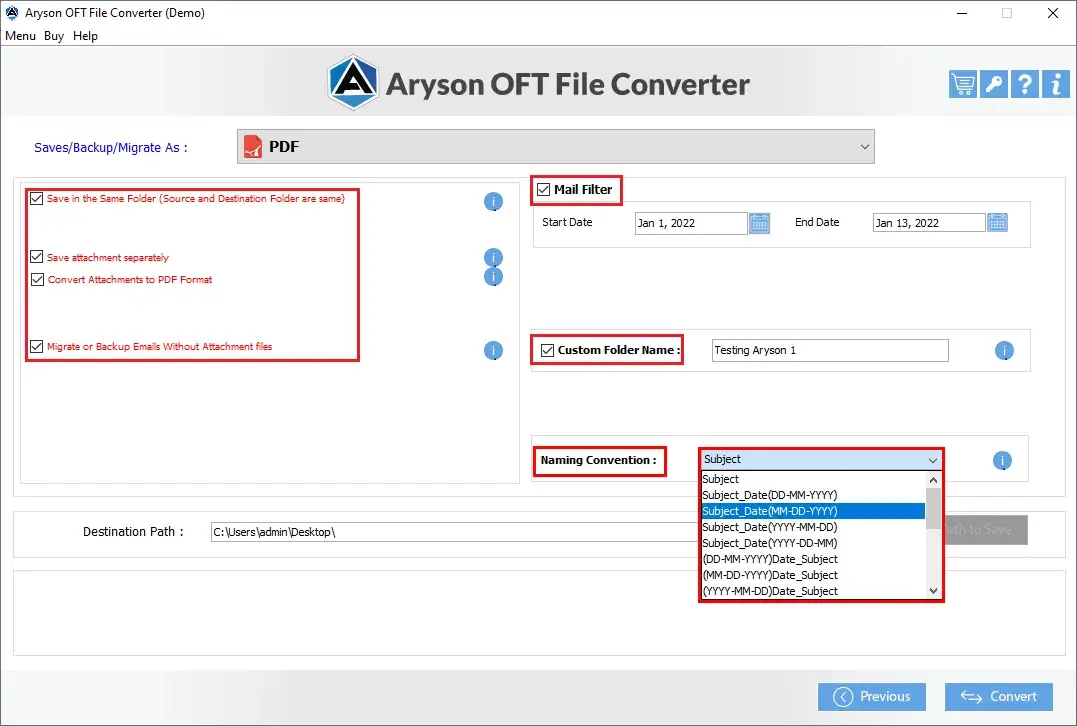
  • Step 05: Use the advanced filters provided by the software if required.
  • Step 06: Define the destination folder for the converted files.
  • Step 07: Click Convert to start the process & access your converted files in the specified location.

Comprehensive Capabilities of Aryson OFT Converter

Secure

Secure & Complete OFT File Conversion

Aryson OFT File Converter makes sure to convert the emails, attachments, contacts, calendars, notes, and journals of OFT (Outlook File Template) files securely. It maintains data accuracy and integrity without storing any confidential information of the end-user. It maintains the original metadata properties - such as sender information, subject, date, and time.

Multiple Formats

Save OFT Files Locally in Multiple File Formats

With the help of the Aryson OFT File Converter, you can convert OFT files into multiple file formats, such as PST, PDF, MBOX, MSG, EML, EMLX, CSV, GIF, JPG, TIFF, HTML, PNG, DOC, DOCX, DOCM, & JSON. This flexibility allows users to follow multiple conversion paths without any issues.

Export

Export OFT Files to Cloud-Based Email Platforms

Aryson OFT Converter allows users to export & migrate OFT file data directly to multiple cloud-based email platforms. They are Office 365, Gmail, G-Suite, Yahoo Mail, AOL, Hotmail, IMAP, Zoho Mail, Yandex Mail, iCloud, GoDaddy Email, HostGator Email, and Live Exchange. This makes it the ideal solution for Enterprises who frequently switch their platforms.

Preview

Preview OFT Files Before Conversion

The most standout feature of the Aryson OFT file Converter Software is the preview window. This panel allows users to cross-verify the email contents, like attachments, calendar, contacts, etc. This eventually leads to the maintenance of data integrity and accuracy.

Batch Conversion

Batch Conversion of OFT Files

Aryson Outlook Template OFT File Converter supports batch conversion of multiple OFT files at the same time. This batch processing feature is ideal for efficiently managing large volumes of Outlook template data, which allows bulk OFT file migration and saves the time and manual effort of individuals.

Without Attachments

Migrate Emails Without Attachments

Aryson OFT File Converter Tool allows users to back up & migrate only the email content from OFT files, without attachments. This feature helps individuals to reduce the backup size & allows organizations to focus on the core email content without carrying unnecessary attachment data into the destination format or platform.

Remove Duplicate

Date Filter for Selective OFT Conversion

Aryson OFT Converter applies date filters to export emails within a specific date range from OFT files. This helps individuals to organize personal template data & allows organizations to retrieve and manage only the critical business emails they need, to improve efficiency & avoid bulk processing of irrelevant data.

Cross Platform Support

Cross-Platform Support Provided

Aryson OFT file Converter Software provides the user with two different versions: Windows and Mac. Because of this, now users can easily switch between different platforms without worrying about compatibility issues. Whether working on a Windows desktop or a MacBook, the software makes sure to provide a quick & hassle-free conversion experience on both environments.

No MS-Outlook Installation

No MS Outlook Installation Required

Aryson OFT Converter tool operates independently and does not require Microsoft Outlook to be installed on the system. Users can directly open, preview, and convert OFT files without any dependency on the Outlook application, which makes it accessible for users who no longer operate on MS Outlook.

Trial Version

Trial Version for Evaluation

Even the Aryson OFT Converter provides a demo version for evaluation purposes. This allows users to assess the performance of the software. You can allow users to assess its performance & features before actually buying the software. However, the trial version is limited to the conversion of only 50 items per folder.


OFT Conversion for Your Industry

Tailored solutions addressing specific compliance requirements and workflows for different professional sectors.

Legal & Law Firms

  • eDiscovery: Convert OFT-based legal email templates to PDF with full headers for court review
  • Evidence Preservation: Export OFT templates to MSG format for legal hold platforms
  • Metadata Retention: All routing and authorship information preserved for authentication
  • Batch Processing: Handle bulk OFT template archives for large-scale litigation cases

Healthcare & Medical

  • PHI Archives: Convert patient communication OFT templates to secure, encrypted PD
  • Offline Processing: Data never leaves your network - fully HIPAA-safe conversion
  • Retention Compliance: Create dated archives of OFT templates for 7-year retention mandates
  • Encryption Ready: Output files compatible with encrypted storage systems

Financial Services

  • SEC Compliance: Archive broker-dealer OFT communication templates in PDF or MSG format
  • Audit Trail: Generate searchable PDF archives with timestamps for regulatory review
  • WORM Storage Ready: Convert OFT templates for compliant immutable storage systems
  • Batch Dating: Organize converted template archives by fiscal year or quarter

Government & Public Sector

  • FOIA Requests: Quickly convert OFT template files into accessible, shareable formats
  • Agency Migration: Export legacy Outlook OFT templates to modern formats like MBOX or EML
  • Records Management: Create searchable PDF template archives per NARA guidelines
  • No Cloud Systems: Works fully offline for use in secure, air-gapped government networks

OFT File Converter Tool - Feature Comparison

Explore the Features of the Outlook Template OFT File Converter - Free vs. Premium Version

Product Features Free Version Full Version
Add Single or Multiple OFT Files
Preview OFT Emails Along with Attachments
Convert OFT Files to Various File Formats 50 emails/Folder No Limit
Import OFT Files into Gmail, Office 365, IMAP, GoDaddy Email, and more 50 emails/Folder No Limit
Eliminate Duplicate Emails
Apply Date Range Filter
Split Resultant PST File
Migrate Emails Without Attachments
Custom Folder Naming
Compatible with Windows 11, 10, 8, 7 (32-bit & 64-bit)
Define Destination Path
100% Safe & Secure
24x5 Tech Support
Price Free $49
Money Back Policy

Aryson OFT Converter: System Specifications

Software Requirements and Compatibility Overview of the Aryson OFT Converter

Software Download

(Windows)

Download Now


Size: 115MBVersion: 22.02

Trial Limitations

The free demo version of Aryson OFT Converter allows users to load OFT files and preview all mailbox items. To convert complete OFT files without any restrictions, users must purchase and activate the licensed version. The trial version is limited to 50 items per folder across all export formats.

Requirements & Supported Versions

Hard Disk Space: 500 MB of free hard disk space required

Processor: Intel® Core™ 2 Duo CPU E4600 @ 2.40GHz 2.39GHz

RAM: 4 GB of RAM (4 GB is recommended)

Supported Platforms

Supported Windows OS: 11, 10, 8.1, 8, 7, Vista, XP, 2000, 98, NT, and 95.

Outlook: Office 365, 2021, 2019, 2016, 2013, 2010, 2007, 2003, 2002, 2000, 98, and 97

Software Prerequisites

  • If you are operating Windows OS 11, 10, 8, or 7 (32-bit or 64-bit), then you must launch the tool as an Administrator.
  • Turn off the Windows Firewall for proper installation.
  • Disable the Antivirus programs.

FAQ

Request For Software Customization

Organisations with specialised workflows or additional feature requirements can request software customisation and receive a tailored solution with a dedicated quote.

Frequently Asked Questions

Ans. Follow the steps to convert OFT files using the software.

  1. Install and Run Aryson OFT Converter.
  2. Add the OFT file for conversion.
  3. Check the folders from the displayed tree structure.
  4. Select the Saving option from the software wizard.
  5. Click on the Convert button to perform the conversion.
  6. Here, the conversion process gets completed.

Ans. No, the software does not have such requirements for OFT file conversion.

Ans. If you want to convert OFT to PDF, follow the steps below.

  1. Install Aryson OFT File Converter.
  2. Click on the Browse button to select the OFT file.
  3. Here, the converter tool will help to preview the emails.
  4. Select the PDF format as a saving option.
  5. Opt for other Additional features from the software.
  6. Click the Convert button to start the conversion from OFT to PDF.

Ans. Yes, OFT file Converter Software supports converting OFT files to JPG file formats with all OFT file data, such as emails, contacts, calendars, tasks, and journals.

Ans. OFT Converter offers 25+ saving options for OFT files, including file formats, email clients, and document formats.

Ans.Yes, one can convert OFT files to importable PST Outlook data file formats using the software.

Ans. Admin consent is required if the application requests permissions beyond an individual user’s data, such as organization-wide or multi-user access. In these cases, only a Microsoft 365 administrator can approve the login for security reasons.

Ans. Yes, Aryson provides discounts for academics.

  • Single User: 10% discount
  • Multiple Users: 20% discount

Trusted by IT Professionals & Enterprises Worldwide

See what administrators and businesses say about the Aryson OFT Converter tool

review-rating