Screens

Video

Guide

Eula

Detailed Overview of Recoverable MySQL Database Components

Several MySQL components are recovered by the Aryson MySQL Database Repair Tool to guarantee full restoration. An outline of the data it can retrieve is provided here.

Recovered Data Type Description
Tables Downloads entire tables with all of the values, rows, and columns.
Keys Moreover, it recovers table-related indexes, foreign keys, and primary keys.
Data Types Also, it maintains original data types, like INT, VARCHAR, DATE, etc.
Table Properties You can restore column settings, default values, and auto-increment attributes.
Triggers Restores every database trigger that is used to carry out automatic tasks.
Views You can bring up logical views designed to query one or more tables for data.
InnoDB Table Data It supports complete recovery of data stored in InnoDB tables.
MyISAM Table Data Restores definitions, indexes, and other material from MyISAM tables.
SQL Scripts Creates comprehensive SQL scripts using the content and structure of the recovered database.
Database Schema Preserves the original schema, including constraints and table relationships.
.frm Files Repairs MySQL's table format definition files, that is used to store metadata.
.myd Files Recover actual table data from MyISAM data files.
.myi Files MyISAM table index files are restored in order to regain search and sorting functionality.

When Should You Use the Aryson MySQL Database Recovery Tool

Repair MySQL Databases on Windows/Linux

You can use MySQL Database Repair to restore corrupted MySQL databases that were originally created on either Windows or Linux platforms. It helps you recover all database objects and rebuilds the complete structure across all versions of the Windows OS.


To View Data from a Corrupted MySQL Database

When your MySQL database becomes inaccessible due to corruption or server failure, the MySQL Recovery Software allows you to view all recoverable data. It also lets you export the restored content into a new SQL script or MySQL file format for further use.

When Open Damaged MySQL Files

If you're unable to open your MySQL database due to corruption, this MySQL database recovery utility helps repair and open the MySQL database file. Along with that, it can be opened and accessed again even if the original server fails to read it.

When Command-Line Repair Fails

In case command-line methods like myisamchk or mysqlcheck fail to fix damaged tables, MySQL Database Repair is a reliable alternative. It repairs both InnoDB and MyISAM tables and also restores keys, relationships, indexes, and other table properties.

Aryson MySQL Database Repair Tool - Rating & Reviews

See what our users have to say about the Aryson MySQL Database Repair Tool.

Expert Reviews

Rating & Reviews

Fix These Common MySQL Errors with Aryson MySQL Database Repair

Explore some of the frequent MySQL errors that the Aryson MySQL Recovery Software can detect and repair instantly:

Error 1033:Indicates the incorrect information in your file. It can be due to corrupted table structure or engine.
Error 1016: This is a can't open file error, caused by missed or damaged database/table files.
Error 1194: The table is marked as crashed. It occurs due to MyISAM table corruption and needs immediate repair.
Error 1146: Simple means the Table doesn't exist. Usually, it comes from a missing .frm file or metadata corruption.
Error 145: Table was closed abnormally. It often occurs after a forced shutdown or crash.
Error 126: Incorrect key file – Caused by.MYI index file corruption in MyISAM.
Error 1064: SQL syntax error – May result from corruption affecting structure or syntax.
Error 2013: Sign of lost connection to the server during query. It can occur during crash recovery.
Error 1030:You got this error from the storage engine. It points to an internal storage engine failure.
Error 1412: Due to table definition mismatch. It occurs due to .frm and .ibd/.myd structure mismatch.
Error 1712: InnoDB recovery failed, When InnoDB engine is unable to restore internal structure.
InnoDB: Corrupted Page or Tablespace– Physical corruption within InnoDB data files or storage components.

Best MySQL Database Repair Tool with Several Advanced Key Features

Explore some of the exclusive features of the MySQL Repair Tool to recover MySQL databases with ease.

Restore Corrupt MySQL Database Files

Restore Corrupt MySQL Database Files

The MySQL Repair Tool efficiently recovers all the lost or corrupted data from broken MySQL tables, indexes, and tablespaces. Also, it makes sure that the accurate recovery of your complete database objects in their original format. So, a user can avoid data loss due to abrupt shutdowns or storage issues.

 Supports InnoDB and MyISAM Table Recovery

Supports InnoDB and MyISAM Table Recovery

This MySQL Recovery Tool can repair MyISAM (.frm, .myd, .myi) and InnoDB (.frm, .ibdata, .idb) table types. It accurately restores tables, indexes, and properties from corrupted files. Also, it handles both transactional InnoDB and fast MyISAM engines with precision and complete structural integrity.

Save Restored Data to MySQL Server

Save Restored Data to MySQL Server

Aryson MySQL Database Repair Tool lets users save the repaired database directly into a new MySQL instance. Simply, you need to enter server details like name, port, username, and password. It also allows you to test your connection before saving the recovered SQL data.

Preview Recoverable Database Items

Preview Recoverable Database Items

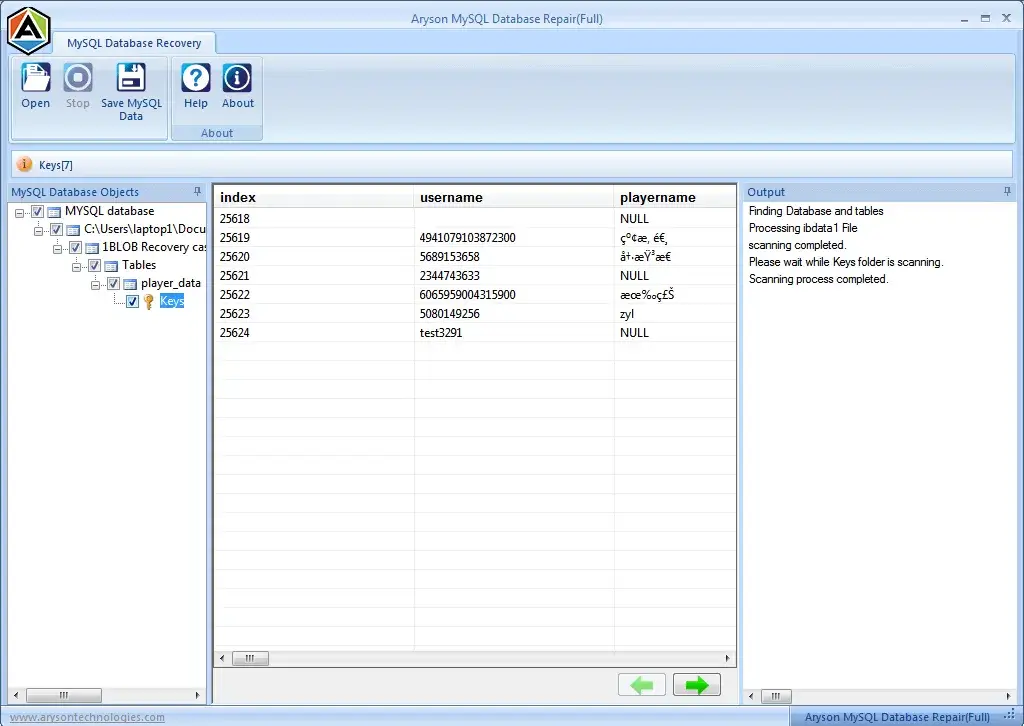
Before you proceed with the saving process, MySQL database recovery utility provides an inbuilt preview panel. So, the users can view all the recoverable data tables, fields, entries, and more in a structured format. Also, it helps you to verify accuracy and make sure that the only valid and complete data is restored.

Simple & User-Friendly Interface

Simple & User-Friendly Interface

This is the best MySQL Repair Tool to proceed with. It provides a simple and modern Graphical User Interface (GUI). As a result, it is accessible to both technical and non-technical users. Even a user without MySQL expertise can go through the recovery process using simple on-screen instructions and buttons.

 Compatible with All Windows Systems

Compatible with All Windows Systems

You can run this mYSQL Repair Software on all major versions of Windows OS, like Windows 11, 10, 8, 7, Vista, and earlier. No matter, you're on a personal PC or enterprise workstation, MySQL Database Repair functions smoothly across Windows platforms and fixes corrupted MySQL files effectively.
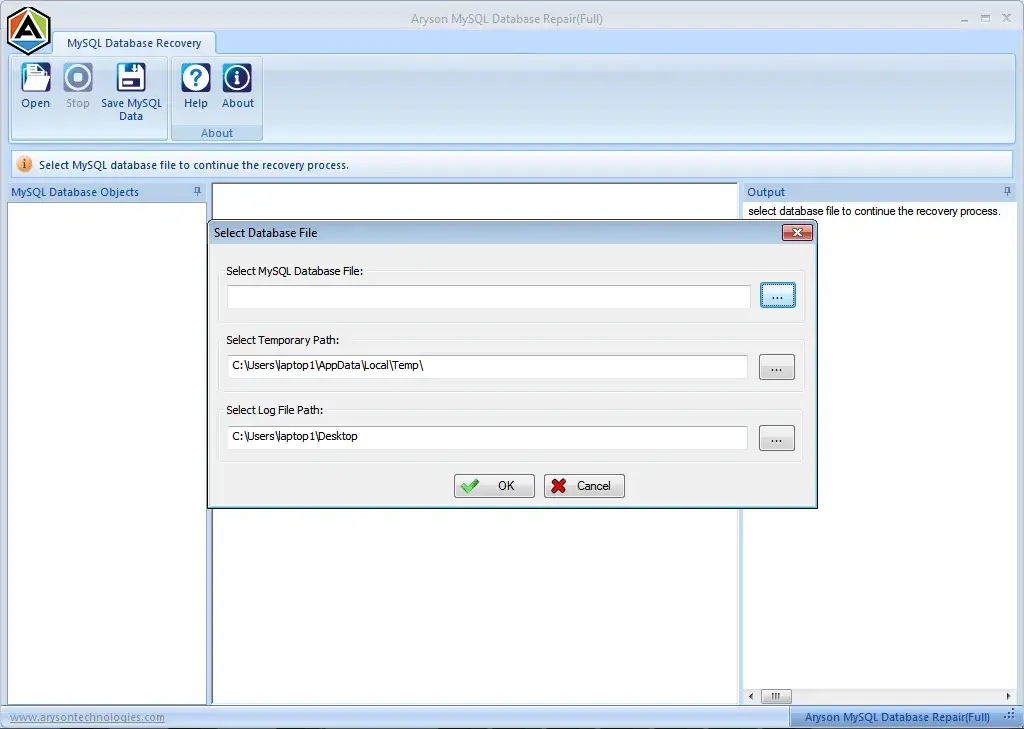

How to Use Aryson MySQL Database Recovery Tool:

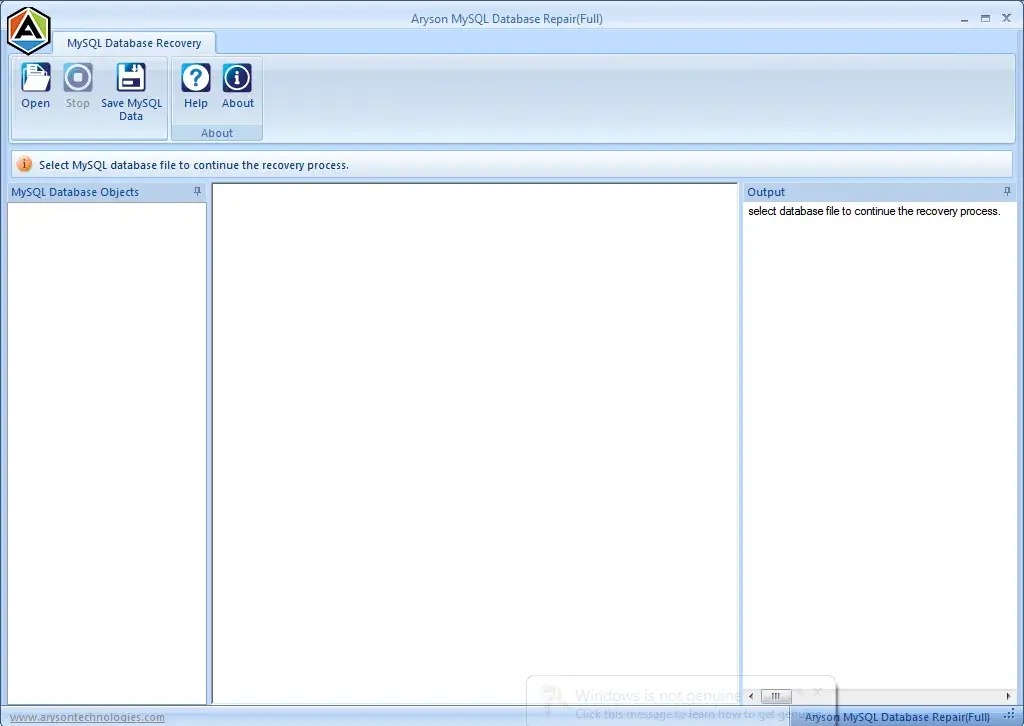
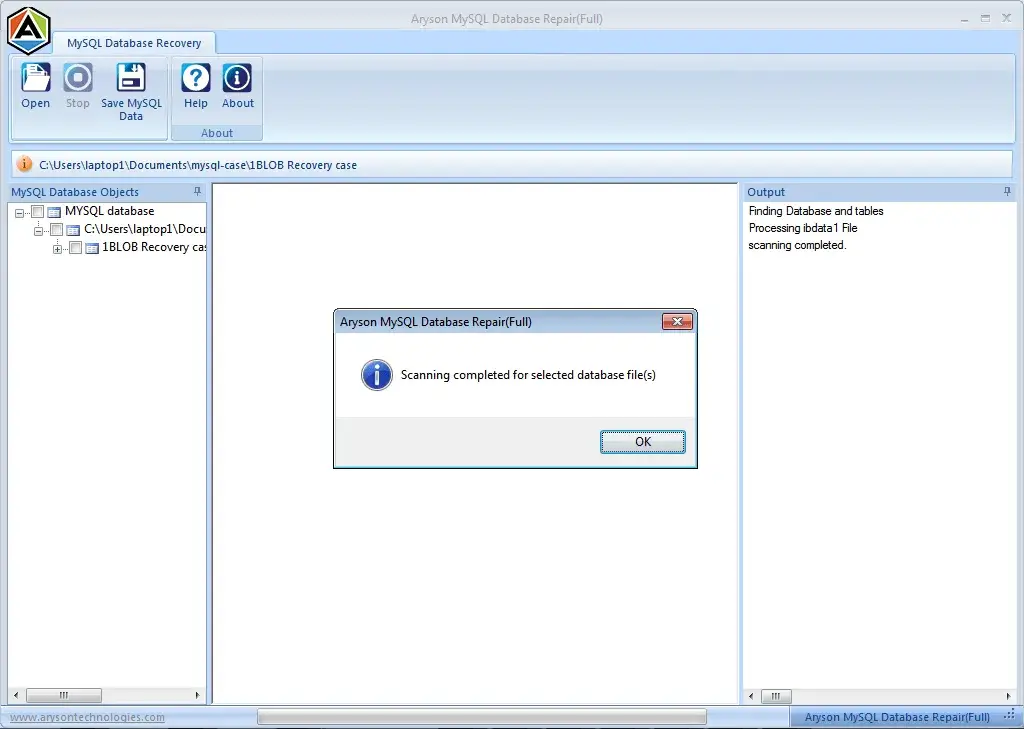
The MySQL Database Repair Tool can scan corrupt MySQL database files, like .frm, .myd, .myi, or .ibd. Then, it identifies all recoverable components: tables, indexes, views, and keys, and displays them in a preview panel. So, the user can save them with ease.

  • Step 01: Download and Install the MySQL Database Repair Tool on your Windows system.
  • Step 02: Tap on the Open button to load your corrupted MySQL database files (.frm, .myd, .myi)
  • Step 03: In the preview panel, see the recovered database items like tables, views, and triggers.
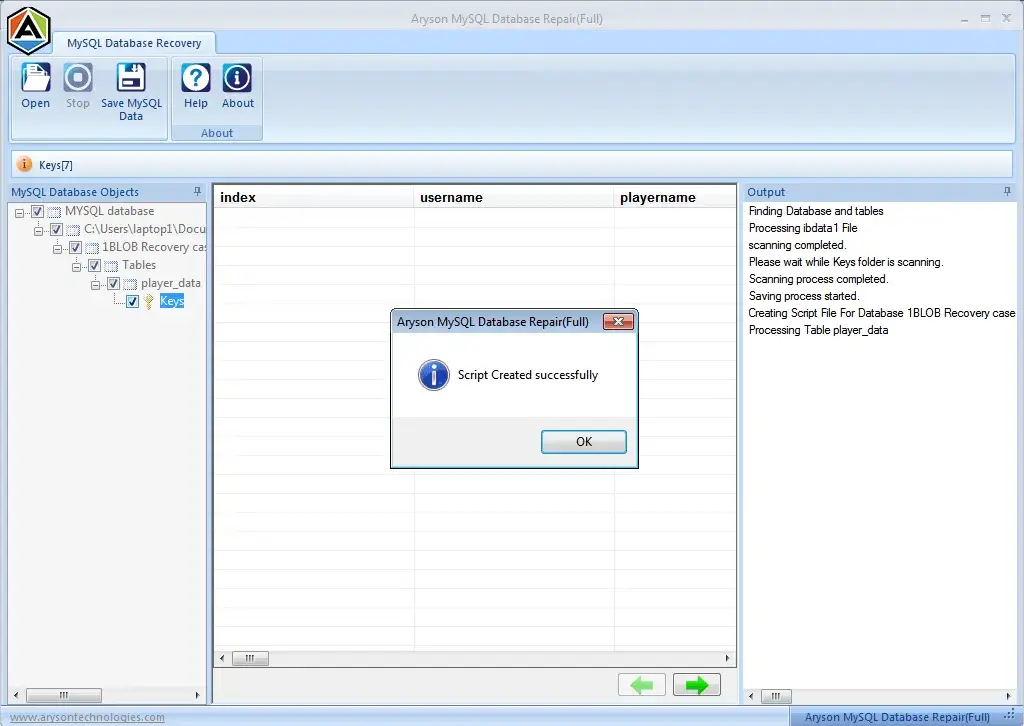
  • Step 04: Hit Save as MySQL Data to export the recovered data in new SQL script or live MySQL Server.
Export MSG to Multiple File Formats

Aryon MySQL Database Recovery Tool- System Specifications

Software Download

(Windows)

Download Now


Size: 1.8MBVersion: 22.08

Trial Limitations

The trial version of the MySQL Database Repair Tool allows previewing recoverable data but restricts saving it. To unlock all features, users need to purchase the licensed version.

Requirements & Supported Versions

Processor:Intel® Core™ 2 Duo CPU E4600 @ 2.40GHz 2.39GHz

Hard Disk Space: 500 MB of free hard disk space required

RAM: 4 GB of RAM (4 GB is recommended)

Supported Platforms

Windows OS: Windows 11/ 10/ 8.1/ 8/ 7/2008/ 2012 (32 & 64 Bit), and other Windows versions.

Supported MySQL Database Server: Supports MySQL database versions from 5.5.27 to 5.7.36 and MariaDB for smooth recovery of the database.

Software Prerequisites

  • If you are operating Windows OS 11, 10, 8, or 7 (32-bit or 64-bit) then you must launch the tool as an Administrator.
  • Turn off the Windows Firewall for proper installation.
  • Disable the Antivirus programs.

FAQ

Request For Software Customization

If you need to customize Aryson Software or need some additional specific features, then provide the software customization Request Quote.

Aryson MySQL Database Repair Tool: Free & Premium Version

Get an overview of the Free and Premium Version of the Software to Restore Corrupt MySQL Database:

Product Features Free Version Premium Version
Scan and Preview Corrupt MySQL Data
Save Recovered Data Preview Only
Direct Export to Live MySQL Server.
Recovery of .frm, .myd, .myi Files.
Support for InnoDB & MyISAM Storage Engines
Recover all items of InnoDB, including keys, tables & table properties
Save recovered data as script Preview Only
Access to Technical Support
Compatibility with Windows OS
Support all MySQL Versions
Price Free $49
Money Back Policy

Frequently Asked Questions:

Ans.You can take the following actions to resolve a database problem in MySQL:

  • Open and the Aryson MySQL Database Repair Tool on your computer system.
  • Use this software to add the corrupted MySQL files (.frm,.myd,.myi, or.ibd).
  • Now, scan the database to detect damaged tables and components.
  • Preview the recoverable data, including tables, views, and triggers.
  • Save the repaired data as a new SQL script or directly to a live MySQL Server.

Ans. MySQL Database Repair supports recovery of .frm, .myd, and .myi files used by MyISAM and InnoDB storage engines.

Ans. Yes, the full version of MySQL Repair allows you to export the recovered database directly to a live MySQL Server environment.

Ans. Yes, MySQL Database Recovery Tool works well with all versions of Windows-based systems.

Ans.The demo version of MySQL Recovery allows you to scan and preview recoverable data. To save and export the recovered files, you need to proceed with the full version of the software.

Ans.This MySQL Repair supports MySQL database versions from 5.5.27 to 5.7.36.

Ans. Yes, our tech support team is available during the recovery process through MySQL Database Recovery.

Ans.Yes, MySQL Database Repair restores the complete database along with tables, keys, data types, indexes, triggers, and views. Along with that, it does not modify the original structure.

Trusted by IT Professionals & Enterprises Worldwide

See what our IT professionals and businesses say about their experience with our MySQL Database Repair:

review-rating