Screens

Video

Guide

Eula

Aryson PDF Manager Software - Real-World Use Cases & Solutions

Discover How Aryson PDF Manager Solves Everyday PDF Challenges Across Industries

Send Large PDF Reports to Clients

Large PDF files are often too big to share via email or upload to portals. Aryson PDF Manager allows users to split their oversized PDF files into smaller, manageable files based on their size, page range, or odd-even pages. This helps organisations to share & distribute PDFs quickly.


Consolidate PDF Documents

Legal and compliance professionals often deal with multiple separate PDF documents that need to be submitted as a single file. Aryson PDF Manager merges multiple PDF files into one consolidated document, maintaining complete data integrity and folder structure throughout the process.

Keep the Confidential PDFs secure

Organizations that handle sensitive business data, financial records, or legal documents need strong PDF security. Therefore, Aryson PDF Manager allows its users to apply User Password and Owner Password protection, which eventually prevents any kind of unauthorized access.

Accessed Forgotten Password-Protected PDFs

IT teams and individuals frequently encounter locked PDF files with forgotten passwords. Aryson PDF Editor and Manager surely removes both User & Owner password protection, and it restores the document completely without causing any changes to the original file content.

Aryson PDF Manager Tool: Ratings & Reviews

Read through the experts' reviews to know Aryson's evaluation on different aspects.

Expert Reviews:

Rating & Reviews:

Exclusive Features of the Arsyon PDF Manager Tool

Secure

Secure & Complete PDF File Management

Aryson PDF Manager is an all-in-one utility that can handle every essential PDF operation. Whether you split, merge, lock, unlock, or convert your PDFs, it maintains the original file content. The PDF File Manager is built with an advanced algorithm that helps users to efficiently manage PDF documents with complete data integrity.

Split

Split Large PDF Files into Smaller Documents

With the help of the PDF Manager Tool, you can precisely split the large PDF files into smaller documents. It breaks the files based on the PDF pages, size, number of pages, page range, and even or odd pages. This feature is particularly useful for industry professionals who need to share specific sections of lengthy contracts, reports, or compliance documents.

Merge

Merge Multiple PDF Files into One

This PDF Management software joins multiple PDF files into a single unified document safely & securely. It reduces the effort of managing separate PDF files by sconsolidating them into one, with advanced options to customise the merging process. This is ideal for businesses combining invoices, legal submissions, or multi-part reports into a single client-ready document.

Password Protected

Advanced Splitting Options with Password Protection

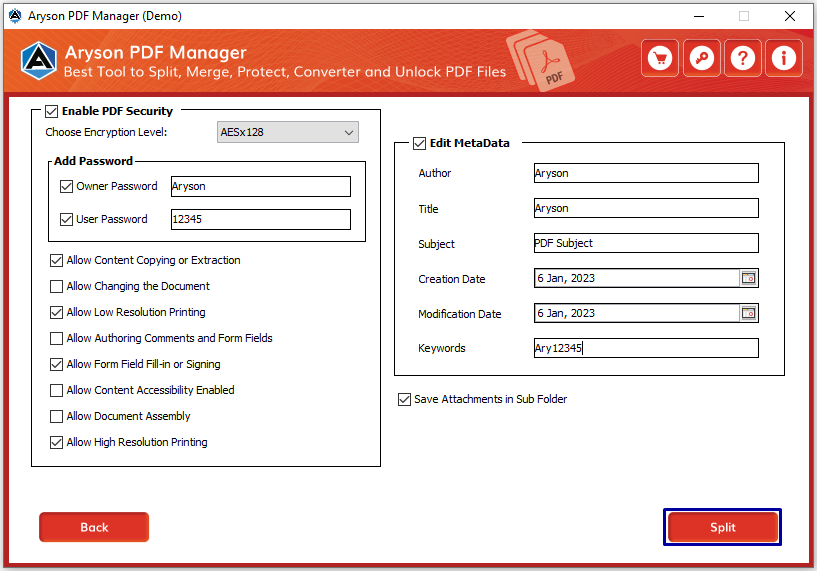
Beyond basic splitting, Aryson PDF Manager provides advanced options to customise output files precisely as needed. Users can keep their resultant split PDFs password-protected. They can make sure that the sensitive content remains secure even after being divided. Importantly, the source file remains completely unaffected throughout the process.

Unlock Pdf

Unlock Password-Protected PDF Files

Aryson PDF Organizer Tool safely removes password protection and other security parameters from locked PDF files without causing any change to the original content. It can remove both user passwords and owner passwords. Users simply need to enter the existing PDF password to authenticate themselves before the unlock process begins, ensuring only authorised parties can decrypt the file.

Convert PDF

Convert PDF Files into Multiple Formats

Aryson PDF Manager includes a powerful conversion feature that transforms PDF files into a wide range of file types, including DOC, HTML, MOBI, EML, MSG, JPEG, PNG, GIF, TXT, SVG, and PPT. The PDF Management software supports conversion of both normal and password-protected PDF files, and data integrity is fully maintained - no file content is damaged during the conversion process.

Add Mulitple PDF

Add Multiple PDF Files at Once

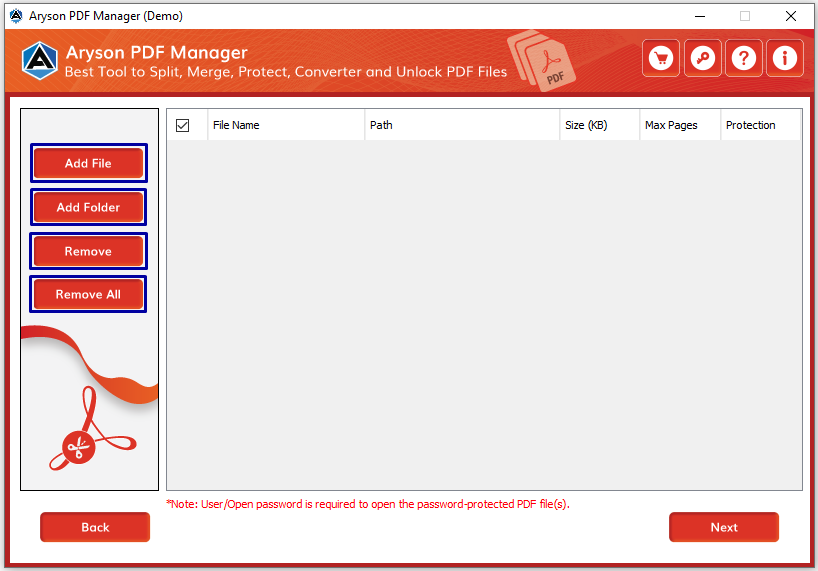
This PDF Document Management Tool allows users to add multiple PDF files simultaneously rather than selecting them one at a time. This batch-style file selection saves considerable time and effort, particularly for teams and organisations that regularly process high volumes of PDF documents across departments.

Attachment

Save Attachments Separately During Processing

Aryson PDF Manager provides the option to download and save attachment files embedded within a PDF as a separate output during the operation. This keeps document libraries organised and ensures embedded data is not lost or overlooked when processing complex multi-attachment PDF files.

PDF Information

Display PDF File Information Before Processing

Before any operation begins, the software displays key information about each selected file - including the file name, file size, and number of pages. This preview step allows users to confirm they have selected the correct files before committing to the process, preventing costly errors when working with important or irreplaceable documents.

Meta Data

Edit PDF Metadata

The PDF Management software includes a dedicated feature to edit and update PDF file metadata, including fields such as Author, Title, Subject, Creation Date, Modification Date, and Keywords. This is particularly valuable for businesses that need to maintain accurate document records for audit trails, version control, or regulatory compliance purposes.

Path

Define Custom Output File Save Location

Users can define a custom saving location for both the output PDF files and the log files generated during any operation. This gives professionals full control over their file organisation and ensures outputs are stored in the correct directories from the outset.

Support Windows

Compatible with All Windows Versions

Aryson PDF Manager is compatible with all versions of Windows OS, including Windows 11, 10, 8.1, 8, 7, Vista, XP, 2000, 98, NT, and 95. This broad compatibility ensures that users across organisations of all sizes -from sole traders to large enterprises -can deploy the PDF File Manager without any platform concerns.

Support

Trial Version Available for Evaluation

A free demo version of Aryson PDF Document Management Tool is available for users to evaluate the PDF Organizer Tool's performance before purchasing. The trial version supports all core operations -split, merge, lock, unlock, and convert -though each carries certain restrictions, such as watermarked outputs or a blank page added during merging. The full licensed version removes all such restrictions entirely.

Support

24/7 Technical Support, Money-Back Policy & Secure Purchase

Aryson provides round-the-clock technical support to assist users with any issues that arise. The full version also includes a money-back policy and 100% secure purchase assurance, giving buyers complete confidence in their investment. The PDF Editor and Manager customisation option is additionally available for organisations that require specific features or tailored workflows beyond the standard offering.

How Does the PDF Manager Software Work?

Screenshot

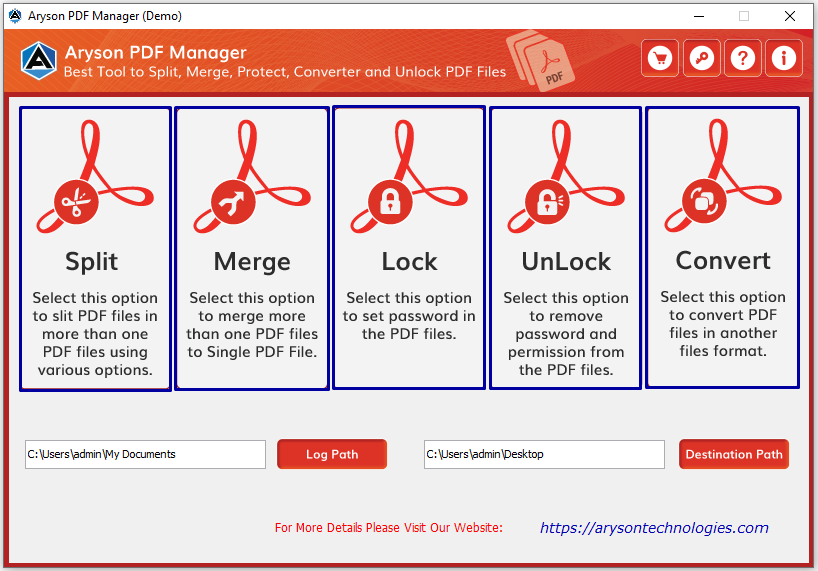
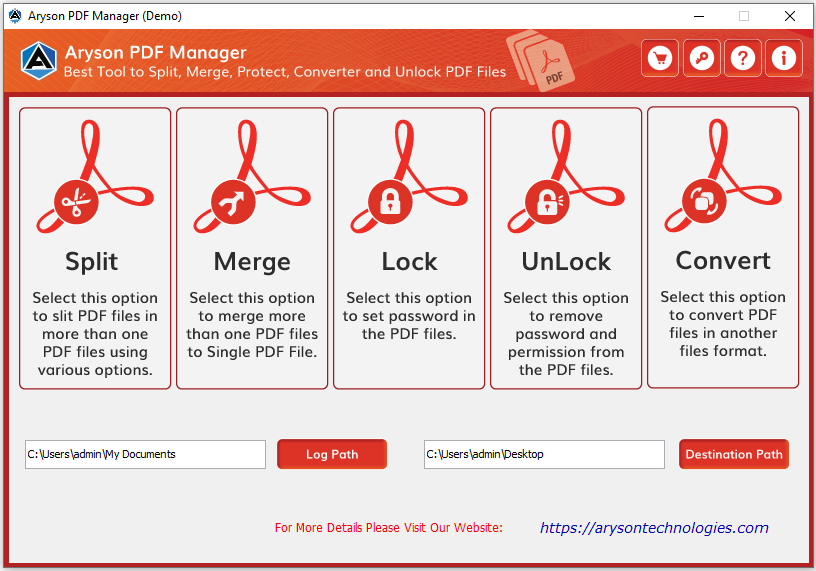
Aryson PDF Manager is a multifunctional PDF document management software that can easily manage multiple PDF files. It allows users to split a single PDF file into multiple files and merge multiple PDF files into one. Additionally, it secures PDFs by enabling various security parameters and removing passwords or encryption from PDF files. This Aryson software supports various output formats like DOC, HTML, JPEG, PNG, PPT, and more, providing flexibility for various needs.

  • Step 01: Download & install the Aryson PDF Manager Tool.
  • Step 02: Launch the PDF File Manager and run it as an administrator.
  • Step 03: Select the specific process you want to perform (Split/Merge/Lock/Unlock/Convert).
  • Step 04: Click "Add Files" to browse and add your PDF files.
  • Step 05: Set the saving location for Log and Destination files.
  • Step 06: Choose the available PDF options as per your requirements for the selected operation.

Aryson PDF Manager Tool: System Specifications

Software Download

(Windows)

Download Now


Size: 123MBVersion: 22.09

Trial Limitations

The Free PDF Manager allows users to load and process PDF files while evaluating its core functionalities, such as splitting, merging, converting, and securing documents. However, the demo version may apply limitations like watermarking on output files. To unlock full features and perform unrestricted PDF operations, users need to purchase and activate the licensed version.

Requirements & Supported Versions

Hard Disk Space: 500 MB of free hard disk space required

Processor: Intel® Core™ 2 Duo CPU E4600 @ 2.40GHz 2.39GHz

RAM: 4 GB of RAM (4 GB is recommended)

Supported Platforms

Windows OS: Windows 11, 10, 8.1, 8, 7, Vista, XP, 2000, 98, NT, and 95.

Software Prerequisites

  • If you are operating Windows OS 11, 10, 8, or 7 (32-bit or 64-bit), then you must launch the tool as an Administrator.
  • Turn off the Windows Firewall for proper installation.
  • Disable the Antivirus programs.

FAQ

Request For Software Customization

Organisations with specialised workflows or additional feature requirements can request software customisation and receive a tailored solution with a dedicated quote.

Aryson PDF Manager Tool - Feature Comparison

Explore the Features of Aryson PDF Manager - Free vs. Full Version

Product Features Free Version Full Version
Add Single or Multiple PDF Files
Display PDF File Information (Name, Size, Pages)
Split Large PDF into Smaller Files With Watermark
Merge Multiple PDF Files into One With Watermark
Lock / Protect PDF Files With Watermark
Unlock Password-Protected PDF Files With Watermark
Convert PDF Files to DOC, HTML, MOBI, EML, MSG, JPEG, PNG, GIF, TXT, SVG, PPT & more With Restrictions
Save Attachment Files Separately
Edit PDF Metadata (Author, Title, Subject, Date, etc.)
Define Destination Path for Output File
Compatible with Windows 11, 10, 8.1, 8, 7, Vista, XP (32-bit & 64-bit)
100% Safe & Secure
24*7 Tech Support
Price Free $49
Money Back Policy

Frequently Asked Questions

Ans. Follow the steps below to manage your PDF file issues.

  • Download and install the Aryson PDF manager, and run it as an administrator.
  • Now, select the desired PDF files to manage.
  • Define the saving location of the output file.
  • Choose a PDF operation from Merge/Split/Convert/Lock /Unlock.
  • After that, enable the desired add-on features of the selected operation.
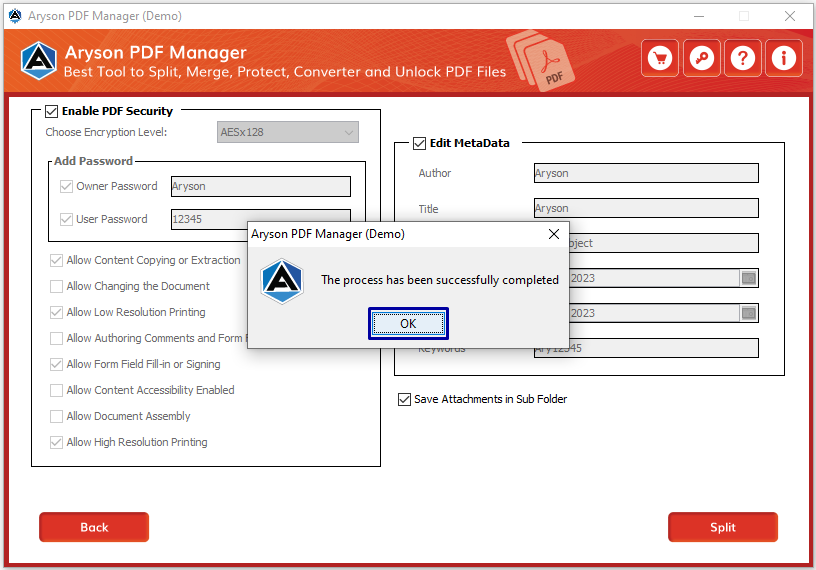
  • At last, press the selected operation(Merge, Split, or any other) button to finish the process.

Ans. The Asryon PDF Document Management Tool is considered to be the best PDF Manager software as there is no such limitation. The PDF manager tool can split PDF documents of any size without any hassle.

Ans. The PDF File Manager allows you to secure the PDF file through user and owner passwords. Also, you can enable different levels of encryption on the resultant PDF file while protecting it.

Ans. The log file will get saved at C:\Users\This\My Documents\. However, you can change the location as per your preference.

Ans. Of course, this tool will work efficiently in all Windows OS versions. So, you can use the tool in your system with Windows 11.

Ans.Yes, the free PDF manager tool allows users to add multiple PDF documents simultaneously.

Ans. Yes, you can do so, but the free version of the PDF file manager saves the output file with a watermark. To save the original file, you must buy this utility's full version.

Trusted by IT Professionals & Enterprises Worldwide

See what administrators and businesses say about Aryson PDF Manager

review-rating