




Screenshots

Video

Guide

Eula

Aryson Google Takeout Converter - Ratings & Reviews

Explore what the IT admins say about the Aryson Google Takeout Converter Wizard

Expert Review

Rating & Reviews

Complete Google Takeout Email Processing Suite

All-In-One Utility to load, filter, convert, and securely export Takeout MBOX archives.

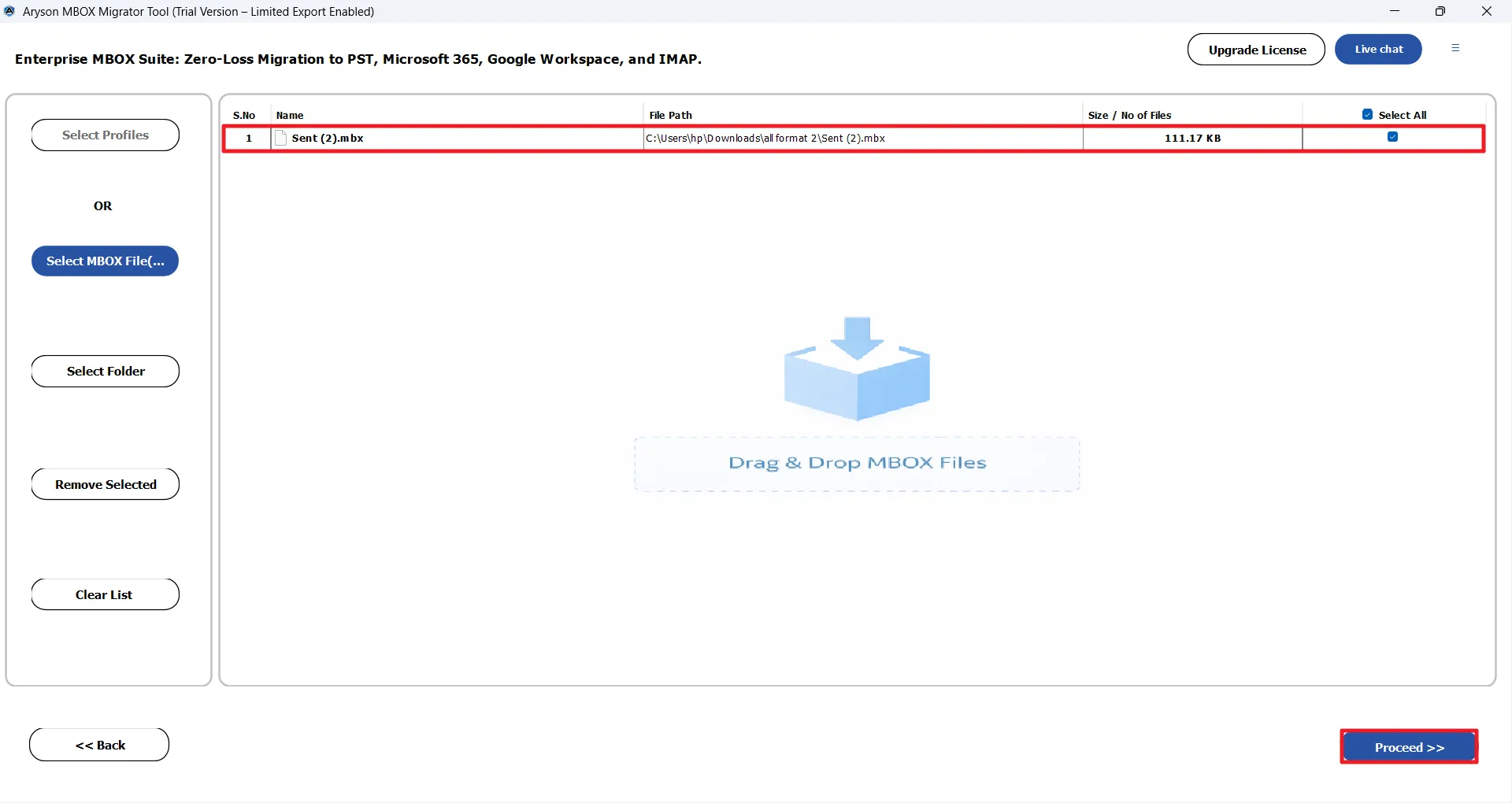
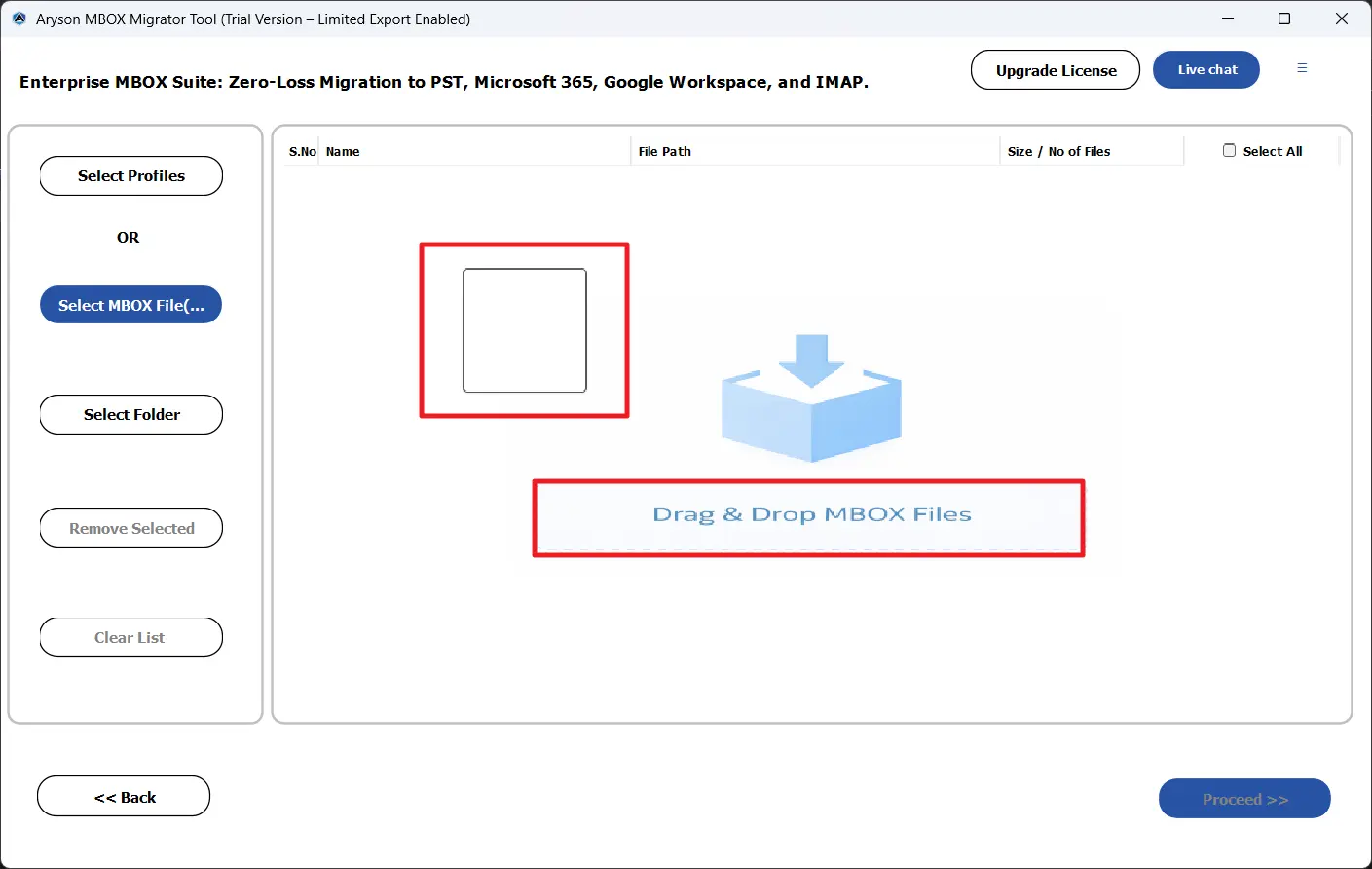
Drag & Drop Google Takeout Files

Users can load and process their Google Takeout MBOX files effortlessly using a smart drag-and-drop interface. They can simply drop files or folders into the software, and it automatically scans and detects them. Moreover, it organizes all mailboxes for quick preview and conversion so that no manual browsing or technical steps are required.

  • Simply drag and drop single MBOX files, folders, or complete Takeout exports directly into the panel.
  • Automatically detect and validate all embedded mailbox files.
  • Instantly organize emails with the original folder structure and hierarchy intact.
  • Load multiple files or bulk exports at once from one unified interface.
Email Accounts Selection

View Emails with Full HTML & Metadata

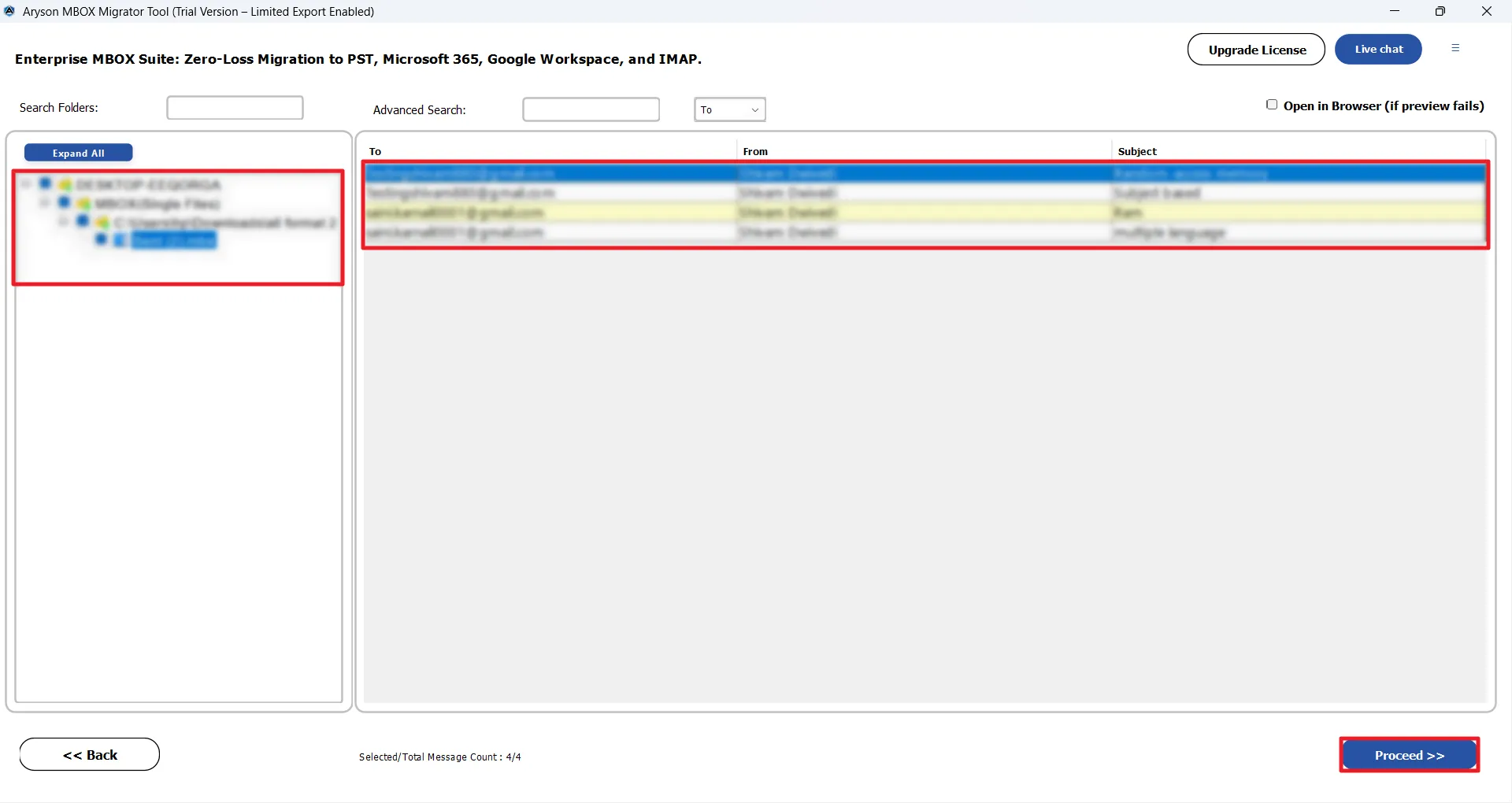
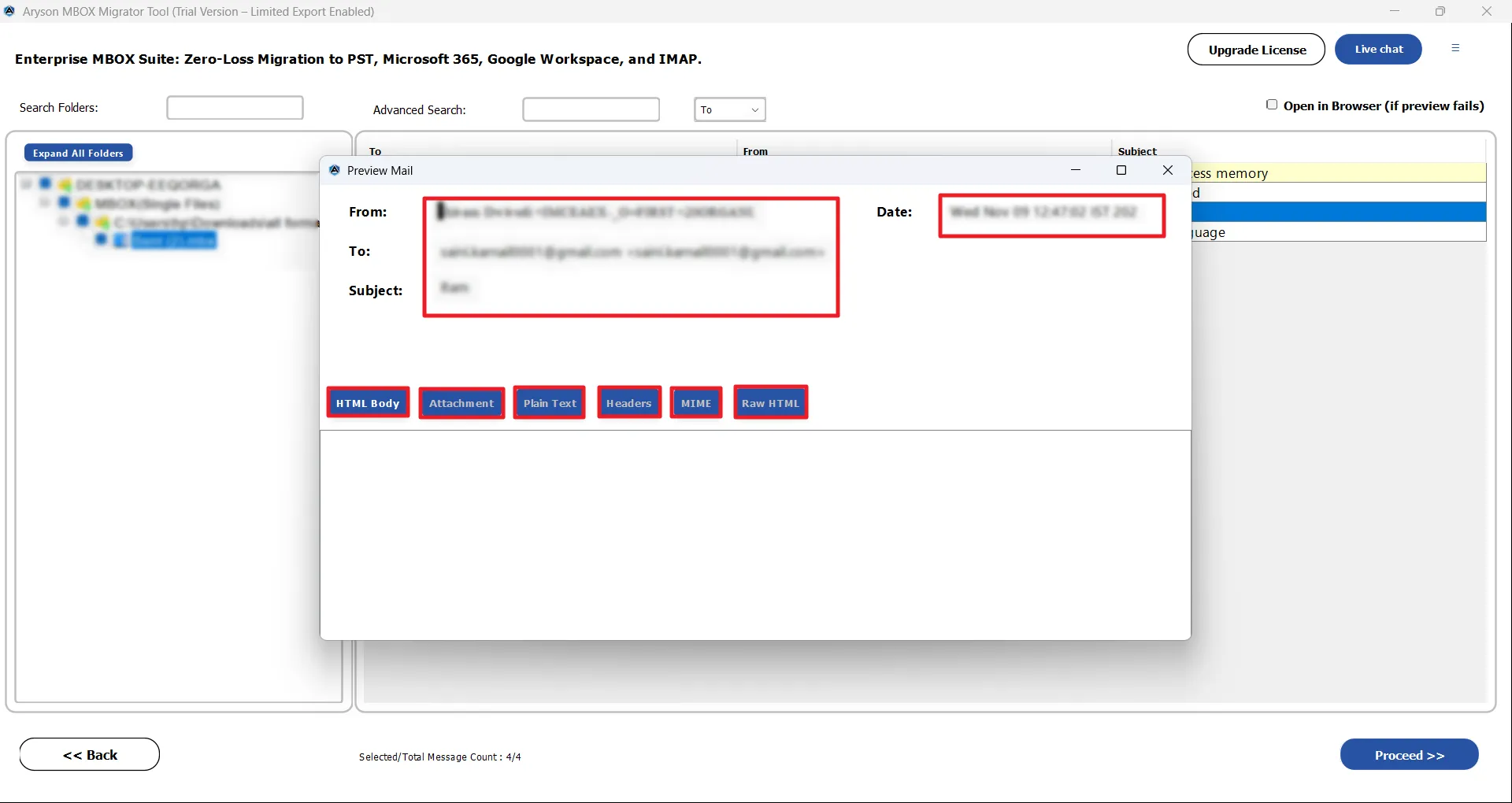
Aryson Google Takeout Zip Converter allows you to review and verify your Google Takeout emails before conversion to ensure complete accuracy and control. IT Professionals can browse mailbox folders, inspect message content, and check attachments in advance. This makes sure that they convert only the data you truly need.

  • Preview complete mailbox folders with the original Gmail hierarchy and structure.
  • Open and read emails with full HTML formatting, headers, and metadata details.
  • You can view and download attachments directly from the preview panel.
  • Select the specific folders or messages after reviewing for the precise conversion.
Mailbox Folder Backup

Direct MBOX-to-MBOX Conversion

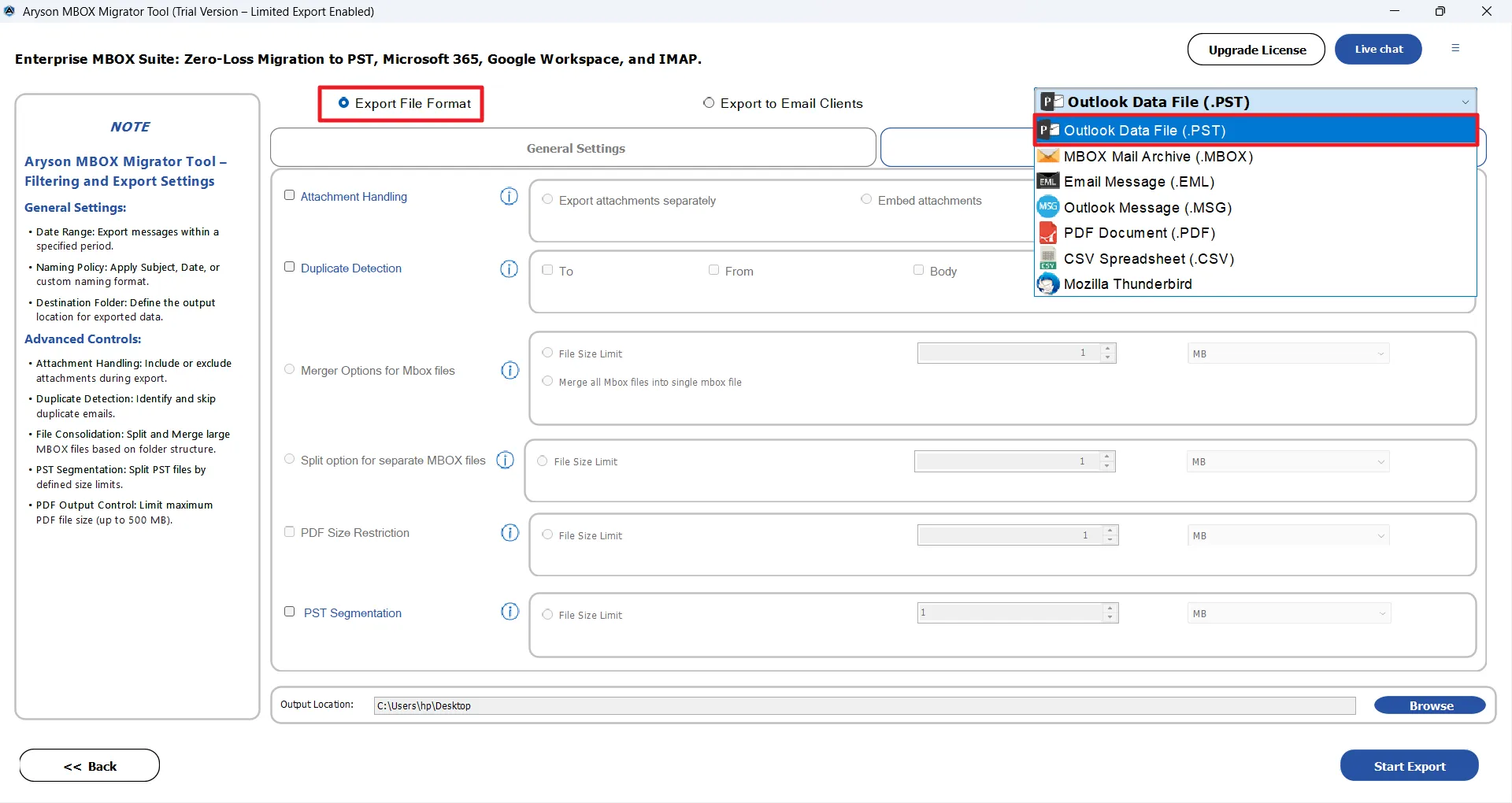
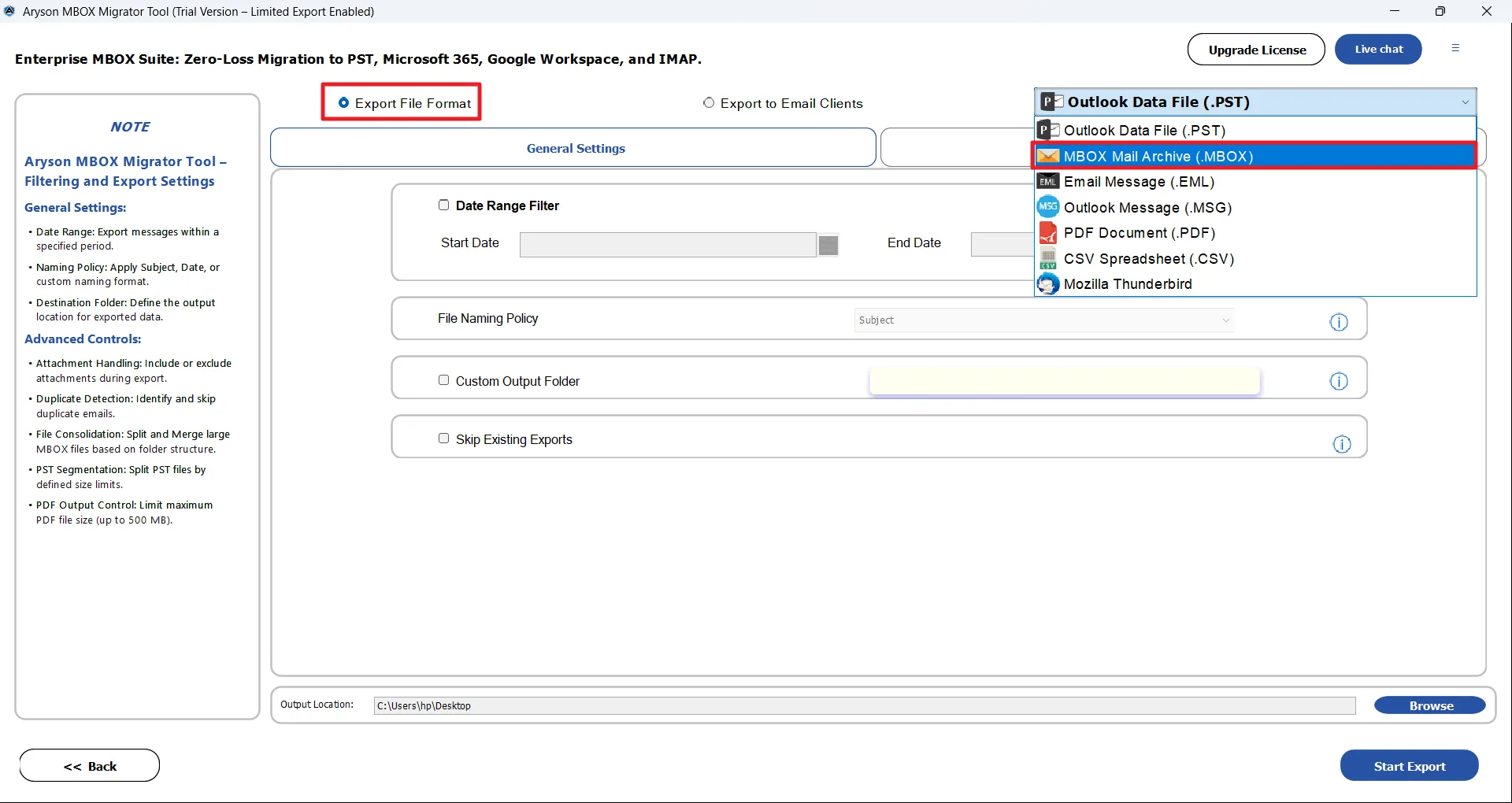
Users can transform Google Takeout MBOX files into required formats or re-save them as optimized MBOX archives for better portability. This Google Takeout Extractor Software supports both cross-platform migration and MBOX to MBOX conversion, which makes it easier to reorganize, split, merge, or reuse Takeout data.

  • Administrators can convert MBOX to PST, EML, MSG, PDF, CSV, and other formats.
  • You can perform direct MBOX to MBOX conversion with full integrity.
  • Split or merge large MBOX files for better mailbox management.
  • It also maintains the attachments, headers, and metadata accurately.
Migration Options

Attachment Preview & Saving Options

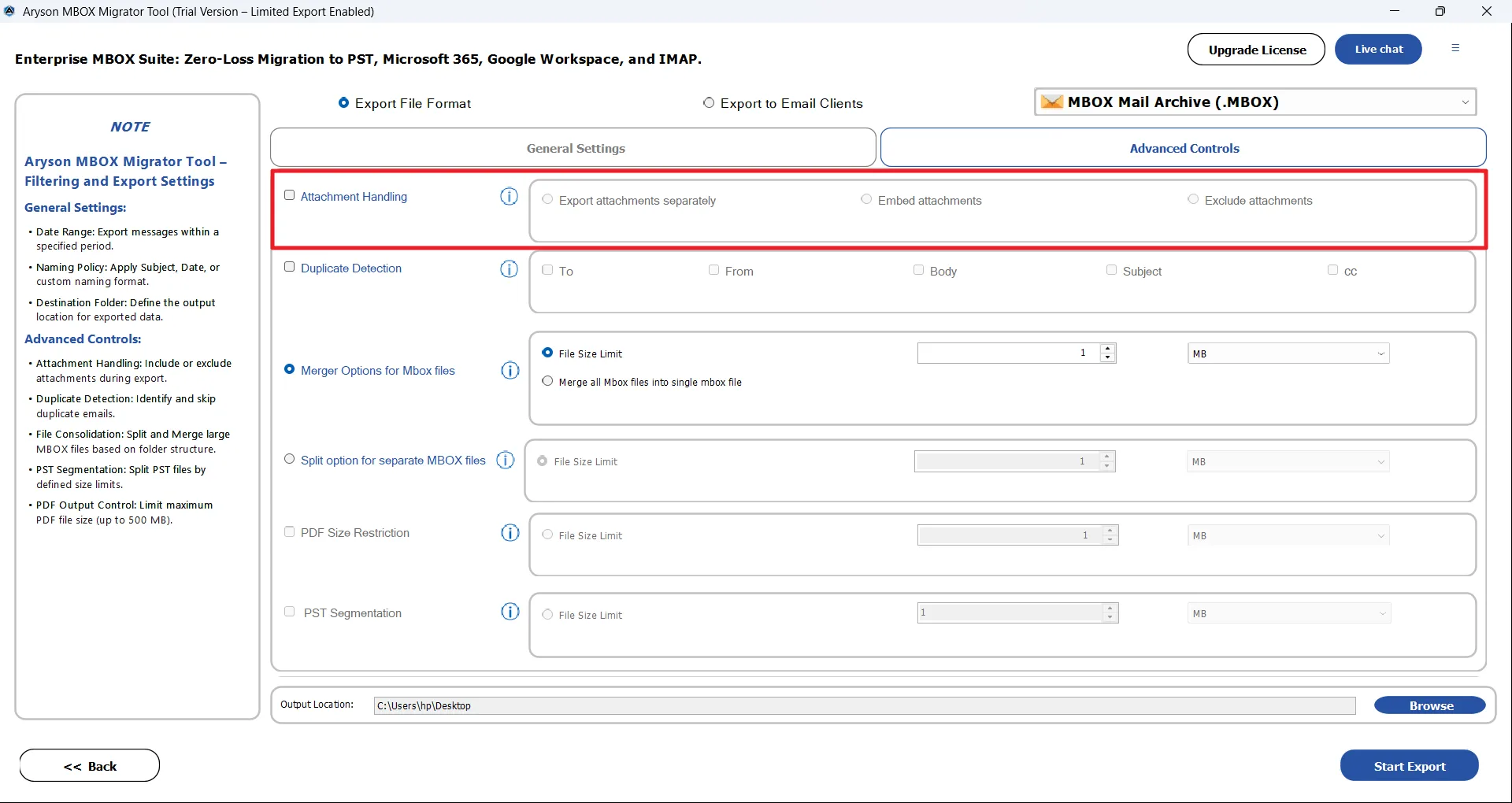
The end user can take full control over how they manage their data during the Google Takeout conversion. The Google Takeout Archive Converter provides flexible, built-in attachment handling modes that let users organize, embed, or exclude files based on their storage, performance, or compliance needs.

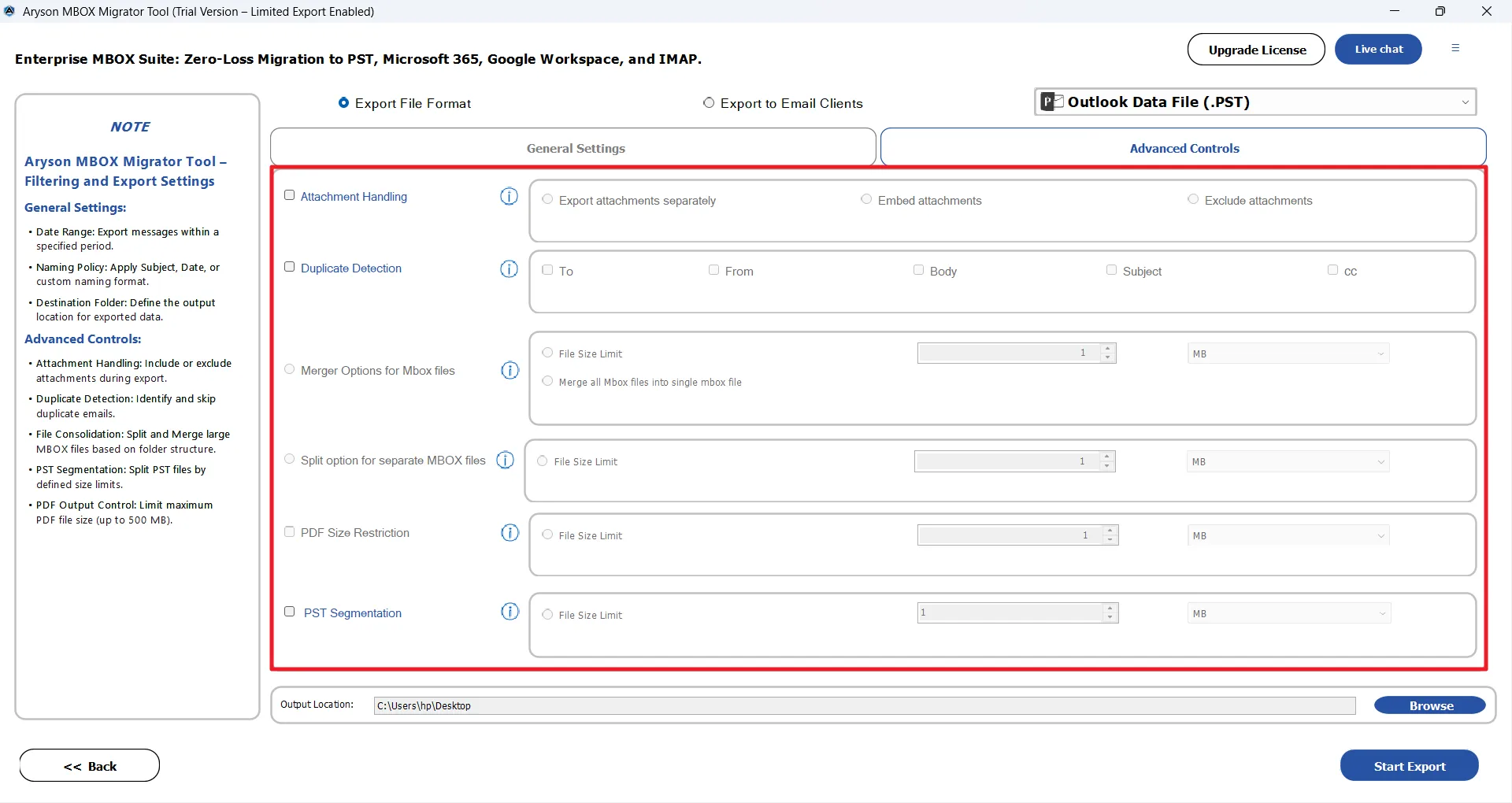
  • Attachment Separately: Use this feature to save all the attached files into a dedicated folder while exporting only the core email message to the output file for easier access and storage management.
  • Insert Attachment into the Same File: Embeds attachments directly within the converted email file (PST/EML/MSG/PDF) to keep messages and their files combined and fully intact.
  • File without Attachment: This option allows enterprises to export only the email body and metadata of a large amount of data while completely excluding attachments.
  • Attachment Preview & Download: It allows users to verify and download the individual attachments from the preview panel before conversion for verification
    and accuracy.
Core Functionalities

Comprehensive Features of the Aryson Google Takeout Converter

Discover the advanced capabilities of the secure and reliable Google Takeout Converter

Auto Detect

Instant Google Takeout Data Import

Aryson Google Takeout Converter directly loads mailbox data from Google Takeout exports without requiring additional configuration. It can automatically scan the folder structure, detect mailbox files, and prepare them for conversion. This ultimately saves time and reduces complexity for both technical administrators and non-technical users.

Bulk MBOX File Conversion

Export into Multiple Standard Formats

The Google Takeout Converter Tool converts Google Takeout mailbox data into widely accepted formats, including PST, EML, MSG, PDF, and CSV. This flexibility supports Outlook migration, email sharing, legal archiving, reporting, and long-term backup strategies. Hence, it ensures compatibility with different business tools, platforms, and professional workflows.

Cloud

Migration to Cloud Email Platforms

Users can migrate Takeout mailbox data directly to Microsoft 365, Gmail, IMAP servers, and other supported cloud platforms. Secure connections enable a safe migration while preserving the mailbox structure. Moreover, it allows organisations to move emails between services without compatibility issues, manual reconfiguration, or unnecessary downtime.

Bulk conversion

Bulk Conversion for Large Mailboxes

The Google Takeout Extractor Tool supports batch processing and allows enterprises to export multiple Takeout files or entire folders simultaneously. This bulk conversion significantly reduces the manual effort, shortens migration time, and helps administrators efficiently handle large mailbox archives or multiple user accounts in one streamlined operation.

Security

Modern Authentication Security

Integrated OAuth-based modern authentication establishes secure connections with Microsoft 365, Gmail, and other services. Credentials remain protected, and data transfers are encrypted, which safeguards the sensitive information and meets enterprise security standards during migration or conversion operations.

Hierarchy

Maintains Email Integrity and Structure

During Takeout conversion, the Google Takeout Data Converter Software preserves complete email properties, including headers, attachments, timestamps, labels, formatting, and folder hierarchy. This makes sure that the emails appear exactly as they did in Gmail, maintaining authenticity and preventing any alteration, corruption, or loss of important business communication details.

Preview

Preview and Smart Search Panel

A built-in preview feature of the Google Takeout Extractor Tool displays detailed email information, such as sender, recipient, subject, and date, before conversion. Users can inspect messages, verify attachments, and perform quick searches, enabling selective processing. This ensures that only relevant emails are included during migration or export operations.

Date Range

Date Range Filter and Custom Folder Organisation

Aryson Google Takeout Data Converter allows users to export emails within specific date ranges while assigning custom folder names for organised storage. This enables selective migration of relevant communications and structured output management, making post-conversion access, categorisation, and long-term email administration simpler and more efficient.

Split

Split & Merge Mailbox Files

Aryson Google Takeout Data Converter Software can break the oversized output files into smaller, manageable segments to improve performance and prevent corruption. Moreover, it can merge multiple Google Takeout mailboxes into one consolidated file for easier organization, simplified storage, migration, and efficient management of large or multi-user email exports.

Duplicate Removal

Attachment Handling & Duplicate Removal

You can choose these features to embed attachments within emails, save them separately, or exclude them entirely while the software automatically detects and removes duplicate messages. This selection is based on multiple criteria, reducing clutter, optimizing storage space, and delivering cleaner, faster, and more efficient mailbox conversions.

Naming

Custom Naming & Incremental Conversion

Large-scale organisations can apply structured naming conventions using subject, date, or custom patterns to organize exported files clearly. In addition, this software skips previously converted emails during repeated processes, saving processing time, preventing duplication, and supporting an effortless, incremental migration for ongoing backup or archival tasks.

Mapping

Default Mailbox Mapping

When migrating emails to supported platforms, the Aryson Google Takeout Extractor Software automatically maps Takeout folders to the destination’s default mailbox structure. This preserves the logical organisation, reduces manual adjustments, and makes sure that the user can immediately access emails within familiar folder layouts after migration.

Windows

Simple Interface & Broad Windows Compatibility

This software provides a clean, intuitive interface with guided steps that simplify the file selection, preview, and conversion for both technical and non-technical users. Along with that, it runs smoothly across all major Windows versions to provide a stable performance, easy deployment, and seamless operation in modern or old environments.

Demo

Free Demo Version for Evaluation

The demo version of Aryson Google Takeout Extractor Software allows users to get a hands-on experience of the entire migration. It allows them to load Google Takeout files, preview emails, and convert 50 files/folders. This helps users verify accuracy, features, and compatibility within their environment without financial commitment.
Screenshot

How to Use Aryson Google Takeout Converter

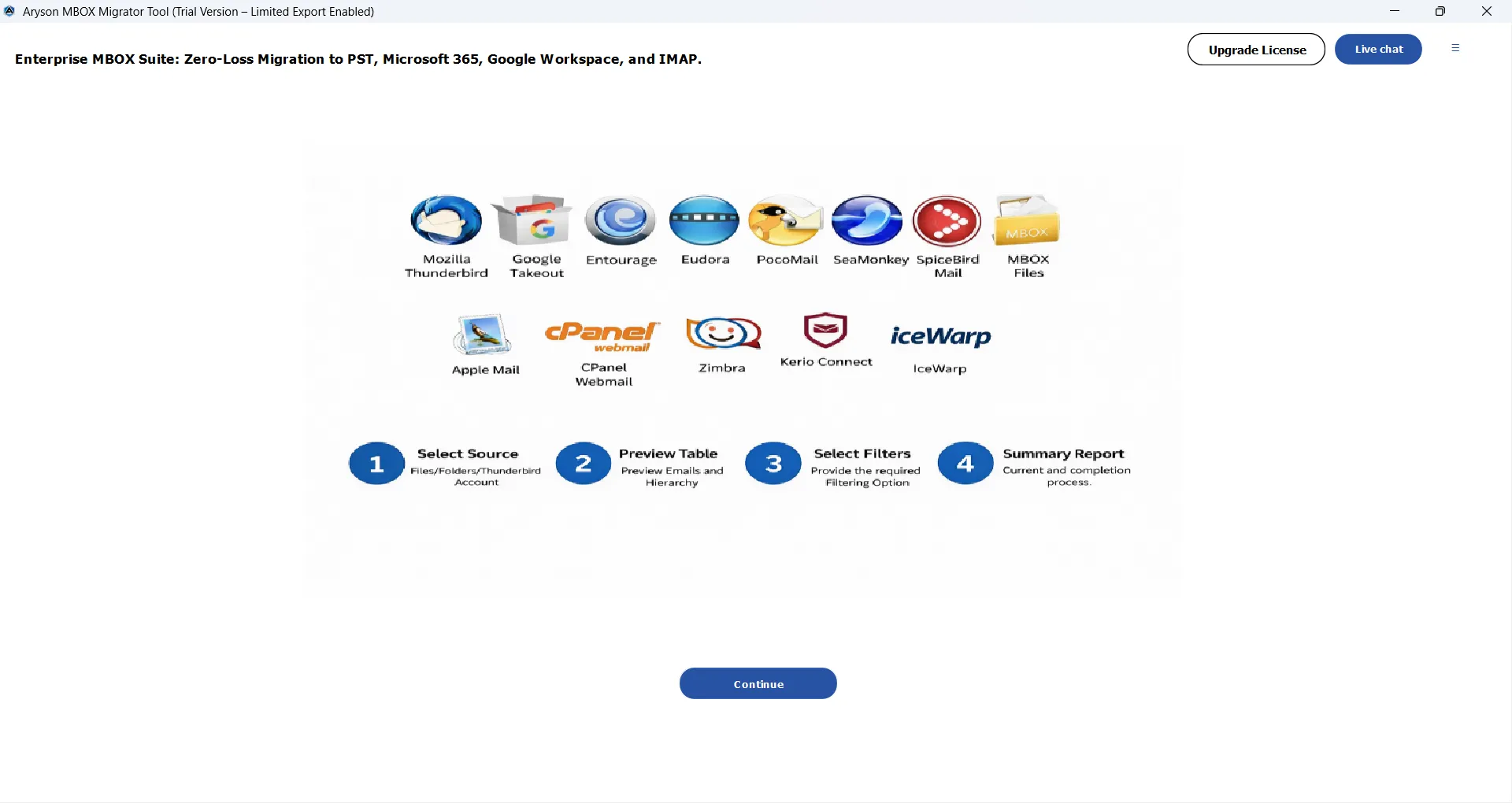
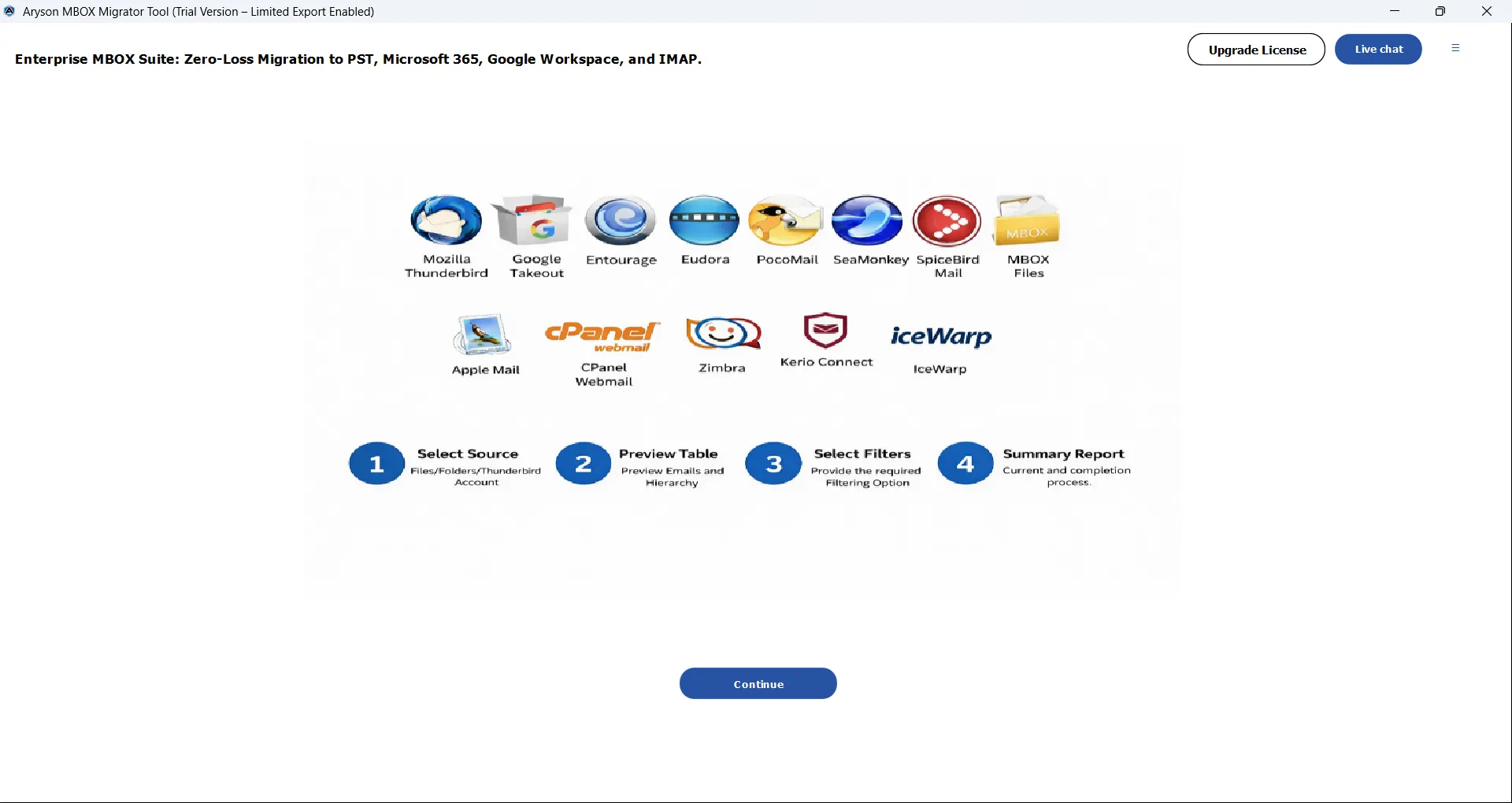
Aryson Google Takeout Converter is a secure and reliable solution designed to process Gmail data exported through Google Takeout without requiring access to the original Google account. Its intuitive interface allows users to load Takeout mailbox files, preview emails and attachments, and convert or migrate data efficiently. Follow the steps below to process your Takeout data safely and accurately:

  • Step 01: Download and install the Aryson Google Takeout Data Converter on your system.
  • Step 02: Click Open & select your Google Takeout mailbox file or the complete export folder.
  • Step 03: Preview all folders, labels, and emails in the built-in tree view panel.
  • Step 04: Choose the desired output format or destination email platform.
  • Step 05: Apply filters such as date range or folder selection if required.
  • Step 06: Click Convert to begin processing and exporting the mailbox data.

Aryson Google Takeout Converter: Enterprise-Level Use Cases

Discover how enterprises manage high-volume Gmail archives generated via Google Takeout.

Migration

Centralised Gmail Data Migration

The Google Takeout Extractor Software enables organisations to migrate Google Takeout mailbox archives during employee offboarding or account closures. This allows IT teams to centrally retain and manage business communications with complete data ownership.

Consolidation

Google Workspace Consolidation

Supports importing Google Takeout archives into Google Workspace or Microsoft 365. As a result, organisations can centralise user exports and maintain consistent mailbox management policies.

Application

IT Administrative Efficiency

Allows administrators to process multiple Google Takeout exports through automated bulk conversion. This reduces manual workload and speeds up enterprise migration projects.

Conversion

Bulk & Large Mailbox Processing

It can handle high-volume Google Takeout files containing thousands of emails without performance issues. Therefore, organisations can process large mailbox datasets quickly and reliably.

Data Integrity

Data Integrity and Compliance

Aryson Google Takeout Converter Software preserves email headers, attachments, labels, and folder hierarchy during conversion. This helps organisations maintain accurate records for audits and compliance.

Bussiness

Enterprise Scalability

Supports growing organisations managing frequent Google Takeout exports. Hence, it maintains stable performance even with increasing data volumes.

Aryson Google Takeout Converter: System Specifications

Software Requirements and Compatibility Overview of the Aryson Google Takeout Wizard

Software Download

(Windows)

Download Now

Size: 191MBVersion: 25.10

Trial Limitations

The free demo version of Google Takeout Data Converter allows users to load Google Takeout mailbox files, preview emails, and convert up to 50 files/folders. To process complete mailboxes without restrictions, users must purchase and activate the licensed version.

Requirements & Supported Versions

Hard Disk Space: 500 MB of free hard disk space required

Processor: Intel® Core™ 2 Duo CPU E4600 @ 2.40GHz 2.39GHz

RAM: 4 GB of RAM (4 GB is recommended)

Supported Platforms

Window OS: Windows 11, 10, 8.1, 8, 7, Vista, XP, 2000, 98, NT, and 95.

Resultant PST Compatibility: After conversion, the generated PST files are fully compatible with all major Microsoft Outlook editions, including Outlook 2019, 2016, 2013, 2010, 2007, 2003, and 2000, allowing seamless import and immediate access to mailbox data without additional configuration.

MBOX-based email clients: The software processes MBOX files created by popular email clients such as Mozilla Thunderbird, SeaMonkey, Apple Mail, Entourage, Opera Mail, and Postbox, along with mailbox exports generated through Google Takeout and Google Vault backups.

Software Prerequisites

  • If you are operating Windows OS 11, 10, 8, or 7 (32-bit or 64-bit) then you must launch the tool as an Administrator.
  • Turn off the Windows Firewall for proper installation.
  • Disable the Antivirus programs.

FAQ

Request For Software Customization

Organisations with specialised workflows or additional feature requirements can request software customisation and receive a tailored solution with a dedicated quote.

Aryson Google Takeout Converter: Free & Premium Version

Feature Comparison Across Free and Licensed Editions of the Google Takeout Converter Tool

Product Features Free Version Full Version
Load Google Takeout Mailbox Files
Preview Emails with Attachments
Convert Google Takeout Emails 50 Emails/ Folder Complete Mailbox
Export to PST, EML, MSG, PDF & CSV Limited
Direct Migration to Office 365, Gmail & IMAP
Bulk Conversion of Multiple Takeout Files
Maintains Folder Structure & Labels
Advanced Filters (Date Range, Folder Selection)
Remove Duplicate Emails
Attachment Handling Options
Custom Folder Naming
Skip Previously Converted Emails
Split Large Output Files
Works with Large Gmail Archives
Compatible with All Windows Versions
Technical Support
Price Free $49
Money Back Policy

Frequently Asked Questions

Ans. The Aryson Google Takeout Converter allows you to convert Gmail emails, Contacts, Calendars, and Drive data exported via Google Takeout into formats like PST, PDF, EML, MSG, MBOX, and more.

Ans. Yes, the Google Takeout Data Converter supports bulk processing. You can add multiple Google Takeout (.zip/.tgz) files or folders and convert them simultaneously to save time and effort.

Ans. Yes, the Aryson Google Takeout Converter Software enables direct migration of Takeout emails to Office 365, Gmail, Yahoo Mail, IMAP servers, and other cloud-based email services without intermediate steps.

Ans. Absolutely. The Google Takeout Extractor Tool preserves the original folder structure, email properties, attachments, timestamps, and metadata throughout the Google Takeout conversion.

Ans. Yes, it efficiently handles large and multiple Takeout archives without file size limitations, ensuring smooth and uninterrupted processing.

Ans. Yes, advanced filters like Date Range, From, To, Subject, and Folder filters allow you to export only the required emails, reducing unnecessary data migration.

Ans. Yes, the Duplicate Email Removal feature of the Google Takeout Converter Tool automatically detects and skips duplicate emails based on criteria like To, From, Subject, and Body.

Ans. No, this software works independently and does not require Outlook or any third-party application for converting Google Takeout data.

Ans. Yes, a free trial version of the Google Takeout Extractor Tool is available that allows limited conversion so users can evaluate the tool’s features and performance before purchasing.

Ans. Yes, separate versions of the Aryson Google Takeout Converter are available for both Windows and Mac, ensuring cross-platform compatibility.

Ans. Yes, the built-in preview panel lets you view email content, attachments, and other details before starting the conversion process.

Ans. You can contact Aryson’s technical support team via live chat or email. Assistance is available 24/5 to help resolve any queries or technical concerns.

Trusted by IT Professionals & Enterprises Worldwide

See what administrators and businesses say about Aryson Google Archive Converter

review-rating