-
Table of Content
- Software Working Process
- Activation Guide
- Installation & Uninstallation
- User Interface
Software Working Process
Software Working Process
Step 1: Download and run the Aryson Google Drive Duplicate Cleaner.
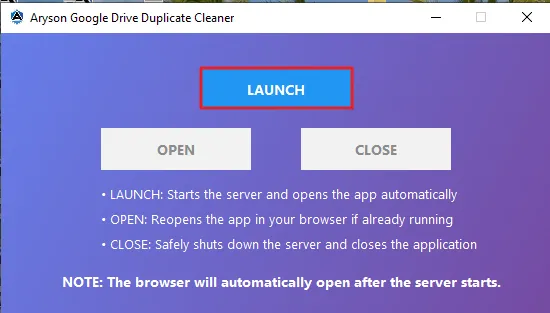
Step 2: Sign in with your Gmail account to connect with the Aryson Duplicate Cleaner App.
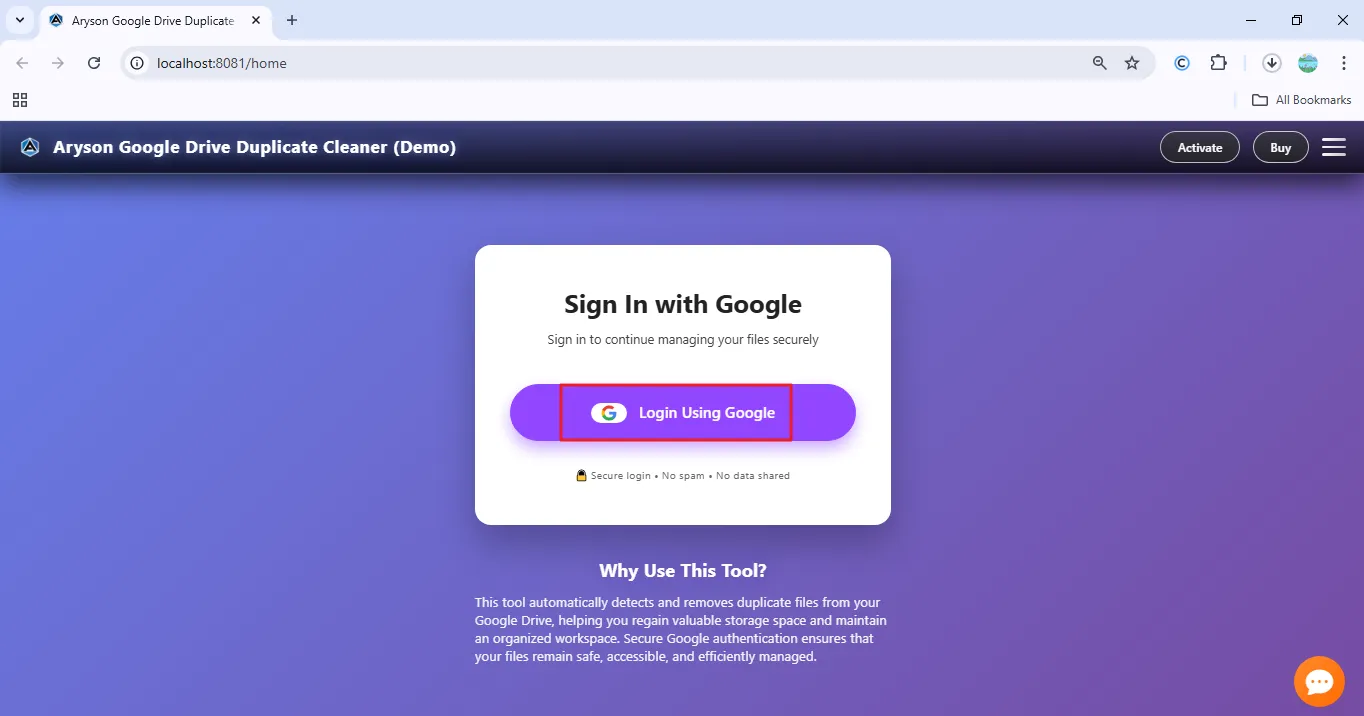
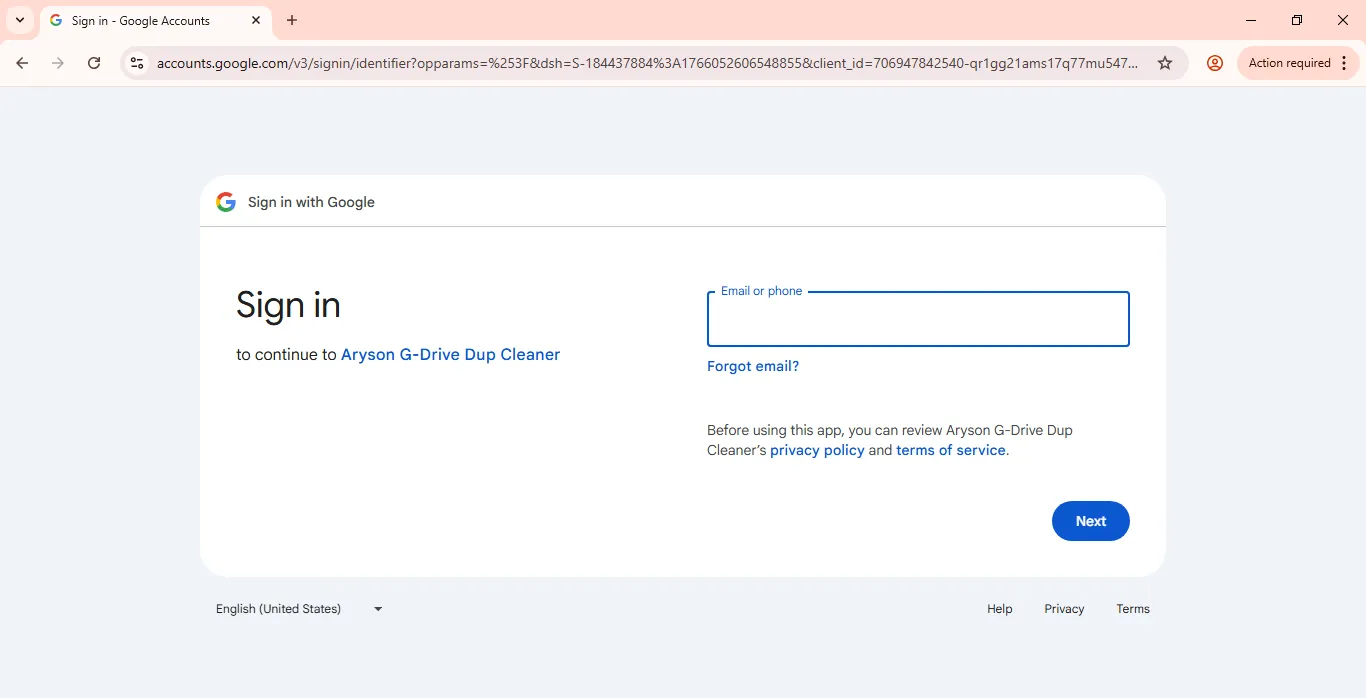
Step 3: Enter your Gmail Email address and Password proceed further.
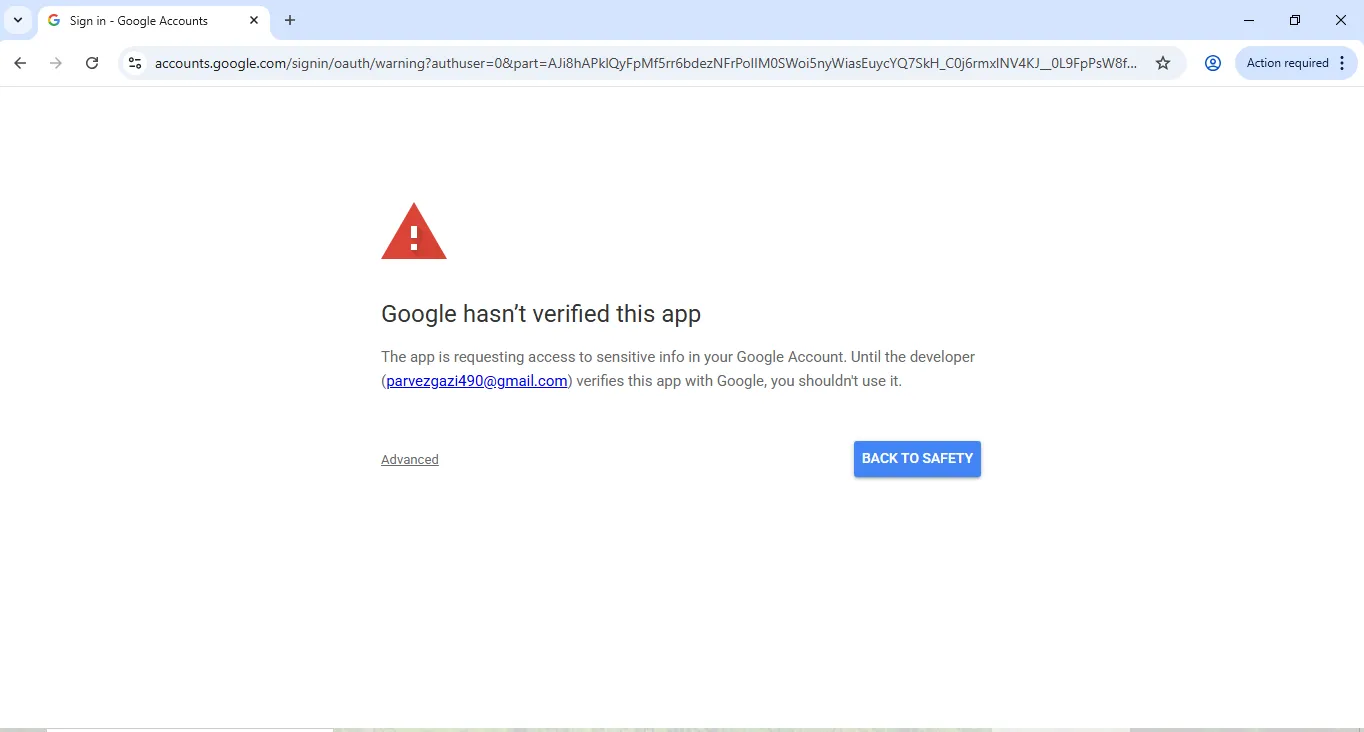
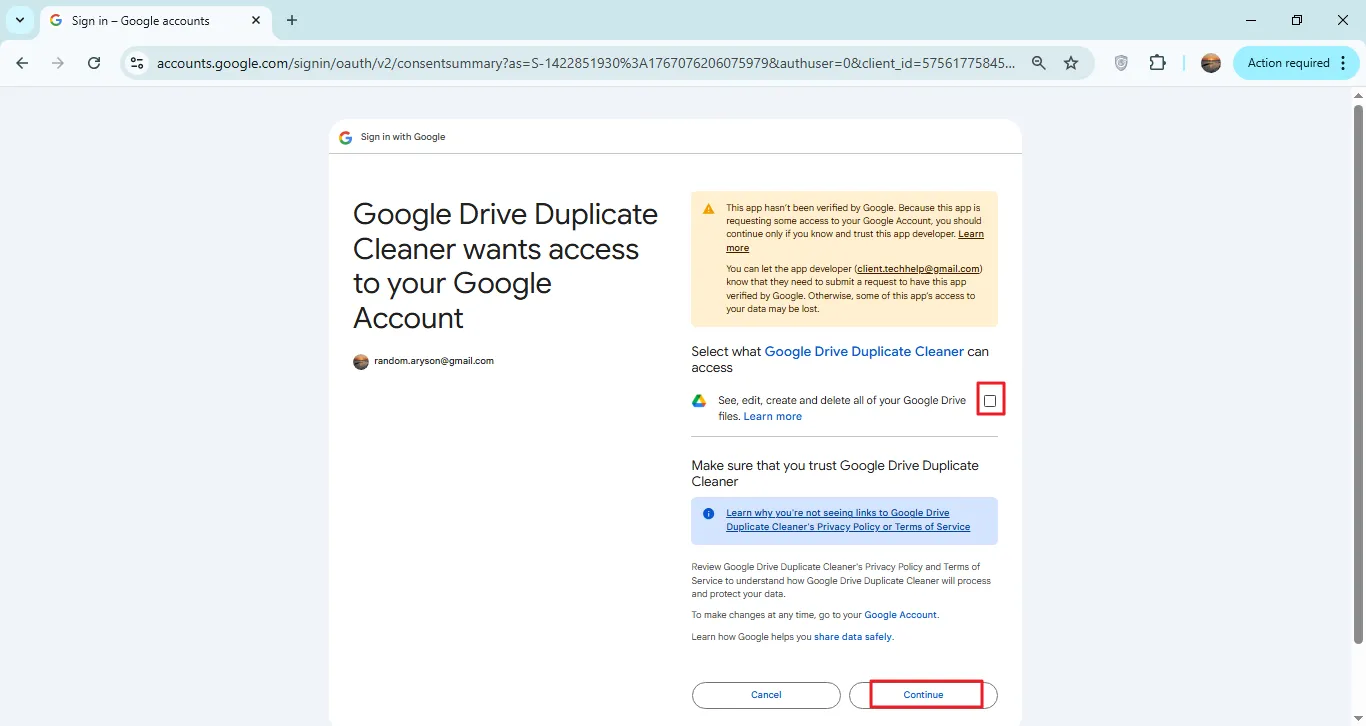
Step 4: Perform Google Verification
- This is a standard Google security warning for non-Marketplace apps.
- The tool works locally and does not store or share data.
- It accesses only Google Drive files for duplicate detection.
- No emails, contacts, or personal data are read.
- You can revoke access anytime from Google Account settings.
- Click Advanced → Continue to proceed safely.
Step 5: Click the checkbox to enable Gmail backup, along with access to your Gmail account data. And click on the Continue button.
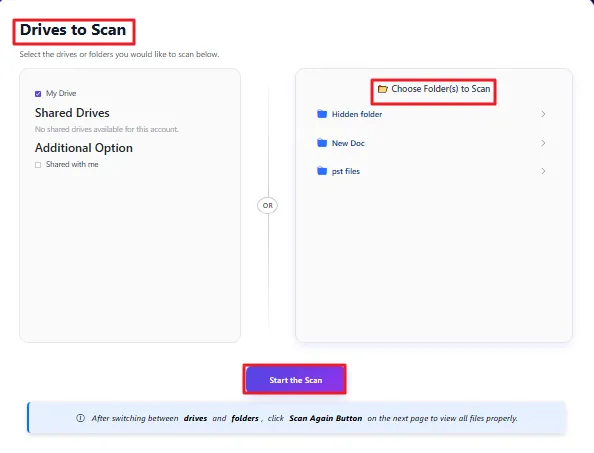
Step 6: Start your First Scan
- Select My Drive to scan the entire Google Drive or choose Choose Folder to Scan to scan a specific folder.
- Click Start the Scan to begin checking for duplicate files.
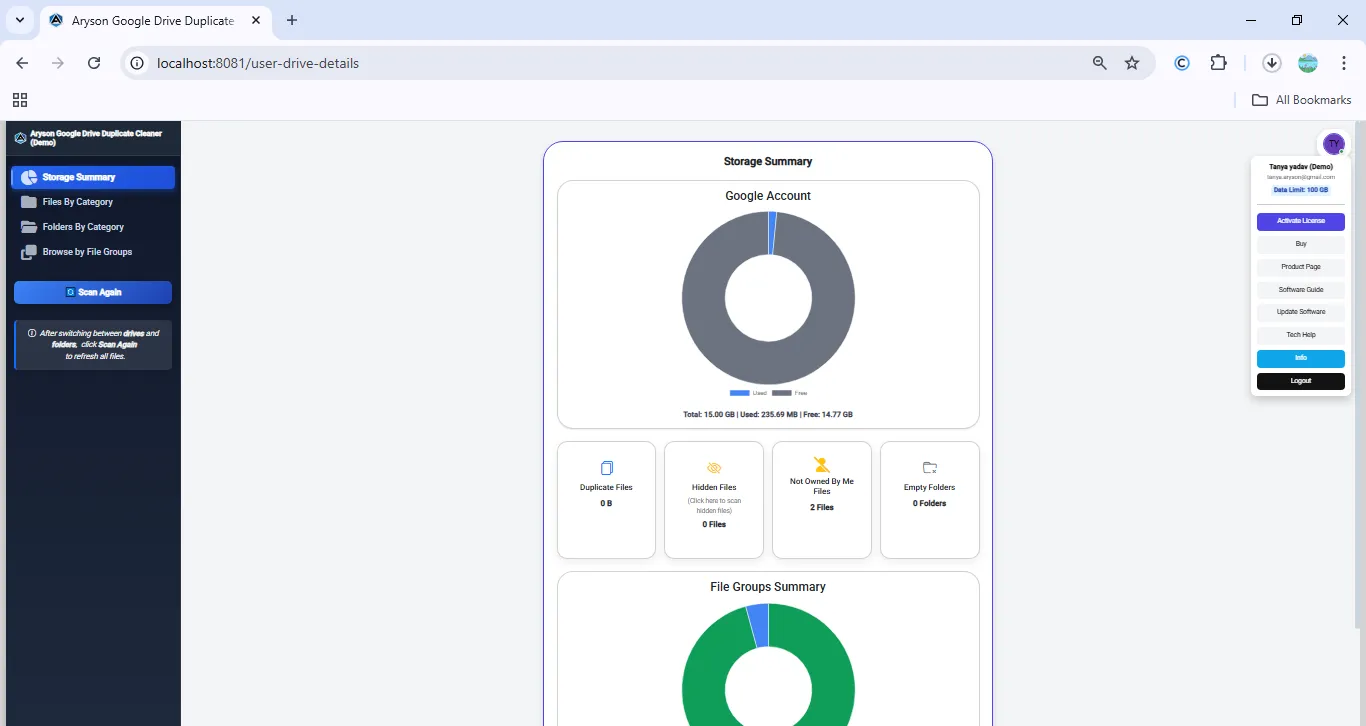
Step 7: Summary Storage Panel
- After scanning, you’ll see a summary showing Drive space usage and insights like duplicates, hidden files, not owned by me, and empty folders.
- The right-side panel gives quick access to account details, activation options, key actions, and support without disrupting your workflow.
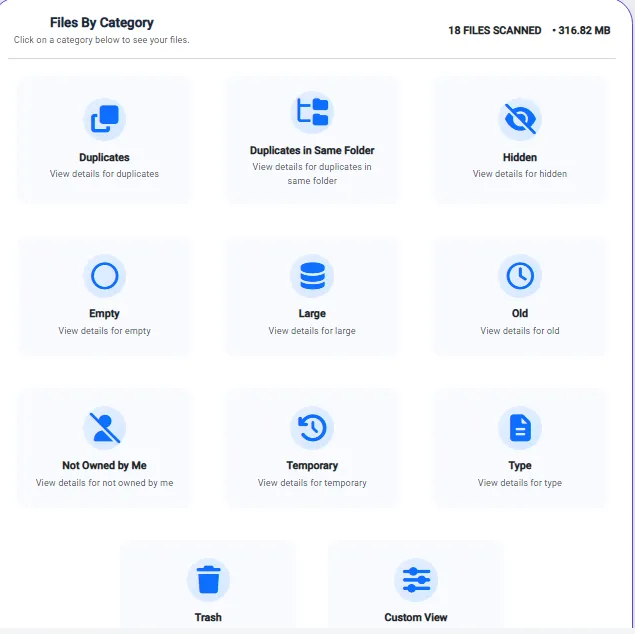
Step 8: File by Category
- The File by Category page smartly groups files into duplicates (same folder), hidden, empty, large, old, not owned by me, temporary, by type, custom view, and trash for easy management.
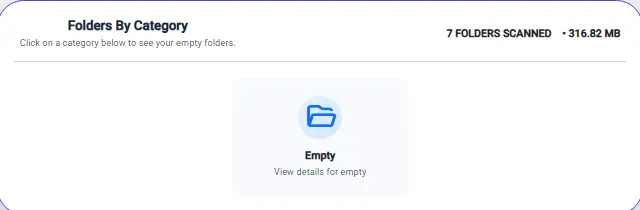
Step 9:Folder by Category
- Identifies empty or unused folders to remove clutter, free storage, and keep Google Drive organised.
- Improves overall drive management and efficiency with quick folder review and cleanup.
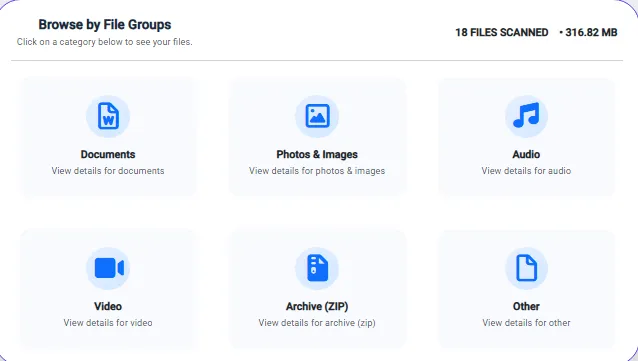
Step 10: Browse by File Groups
- Automatically groups Google Drive files into categories like Documents, Photos, Audio, Video, ZIP, and Others for easy review.
- Shows the total number of files and storage space used by each file type.
- Helps identify space-consuming file formats for better storage management.
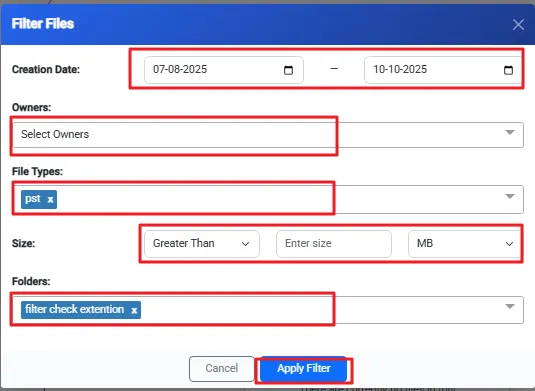
Step 11: Filters help quickly find and remove unwanted files or folders by narrowing results using date, owner, type, size, or folder—just apply a filter and clean your Drive easily.
- Creation Date: Find files within a selected date range.
- Owners: Search files by owner for easy removal.
- File Types: View specific formats to delete unwanted files.
- Size: Locate large files quickly.
- Folder: Select a folder to manage its files.
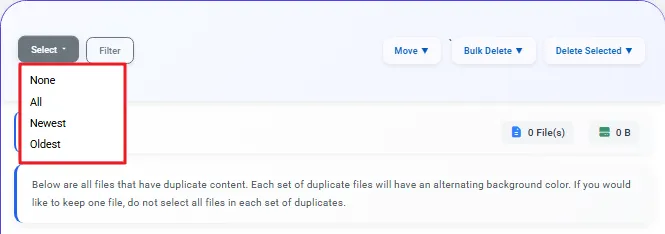
Step 12: Select duplicate files and delete them
- Select Files: Use the Select option to quickly choose files on the current page (up to 500) by None, All, Newest, or Oldest.
- Manual Delete: Select specific files and click Delete to move them to Trash or permanently remove them after confirmation.
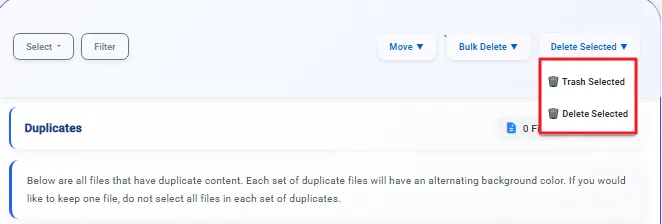
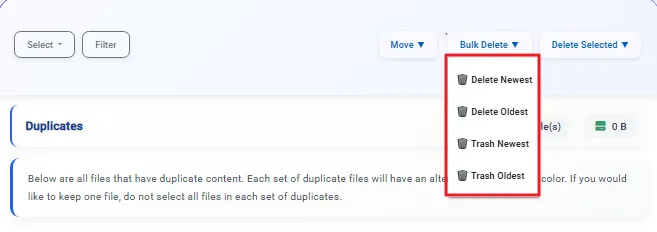
- Bulk Delete: Use the Bulk Delete option to automatically remove all files in a selected category at once, saving time.
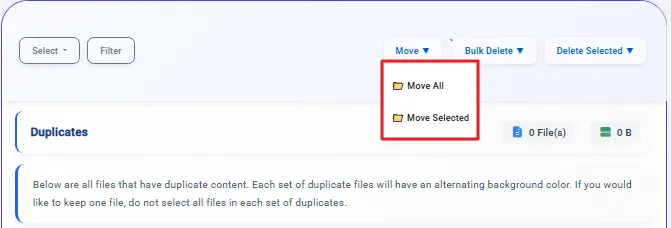
- Move Files: Click Move Selected or Move All to transfer files to another folder by choosing the destination location.
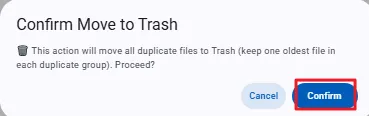
Step 13: The confirmation dialog box will appear. Click Confirm to delete or move the files.
Activation Guide
Activate the Software
Installation & Uninstallation
Installation & Uninstallation of Software
User Interface
User Interface
After downloading the Aryson Import Google Drive Duplicate Cleaner Software, you will find the welcome screen as played below.