




If the DBF files become corrupt or inaccessible due to errors, the software efficiently repairs the damaged database. It restores complete data, including tables and records, while preserving the original file structure and ensuring that no information is altered or lost during the recovery process.
Advanced Capabilities of the Aryson DBF Recovery Software
Explore this powerful tool to repair and recover corrupt or damaged DBF files accurately:

Repair DBF File Securely
The Advanced DBF Repair tool can effortlessly repair DBF files created by various database programs. It can repair FoxPro databases and other database files created by dBase, MultiBase, dBXL, Clipper, CodeBase, Arago, etc. It will ensure full recovery of the database file.

Bulk DBF Database Recovery
DBF File Repair Software is the most exclusive software for repairing DBF database files on Windows. It can successfully scan a large DBF file in no time and recover the maximum possible data from it. It executes a safe recovery without causing any alteration to the original file content.

Auto Files Search Feature
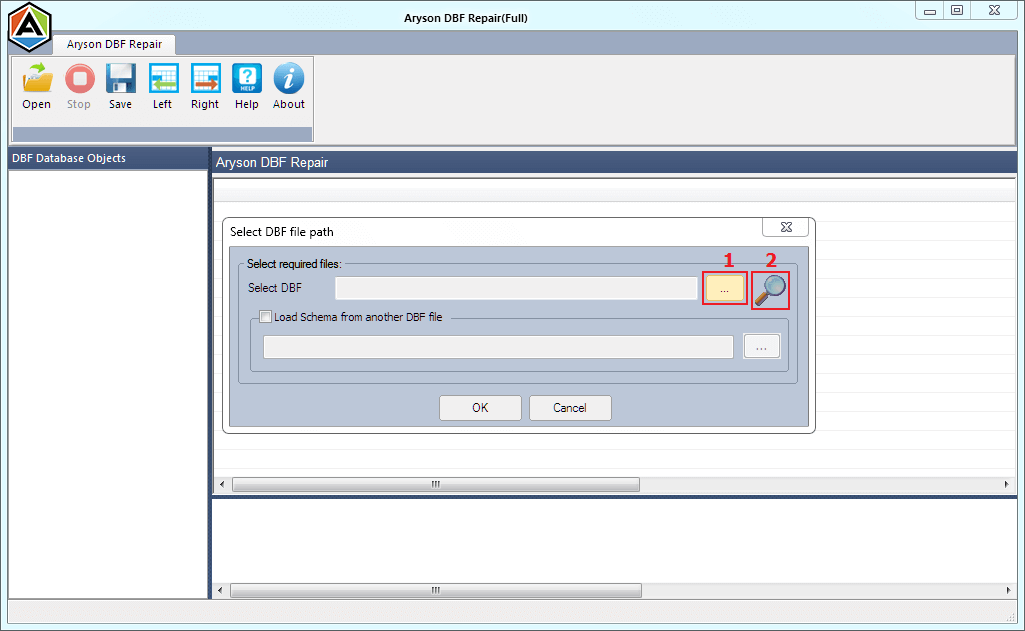
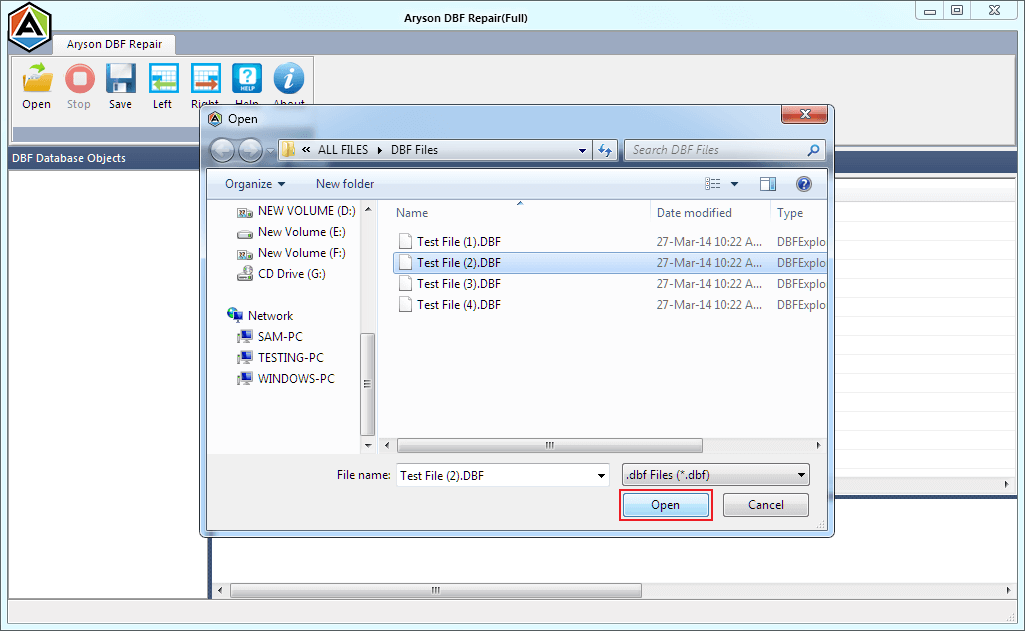
This software is embedded with an "auto file search" feature to search the DBF files in your computer system. If you don't know where exactly your DBF files are stored in the system, you should use this feature. It'll thoroughly scan your system and search all the DBF files within seconds.

Option to Load Schema
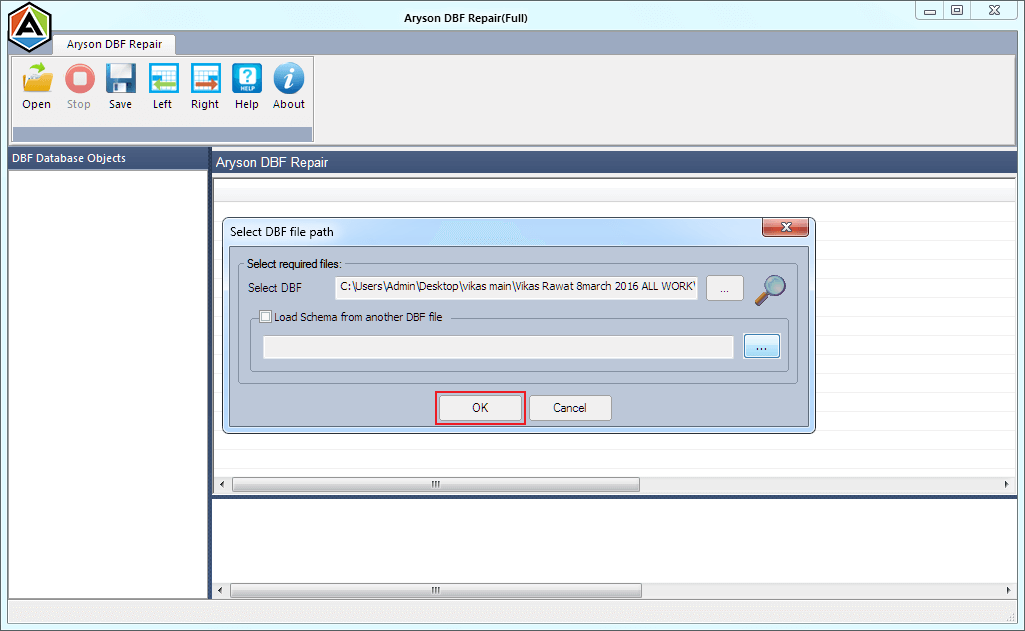
The "load schema" feature of DBF Database Recovery is very helpful in case of extreme header corruption. It allows you to load the schema from another DBF file for a successful recovery. Ensure the DBF file you want to load the schema into contains the same header structure.

Restore DBF File Objects
With the Aryson DBF Recovery utility, you can restore DBF file objects like tables, indices, primary keys, and column names from corrupt DBF files into a new file. The other data types include columns, candidate key, foreign key, unique key, and regular key. All these items can be restored successfully.

Preview Data from DBF File
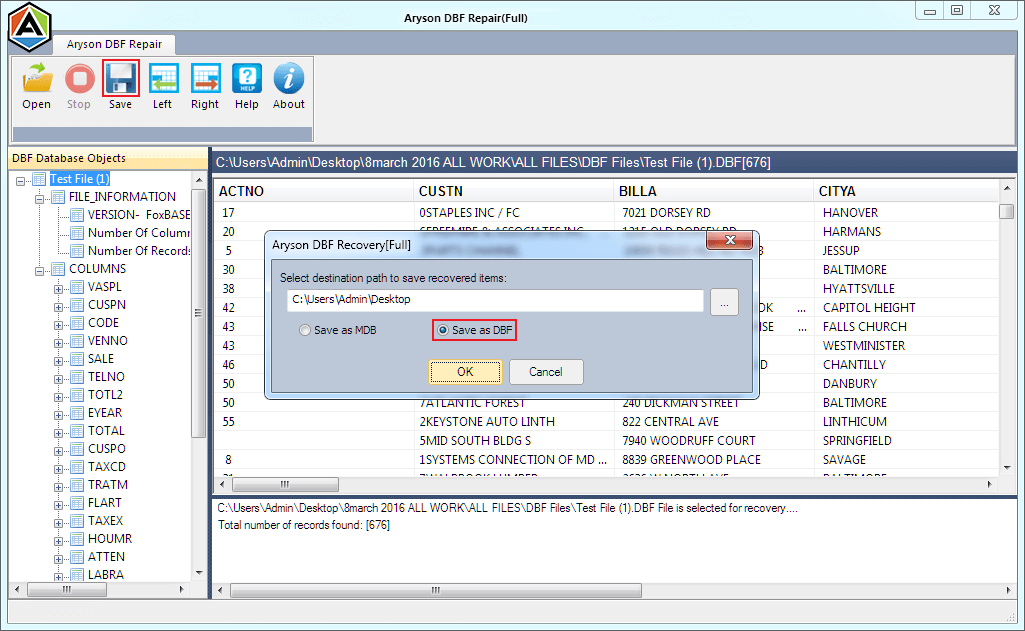
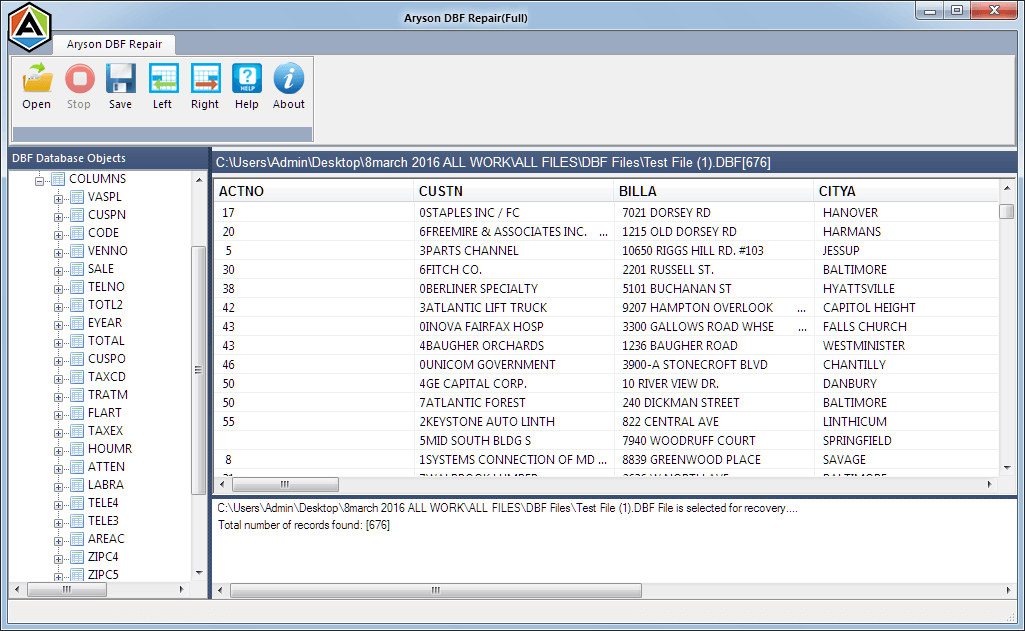
The advanced file preview option of DBF Database Recovery allows you to check what you can recover from the corrupt DBF file. All the recovered data are shown in the tree-structure. You can expand the database objects in the tree-structure and check their preview in the preview pane.

Fix Alignment of Records
Corruption can cause incorrect alignment of records in DBF files. This DBF repair tool can successfully fix the alignment of records and entries in corrupt DBF files. Also, it can adjust the correct pattern of records and entries using the Left and Right buttons given in the taskbar.

Convert DBF to MDB
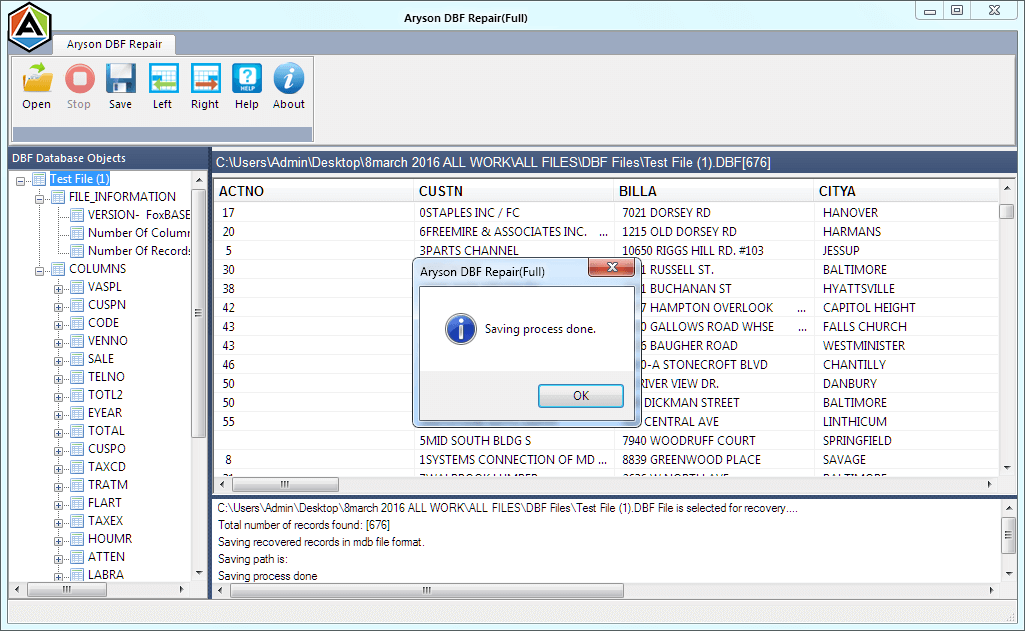
If someone wants to convert DBF files into MDB format, this DBF Recovery software also works as a DBF to MDB converter tool. It provides you with an option to save all the recovered data of DBF to MDB format. But the original DBF file remains intact or unchanged.

Easy-to-Use Application
It's an easy-to-use application that requires no prior technical knowledge. The software contains an interactive and user-friendly interface so that any tech-savvy or novice user can use it with ease. So, you don't need to have any technical knowledge to run this tool.

Windows Compatibility
The DBF File Repair software is highly compatible with all Windows-based operating systems. It smoothly runs under Windows 95, 98, 2000, 2003, 2008, ME, NT, XP, Vista, Windows 7 & 8, and the latest Windows 10. So, without any compatibility issues, you can run this software.