-

Written By Harshita Sachdeva
-
Approved By
Shivam Rathore -
Updated on July 3rd, 2026
Migrate from GoDaddy M365 to Microsoft 365: Enterprise Guide
Fact-checked and reviewed in accordance with our
Editorial Policy
Query: We have 40+ users on GoDaddy-managed Microsoft 365. IT team wants full admin control, but the GoDaddy admin portal blocks direct Microsoft Admin Center access. How do we migrate all mailboxes, contacts, and calendars to a direct Microsoft 365 tenant without downtime or data loss?
Summary: Organizations that opt for Microsoft 365 through GoDaddy face multiple limitations. These limitations include restrictions on admin access and limited policy control. But later on, when the business scales, they need to have control over administration, security, licensing, and Microsoft services. Therefore, they look for ways to migrate from GoDaddy M365 to Microsoft 365. Thus, this blog covers some of the most effective methods to perform the migration, including the Aryson Microsoft 365 Migration Tool. Read the entire blog to get more insights into the topic.
Potential Needs to Migrate GoDaddy Office 365 to Office 365
Understanding what drives this migration helps IT professionals plan it better.
- GoDaddy restricts full admin access, blocking direct Microsoft Admin Center control for IT teams.
- Organizations outgrowing 10-user GoDaddy plans require scalable licensing only available via Microsoft direct.
- Compliance and security teams cannot enforce custom DLP, MFA, or conditional access policies through GoDaddy.
- Users cannot access Microsoft support via the GoDaddy-managed Tenants.
- Even they cannot get access to the advanced M365 features like Power Platform.
Top Solutions to Migrate from GoDaddy M365 to Microsoft 365
In this section of the blog, we will primarily focus on the two simple yet reliable methods to move from GoDaddy M365 to Microsoft 365.
- The IMAP Approach
- Aryson Office 365 Migration Tool
First, go through both methods carefully and compare all the important aspects of the migration, then decide which of the methods to proceed further with.
Method 1: Use IMAP to Migrate GoDaddy M365 to Microsoft 365
Microsoft 365’s native Exchange Admin Center includes an IMAP migration wizard. IT admins can use this to fetch the mailbox data from GoDaddy Exchange Online into a new provisioned direct Microsoft 365 tenant. This approach handles email migration only; contacts and calendars require a separate export/import process through Outlook.
Steps to Migrate GoDaddy M365 to Microsoft 365 Using IMAP:
- Purchase a Microsoft 365 plan directly and create the new destination tenant.
- Create user accounts using the default .onmicrosoft.com domain temporarily.
- Open the Exchange Admin Center >> Migration >> Add Migration Batch.
- Select IMAP migration & enter GoDaddy’s Exchange Online IMAP server details.
- Upload a CSV with user credentials (source email + password for each mailbox).
- Start the migration batch >> monitor sync progress from the Admin Center.
- Contact GoDaddy support to remove your custom domain from their tenant.
- Add and verify the domain in the new Microsoft 365 tenant via Admin Center.
- Update MX, SPF, DKIM, and Autodiscover DNS records to point to Microsoft 365.
- Complete the migration batch cutover and decommission the GoDaddy tenant.
Drawbacks of Manual Methods
- IMAP migrates emails only, excluding contacts and calendars.
- Folder permissions and mailbox rules are not transferred.
- Large mailbox migrations can be slow and complex.
- Requires individual mailbox credentials for every migrated account.
Method 2: Quick Solution to Migrate from GoDaddy M365 to Microsoft 365
The Aryson Microsoft 365 Migration tool is the top choice of many organizations and enterprises. This is because the software mainly aims to provide IT professionals with 100% data integrity and secure authentication methods. This software allows users to migrate emails, contacts, calendars, and folder hierarchies from GoDaddy M365 to Microsoft 365 within a single run. Moreover, it migrates data directly to Office 365 without even modifying the DNS settings or running manual exports at any stage. Even the same utility can be used to perform a Microsoft 365 tenant merger and acquisition. Now, follow the steps below carefully to achieve a successful migration.
*Make sure you use the admin credentials of GoDaddy Microsoft 365.*
Step-by-Step Process to Switch from GoDaddy M365 to Microsoft 365
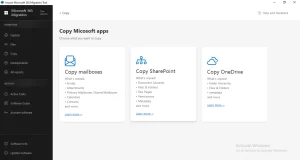
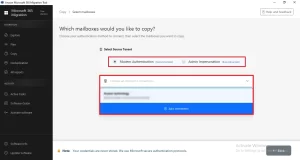
- Download and open the Aryson Microsoft 365 Migration Tool on Windows.
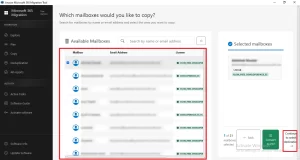
- Choose the Copy Mailboxes card >> enter GoDaddy admin credentials to connect
- Select the required mailboxes to migrate from the folder hierarchy >> Next.
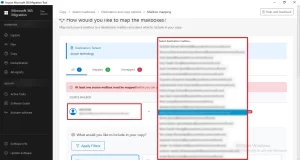
- Enter the destination admin account credentials to log in>> Next.
- Select the destination mailboxes present in the admin account for mapping.
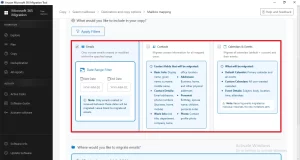
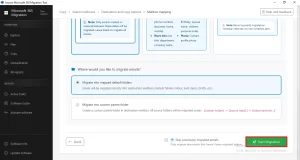
- Apply the required filters as per your requirement >> click Start Migration.
How Does Aryson Outperform Manual IMAP Migration?
- This software migrates emails, contacts, calendars, and folders in one.
- Moreover, it keeps the metadata and attachments intact.
- You can migrate multiple mailboxes in one go without limitations.
- Advanced filters enable selective and controlled migrations.
- Works independently of the domain release and DNS.
- The free demo is available for testing before purchase.
If you want to achieve a successful migration, make sure you know why Microsoft 365 tenant-to-tenant migrations fail and avoid those mistakes.
John’s Success Story
John, the IT manager of a 35-user consulting firm, searched for “how to move my GoDaddy Microsoft 365 email to a Microsoft 365 account after facing administrative limitations”. Using the Aryson Microsoft 365 Migration Tool, he migrated all mailbox data successfully and gained full Microsoft 365 control.
Conclusion
In this article, we discussed various methods to migrate from GoDaddy M365 to Microsoft 365. The ideal method may vary from user to user and largely depends on the requirements and needs of the user. For IT teams that migrate from GoDaddy-managed Microsoft 365 to a direct Microsoft tenant, it is recommended to opt for the professional method. Whereas, for a small amount of data, even the IMAP method may work well. If you are using the professional method, you can even reach out to the tech support team at Aryson.
Frequently Asked Questions
Q.1 What does this tool do for customers who want to migrate from GoDaddy M365 to Microsoft 365?
Ans: The Aryson Microsoft 365 Migration Tool transfers complete mailbox data- emails, contacts, calendars, and folders—from GoDaddy-managed Microsoft 365 directly to a new Microsoft 365 tenant, without data loss or manual exports.
Q.2 Can I use the tool to migrate large numbers of mailboxes from GoDaddy M365 to a Microsoft 365 tenant?
Ans: Yes. The software supports bulk migration with batch processing. IT admins can migrate multiple mailboxes simultaneously, with no per-user size restrictions or performance degradation during large-scale tenant migrations.
Q.3 How does the tool handle duplicate items during migration?
Ans: The duplicate detection feature identifies and skips redundant emails, contacts, and calendar items. This ensures the destination Microsoft 365 tenant stays clean without requiring manual cleanup by IT professionals post-migration.
Q.4 Can I migrate from GoDaddy M365 into a brand-new Microsoft 365 tenant (new-tenant migration)?
Ans: Yes. IT teams can provision a new Microsoft 365 tenant and use the software to migrate data to it directly. Moreover, there is no need for pre-existing data or prior configuration in the destination tenant.
Q.5 Is there a way to monitor ongoing migrations?
Ans: Yes. The software provides a real-time migration progress dashboard. IT professionals can track per-mailbox transfer status, identify errors instantly, and monitor overall completion without leaving the migration interface.
Q.6 Can the migration skip items that were already migrated in a previous run?
Ans: Yes. The tool’s incremental migration capability detects previously migrated items and skips them. IT admins can resume interrupted migrations without duplicating already-transferred emails, contacts, or calendar entries.
Q.7 Is technical support available if I run into problems during a GoDaddy M365 to Microsoft 365 migration?
Ans: Yes. Aryson provides dedicated 24/7 technical support for migration issues. IT professionals can contact the support team directly for guidance on configuration errors, credential issues, or connectivity problems during active migration projects.
Q.8 Can I exclude or include attachments during the migration?
Ans: Yes. The software includes an attachment filter option. IT admins can choose to include or exclude attachments per migration job, helping manage storage consumption and transfer speed in the destination Microsoft 365 tenant.
Q.9 What does the advanced date range filter do?
Ans: The date range filter restricts migration to items within a specified time window. IT teams use it for phased rollouts, archival migrations, or selectively transferring only recent mailbox data to the new Microsoft 365 tenant.
Q.10 Does the tool preserve folder hierarchy, metadata, and data integrity during migration?
Ans: Yes. Aryson preserves complete folder structures, email metadata, and attachments. IT professionals receive an accurate, fully intact mailbox replica in the destination Microsoft 365 tenant after every migration run.
About The Author:

Harshita Sachdeva, a professional technical writer at Aryson Technologies, specialize in delivering clear, hands-on documentation for data management, migration, and recovery solutions. With a meticulous, reader-first approach, I break down complex technical processes into simple, actionable content - helping IT professionals and decision-makers tackle challenges efficiently.
Related Post