-

Written By Rohan Wiese
-
Updated on November 24th, 2025
Best Ways to Export Slack Team Chat History to PDF
Summary: Slack has become an essential communication platform for businesses across the US, UK, and India. Because it helps teams collaborate, share files, manage projects, and maintain continuous conversations. Over time, these chats often become a valuable source of project details, decisions, and important business records. Therefore, many individuals prefer to export Slack Team Chat History to PDF. So that they can preserve important discussions, review them later, and maintain a clean archive of essential messages. This guide explains every method, including Aryson JSON Chat Converter in detail so you can choose the best approach for your needs.
Download Now Purchase Now

Why Users Export Slack Chat History to PDF
Users export Slack team chats to PDF for many practical reasons, and these needs continue to grow as organizations rely more on digital communication.
- Many teams prefer to save Slack messages as PDF because it helps them maintain long-term records of important discussions and decisions.
- Exported PDFs allow users to access chat history offline, which becomes useful during network issues.
- Project discussions become easier to understand in a clean PDF format, especially when long message threads need quick review.
- Managers often include chat excerpts in reports or presentations, and a PDF format supports a more professional appearance.
Now that the importance of exporting Slack chats is clear, it is essential to understand the limitations that may appear before you start the export process.
Key Limitations You Must Know Before You Export Slack Chats
Just keep in mind, Slack comes with export options, along with restrictions that are applied based on your plan and admin rights.
- Free and Standard plans allow access only to public channels. Therefore, private chats and DMs remain restricted.
- Slack exports chats in JSON, not directly in PDF. As a result, users must convert the data manually.
These limitations show why multiple export methods are needed to download Slack conversation as PDF. Let’s move to the main methods.
Top Methods to Export Slack Team Chat History to PDF
There are three major approaches to exporting Slack chat history. Each method has its own advantages depending on your role, plan, and technical comfort level.
- Slack Standard Export for Public Channel Data
- Admin/Corporate Export for Full Workspace Data
- Automated Tool for PDF-Ready Slack Chat Exports
Method 1: Export Slack Chat Data Using Slack’s Standard Export
Slack’s Standard Export is a built-in method that allows workspace owners to export public channel conversations. Although it does not include private conversations or DMs. But you can take help from this method for basic backup.
- To initiate the process, open Slack in your preferred browser and log in as a Workspace Owner.
- Then, navigate to Workspace Name>>Settings & Administration>>Workspace Settings.
- Scroll to the Import/Export Data tap and open it.
- Then, follow the steps and choose the Export Data option.
- Next, you should select your preferred chat history to export.
- After that, tap on the Start Export button to initiate the export process.
- When the export is complete, Slack will send you a download link in your mail.
- At last, download the ZIP file and extract the existing JSON files inside it.
Method 2: Export Slack Conversations Through Admin or Corporate Export
Slack offers a Corporate Export option for organizations that require full access to all workspace communication, including private conversations and direct messages. This method is useful for companies that follow strict compliance or legal guidelines.
- Log in with a Workspace Owner or Admin account.
- Go to Workspace Settings and open the Security & Compliance section.
- Now, find the Compliance Export option and request permission from Slack.
- Slack will review your request based on legal requirements.
- Once approved, access the Export Data option.
- Start the export and download the workspace archive once it is ready.
Note: Even with Corporate Export, Slack still provides the data in JSON format. Therefore, you must backup Slack chat history to PDF using an automated solution. To avoid this technical work, many users prefer the given automated solution that handles both extraction and conversion.
Method 3: Export Slack Team Chat History to PDF Using Aryson’s Software
Aryson JSON Chat Converter provides a smooth and reliable way to export your Slack Team chat history to PDF. Users can directly scan their downloaded Slack JSON files and convert them into PDF along with TXT, DOC, and HTML. It also keeps the original chat format the same, so your messages, timestamps, user names, and attachments stay safe. The software is easy to use for everyone, and even beginners can convert large chat histories without any issues. Additionally, it supports bulk conversion, which saves time and effort when you work with many channels or long conversations. This utility is a consistent way to create well-formatted backups of Slack conversations as PDF file.
Simple Steps to Export Slack Team Chat History to PDF
- Download the Aryson JSON Chat Converter and complete the installation process.
- After that, choose the Source of your JSON file as Slack Team and proceed to Next.
- Now, browse the folder and next select the JSON files you want to convert>>Open.
- Choose PDF format from the list of saving options and then adjust the settings if needed.
- Select the destination path and hit the Convert button to export Slack messages to PDF.
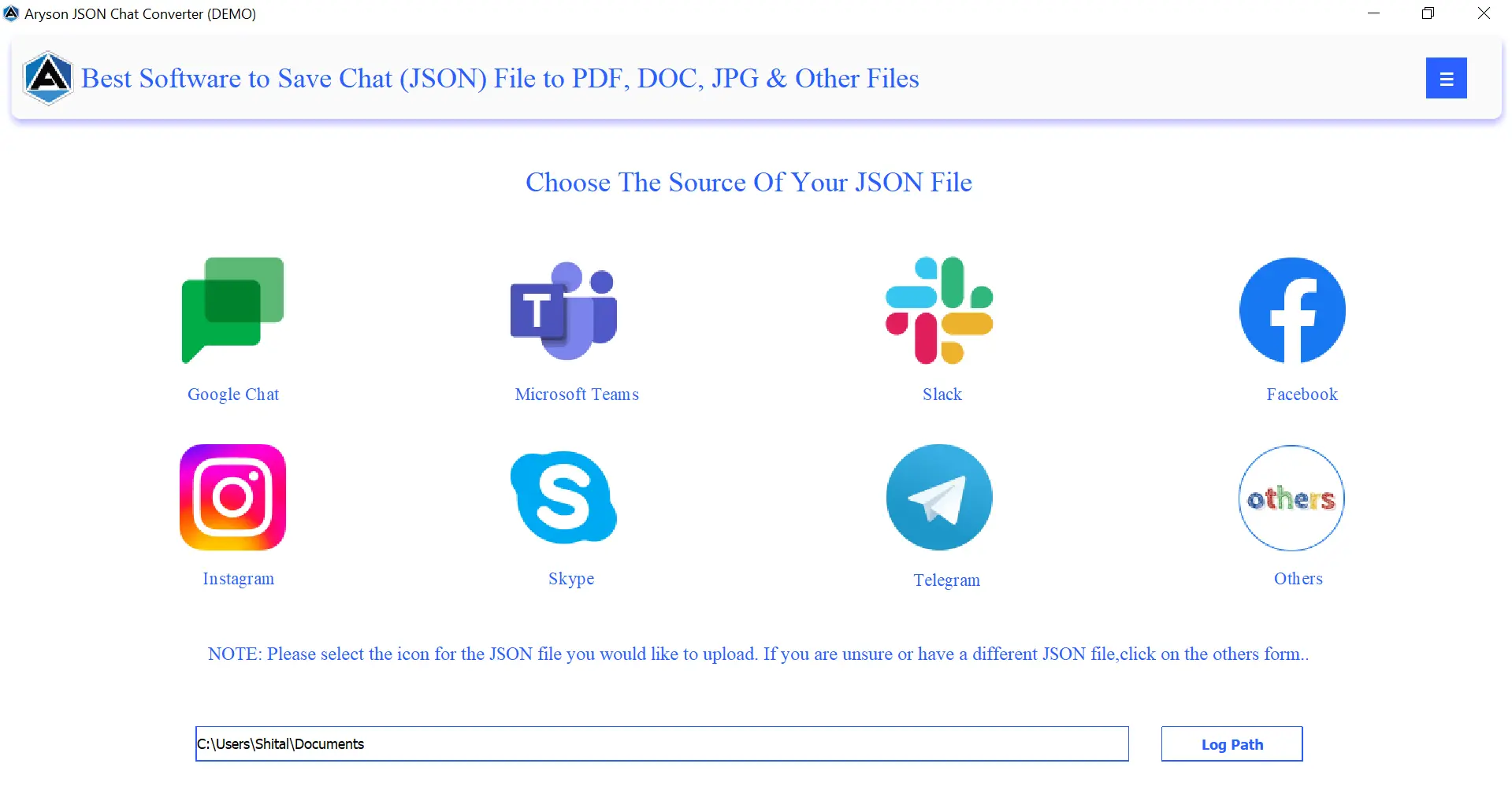


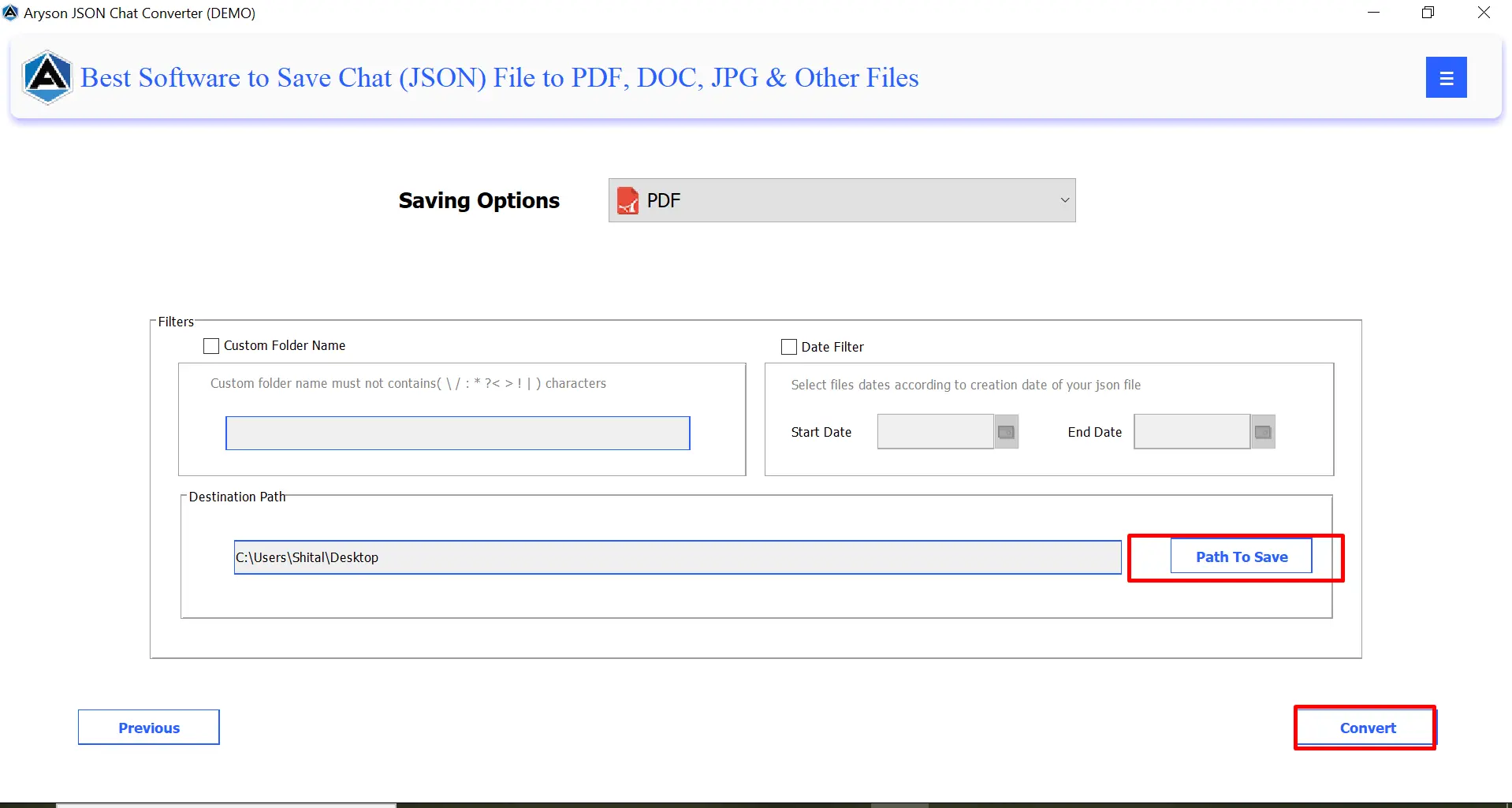
Comparison of Manual vs Automated Slack PDF Export Methods
The table below gives a clear comparison to help you choose the right approach for exporting Slack chats.
|
Feature |
Manual Export |
Automated Tool |
|
Access to Private Chats |
Limited |
Full |
|
Output Format |
JSON only |
Direct PDF |
|
Ease of Use |
Technical |
Simple and user-friendly |
|
Time Required |
High |
Very low |
|
Format Quality |
Poor readability |
Clean and structured |
|
Attachments Support |
Limited |
Supported |
With the comparison complete, users often still have questions about Slack export options. So navigate to the FAQs section to get the answers to the most common queries.
Conclusion
Slack export helps teams keep a secure and accessible record of important conversations. Although Slack provides the basic export options. But users skip this method due to its clear limitations. As an alternative, we also introduced the frequently used software, as it provides a seamless and comprehensive way to export Slack Team Chat History to PDF. It’s up to you, simply choose the right solution that helps you to keep your data organised, readable, and safe. To understand the software in a better way, download the free version and export your Slack team chat history for free.
Frequently Asked Questions:
Q1. Can Slack export chat history directly to PDF
Ans: No, Slack does not provide a direct PDF export option. You must either convert JSON files manually or use the Aryson JSON Chat Converter.
Q2. Can free Slack users export chat history?
Ans: Yes, but only public channels are included. Private channels and direct messages remain restricted.
Q3. How can I export Slack direct messages (DMs)?
Ans: You can export DMs only through Corporate Export or Aryson JSON Chat Converter.
Q4. Why does Slack use JSON for exports?
Ans: Slack uses JSON because it is flexible, lightweight, and suitable for compliance tools that process chat data.
Q5. Are automated Slack export tools safe to use?
Ans: Yes, Aryson JSON Chat Converter uses encrypted methods to process data securely, making it safe for internal and external communication archives.
About The Author:

Rohan Wiese is a Technical Writer at Aryson Technologies. He is an expert Email Forensic, Cloud Computing, and a passionate nerd with over 10 years of experience in technical content writing. He writes about Cloud Migration, Database Recovery, Email Backup, Windows, Mac, and Tech.
Related Post


