How to Enable Third-Party Email Access in Xfinity Comcast?
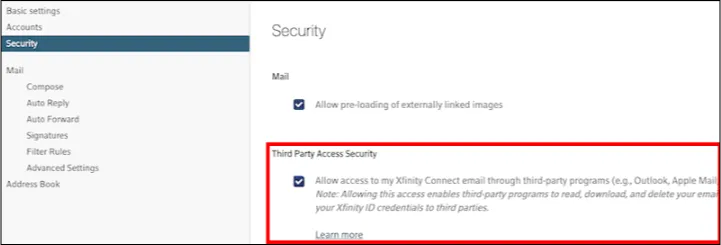
For using third-party programs such as Outlook, Apple Mail, Thunderbird, Email Backup Wizard, and others to manage your Comcast.net email, you must enable Third-Party email access in Xfinity Comcast. If you are presently using a third-party program to access your Xfinity Comcast email, the security settings are enabled by default. Enabling these settings is a simple process: just check the box for Third-Party email access and grant permission. Here are the steps to enable it.
Step 1: Open Xfinity Connect
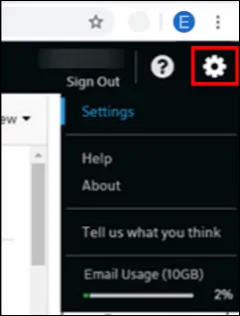
Step 2: In the top-right corner of the page, click the Gear icon, then select Settings.
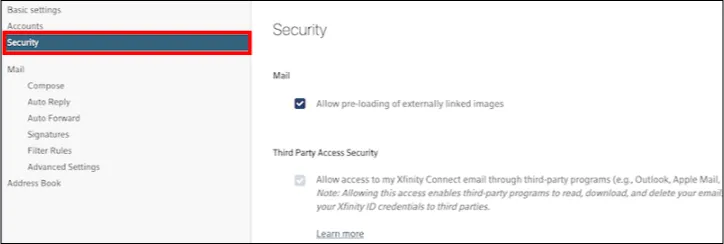
Step 3: Then, Click on Security.
Step 4: Uncheck or uncheck the box under Third Party Access Security to prevent or allow third-party programs access to your Xfinity Connect email.