How to Generate App Password on ProtonMail?
The ProtonMail Bridge is a useful application offered to all paid users. It facilitates the integration of your ProtonMail account with various email clients like Microsoft Outlook, Mozilla Thunderbird, or Apple Mail. By running in the background, the Bridge application seamlessly encrypts and decrypts your messages as they pass through your computer. It is compatible with a wide range of email clients that support IMAP and SMTP protocols, ensuring smooth operation and secure communication.
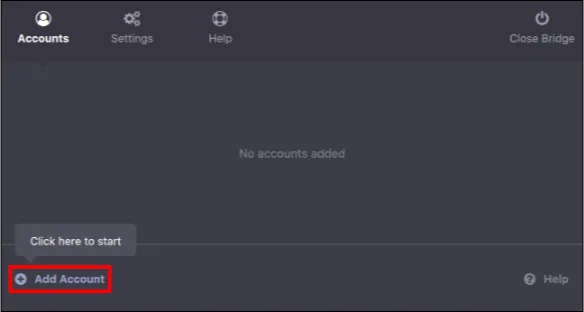
Step 1: Download & Run ProtonMail Bridge Application and click on Add Account.
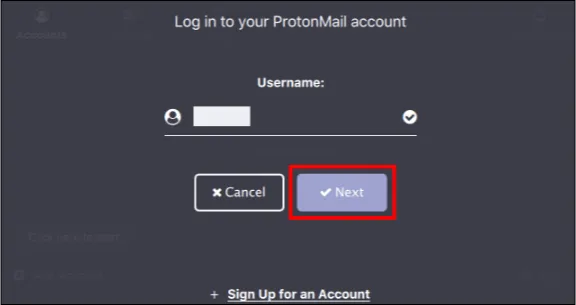
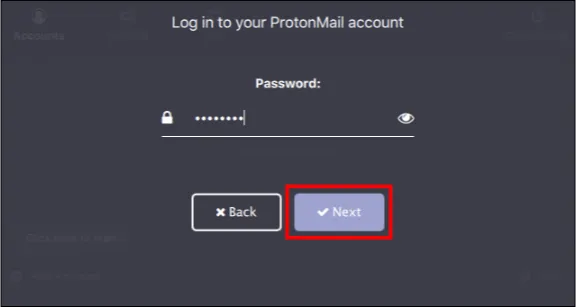
Step 2: Provide your Username, Login Password, and optionally your 2FA code (if enabled) and Mailbox Password (if in 2Password mode) and click Next on the corresponding screens.
Step 3: After that, click on Mailbox configuration.
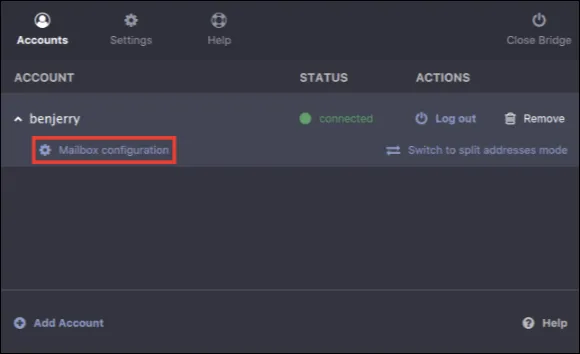
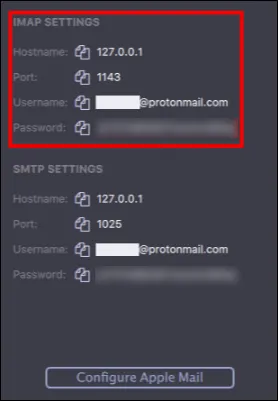
Step 4: Use the IMAP settings provided by the ProtonMail bridge to log into the ProtonMail account in the Email Backup Wizard.