Software Overview
Welcome to the Aryson EML Viewer Tool allows you to read, view, and open EML files in detail, as well as save them in multiple file formats. The software supports conversion to various formats, including PST, MBOX, MSG, PDF, DOC, EML, EMLX, CSV, XLSX, OFT, WDSEML, and Thunderbird, depending on your license type.
EML-Compatible File Formats and Their Uses
Software Support EML Files, which are created by various Email clients
| EML File | Description | Supported Email Clients |
|---|---|---|
| EML | Standard email file format storing a single email message, including subject, sender, recipient, body, and attachments. | Microsoft Outlook Express |
| Windows Mail | ||
| Mozilla Thunderbird | ||
| Apple Mail | ||
| eM Client | ||
| SeaMonkey | ||
| IncrediMail | ||
| Lotus Notes (via import tools) | ||
| Mailbird | ||
| The Bat! |
Exclusive Features of Aryson EML Viewer Converter
| Feature | Description |
|---|---|
| Open and View EML Files | Allows users to access and read EML files without needing an email client installation. |
| Preview Email Components | Displays detailed email information, including header, body, attachments, and metadata. |
| Batch File Loading | Supports opening multiple EML files or entire folders at once for faster processing. |
| Search and Filter Options | Quickly find specific emails using advanced search filters like sender, subject, or date. |
| Save and Export Emails | Enables users to save EML data into various formats such as PST, MBOX, MSG, PDF, DOC, EML, EMLX, CSV, XLSX, OFT, WDSEML, and Thunderbird. |
| Attachment Extraction | Allows viewing or saving attachments from selected EML messages. |
| User-Friendly Interface | Simple and intuitive design suitable for both technical and non-technical users. |
| No Email Client Required | Functions independently without the need to install any mail application. |
| Secure and Reliable | Ensures data integrity during viewing and exporting, with zero risk of file alteration. |
EML Viewer: Step-by-Step Guide
This guide explains how to view, manage, and export your EML files using the Aryson EML Viewer. It covers opening email files, previewing attachments, analyzing metadata, and exporting emails into various formats for better accessibility and backup.
Step 01: Download & launch the EML Viewer Tool
Follow the given steps to use the EML Viewer Tool on your desired operating system.
- Visit the Official Site: Go to the official website of Aryson Technologies and download the EML Viewer Tool to get the latest version.
- Set up and Run Tool: Open your ”Downloads” folder, find the setup file, right-click on it, and select “Run as Administrator.”
- Launch the Tool: Follow the on-screen instructions and open it on your desktop.
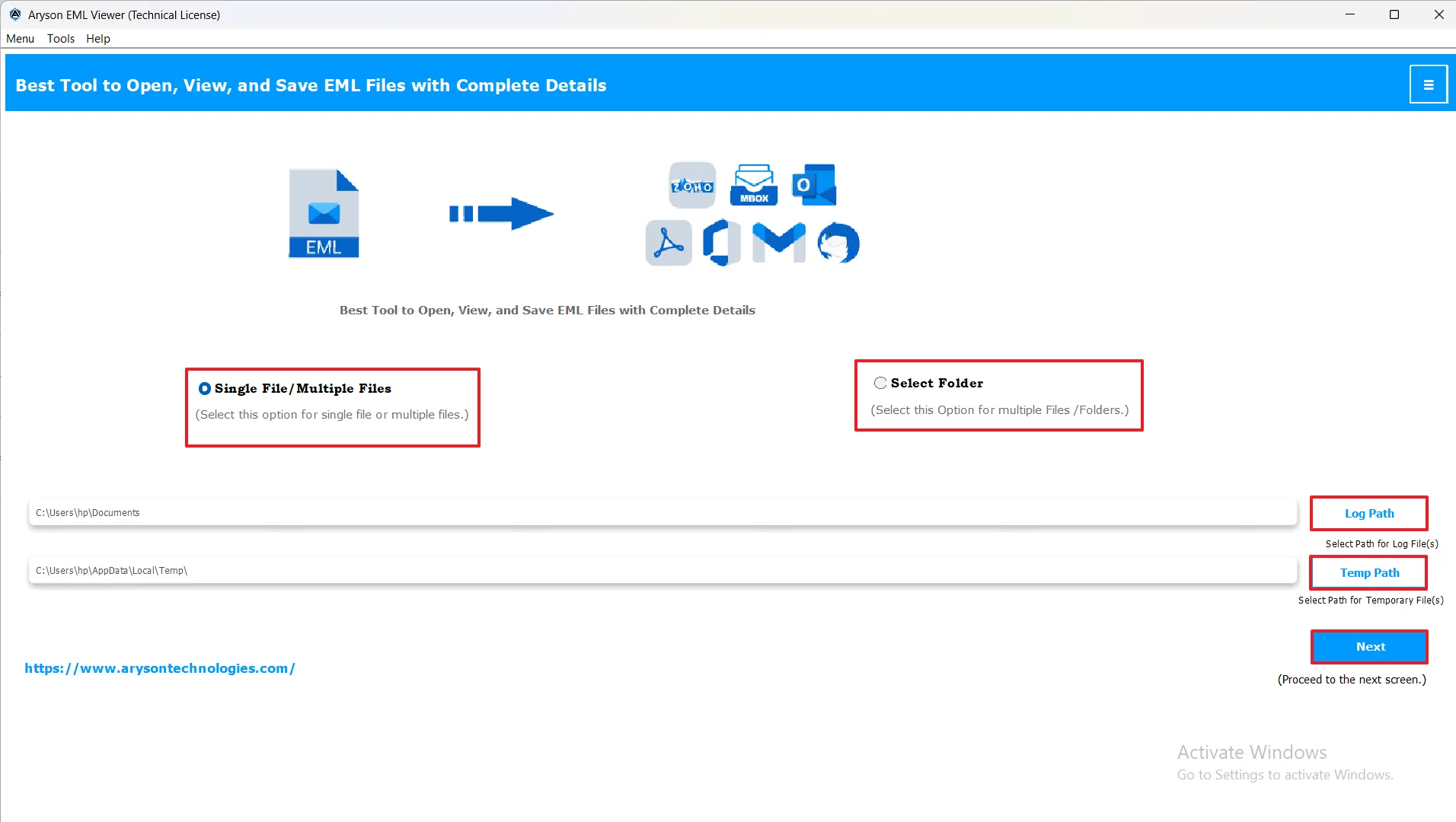
When you launch the software, the main interface is displayed. It consists of the following key elements:
- Single File/Multiple Files: This option allows you to choose whether you want to process a single file or multiple files at once. Selecting multiple files is ideal for batch operations, saving time when working with large datasets.
- Select Folder: Use this option to select a folder containing files you want the software to process. Once selected, all compatible files within the folder will be loaded automatically, streamlining the workflow.
- Save Log: This shows the path of your log file, which keeps a record of all actions performed by the user. It helps in tracking operations and troubleshooting if needed.
- Temp Path: This is the location where temporary files are stored during the software’s operation. You can set or change this path as per your preference to manage temporary data efficiently.
- Next: After configuring all settings, click Next to proceed to the subsequent step in the workflow.
Step 02: Add your EML Files to the Software.
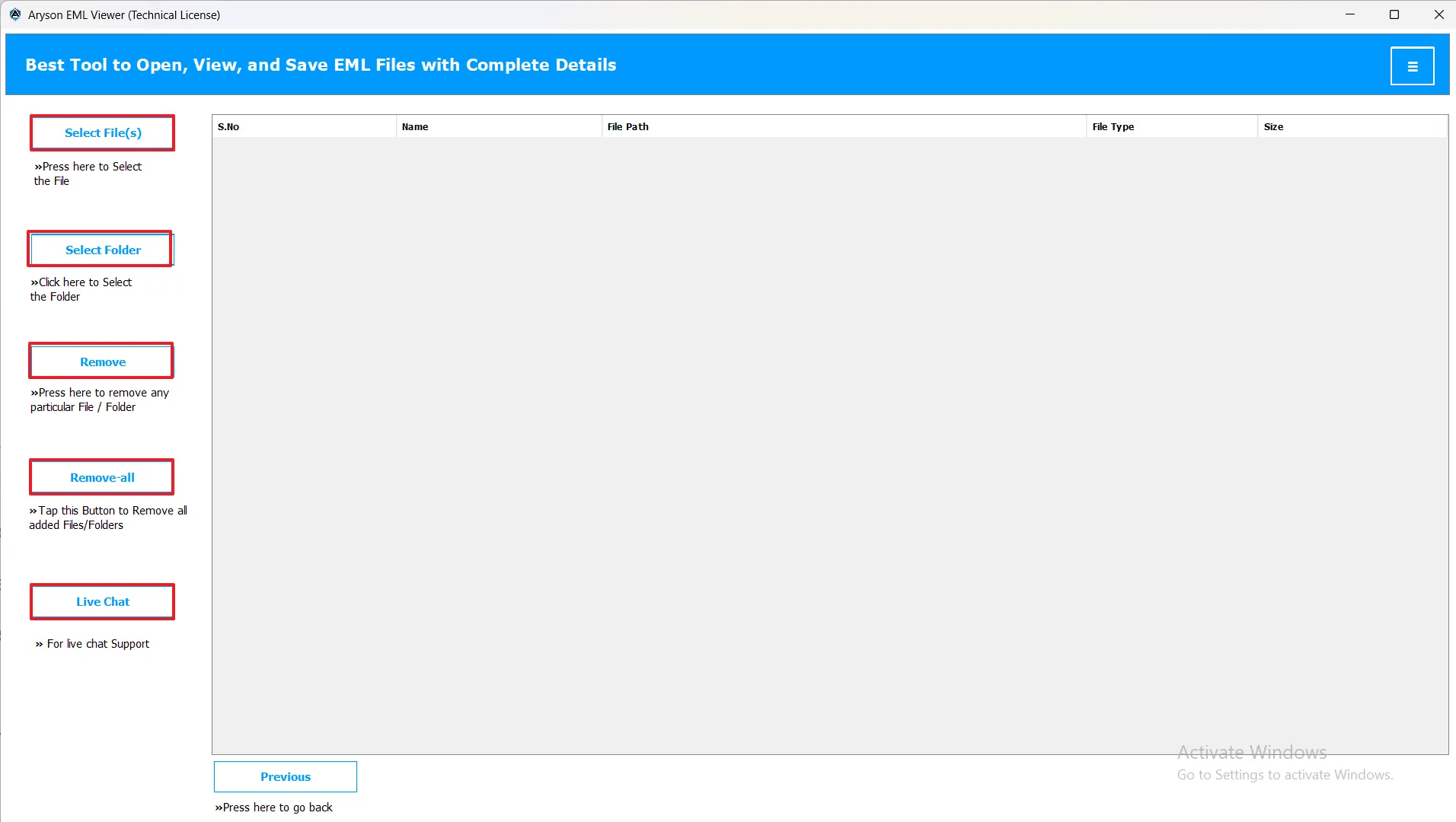
- Select File: Click to choose individual EML files to import into the software.
- Select Folder: Click to select a folder containing multiple EML files. All files in the folder will be loaded automatically.
- Remove File: Deletes the selected file from the imported list without affecting other files.
- Remove All: Clears all imported files from the software in a single click.
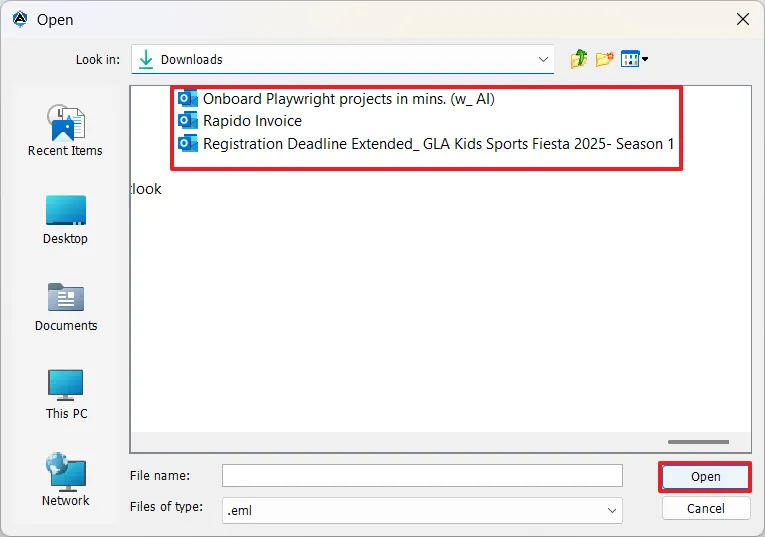
- When you click Select File or Select Folder, a pop-up window will appear, allowing you to browse your device and choose the EML file(s) or folder you want to import.
- After selecting, click Open to add the file(s) into the software.
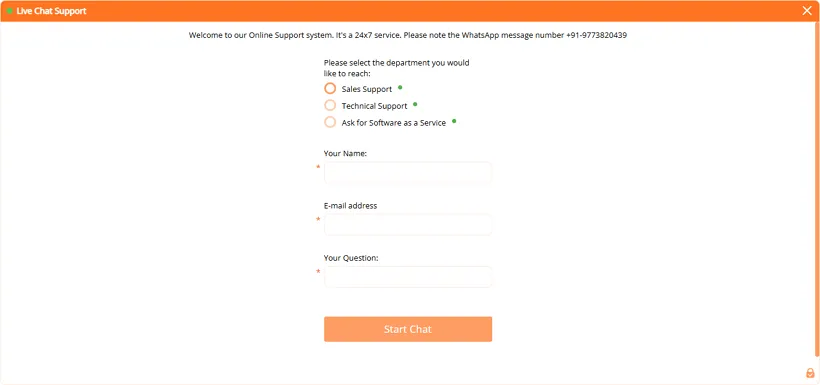
Note: Click Live Chat at the top right corner of your wizard. If you find any type of issue, get instant and real-time assistance from our technical support team.
Step 03: Preview and Select Data
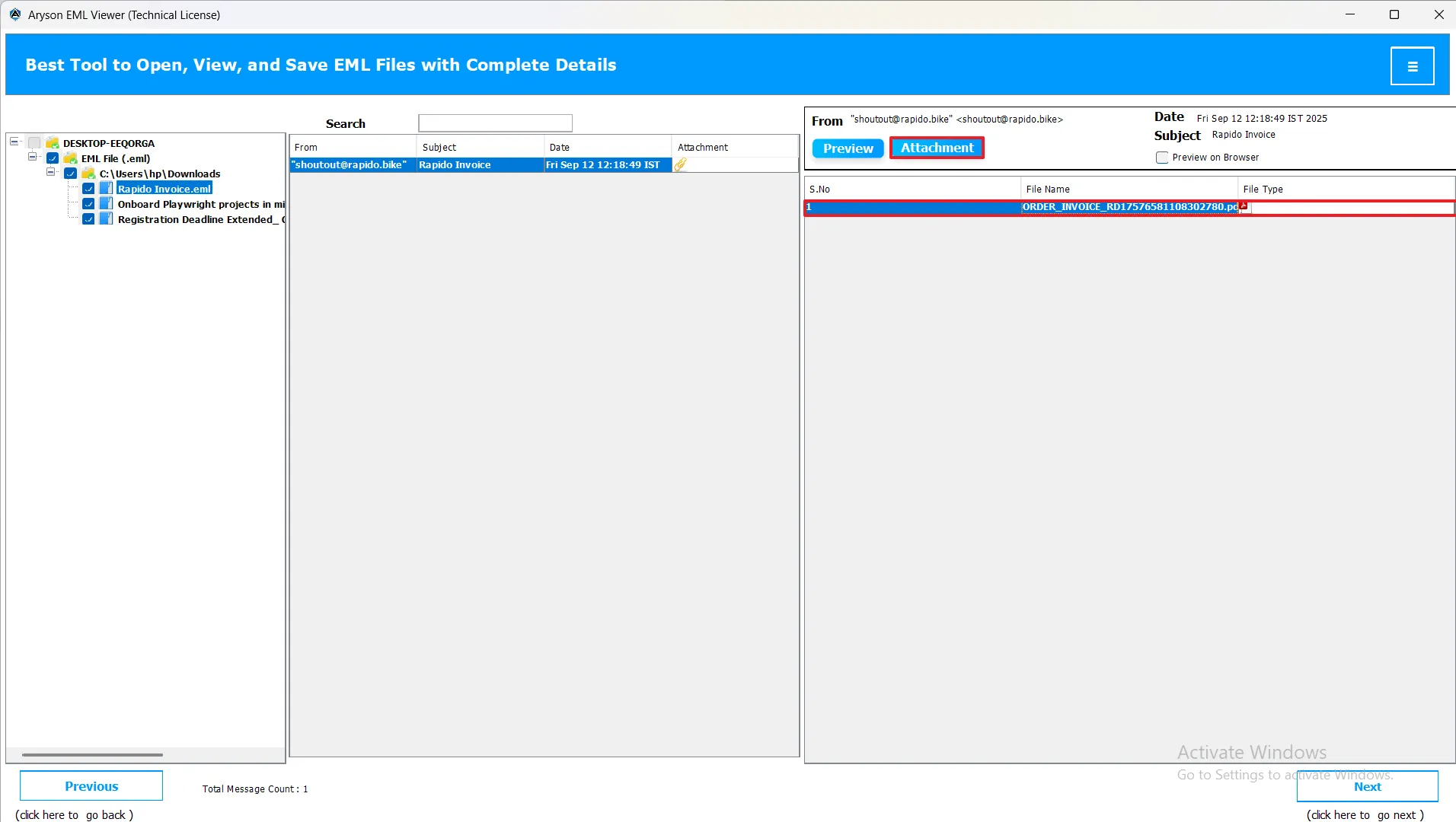
- A folder list appears on the left-hand side.
- Click any folder to view its emails.
- Double-click an individual email to preview its content in the Preview Panel.
- The preview displays the full message with header, body, and attachments.
- Optionally, click Preview on Browser to view an EML file using your system browser.
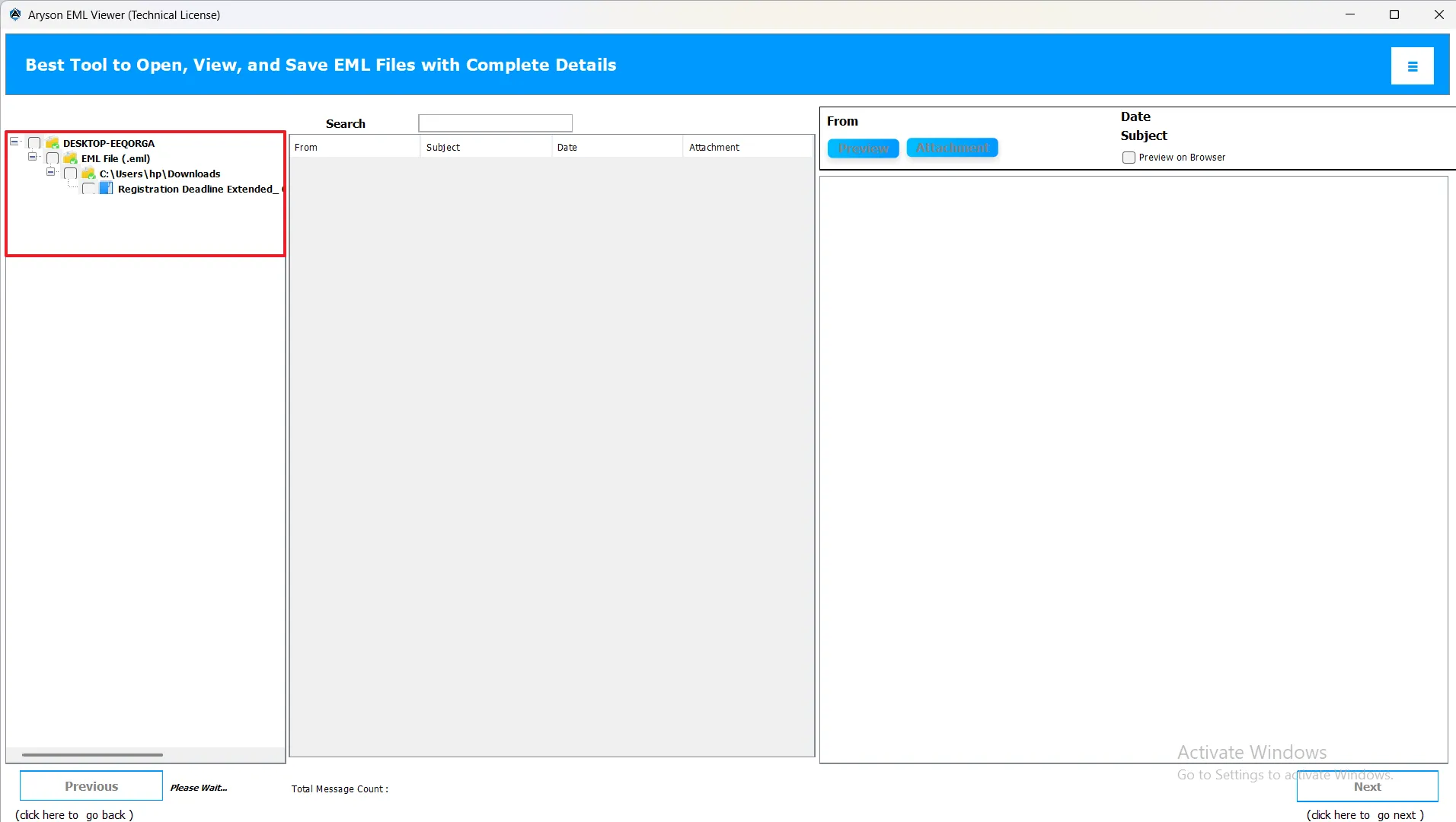
- To search the file: Type the keyword or file name into the Search Bar. The software will display results matching your input, making it easy to locate the desired file quickly.
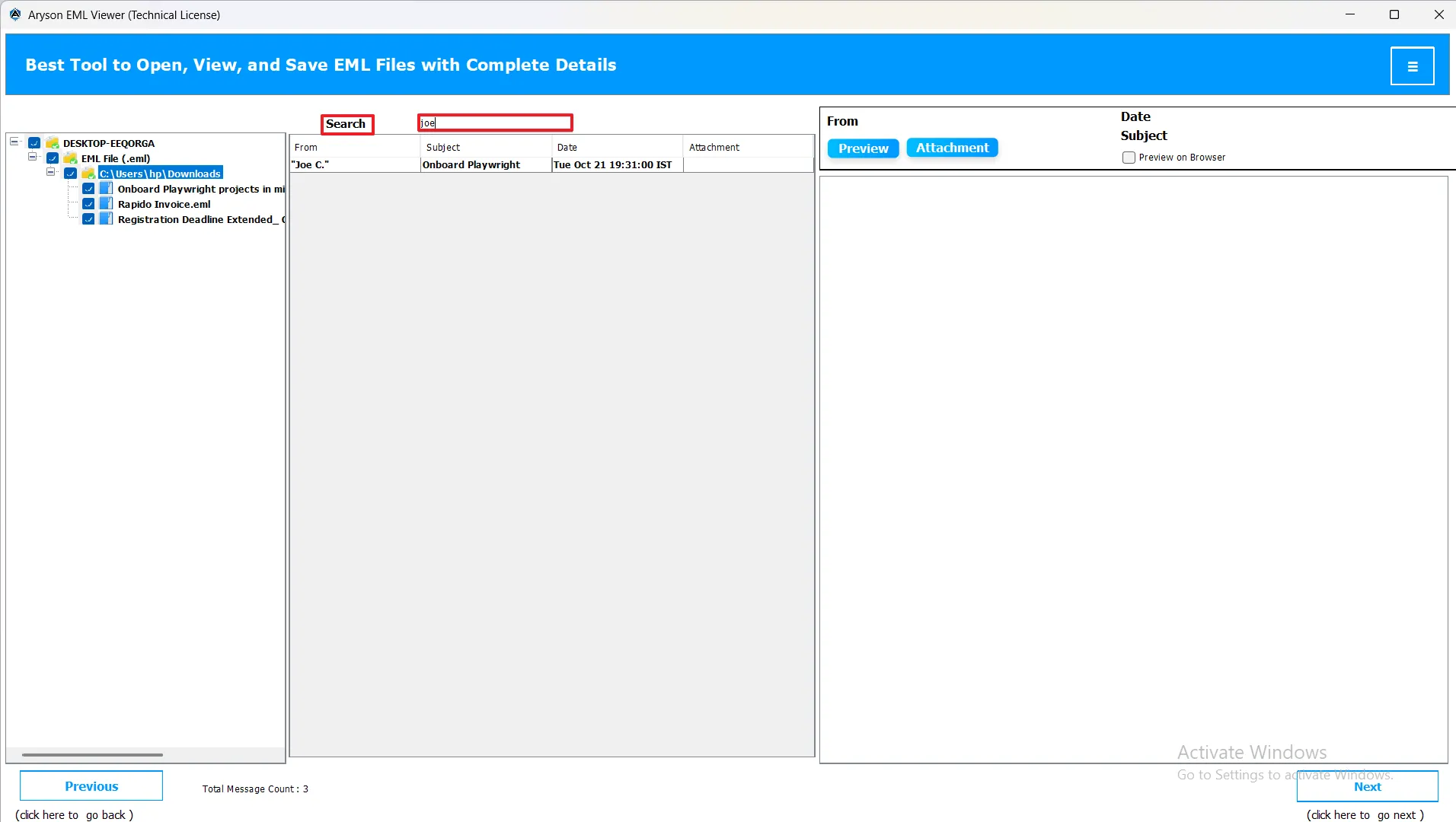
- To preview an email: Click on the desired file from the left panel. The selected file will open in the preview section on the right.
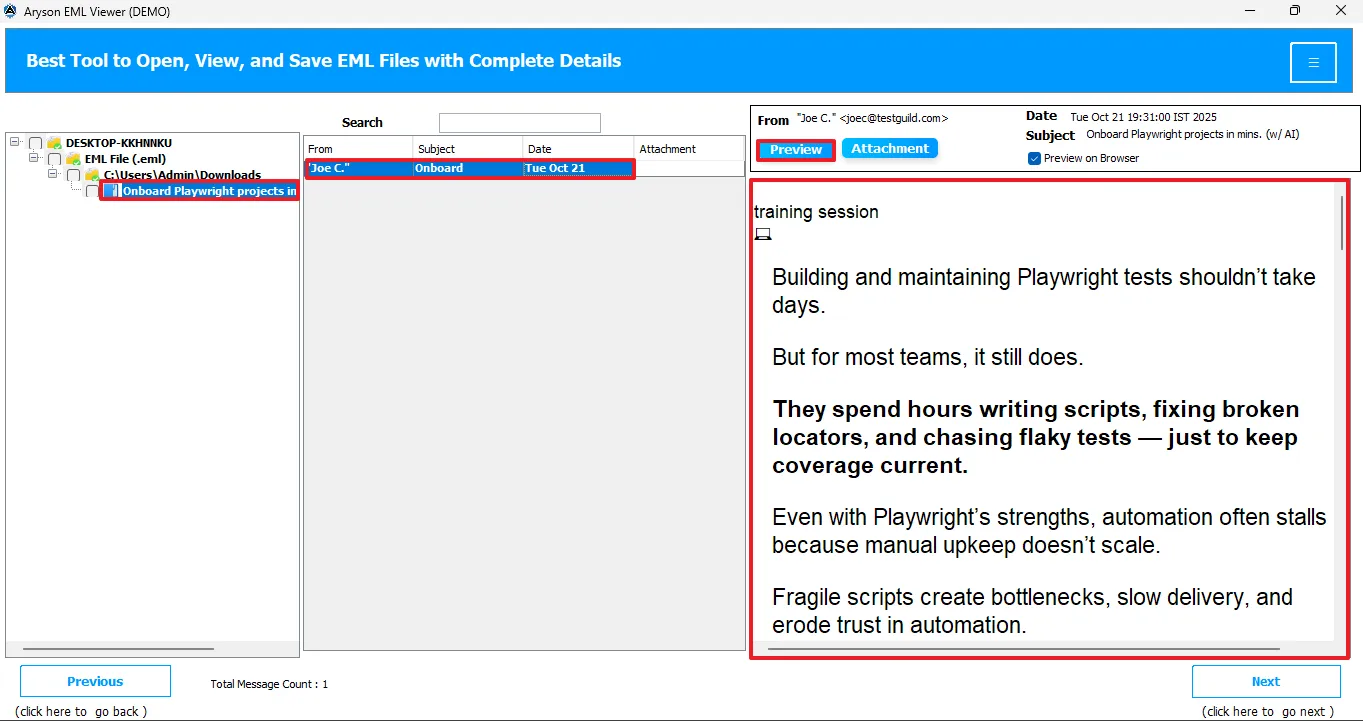
- To preview the file in your browser: Select the Preview in Browser option, and then double-click the file. The file will open and display a live preview in your default web browser.
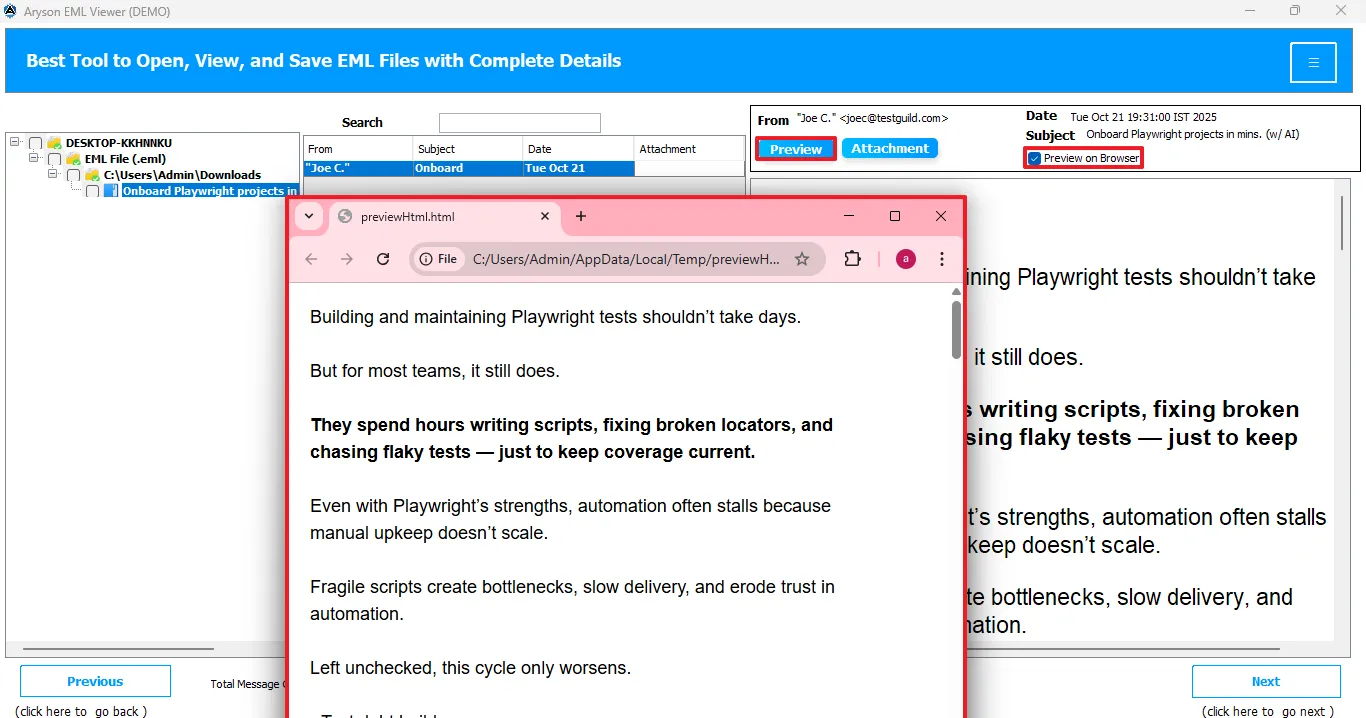
- To preview attachments: Double-click the email file, then click the Attachment button to view and access its contents instantly.
Step 04: Choose the Export Format
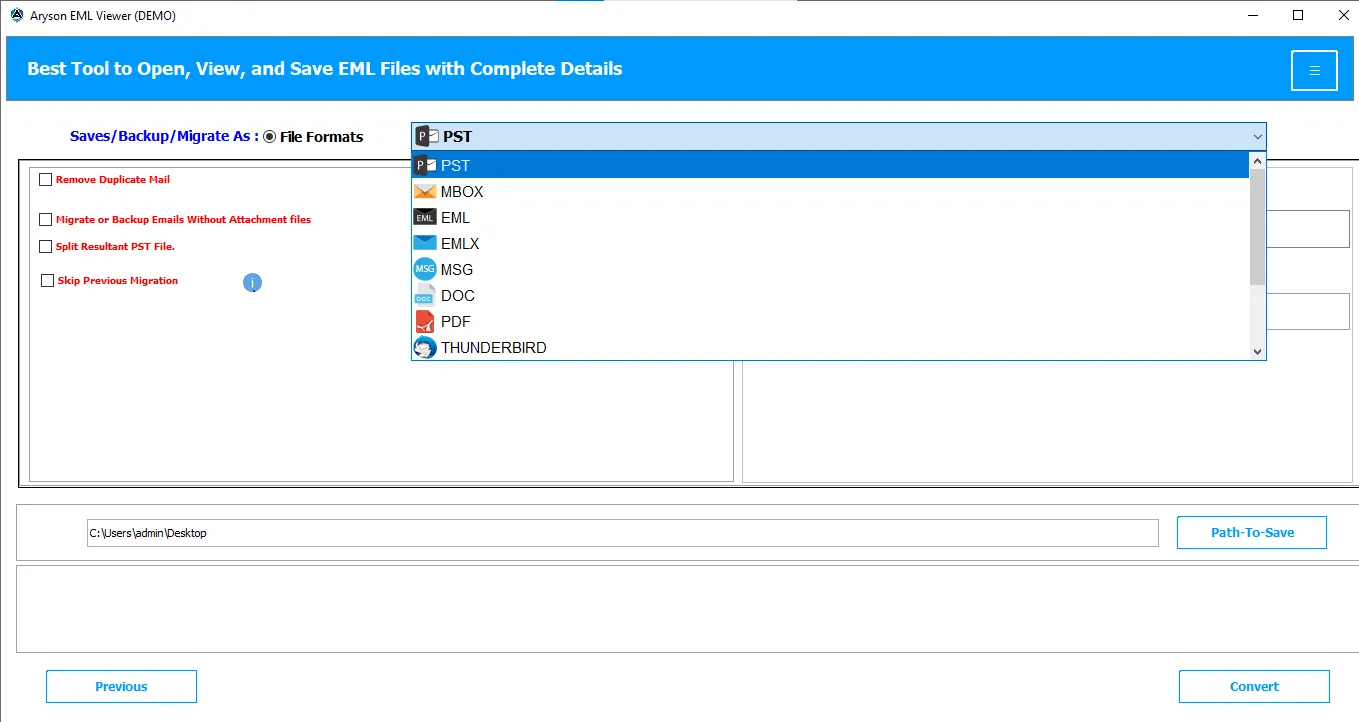
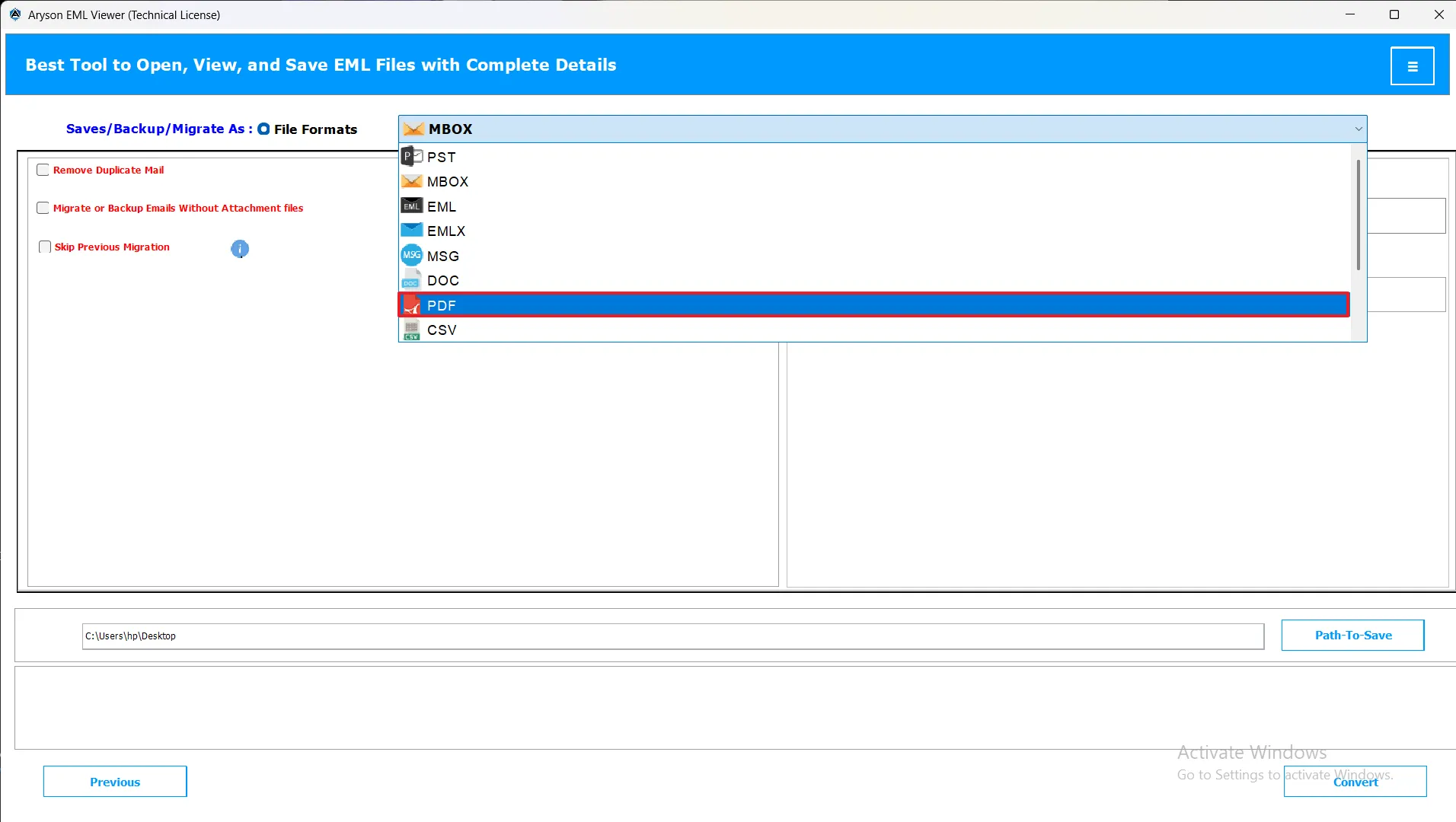
Once you’ve previewed your EML files and clicked Next, the software will take you to the Export Options screen. This screen displays all the available file formats supported by your license, such as PST, MBOX, MSG, PDF, DOC, EML, EMLX, CSV, XLSX, OFT, WDSEML, and Thunderbird.
- PST: To save emails in Outlook-compatible format for easy import.
- MBOX: To access or migrate emails from MBOX-based clients like Thunderbird.
- MSG: To view and analyze individual Outlook email files.
- PDF: To export emails as readable and shareable document files.
- DOC: To make emails editable in Microsoft Word format.
- EML: To view and manage individual email messages from various clients.
- EMLX: To open and access Apple Mail exported email files.
- CSV: To save email data in tabular form for reporting or analysis.
- XLSX: To export email details into Excel spreadsheets for organized viewing.
- OFT: To save or reuse email templates in Outlook.
- WDSEML: To access emails saved by Windows Search or Windows Mail.
- Thunderbird: To import, preview, and read mailbox data from Mozilla Thunderbird.
Each file format serves a different purpose, depending on where and how you want to use your exported emails. Let’s understand each of them in detail:
EML to PST Conversion Steps
- Choose Saves/Backup/Migrate As PST: For importing emails into Microsoft Outlook or Exchange.
Step 05: Use Advanced Filters
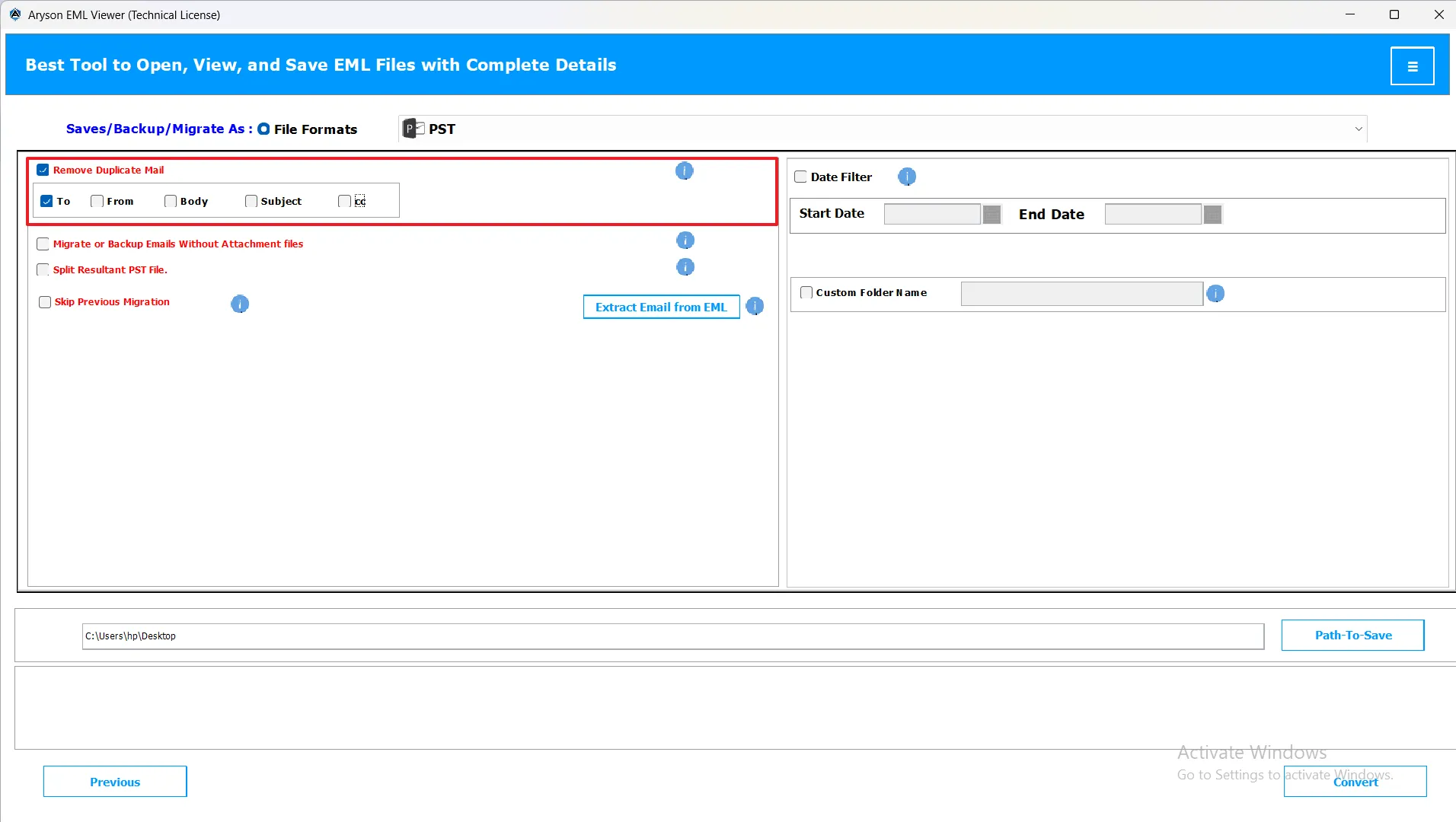
- Remove Duplicate Email: This feature helps you automatically remove duplicate emails during the conversion or migration process. It identifies duplicates based on the Sender, Recipient, Subject, Bcc, and Message Body. By removing identical messages, you can save valuable storage space and make your mailbox more organized.
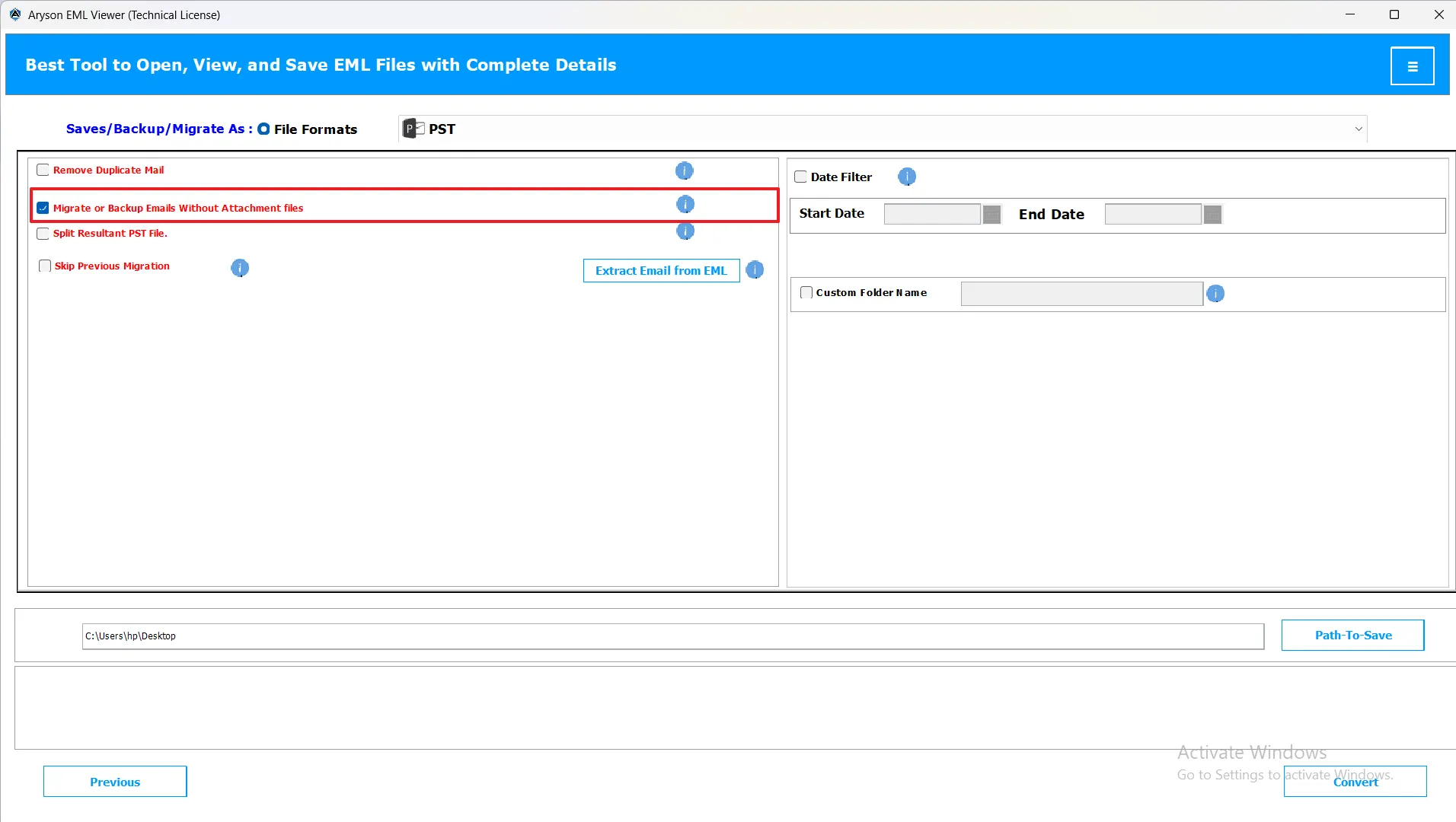
- Migrate or Backup Emails without Attachment Files: When you select the “Migrate or Backup Emails Without Attachment Files” option, the tool allows you to convert or migrate your EML files without including email attachments.
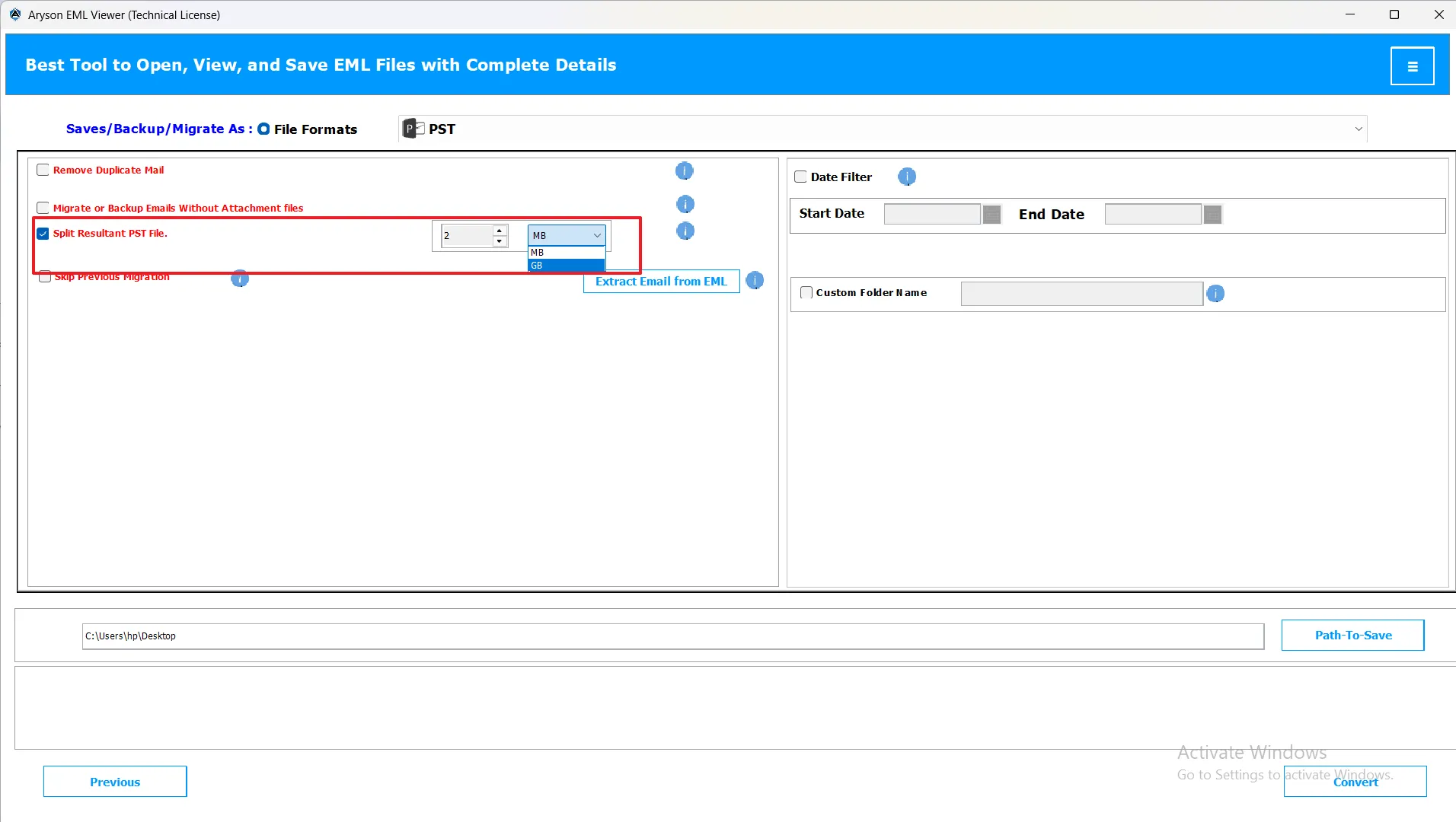
- Split PST File: If the final PST file is too big, the tool can break it into smaller, more manageable parts in the selected size range.
Note: This feature works only with PST file formats.
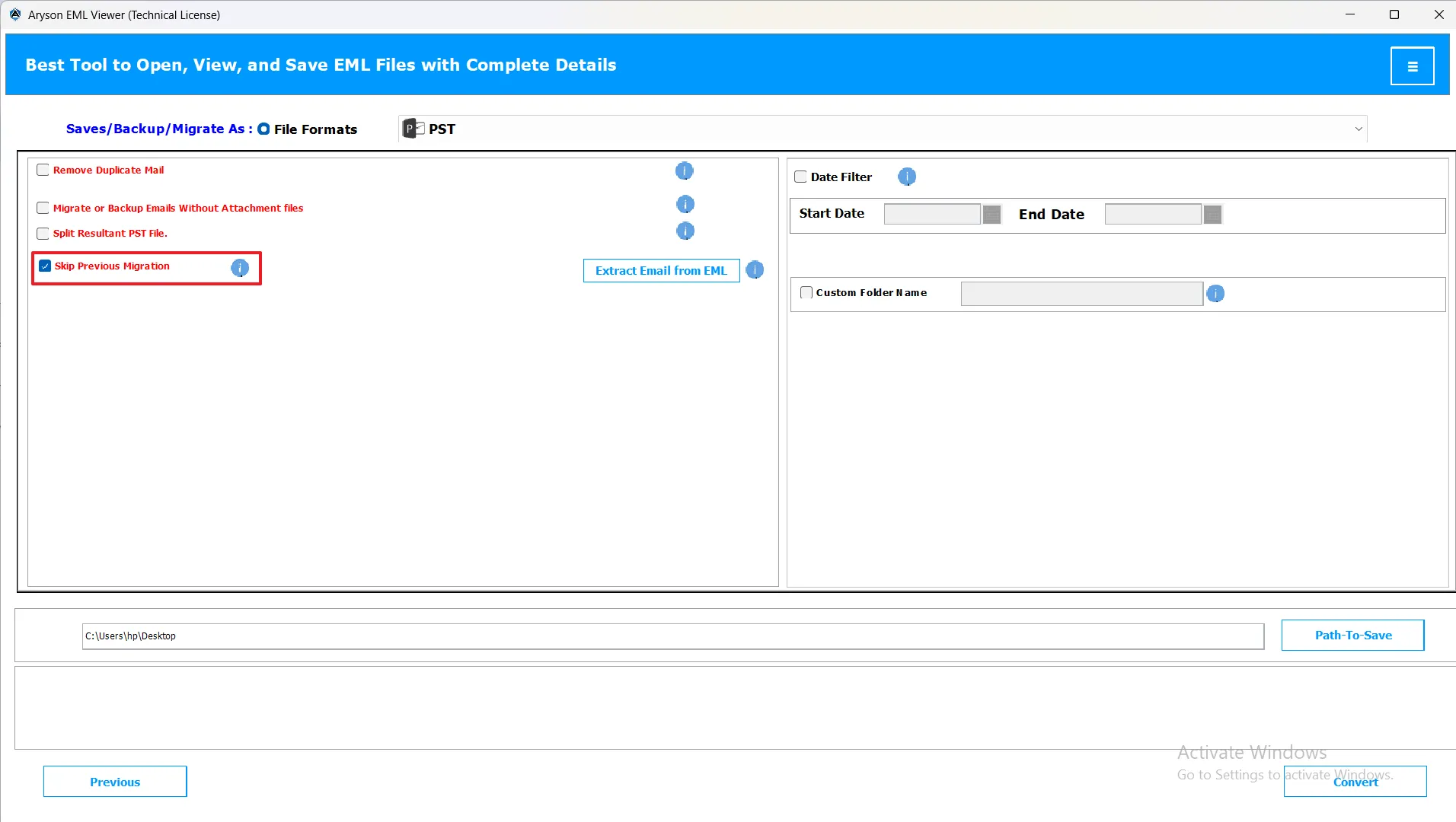
- Skip Previous Migration: When you select the “Skip Previous Migration” option, you can resume the migration process from where you left off previously. This means you can skip already migrated data and save time.
Note: This feature will work for PST, MBOX, MSG, PDF, DOC, EMLX, CSV, XLSX, OFT, and Thunderbird options
- Date Filter Option: The Date Filter allows you to choose a specific time range by setting a Start Date and End Date. Only the emails that fall within that period will be converted or migrated. This helps you focus on the data you actually need and saves time.
Note: This feature will work for PST, MBOX, MSG, PDF, DOC, EMLX, CSV, XLSX, OFT, and Thunderbird options
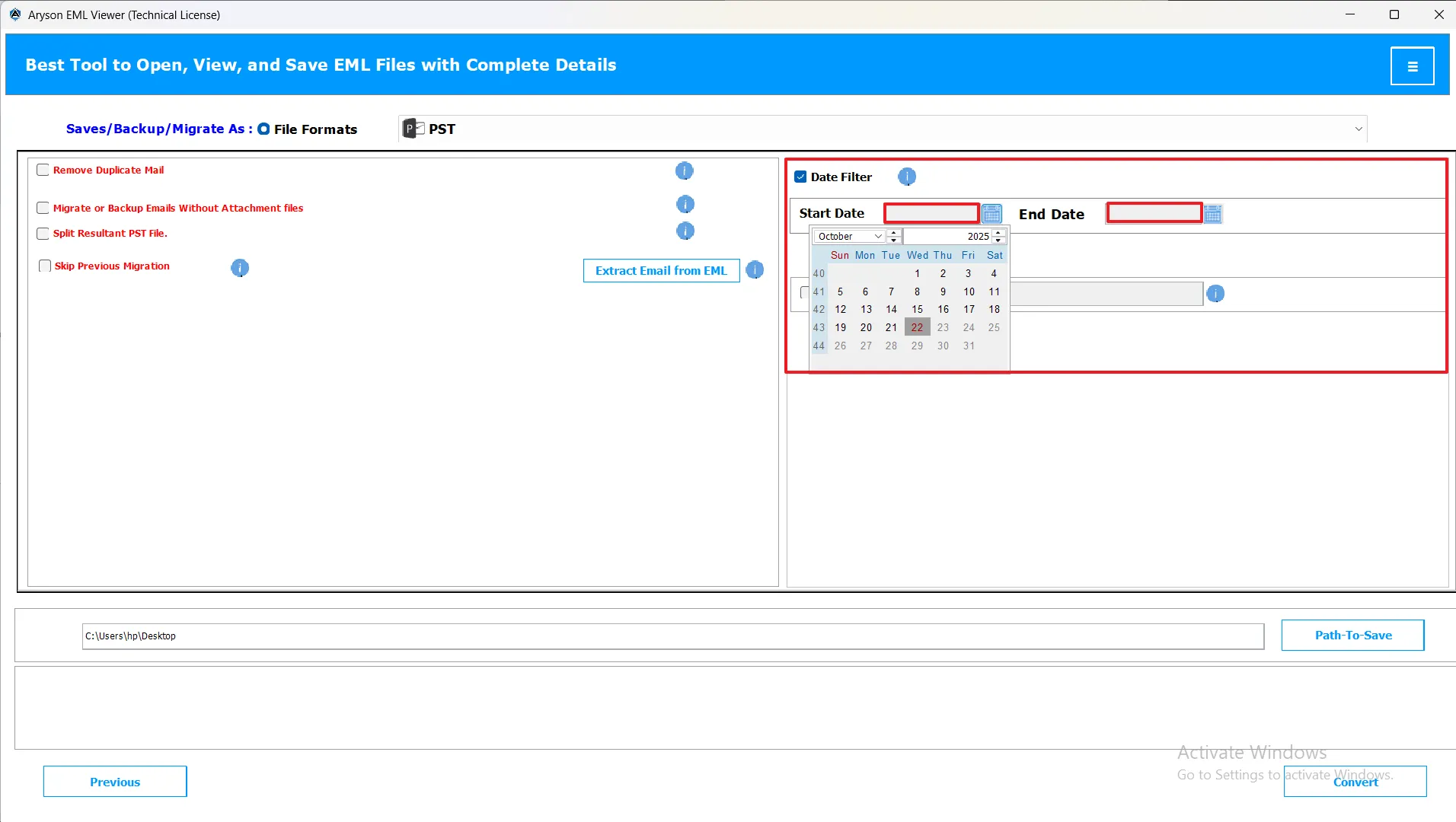
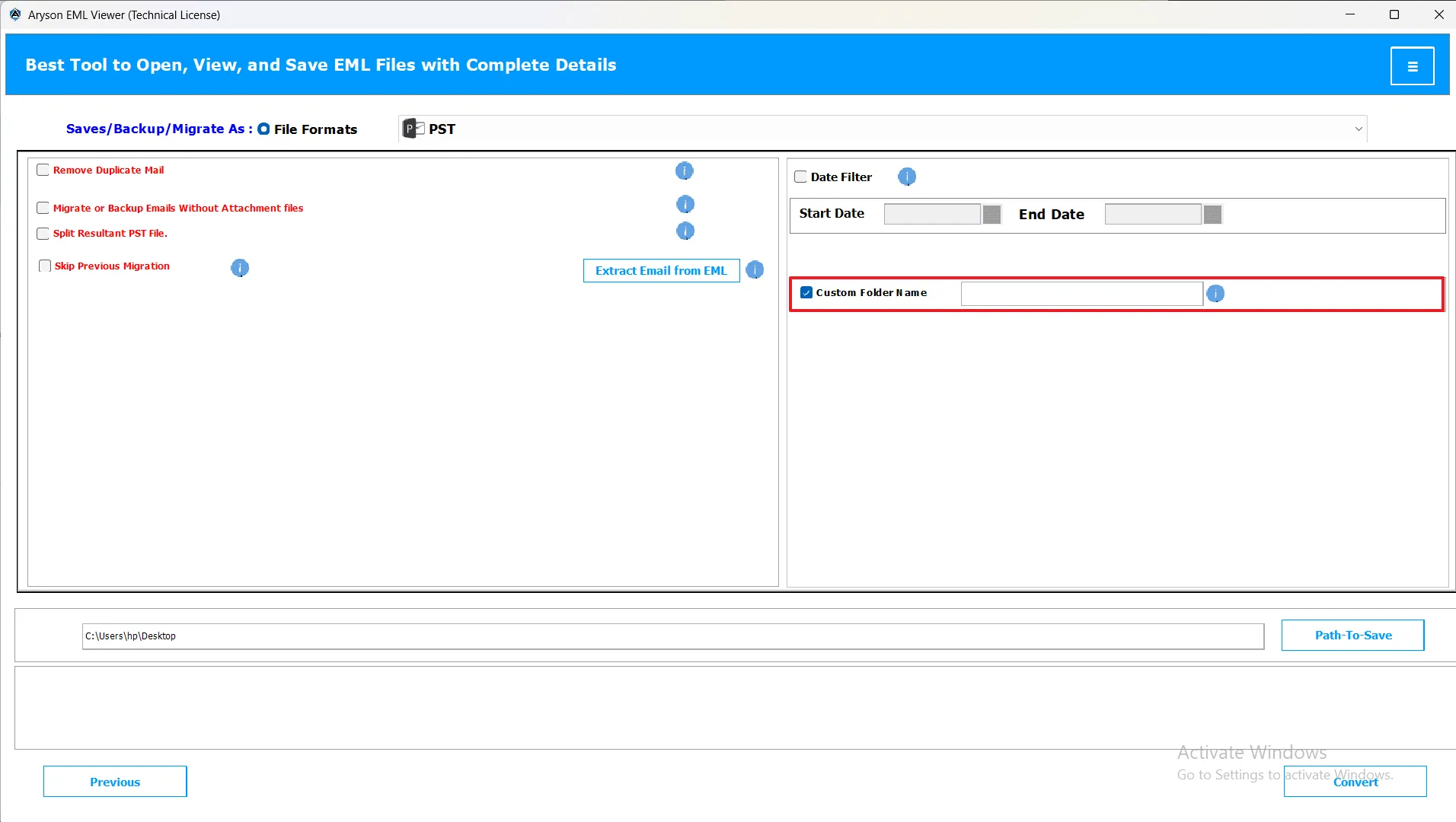
- Custom Name Folder: This option lets you give a personal name to the output folder where your converted files are saved. For example, you can name it “Email Backup 2025” to keep your data organized and easily identifiable.
Note: This feature will work for PST, MBOX, MSG, PDF, DOC, EMLX, CSV, XLSX, OFT, and Thunderbird options
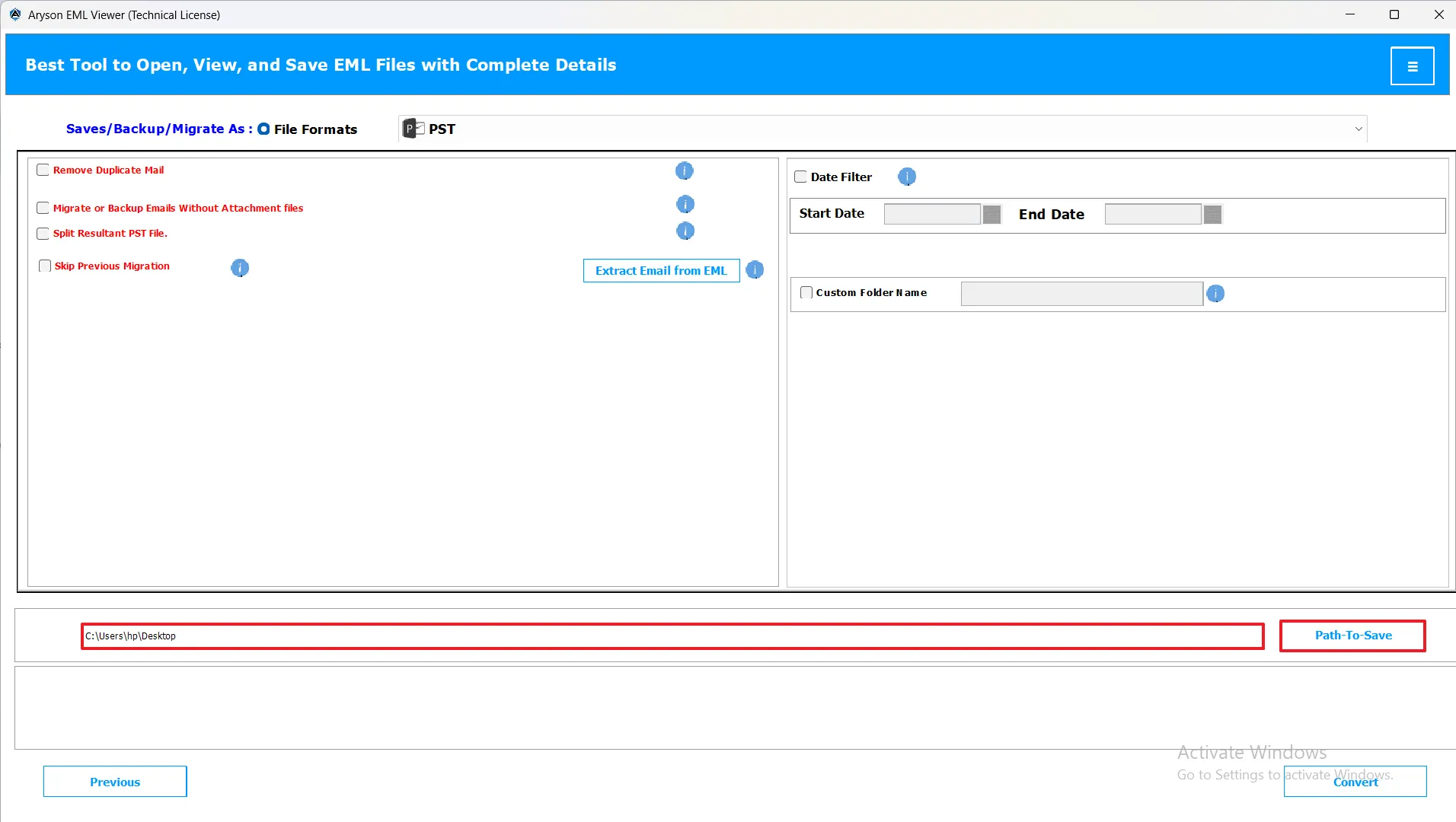
- Path-To-Save (Destination): The Path to Save option allows you to choose the location on your computer where the converted files will be stored. You can browse and set a custom path as per your preference.
Note: This feature will work for PST, MBOX, MSG, PDF, DOC, EMLX, CSV, XLSX, OFT, and Thunderbird options.
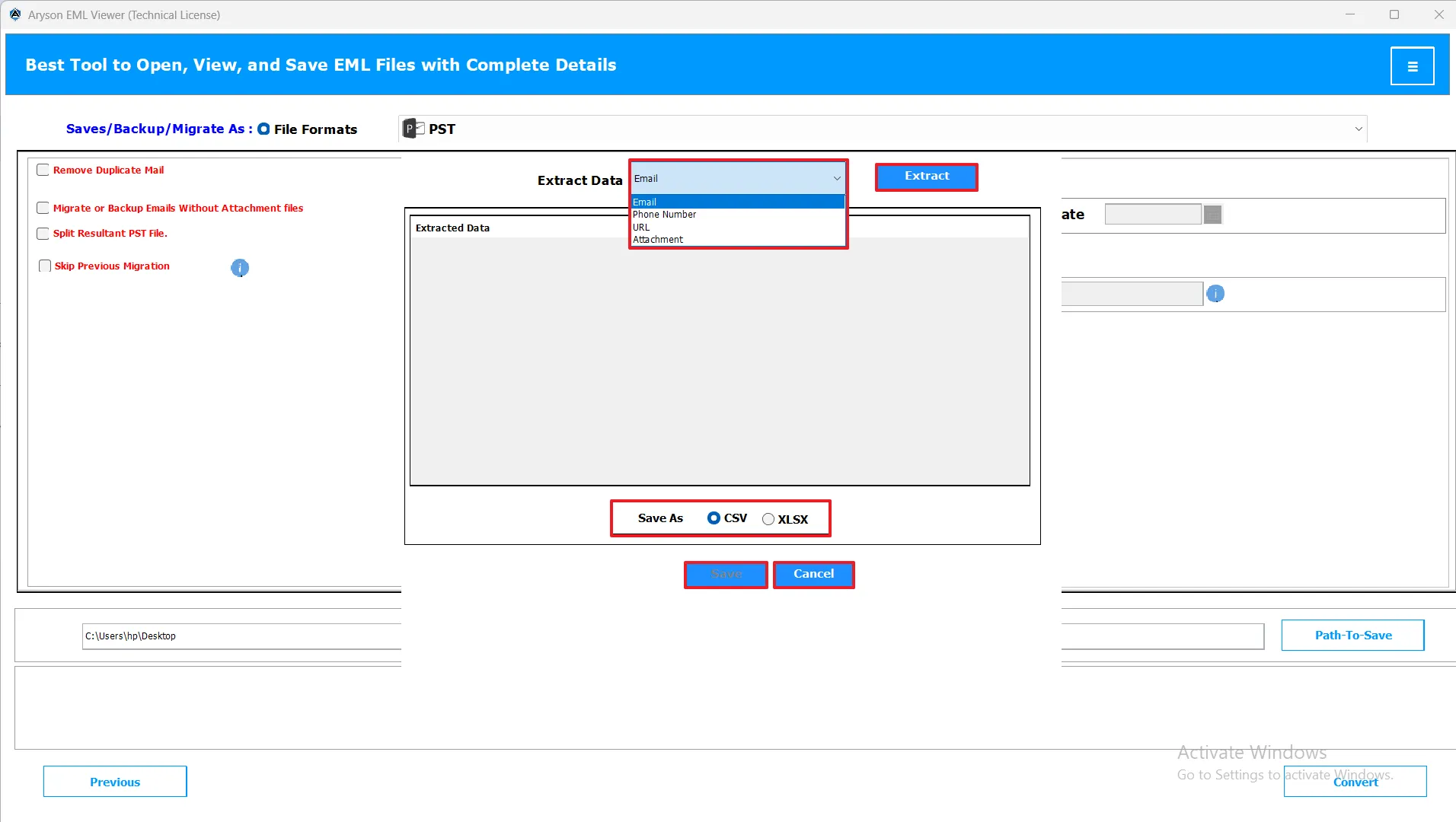
- Extraction from Tool: This feature allows you to extract important details like Email IDs, Contact Numbers, URLs, and Attachments directly from your EML files
Note: This feature will work for PST, MBOX, MSG, PDF, DOC, EMLX, CSV, XLSX, OFT, and Thunderbird options.
Note: This feature will work for PST, MBOX, MSG, PDF, DOC, EMLX, CSV, XLSX, OFT, and Thunderbird options.
Note: This feature will work for PST, MBOX, MSG, PDF, DOC, EMLX, CSV, XLSX, OFT, and Thunderbird options.
Step 06: Start the Conversion Process
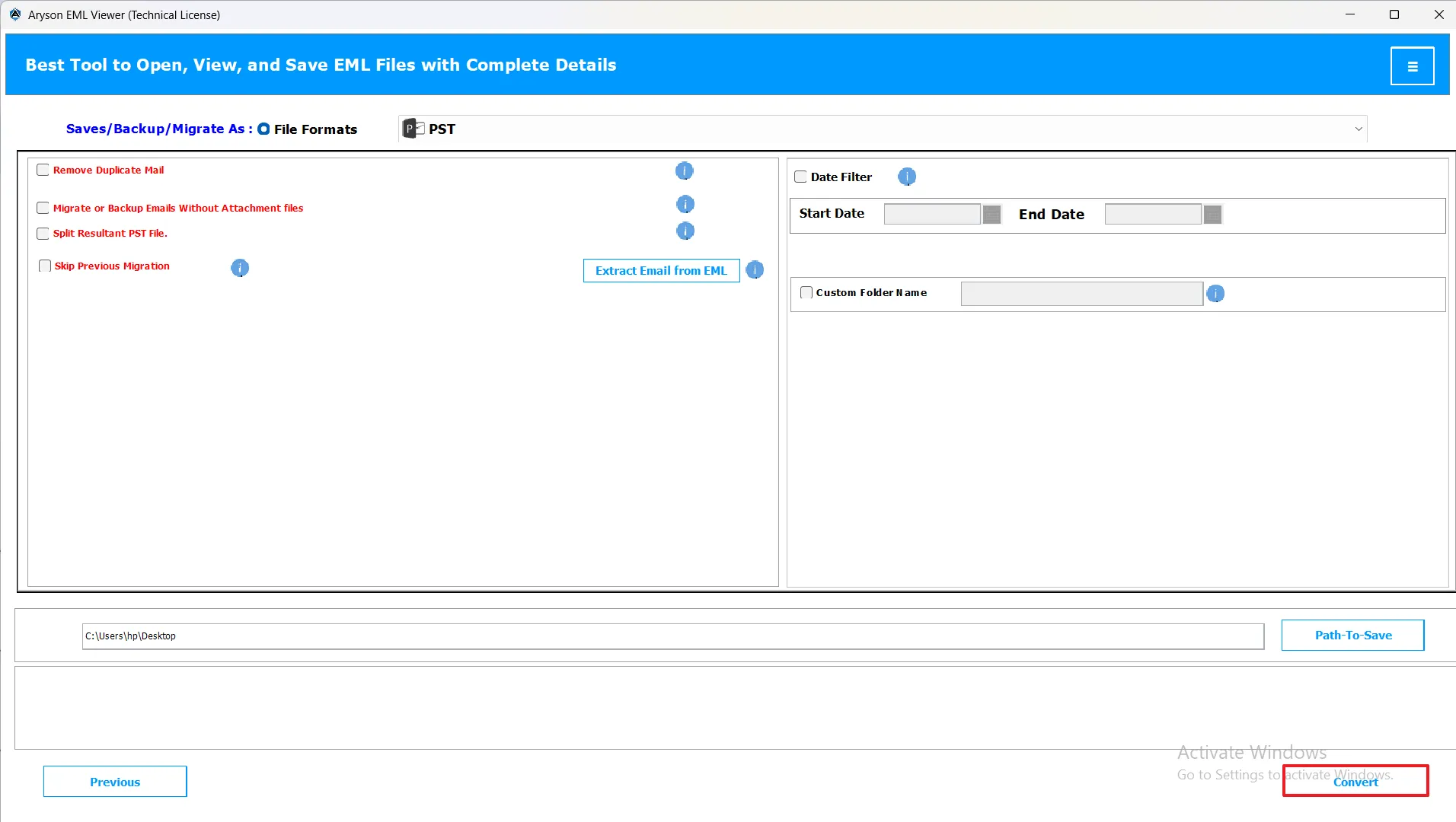
After applying the required features, click on the Convert button to start the process of conversion.
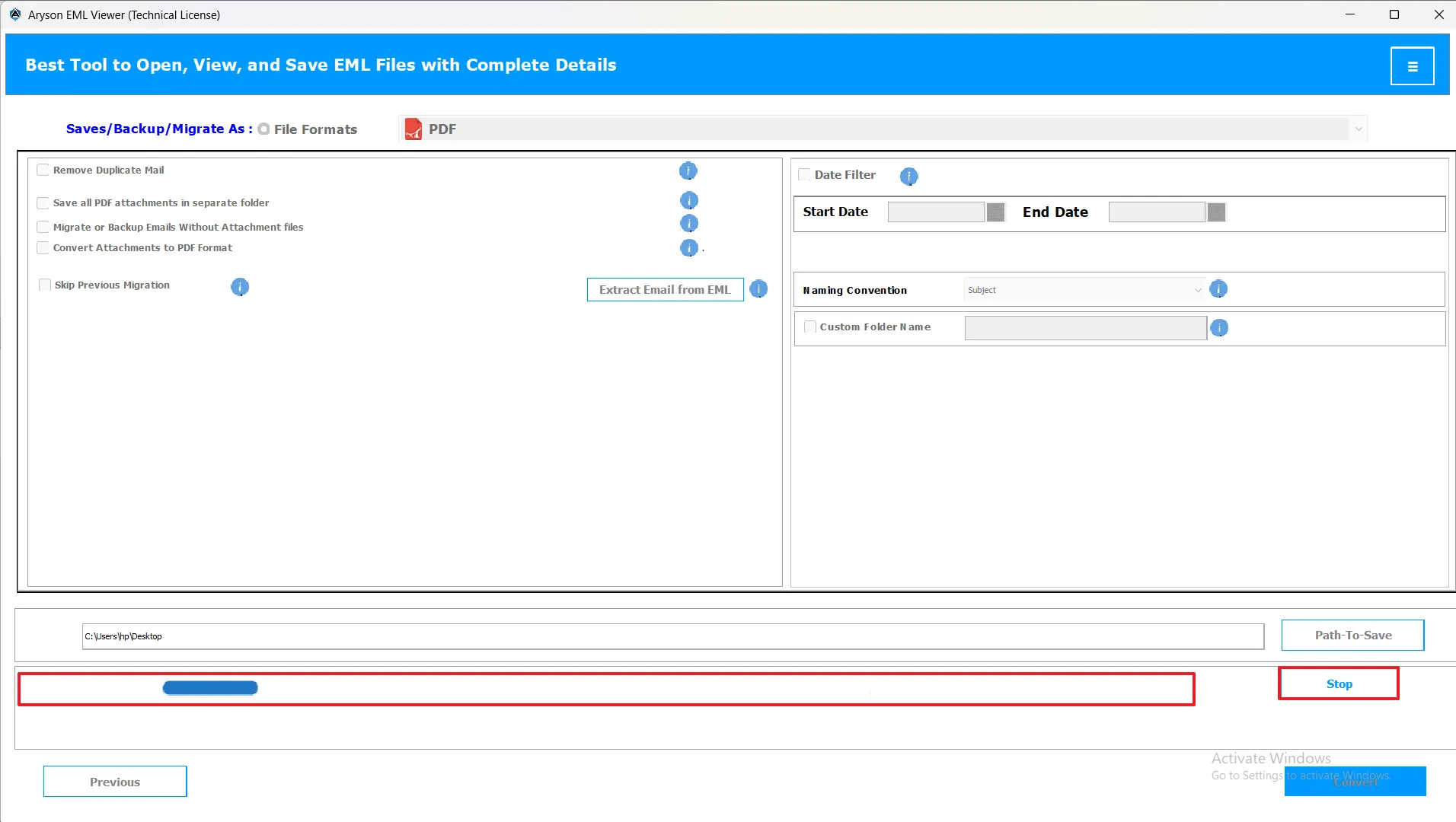
Note: During the conversion process, a bar will appear, which will show the process status in real time. Do not close the wizard or switch off the device to avoid miscellaneous errors or an incomplete result.
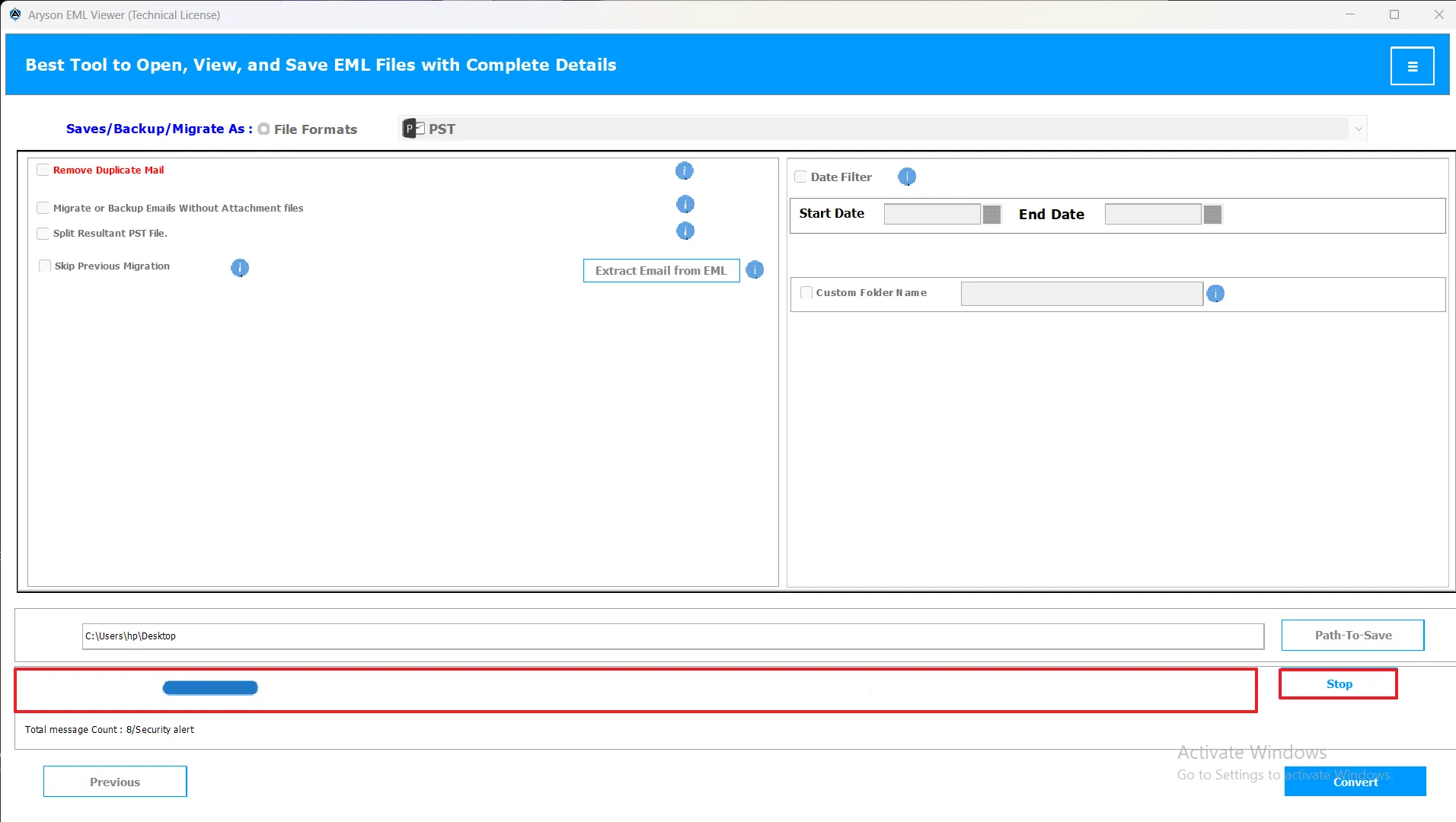
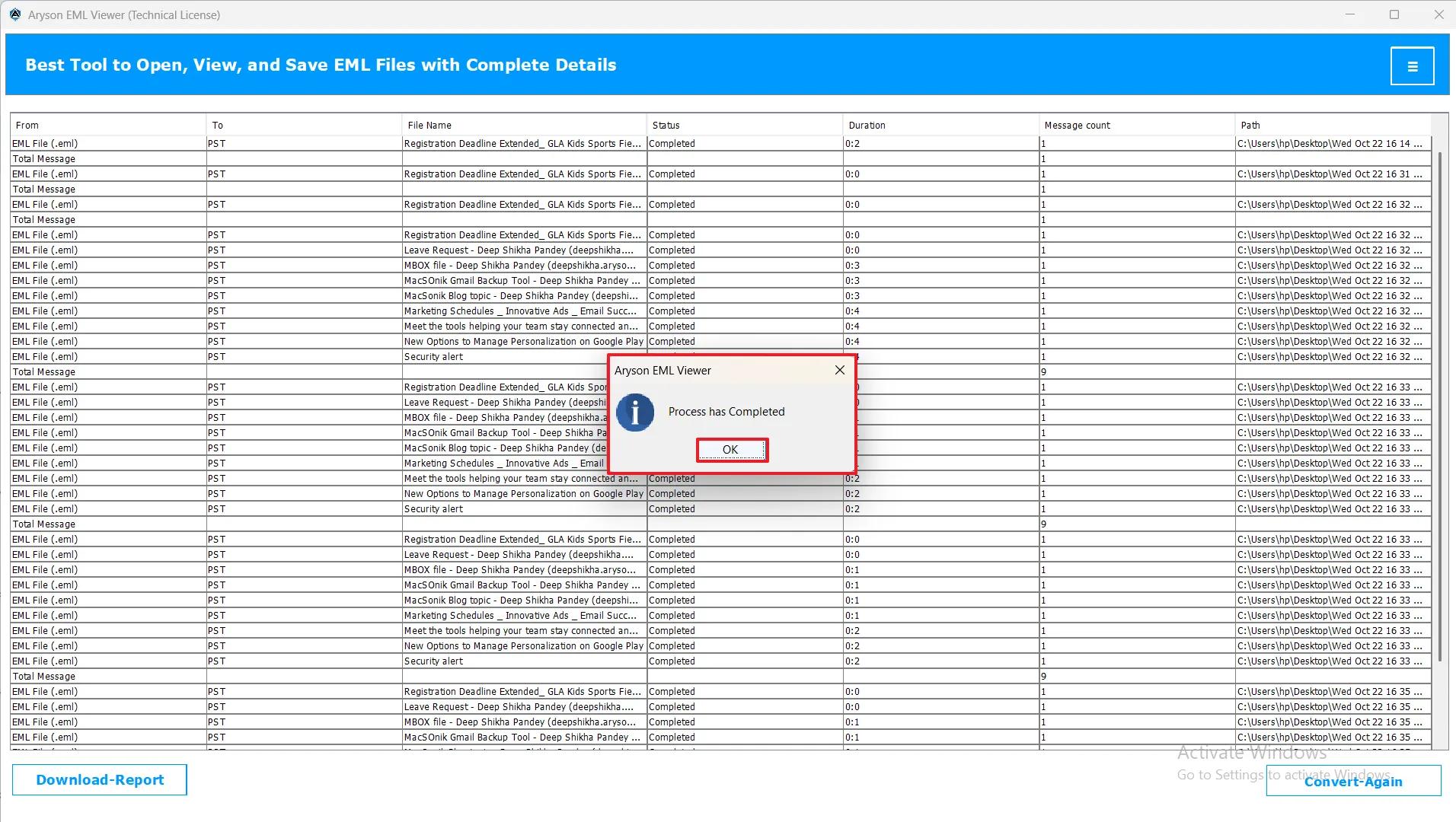
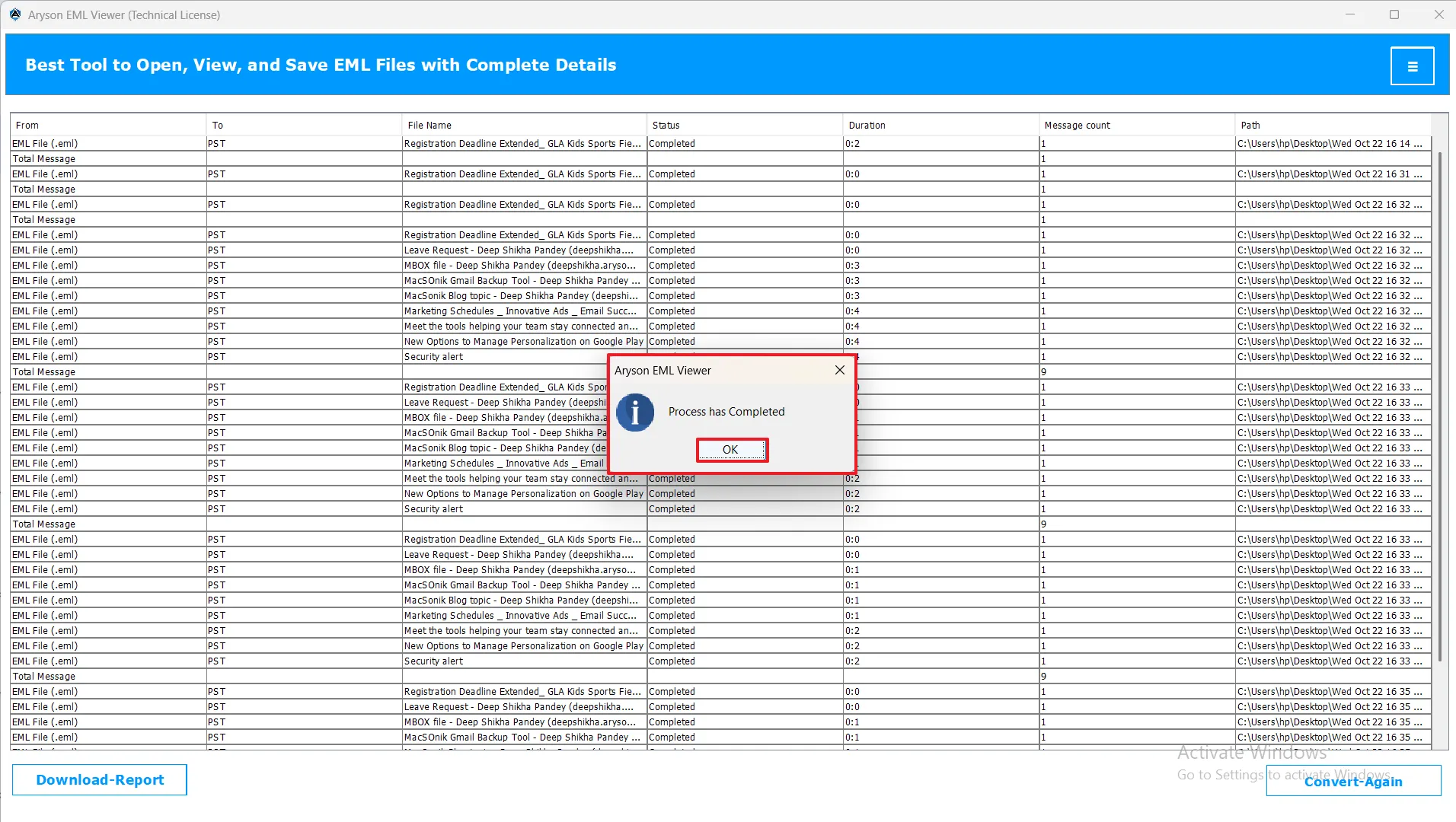
- When the process is completed, a pop-up will appear that says, “Process has been successfully completed.” Click Ok and proceed ahead.
Step 7: Download the Report
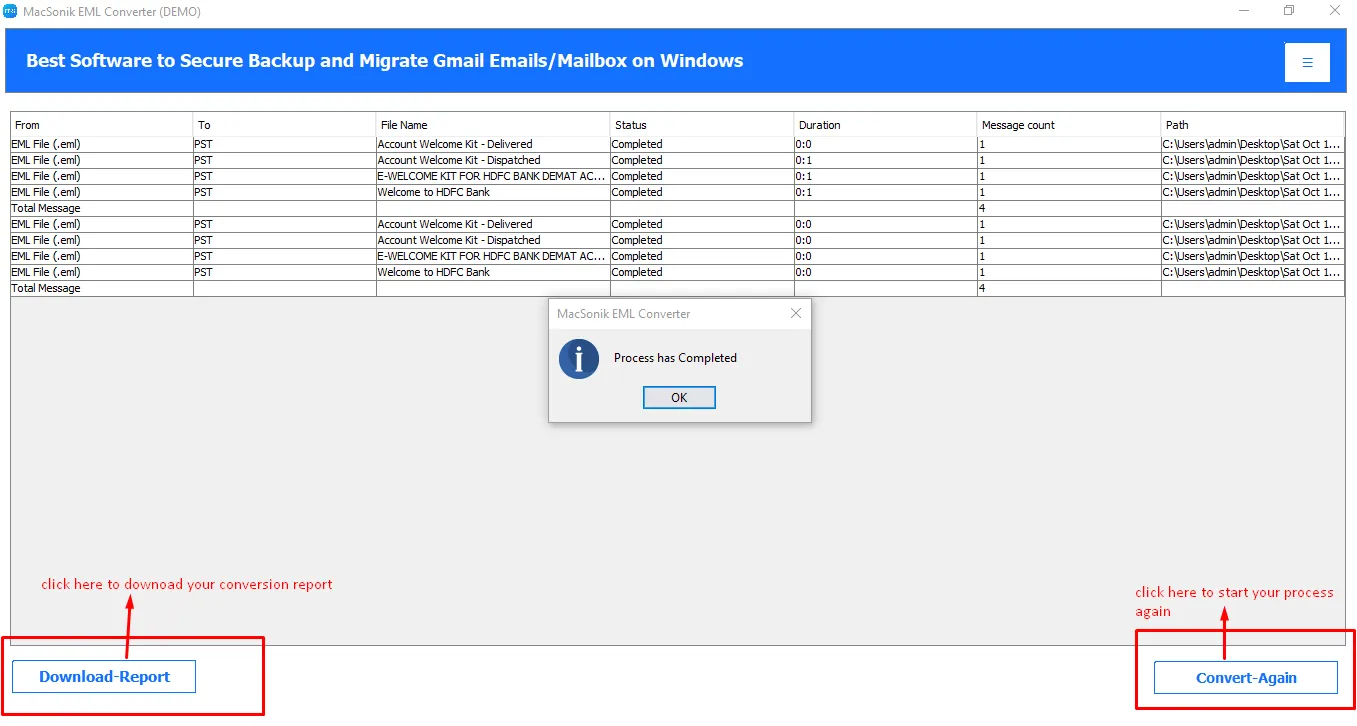
After the process completion, the EML Viewer Tool generates a report that contains a complete summary of the process. Includes From, To, File name, Status, Duration, Message count, Path, and Total messages.
You will get the following action buttons here:
- Convert Again: This will allow you to start a new conversion and redirect you to the preview panel.
- Download Report: It will download your report file for your process.
EML to PDF Conversion Steps
Note: After completing steps 1 to 3, choose the desired file format from the available options. Once selected, apply the advanced filters as needed to customize your conversion process for better accuracy, efficiency, and control over the final output results.
Step 4: Choose Export As PDF
Step 5: Use Advanced Filters
-
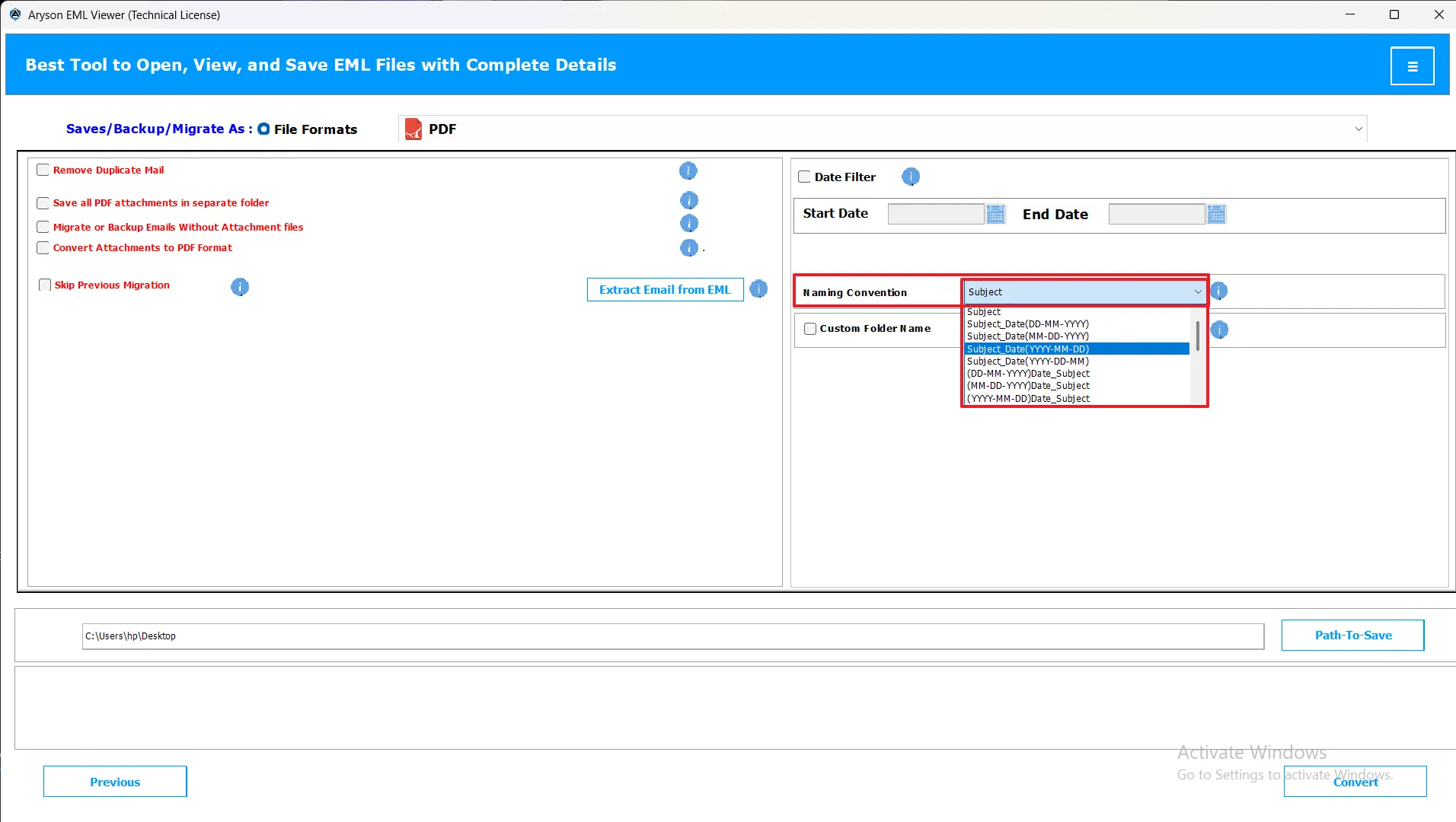
Naming Convention Options: The Naming Convention Options in the Aryon EML Viewer tool let you choose how converted emails are saved and named for easy organization. You can choose from various patterns such as:
- Subject_Date (DD-MM-YYYY)
- Date (MM-DD-YYYY) + From
- From + Subject + Date (YYYY-MM-DD)
This helps prevent duplicate names, keeps emails organized, and makes searching and managing them much easier.
Note: This feature will work for PDF, WDSEML, OFT, XLSX, DOC, MSG, or EMLX options.
-
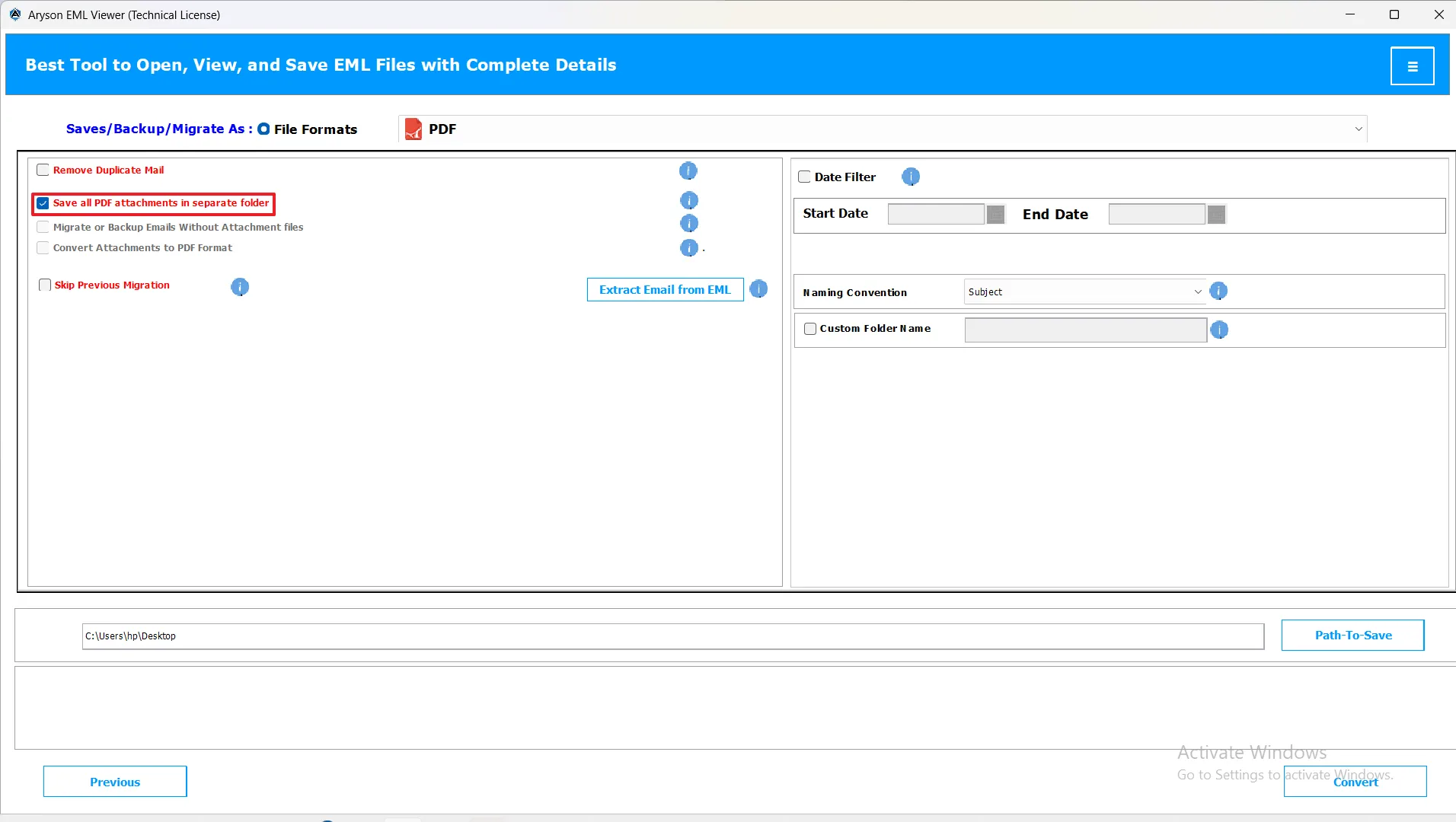
Save All PDF Attachments in a Separate Folder: This option allows you to save all PDF attachments from your emails into a different folder on your system. It helps keep attachments organized.
Note: This feature works only with PDF file formats.
-
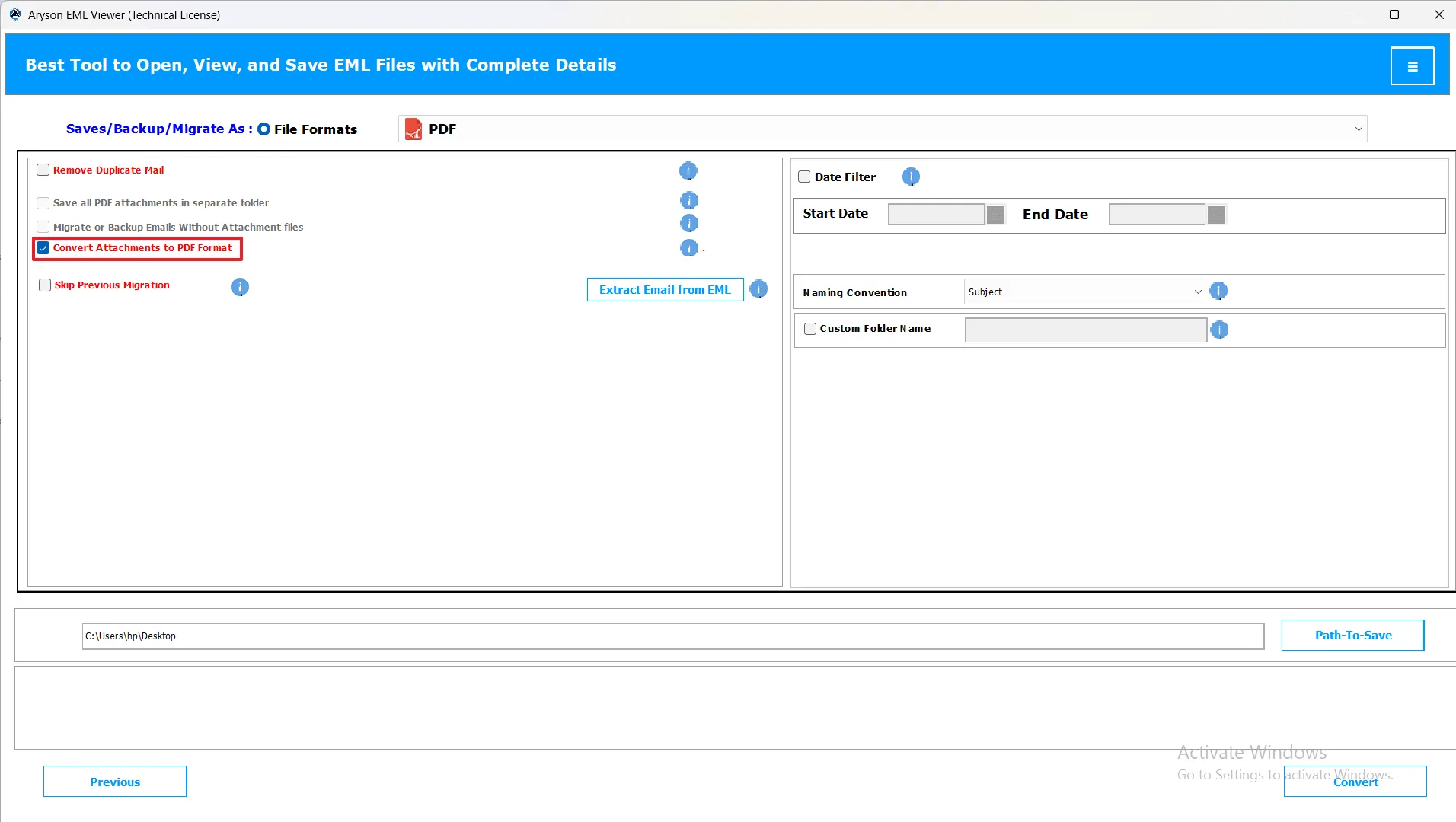
Convert Attachments to PDF Format: Converts all email attachments into PDF files and saves them in the selected folder.
Note: This option applies only to attachments that can be converted to PDF.
-
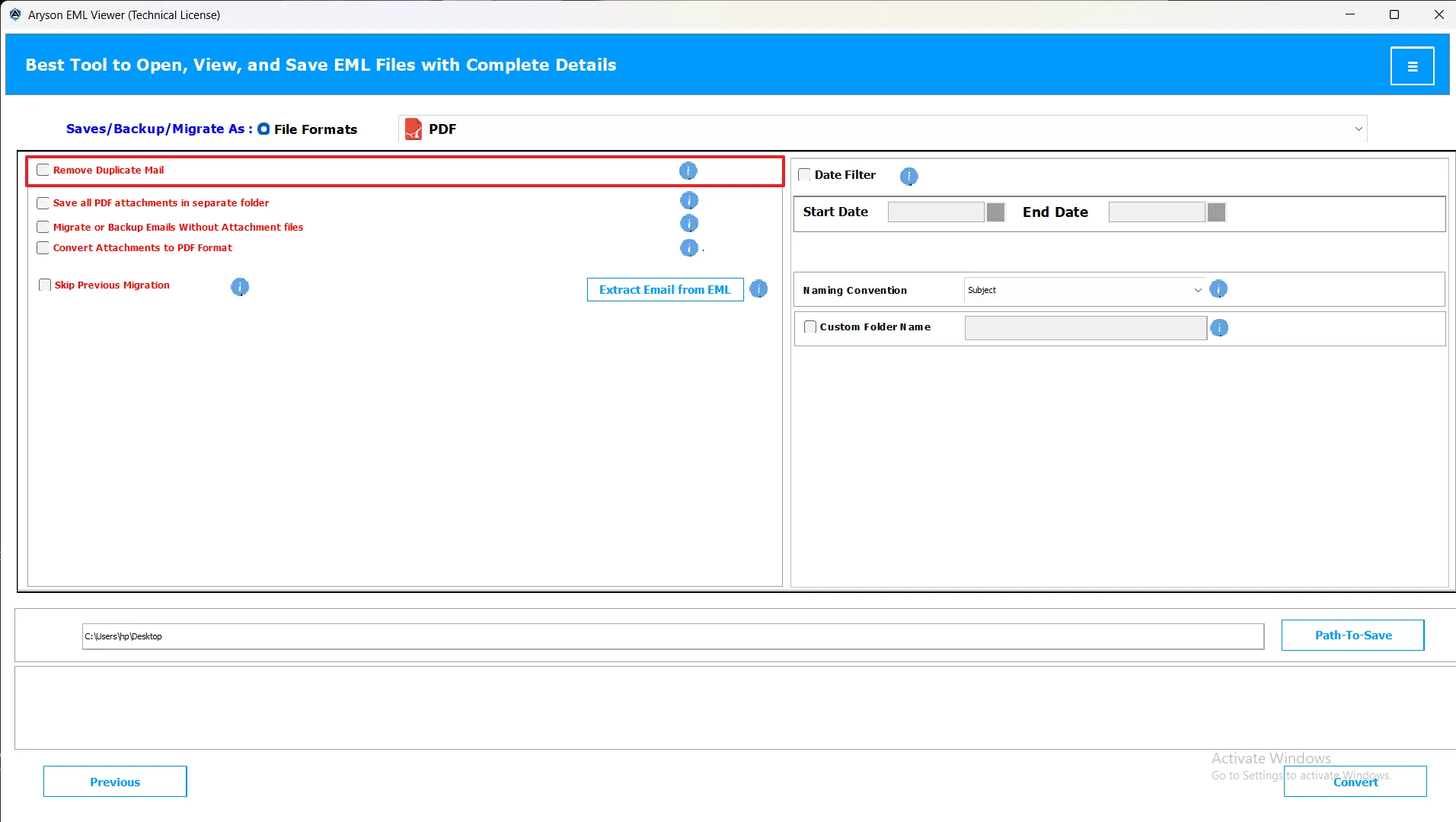
Remove Duplicate Email: This feature helps you clean up your mailbox by removing duplicate emails.
Note: This feature will work for PST, MBOX, MSG, PDF, DOC, EMLX, CSV, XLSX, OFT, and Thunderbird options.
-
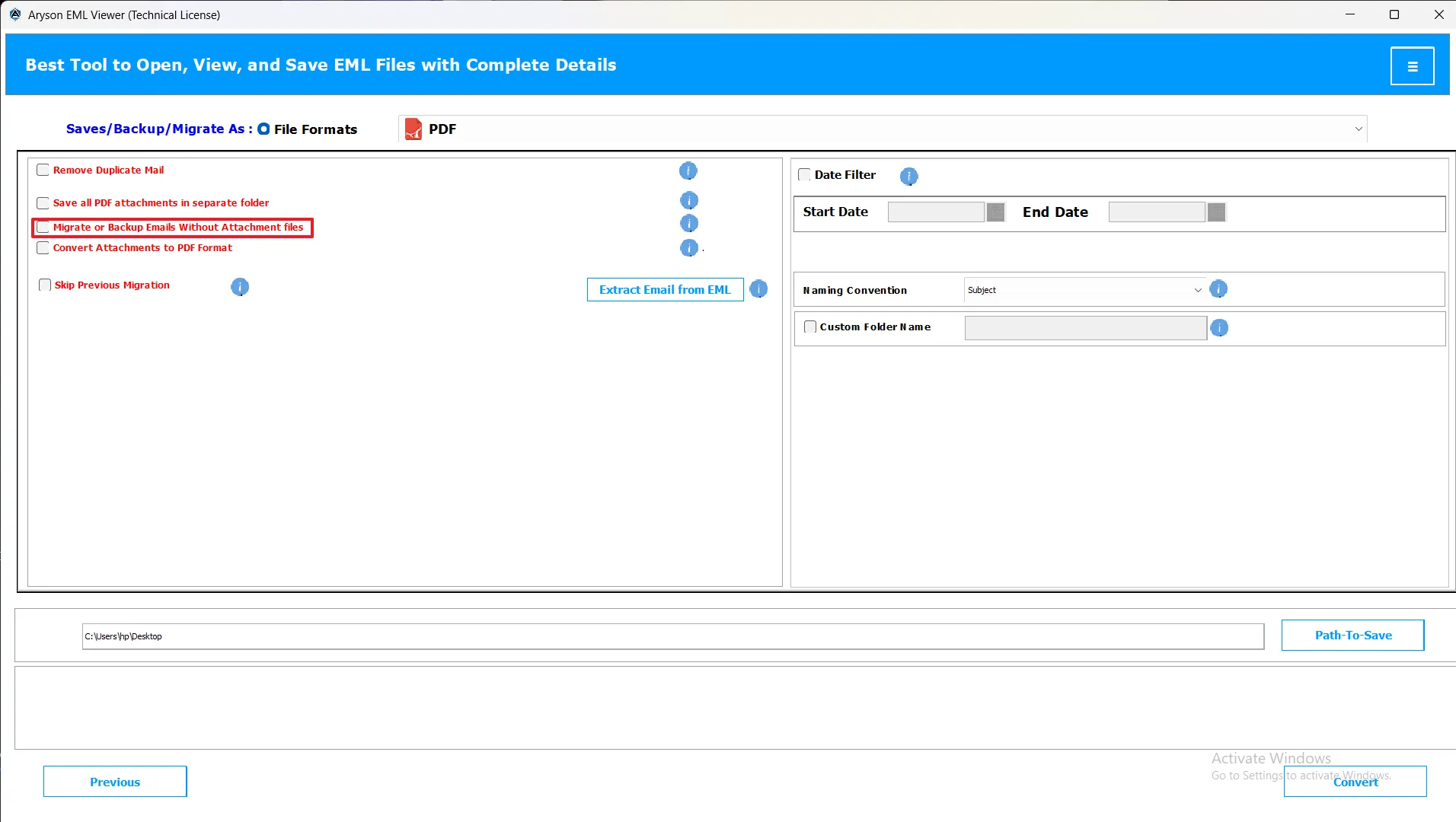
Migrate or Backup Emails without Attachment Files: Convert/migrate emails without including attachments.
Note: This feature will work for PST, MBOX, MSG, PDF, DOC, EMLX, CSV, XLSX, OFT, and Thunderbird options.
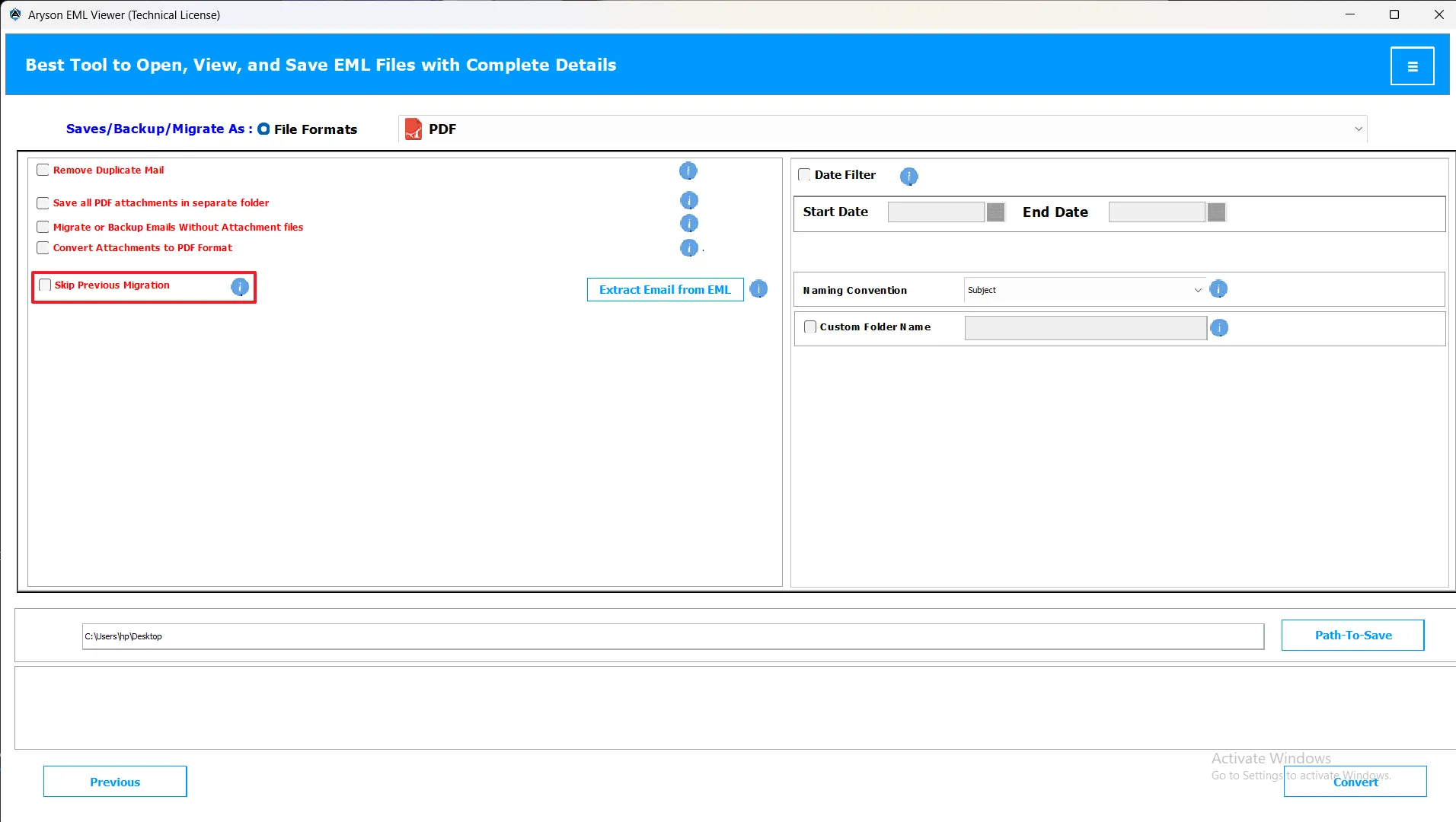
-
Skip Previous Migration: You can resume migration from where you left off.
Note: This feature will work for PST, MBOX, MSG, PDF, DOC, EMLX, CSV, XLSX, OFT, and Thunderbird options.
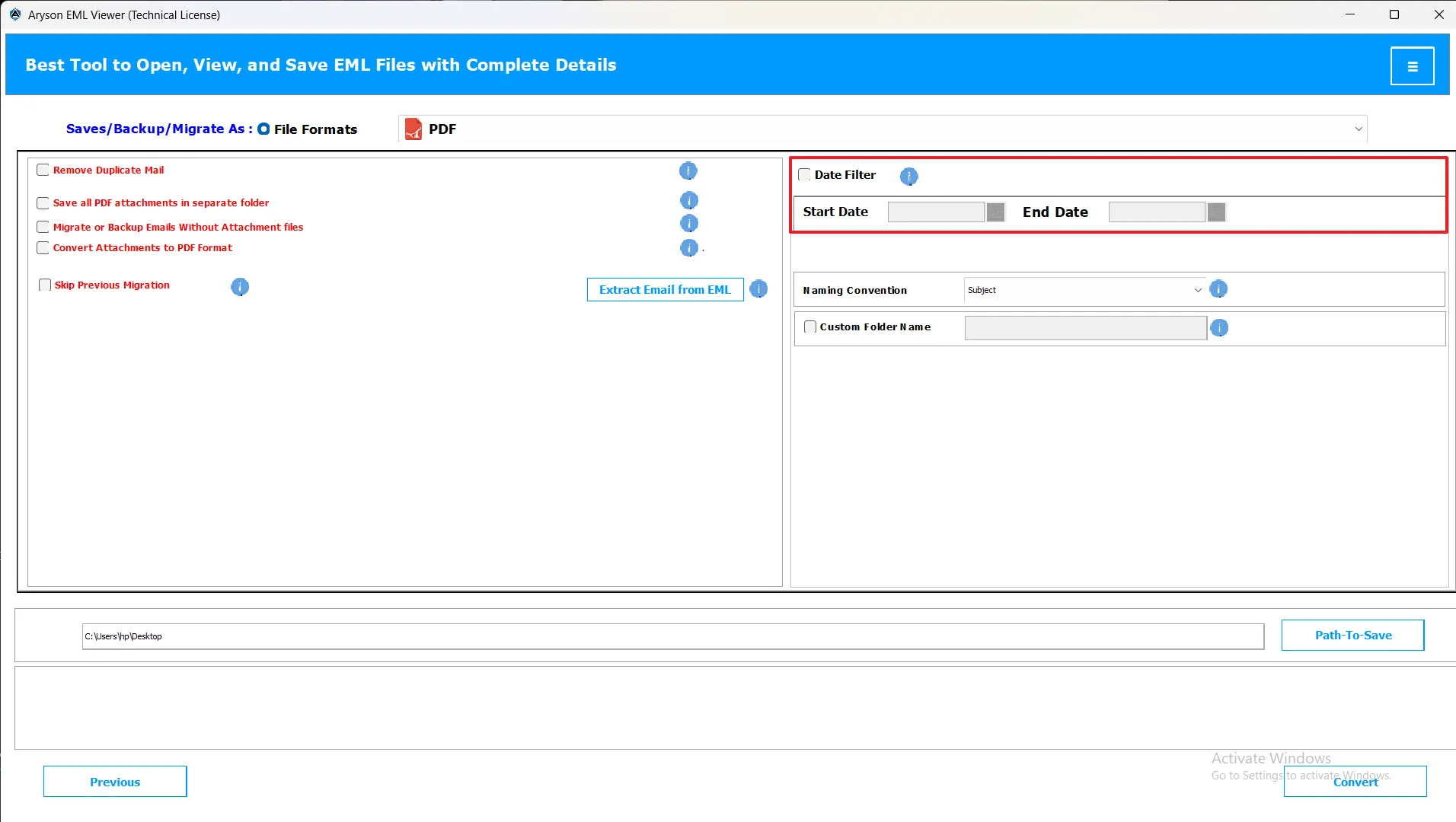
-
Date Filter Option: Convert only emails within a selected date range.
Note: This feature will work for PST, MBOX, MSG, PDF, DOC, EMLX, CSV, XLSX, OFT, and Thunderbird options.
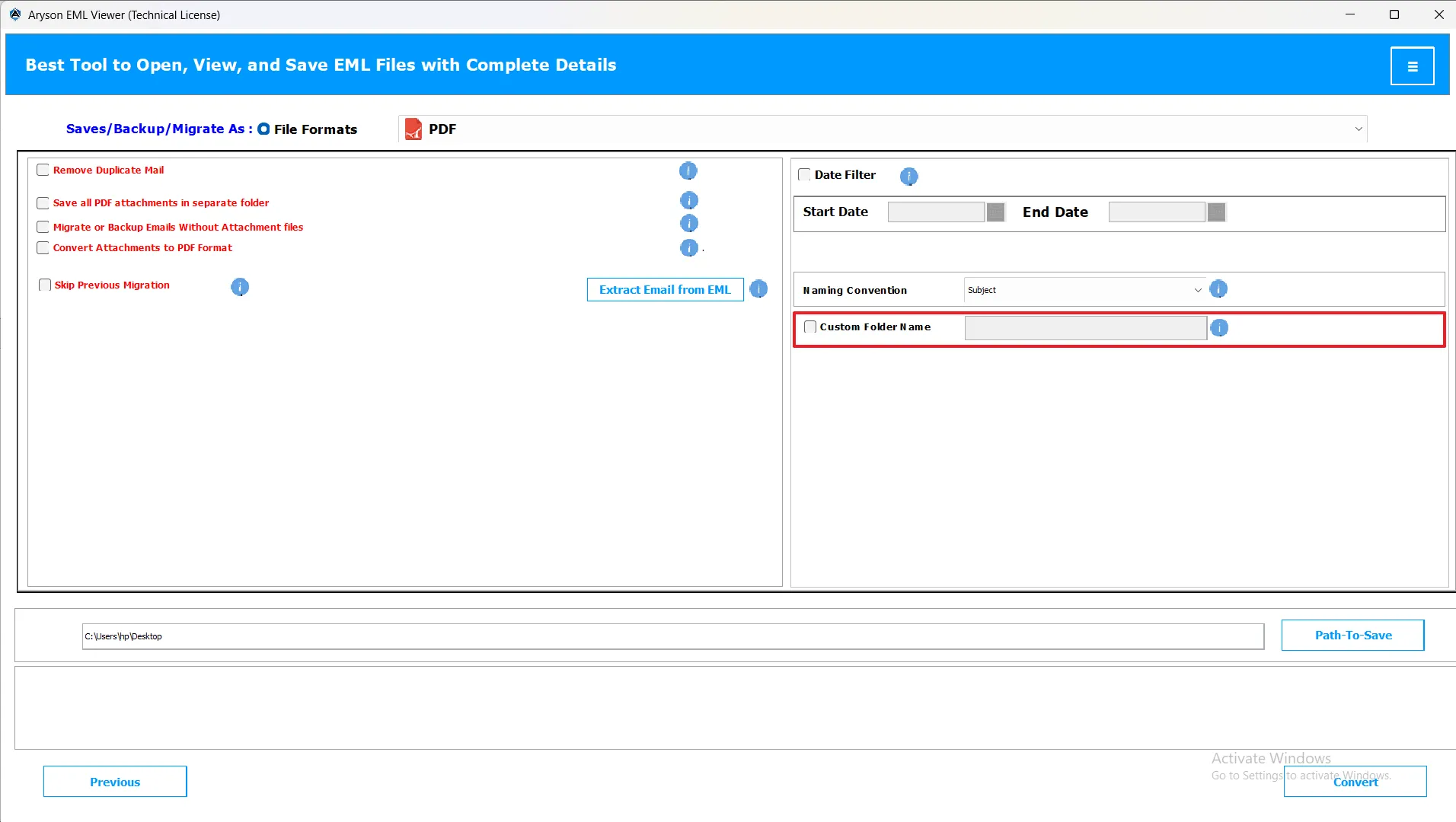
-
Custom Name Folder: Assign a personalized name to the output folder.
Note: This feature will work for PST, MBOX, MSG, PDF, DOC, EMLX, CSV, XLSX, OFT, and Thunderbird options.
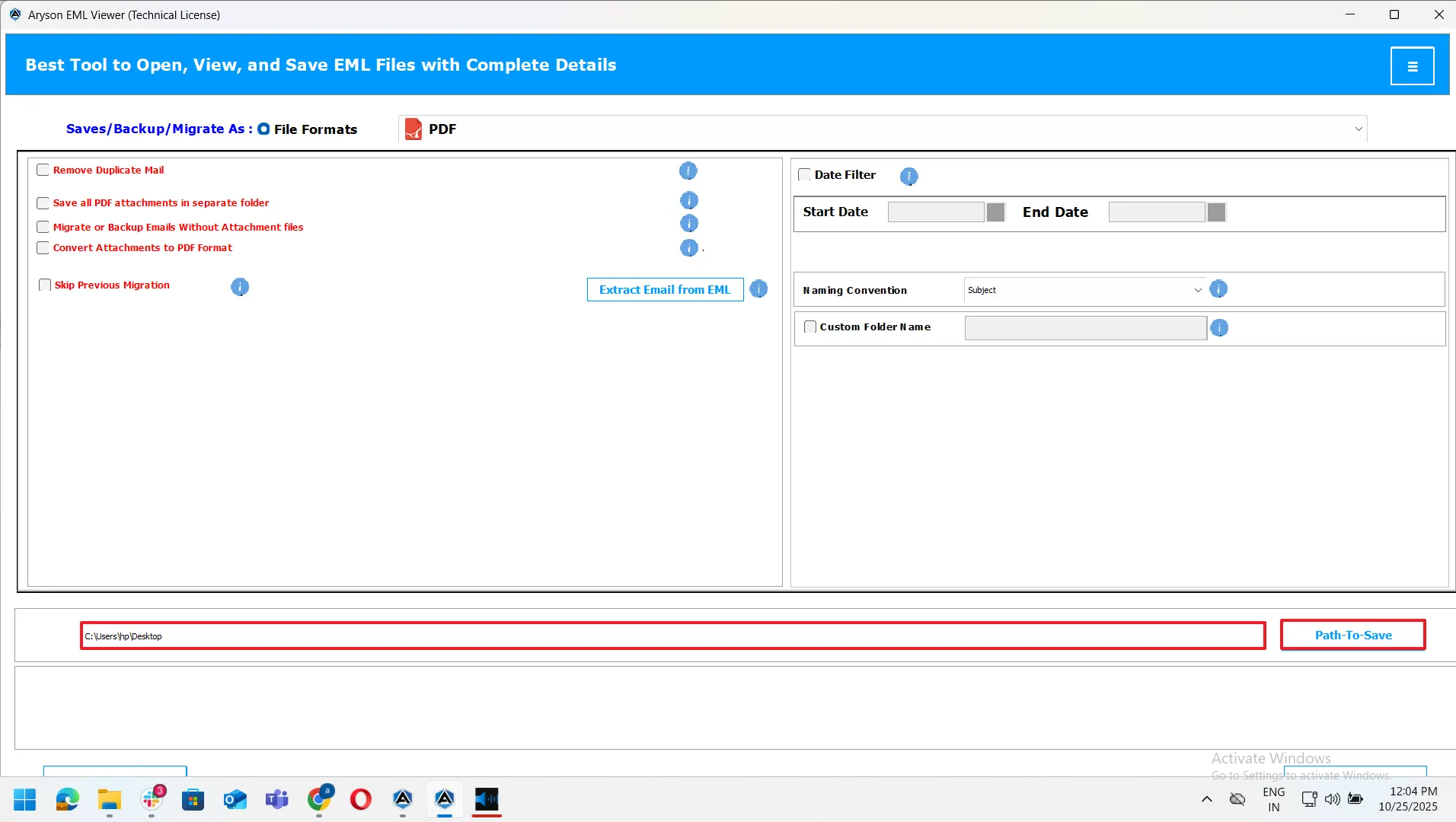
-
Path-To-Save (Destination): This is where users choose the location to save converted files.
Note: This feature will work for PST, MBOX, MSG, PDF, DOC, EMLX, CSV, XLSX, OFT, and Thunderbird options.
Step 6: Start the Conversion Process
After applying the required features, click on the Convert button to start the process of conversion.
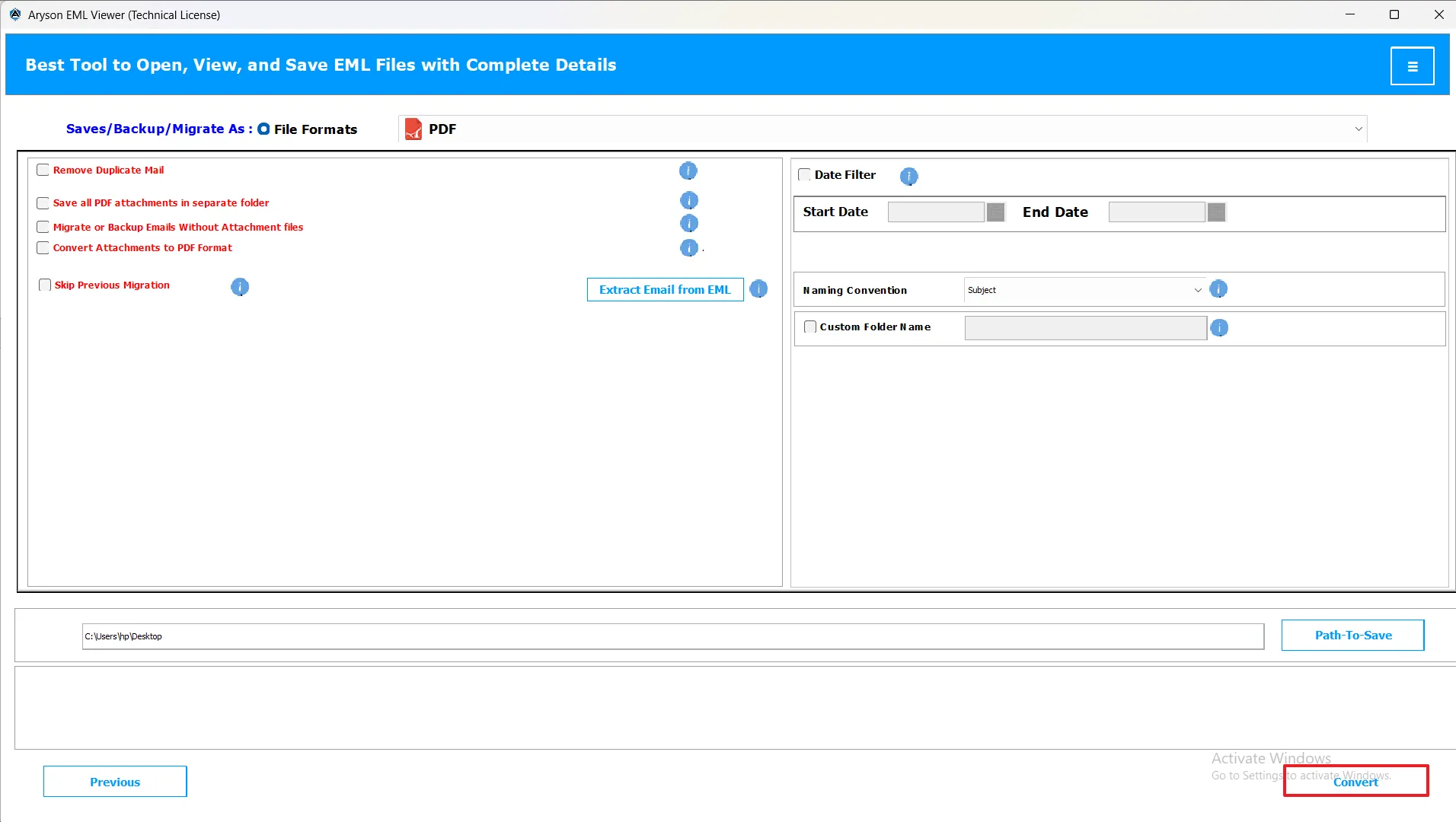
Note: During the conversion process, a bar will appear, which will show the process status in real time. Do not close the wizard or switch off the device to avoid miscellaneous errors or an incomplete result.
- When the process is completed, a pop-up will appear that says, “Process has been successfully completed.” Click Ok and proceed ahead.
Step 7: Download the Report
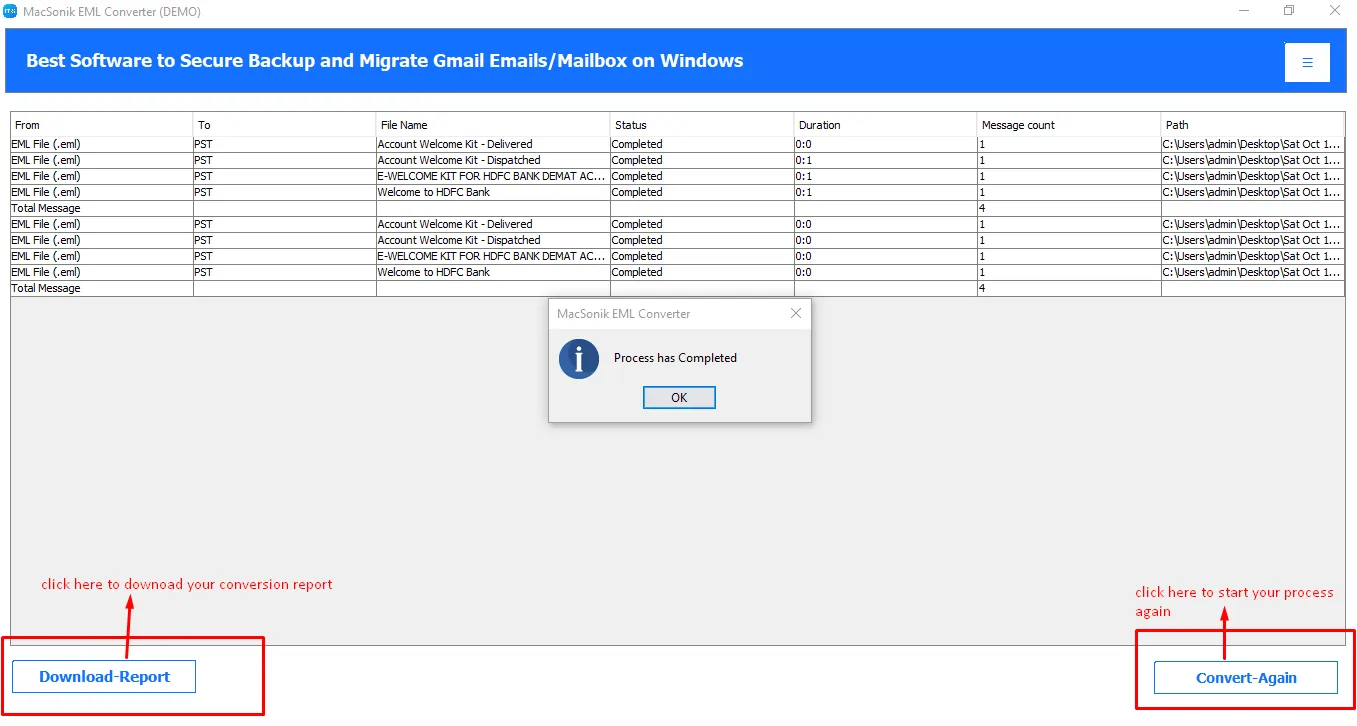
After the process completion, the EML Viewer Tool generates a report that contains a complete summary of the process. Includes From, To, File name, Status, Duration, Message count, Path, and Total messages.
You will get the following action buttons here:
Convert Again: This will allow you to start a new conversion and redirect you to the preview panel.
Download Report: It will download your report file for your process.
EML to MBOX Conversion Steps
Note: After completing steps 1 to 3, choose the desired file format from the available options. Once selected, apply the advanced filters as needed to customize your conversion process for better accuracy, efficiency, and control over the final output results.
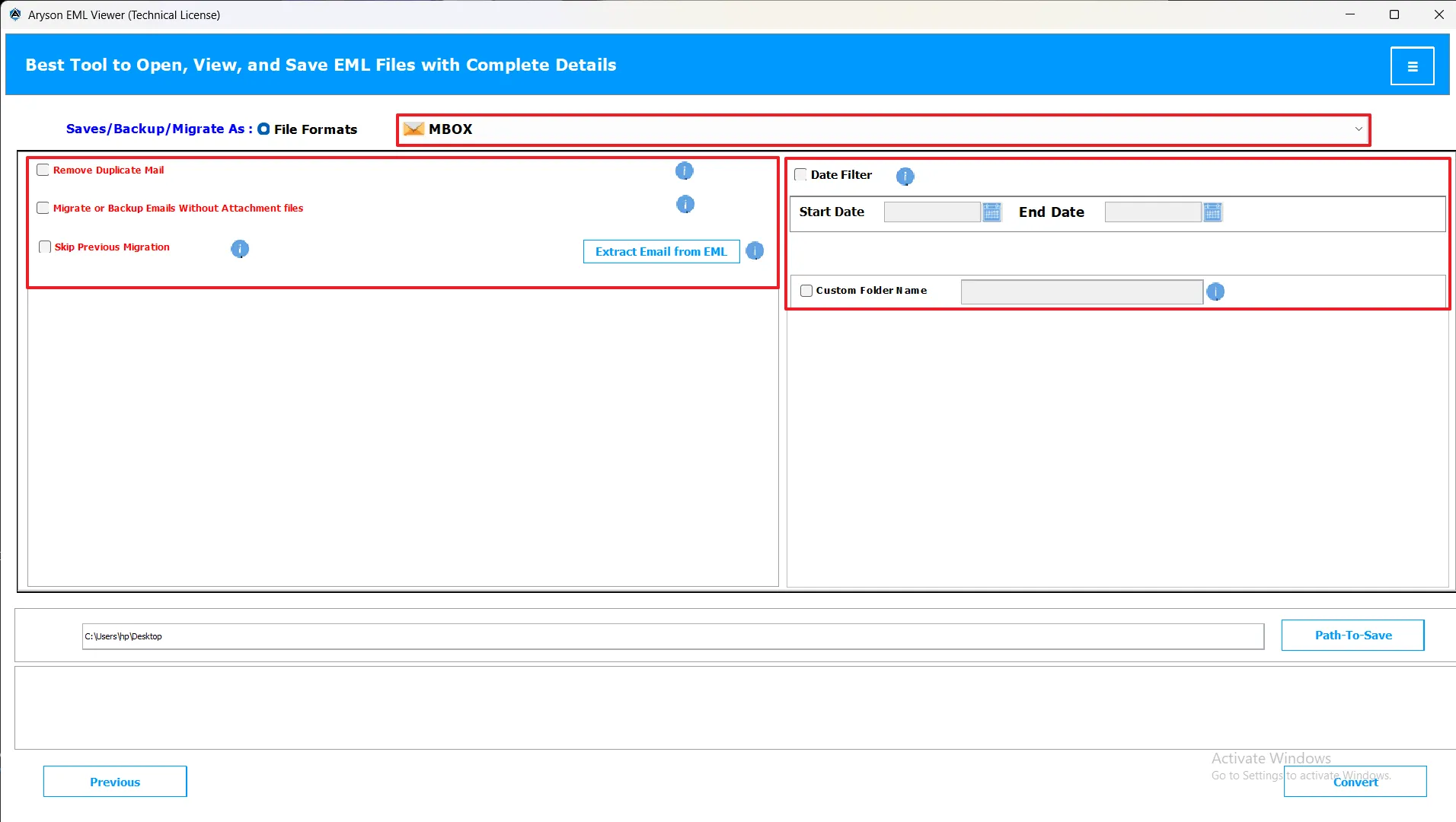
- Remove Duplicate Email: Avoids duplicate mail items while converting.
- Migrate or Backup Without Attachments: Saves or transfers emails excluding attachments.
- Skip Previous Migration: Skips already processed data for efficient migration.
- Date Filter Option: Filters emails based on the chosen date range.
- Custom Name Folder: Enables you to name the output folder.
- Path-To-Save: Select a custom destination to store converted MBOX files.
EML to MSG Conversion Steps
Note: Once you’ve completed steps 1 to 3, select the preferred file format from the list. Then, use the advanced filter options to refine your conversion for maximum accuracy and control over the output.
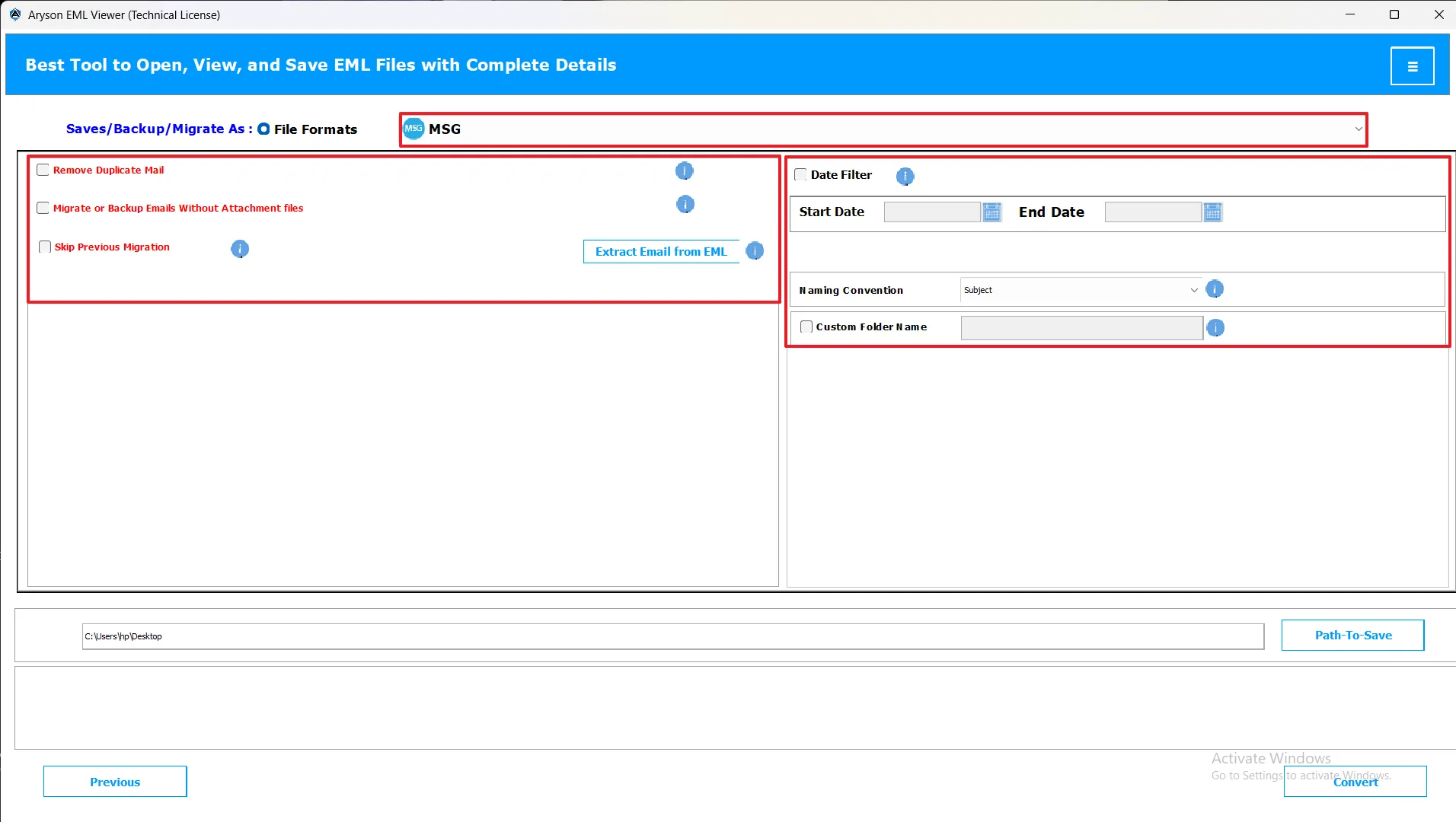
- Remove Duplicate Email: Avoids duplicate mail items while converting.
- Migrate or Backup Without Attachments: Saves or transfers emails excluding attachments.
- Skip Previous Migration: Skips already processed data for efficient migration.
- Date Filter Option: Filters emails based on the chosen date range.
- Custom Name Folder: Enables you to name the output folder.
- Path-To-Save: Select a custom destination to store converted MBOX files.
EML to DOC Conversion Steps
Note: When steps 1 to 3 are done, select the desired file format and configure advanced filters to tailor the conversion process according to your specific needs.
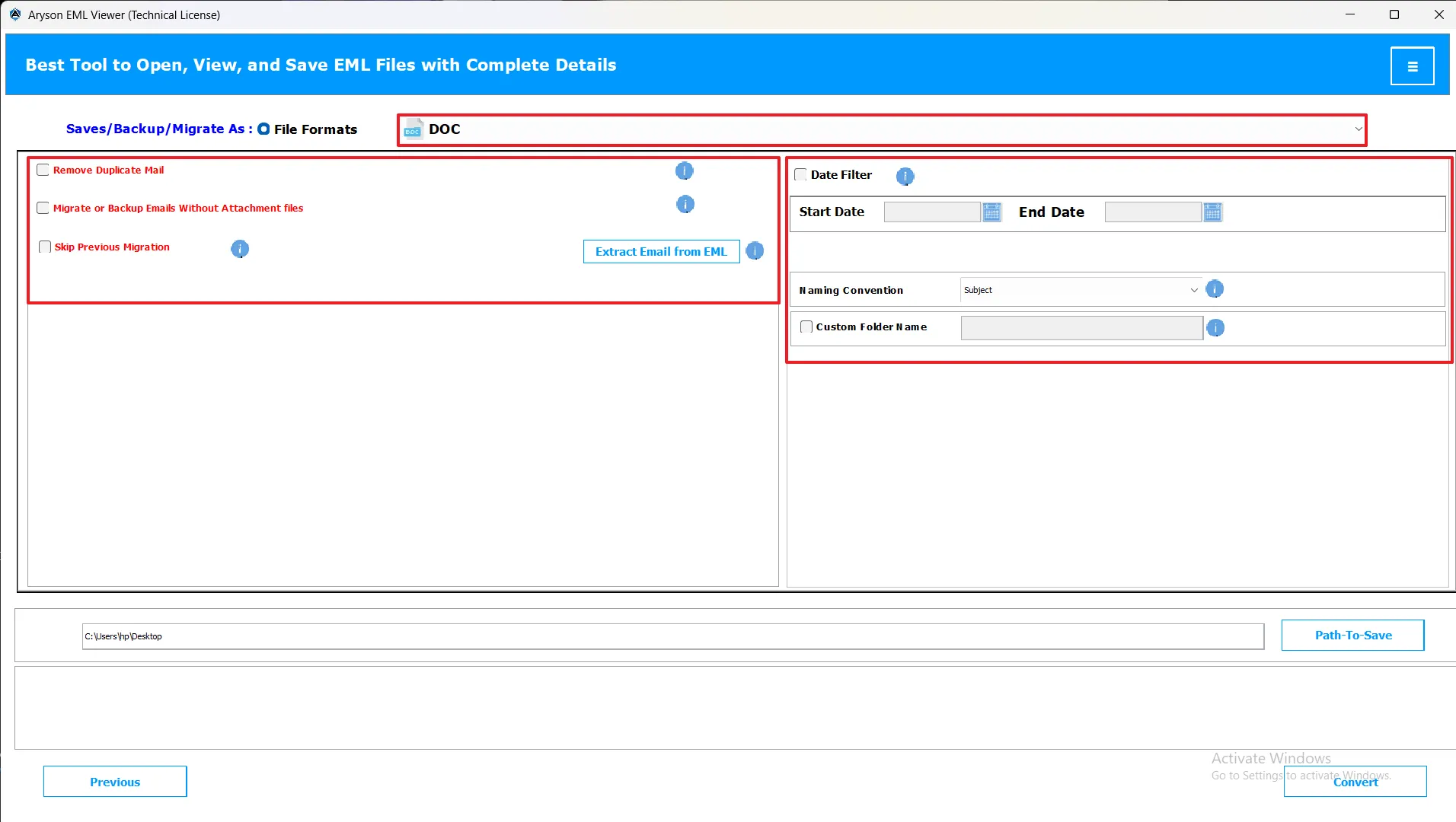
- Naming Convention Options: Helps organize DOC files with specific naming formats.
- Remove Duplicate Email: Avoids duplicate documents during export.
- Migrate or Backup Without Attachments: Converts without attachments if desired.
- Skip Previous Migration: Resumes conversion from the last completed point.
- Date Filter Option: Allows export of emails within set date limits.
- Custom Name Folder: Lets you personalize the save folder name.
- Path-To-Save: Define where DOC files will be saved.
EML to EML Conversion Steps
Note: After completing the initial steps (1–3), pick your preferred output file format. You can then apply advanced filters to customize results for improved performance and data accuracy.
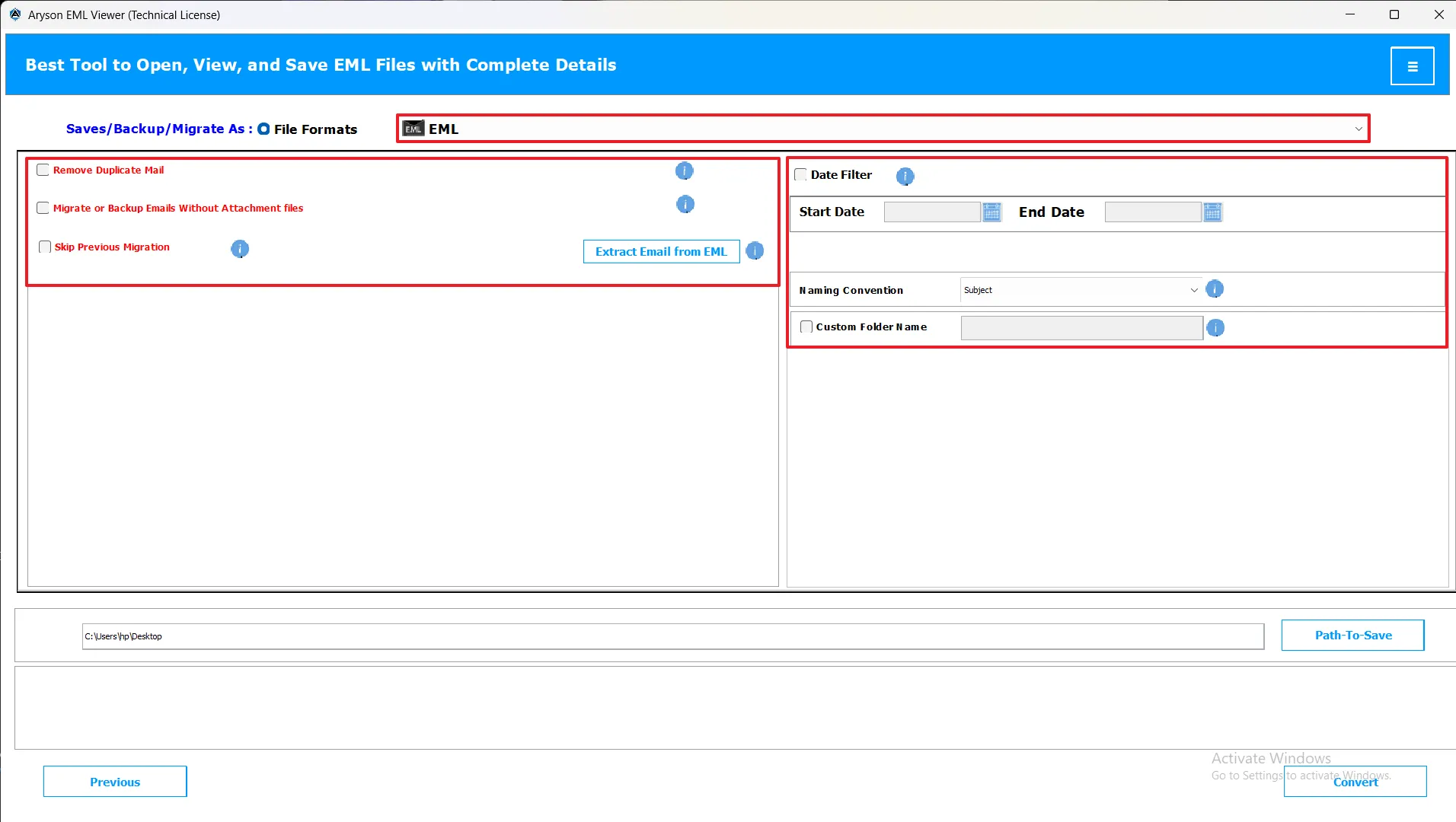
- Naming Convention Options: Choose how to name output EMLX files.
- Remove Duplicate Email: Removes repeated EMLX messages.
- Migrate or Backup Without Attachments: Excludes attachments during backup.
- Skip Previous Migration: Avoids reprocessing already converted files.
- Date Filter Option: Converts emails based on selected dates.
- Custom Name Folder: Customizes output folder naming.
- Path-To-Save: Selects location for saving EMLX files.
EML to EMLX Conversion Steps
Note: Once steps 1 to 3 are finished, choose the format in which you want to save your data. Apply advanced filters next to fine-tune your conversion and achieve precise results.
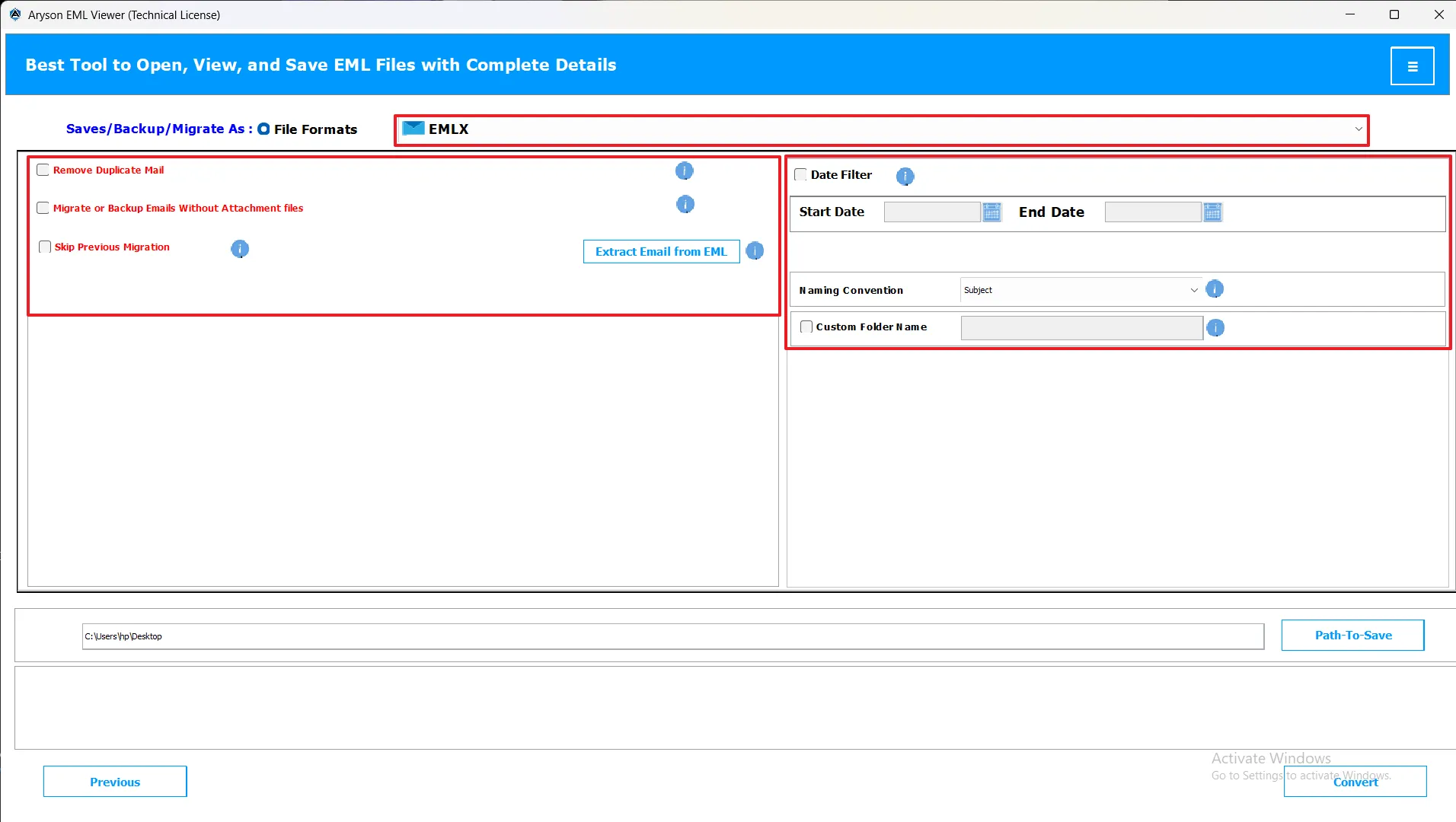
EML to CSV Conversion Steps
Note: After you’ve completed the first three steps, select the output file type of your choice. Use advanced filters afterward to customize conversion results for better organization and accuracy.
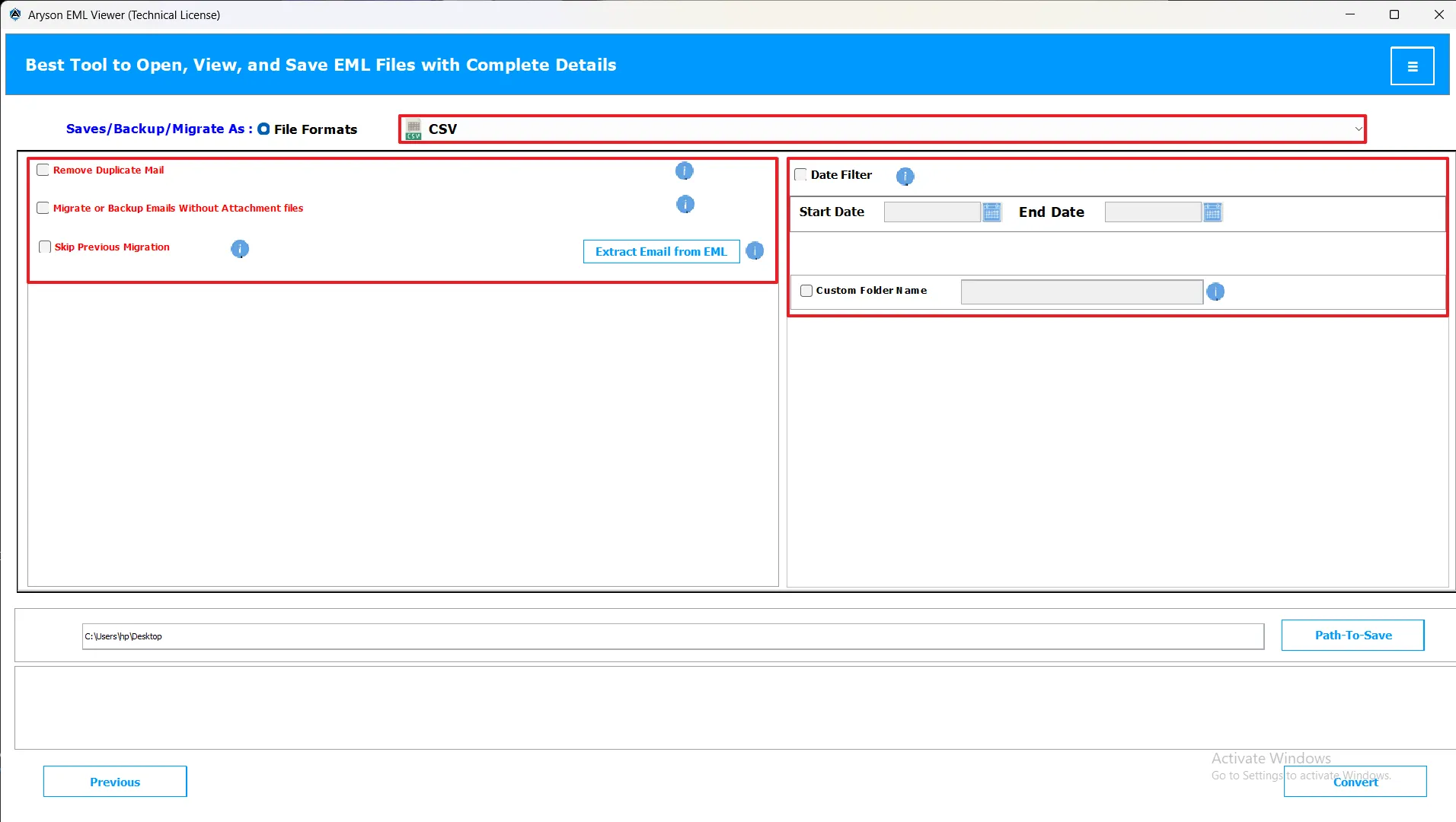
EML to XLSX Conversion Steps
Note: Once you reach this stage (after steps 1–3), choose your required file format and apply the available advanced filter options to ensure an optimized and accurate conversion.
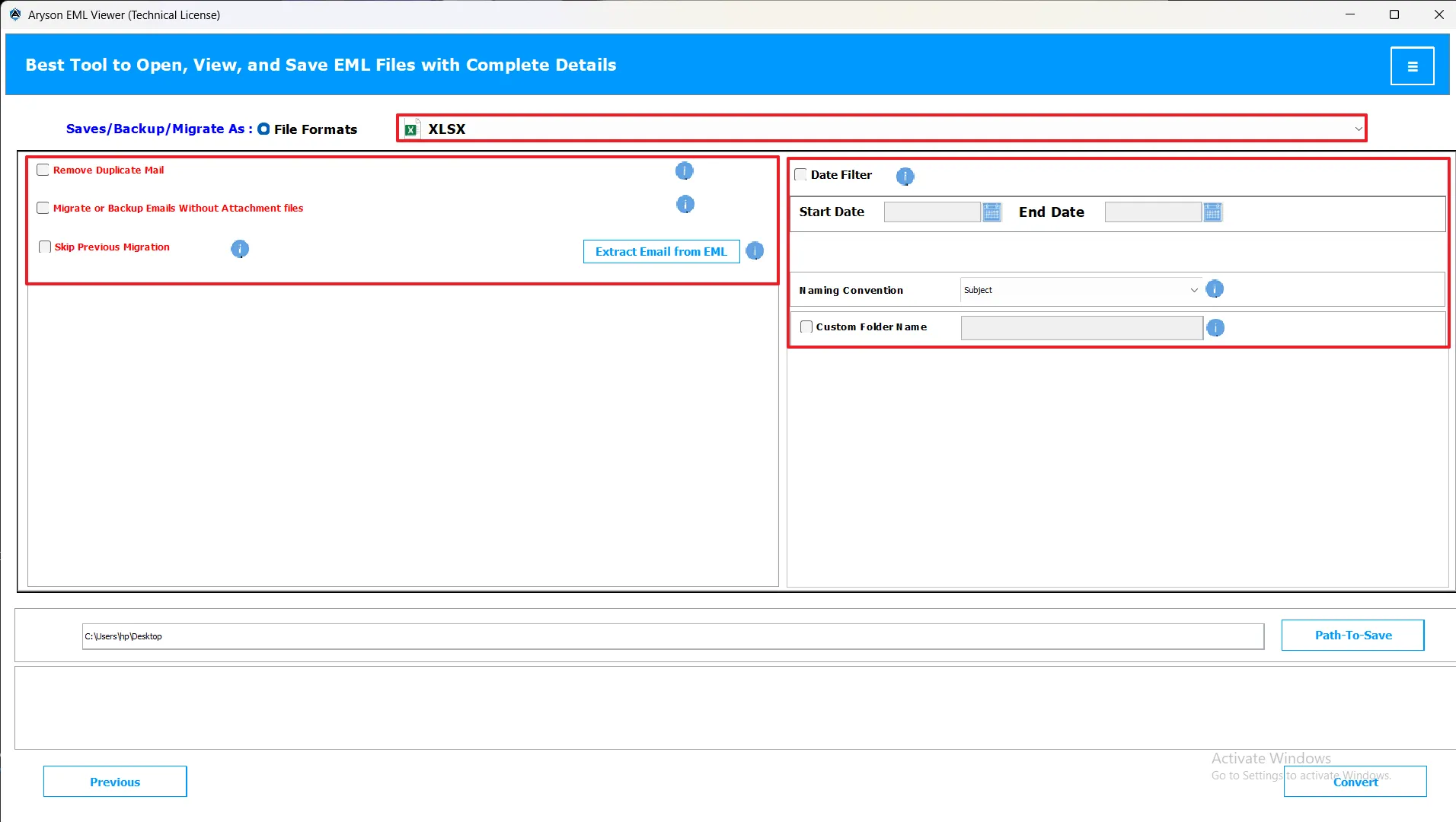
EML to OFT Conversion Steps
Note: After completing steps 1 to 3, select the format you wish to export your data in. Apply advanced filters as per your preferences to improve the accuracy and efficiency of the process.
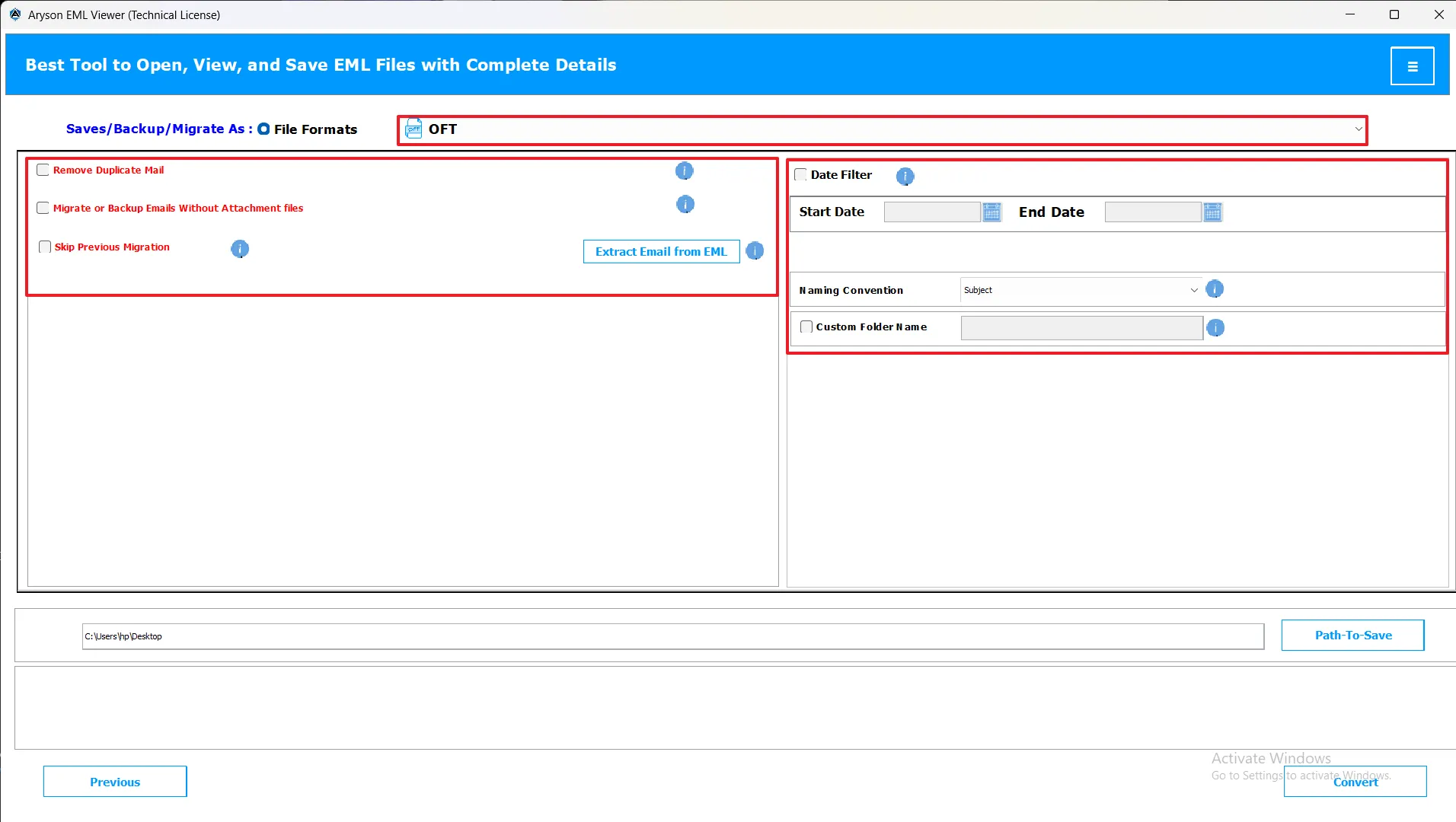
EML to WDSEML Conversion Steps
Note: When the first three steps are complete, choose a file format from the available options. Next, use the advanced filter settings to personalize the conversion outcome for best results.
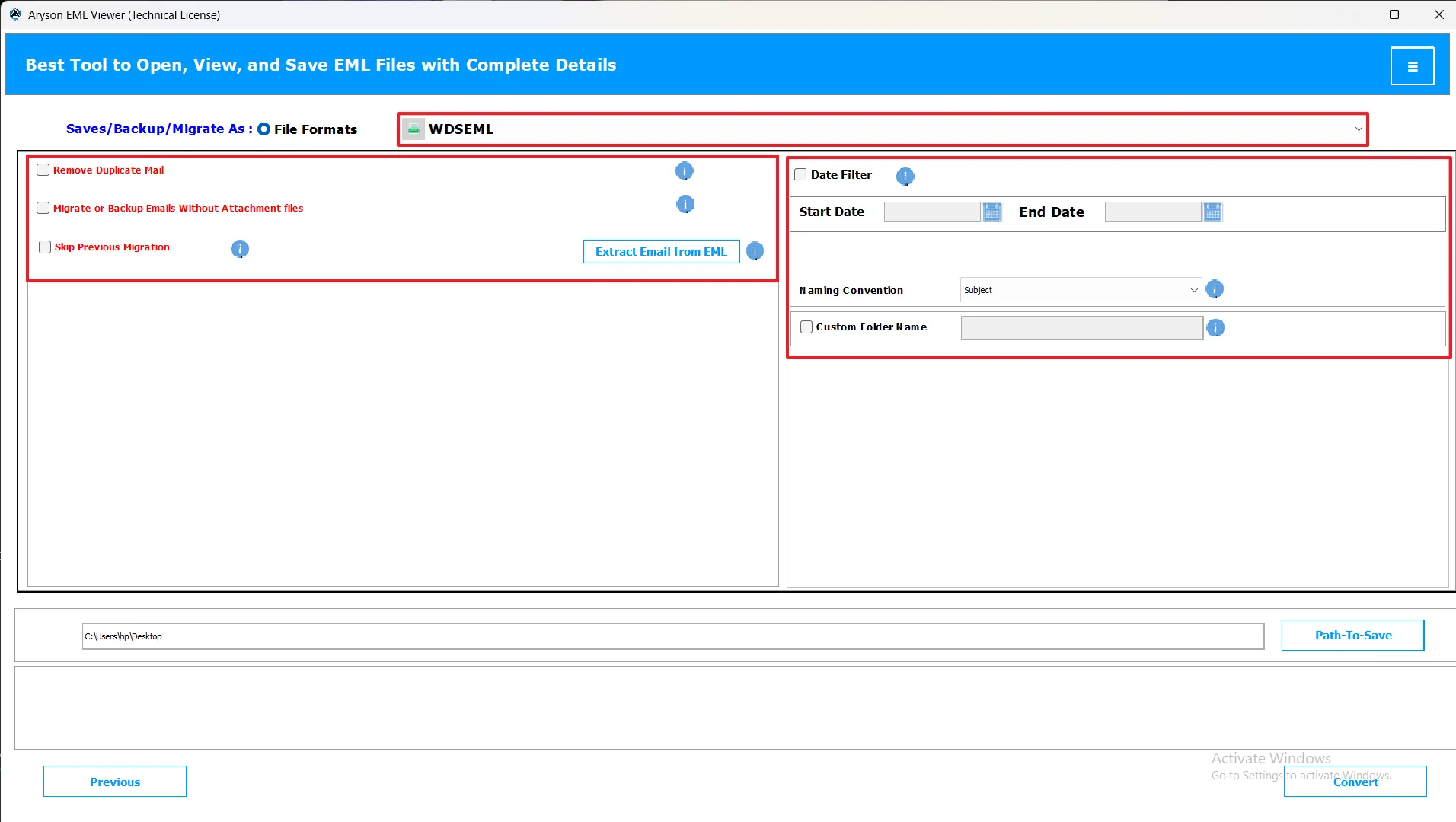
EML to THUNDERBIRD Conversion Steps
Note: Upon completing steps 1 to 3, pick the file format suitable for your needs. Then, apply advanced filters to control what gets converted and how the data is saved.
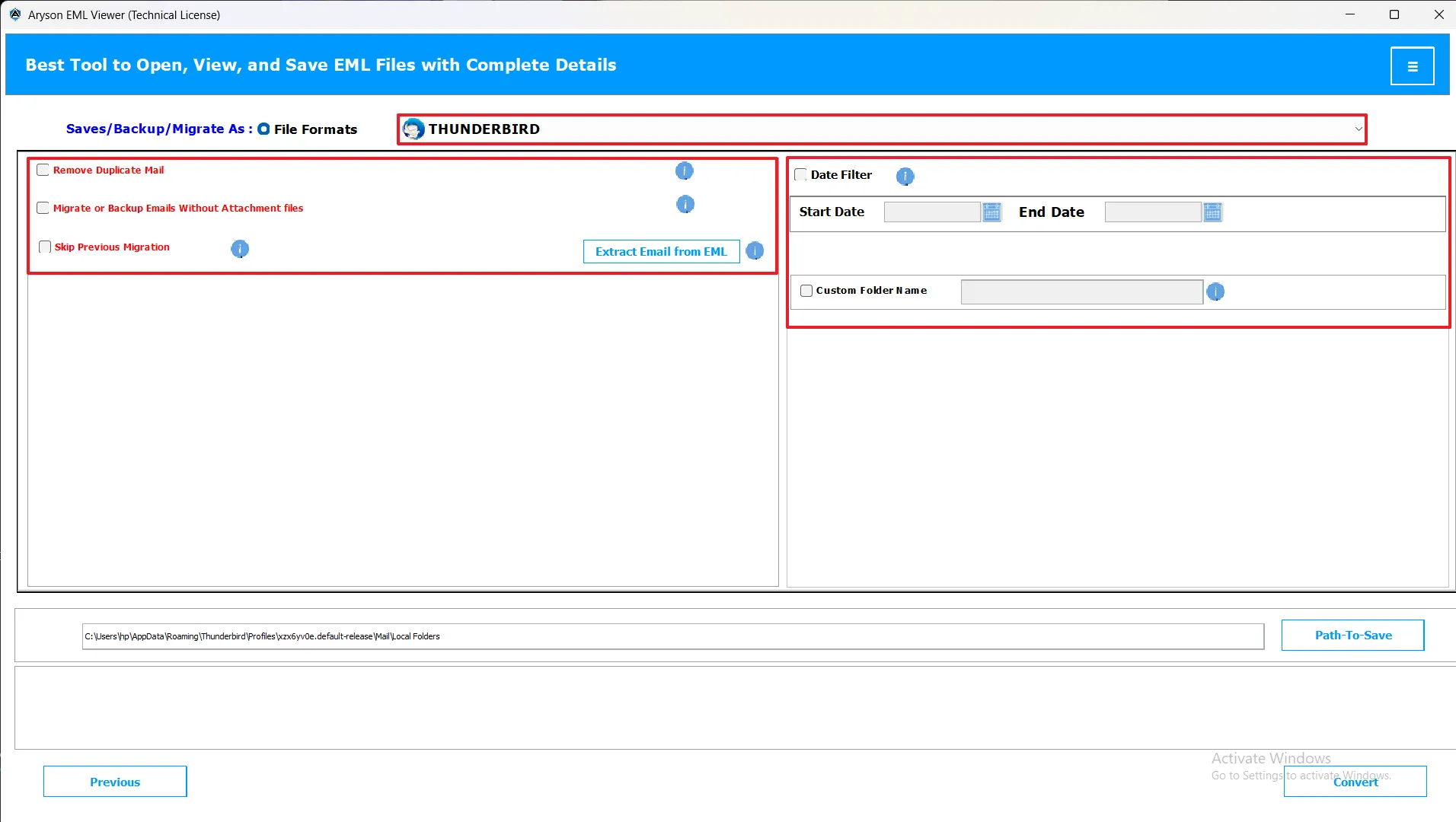
Note: Apply filters after selecting the file formats.
Why Choose Aryson EML Viewer?
The Aryson EML Viewer is a robust, user-friendly tool designed for effortlessly opening, previewing, and managing EML files. Suitable for both professionals and everyday users, it allows secure and accurate access to email content without requiring the original email client.
Key Benefits
|
Seamless Compatibility Effortlessly open and view EML files in the preview panel, with full support for large or multiple data files. |
Data Accuracy & Security Convert Maintain complete email integrity, including attachments, metadata, and folder structure. The tool ensures safe viewing of emails without altering content or format. |
Productivity & Scalability Quickly access and preview multiple emails at once with bulk viewing and smart search features. The software efficiently handles large email collections, making it ideal for personal and enterprise-level use. |
System Requirements
| Core Requirements | About Product |
|---|---|
|
Processor: Intel® Core™2 Duo E4600 Processor 2.40GHz Ram: 4 GB of RAM is recommended for optimal performance. Disk Space: Minimum Disk Space - 265 GB Supported Windows: Windows 7 / 8 / 8.1 / 10 (32-bit & 64-bit), Windows 11 (64-bit), and Windows Server 2008 / 2012 R2 / 2016. |
Version: 25.10 Size: 284 MB License: Multiple User Release Date: October 2025 Edition: Home, Administrator, Technician, and Enterprise Supported Output File: PST, MBOX, MSG, PDF, DOC, EML, EMLX, CSV, XLSX, OFT, WDSEML, and Thunderbird |
Installation Guide
|
Step-by-Step Installation Guide Step 1: Download the Software Step 2: Run the Installer Step 3: Complete the Setup Step 4: Launch the Application |
Trial Version Features What You Can Do with the Trial Version
What You Cannot Do with the Trial Version
Important Notes
|
TroubleShooting Guide
| Common Issues with Solution | |
|---|---|
| Software is not launching properly |
Possible Cause: Missing system permissions or corrupted setup files Quick Solution: Run the program as Administrator or reinstall the tool from the official Aryson Technologies website. |
| EML file not loading or detected |
Possible Cause: EML file is corrupted, password-protected, or too large Quick Solution: Use the EML Viewer Tool to repair the file before conversion, or unlock the EML file in Outlook. |
| Conversion process stuck or frozen |
Possible Cause: Low RAM or system resources during large file conversion Quick Solution: Close other applications and rerun the conversion with smaller EML segments. |
When to Contact Support?
You should contact Aryson EML Viewer support whenever you encounter issues that cannot be resolved on your own. This includes:
- Installation errors or setup issues
- EML file loading problems
- Software crashes or freezes during email preview
- Issues with attachment preview or metadata access
- Errors while exporting or saving emails
- Compatibility or format-related issues with target email clients
- Support can also assist with clarifying advanced features, handling large email collections, license activation problems, or any unexpected software behavior.
Pro Tips Before Contacting Support
To help the support team resolve your issue quickly and accurately, please have the following information ready:
- Software Version & System Details: Include your OS version and system specifications.
- Email File Information: Specify the file type, size, and email client used.
- Steps Taken: Describe actions performed that led to the issue.
Note: Providing these details ensures faster troubleshooting and more precise guidance from the support team.
Support & Privacy Information
| Professional Support Channels | Data Privacy & Security |
|---|---|
|
Email Support Comprehensive technical support via email with detailed responses. Email: support@arysontechnologies.com Response Time: 4-8 business hours |
Zero Data Storage Policy The tool ensures that no user data, email content, or attachments are stored on external servers during the conversion or migration process. |
|
Phone Support Direct phone consultation with technical experts. Availability: Mon-Fri, 9:00 AM - 6:00 PM (EST) |
Data Privacy Maintenance End-to-end encrypted communication during cloud migrations
|
|
Technical Expert Team Dedicated experts specializing in EML Viewer, email migration, and data integrity.
|
Audit & Compliance All operations are logged for internal audit purposes Logs include operational metadata only, without any personal email or file content. Live Chat Support Real-time chat assistance for immediate problem resolution. Response: Instant Availability: 24/7 for premium users. |
Support Request Process
|
Submit Request Contact support via email, phone, or live chat with detailed issue information. |
Expert Assignment A technical expert is assigned based on the issue’s complexity |
Issue Resolution Comprehensive analysis and implementation of a solution |
Follow-up Verification of resolution and customer satisfaction |
Software Frequently Asked Questions
Ans: Yes, the software is completely safe. It works locally on your system, preserves email integrity, maintains folder hierarchy, and ensures no data is altered or lost during viewing or export.
Ans: The time depends on the number and size of email files. Small collections are previewed in seconds, while larger batches may take longer.
Ans: Yes, the tool efficiently handles large EML files without risk of corruption or performance issues.
Ans: Yes, advanced search and filter options allow you to locate emails by keywords, sender, recipient, date range, or folder for precise management.
Ans: Yes, emails and attachments can be exported to formats like PDF, DOC, DOCX, XLSX, CSV, TXT, OFT, and more, ensuring compatibility with other applications
Ans: Yes, multiple EML files can be opened and previewed simultaneously, making it suitable for both personal and enterprise-level use.
Sales Frequently Asked Questions
Ans: If the conversion process is interrupted, the tool automatically resumes the conversion from where it left off, ensuring no data is lost.
There are various payment methods available for purchasing Aryson products:
- Credit Card/Debit Card
- PayPal Account
- Share It
- Purchase Order
- We accept all major cards such as MasterCard, VISA, Maestro Card, American Express, etc.
Ans: No, the product price is original and does not include any taxes or hidden charges. Tax deduction depends upon country to country as well as payment gateway policies.
Ans: To upgrade your existing license, you can contact our Support Team via email at sales@arysontechnologies.com or Live Chat with any of the following details:
- Order ID
- Email ID used for purchase
- Payment Receipt
- Transaction Number
- Activation Details
Ans: As soon as you make the payment, it gets approved and you can start using the full version of the license.
Ans: We are having following licenses for different software programs. Please read below:
- Single User License
- Administrator License
- Technician License
- Enterprise License
Ans: No, our applications are valid for a limited time, depending upon the type of software and license you are purchasing.
Ans: You will get the license/activation details of the software via email as soon as you make the payment.
Ans: The best way to purchase a software license is via online mode. You can directly make the payment using payment gateways given on the Aryson Technologies website. This method is very fast as well as 100% safe and secure. You will get the requested product license immediately via email after the purchase is made.
Note: Please enter a valid/working email ID while purchasing the software.
Ans: Personal License of the software can be installed on two PC/laptops. The License is not transferrable from one machine to another.
Ans: No, you should contact our Support Team or email us at sales@arysontechnologies.com if you have formatted your PC or lost your software due to Windows crashing issues. We will provide you with a suitable solution accordingly.
Ans: Sometimes due to network/connectivity issues if you don't get the requested license. In this case please go to our Live Chat Support or email us at sales@arysontechnologies.com and quote your query. Our technical representative will connect with you instantly.
Ans: If you have any requirements regarding the Quotation or Invoice of the product purchase, please go to our Live Chat Support or email us at sales@arysontechnologies.com, and our technical representative will connect with you instantly.
Ans: We continuously post about our new releases and product updates in the " News " section of the Aryson Technologies website. We request you and all our customers to keep checking that section from time to time.
Licensing Information
The EML Viewer Tool is available in four license types, each offering a different range of supported formats and export options.
| License Type | Supported Formats Services |
|---|---|
| Single License | PST, MBOX, MSG, PDF |
| Admin License | PST, MBOX, EML, EMLX, MSG, PDF, Thunderbird |
| Technician License | PST, MBOX, EML, EMLX, MSG, DOC, PDF, Thunderbird, CSV, XLSX, OFT, WDSEML |
| Enterprise License | PST, MBOX, EML, EMLX, MSG, DOC, PDF, Thunderbird, CSV, XLSX, OFT, WDSEML |
Each license is designed to meet different business or personal needs, ranging from simple viewing and export to enterprise-level migration and reporting.
System Requirements
Minimum Requirements:
- Operating System: Windows 11 / 10 / 8 / 7
- Processor: Intel Pentium 1 GHz or higher
- RAM: Minimum 8 GB (4 GB recommended)
- Disk Space: 256 GB free space
- Internet Connection: Required for smooth conversion